Remote Desktop Manager freezes/hides on taskbar when locking Windows (Multi-monitor setup)
Remote Desktop Manager freezes/hides on taskbar when locking Windows (Multi-monitor setup)

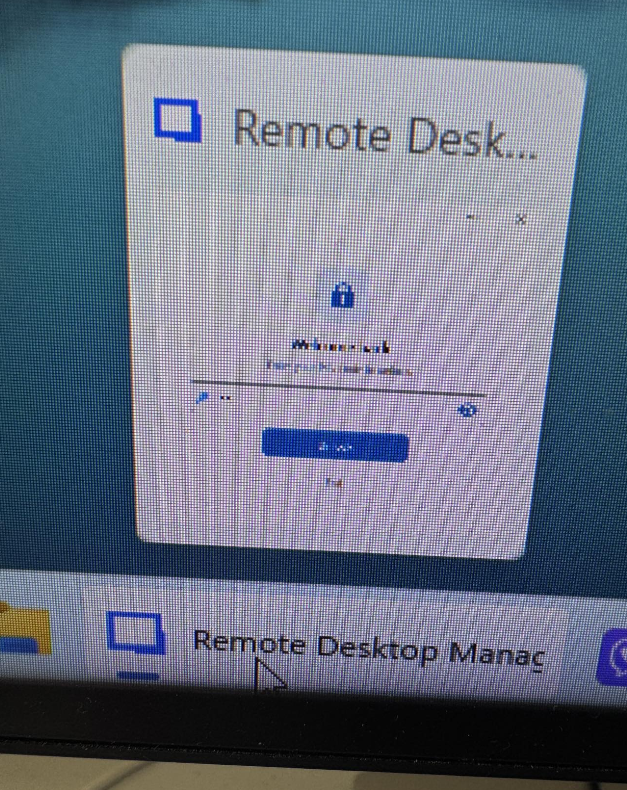
I have configured Remote Desktop Manager (RDM) to automatically lock with a PIN when Windows locks. However, I am running into an issue when waking or unlocking my PC:
- The Problem: When I unlock Windows, RDM gets stuck minimized on the taskbar. It will not maximize or open on either of my two monitors.
- The Workaround: I have to select RDM on the taskbar and blindly type my PIN without being able to see the prompt. Once I blindly enter the PIN, the application unlocks and opens normally.
- When it happens: This occurs every single time I lock Windows if RDM was already minimized to the system tray.
- When it works: If RDM is actively open and maximized on a screen when I lock Windows, the PIN prompt displays and works perfectly.
I suspect this behavior is related to my dual-monitor setup or how the application restores from the system tray after a Windows lock event. Is there a known fix or a configuration setting I should adjust to resolve this?
Thank you!
Win11 Pro 26H2 (OS Build 26300.9818)
RDM_Lock2.png
RDM_Lock.png
All Comments (2)
Hello,
We've been able to reproduce the issue, and a ticket has been sent to the Engineering Team.
Best regards,
Antoine Mauger
Hello,
I've fixed the issue. You can expect this to take effect with the upcoming 2026.3.17 version.
Regards,
Jafran Majeau