
vladovejin
2026.3.12.0 - Issue with Work Area Screen
Hello,
After the latest update, I encountered several issues when switching between Embedded Mode, Full Screen Mode, and Work Area Mode.
Full Screen Mode
I noticed the following behavior:
If I go to Server → right-click → Open with Parameters from the menu and then switch to Full Screen Mode, the application starts opening in Full Screen, but then switches to a smaller screen with black areas at the top and bottom, as shown in the attached screenshot.
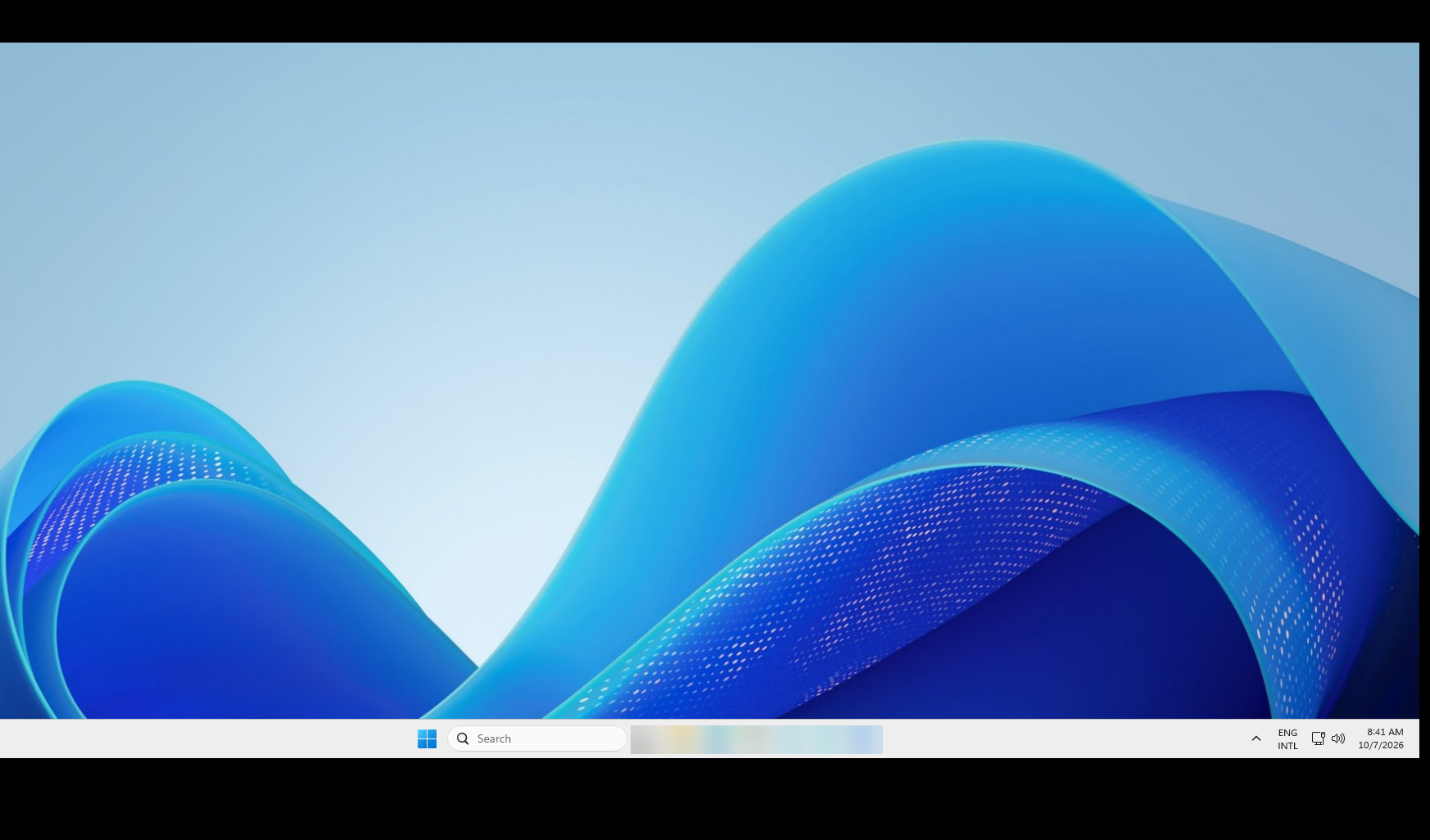
If I switch to Full Screen Mode from Embedded Mode, it works correctly and opens in full screen.
If I switch to Full Screen Mode from Work Area Mode (when Work Area Mode is accessible), it also works correctly.
Work Area Mode
Work Area Mode does not work properly. I always get a black screen when trying to switch to it.
There is also one specific behavior I noticed:
When I am in Full Screen Mode and try to switch to Work Area Mode, clicking on Work Area Mode does not switch to Work Area Mode. Instead, it switches to Embedded Mode.
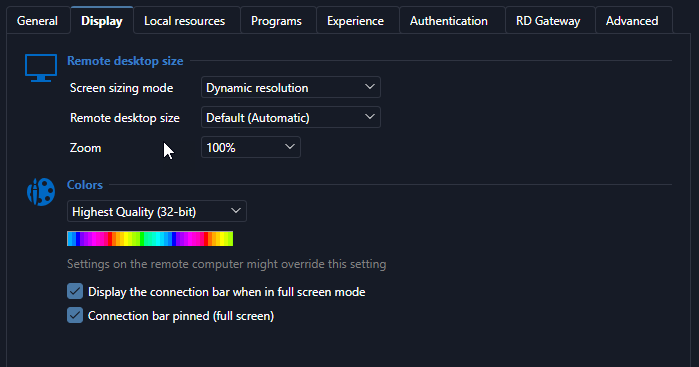
Server configuration:
Thank you very much.