
jnkjunk
Unexpected folder creation from Bitwarden Synchronization process
Thank you for your response. If development doesn't think duplicated folders and entry shortcuts are an issue, then I think they also unlikely to accept a feature request to sync without creating duplicates. I am going to abandon this bug report and also abandon my use of the feature. Thanx anyway.
Unexpected folder creation from Bitwarden Synchronization process
Hello,
Thank you for the follow-up.
I tested this behavior extensively across multiple workspace types but was not able to reproduce the issue consistently. I was able to reproduce it the first time I synchronized BitWarden. However, after launching my recording tool, I was no longer able to reproduce the issue on any workspace type.
Could you let me know if the issue still occurs after deleting the BitWarden folder structure and synchronizing the workspace again?
I also tested the behavior using RDM 2026.2.16.0, and I was unable to reproduce the issue there either. If you have not already done so, it would be worthwhile to update to this version and test whether the issue persists.
I look forward to your reply.
Best regards,
@Jacob Lafrenière
I upgraded to 2026.2.16.0 64-bit (JIT) and I am still able to reproduce this issue at will when deleting the synced hierarchy structure in Remote Desktop Manager between synchronization attempts. I am using the Local (SQLite) workspace.
Unexpected folder creation from Bitwarden Synchronization process
Hello,
Thank you for reaching out regarding this matter, and thank you for providing such a detailed report.
I'll need to set up a similar environment on my end to reproduce the issue. Once I've been able to replicate it, I'll report the behavior to our development team for further investigation.
Could you please confirm the workspace type you're using in Remote Desktop Manager (RDM), along with its version? This information will help me accurately reproduce your setup.
I look forward to your reply.
Best regards,
@Jacob Lafrenière
I am using the default workspace in RDM for Windows 2026.2.16.0 64-bit (JIT).
Unexpected folder creation from Bitwarden Synchronization process
Bump.
Unexpected folder creation from Bitwarden Synchronization process
Issue: Bitwarden folders are interspersed within a synced collection.
Here is an example to illustrate the unexpected behavior. Here is my test Bitwarden vault and collection structure:
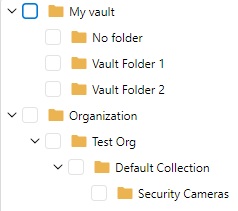
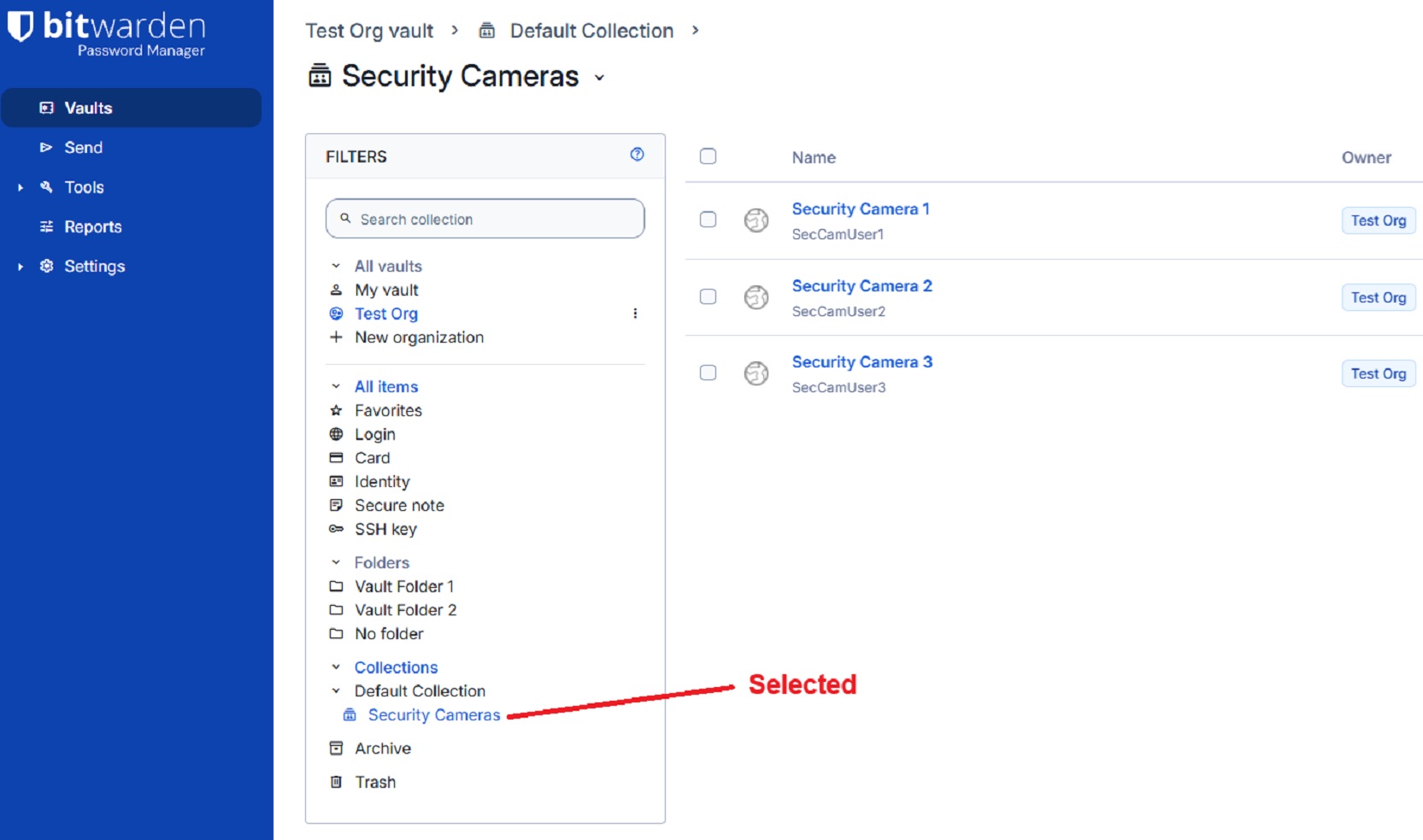
There is one entry in "Vault Folder 1" which is "Security Camera 1". There is also one entry in "Vault Folder 2" which is "Security Camera 2". There is a "Security Camera 3" which is not in any vault folder. All three security cameras are members of the collection "Security Cameras" which is nested underneath the "Default Collection".
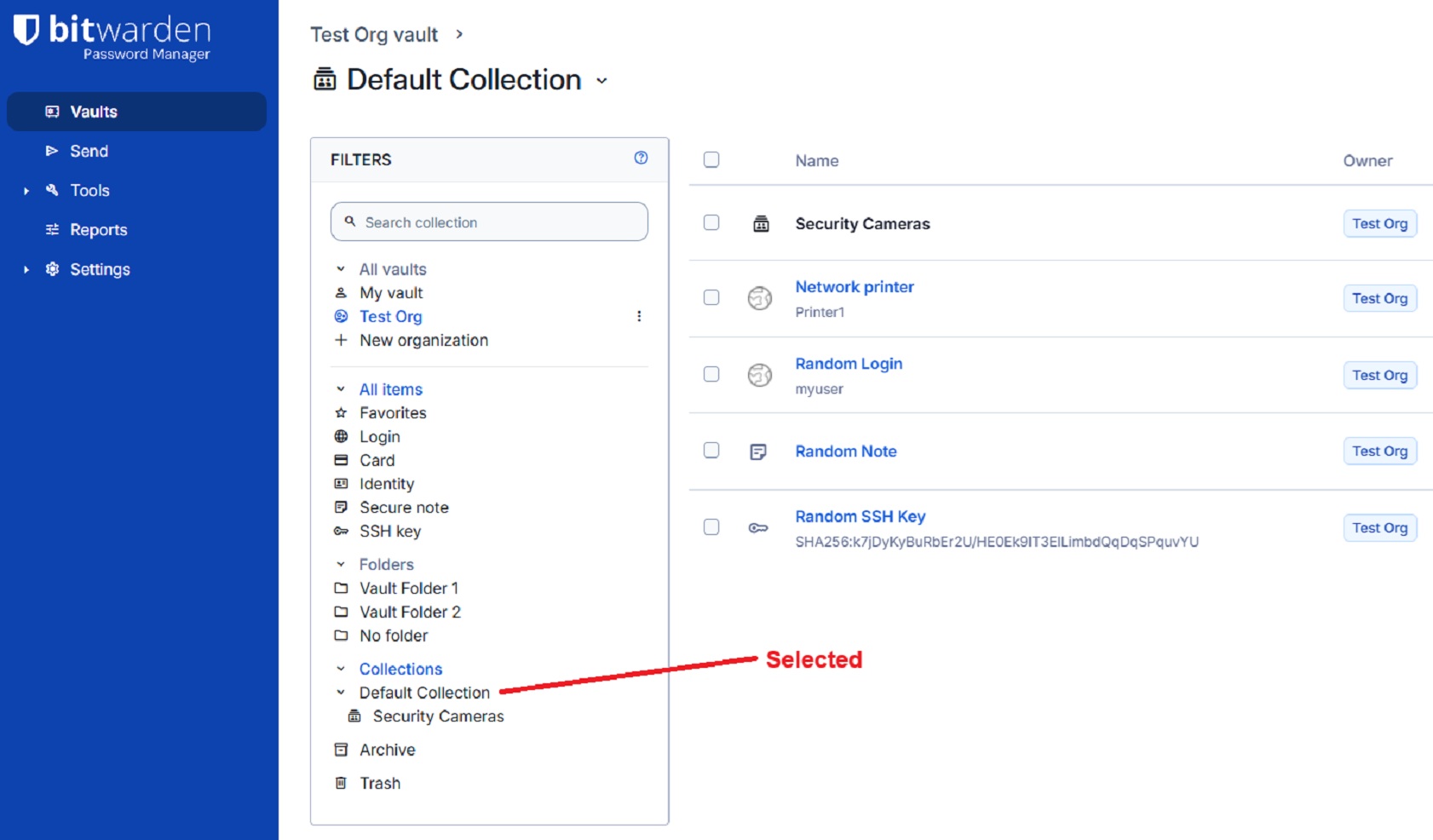
Other Bitwarden items exist under "Default Collection", but I do not want them to sync with my RDM vault.
Here is a screen shot of my Bitwarden test vault with the Default Collection selected.
Here is a screen shot of my Bitwarden test vault this time with the Security Camera collection selected.
On the general tab of the Bitwarden Synchronizer I select a specific destination folder. On the filter tab of the Bitwarden Synchronizer, I select the "Security Cameras" collection like the image below. The setting "Synchronize automatically" is unchecked. Note that "Default Collection" has been touched to change it from being a blue check mark to just being an open blue box to prevent entries other than those under "Security Cameras" from being synced.
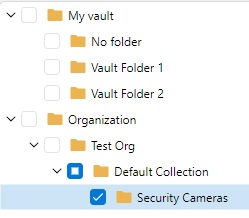
The filter is saved.
When I click the Synchronize button this is the sync result.
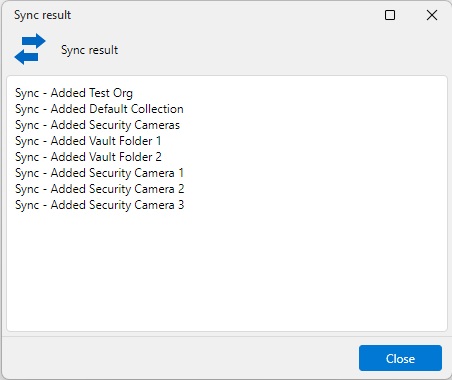
I was not expecting "Vault Folder 1" or "Vault Folder 2" to be in the above list. Below is the resulting hierarchy in my RDM vault.
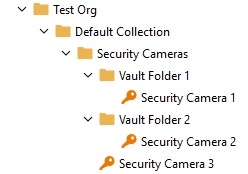
Bitwarden folders and collections are separate things. I was not expecting to see Bitwarden folders interspersed within the "Security Cameras" collection. Especially since I did not select any vault folders on the filters tab.
The expected result was that I would see only the three security camera credential objects directly under the "Security Cameras" folder. No vault folders would be created.
I am using RDM version 2026.2.14.0 64-bit (JIT).
Bitwarden synchronizer filter not filtering
The filter tab in the properties of a Bitwarden synchronizer is not filtering. While on the Filter tab I click the refresh button and my Bitwarden folders and collections are loaded proving that I entered the correct values on the General tab including my client ID, secret and master password. However when I select one of the folders or I select one of the collections and then click the Save button I am presented with the RDM error "You must choose at least one folder or one collection." If I select two or more of either folders or collections the error persists. The only way around the error I have found is to select my entire vault or the top level of my collections which seems to defeat the purpose of having a filter.
This scenario exists in both Windows versions 2026.2.11.0 and 2026.2.13.0. I am using the RDM free edition for individual use.