
abang
PowerShell Universal bundled .NET runtime — CVE-2026-111497 (broccoli2shell)
Thanks, latest release fully fixes this 😀
Also I posted this in the wrong forum, can we move it to Devolutions PowerShell Universal or should I just delete this post?
PowerShell Universal bundled .NET runtime — CVE-2026-111497 (broccoli2shell)
We reviewed our PSU 2026.3.3 Ubuntu container and found bundled .NET 10.0.12, below the 10.0.14 fix listed in Microsoft’s advisory for CVE-2026-111497.
We did some local testing and confirmed that PowerShell web cmdlets can decode Brotli responses using this runtime. We have not confirmed an exploitable inbound path through PSU.
Will Devolution releases be updated? and how to mitigate?
SSH keys are broken in 2026.3.2 - maybe earlier
Also getting error on nodes that formerly didn't have any problems
This is Windows Server 2025 Standard, 2 nodes
Other servers with same configs are fine so it seems like not every Windows PowerShell Universal is touched by it
Running 2026.3.2

PowerShell Universal failed to start (Timed out waiting for security proxy to start) - Version 2026.3.0
Found another fix
We include this in our image
/etc/apt/conf.d/90curtin-proxyand these labels in the compose file
       - http_proxy=http://subdomain.domain.local:8080
       - https_proxy=http://subdomain.domain.local:8080
       - HTTP_PROXY=http://subdomain.domain.local:8080
       - HTTPS_PROXY=http://subdomain.domain.local:8080
       - no_proxy=127.0.0.1,localhost,.domain.local,.domain.com
Removing them and setting proxy in
settings.ps1as
ProxyUri = 'http://subdomain.domain.local:8080'Fixes the problem
PowerShell Universal failed to start (Timed out waiting for security proxy to start) - Version 2026.3.0
Issue still in version 2026.3.2
PowerShell Universal failed to start (Timed out waiting for security proxy to start) - Version 2026.3.0
@adriscoll Thanks. Here’s what we had and what fixed it.
Before (failed 2026.3.0 start):
DefaultEnvironment = PowerShell 7
SecurityEnvironment = PowerShell 7
ApiEnvironment = PowerShell 7
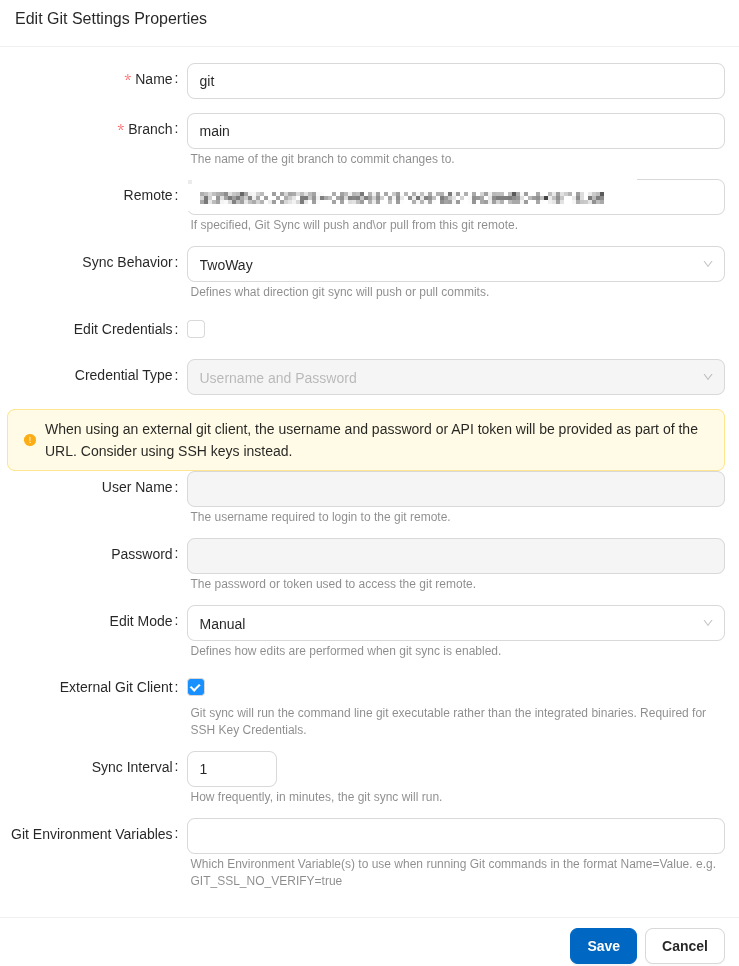
Linux Docker (Ubuntu 24.04), SQL backend, Git two-way sync. 2026.2.5 was fine. 2026.3.0 failed at “Starting security service…” (30s security proxy timeout).
SecurityEnvironment = Integrated — container starts, Admin works.
App still did not start: “The app is not yet available on this server node.” No new app logs after upgrade.
All three = Integrated:
DefaultEnvironment = Integrated
SecurityEnvironment = Integrated
ApiEnvironment = Integrated
2026.3.0 then starts fully (Admin + app).
So on this host, PowerShell 7 for Default/Security/API is what breaks 2026.3.0. Security Integrated alone is not enough; Default/API on 7 left the app failed. Integrated for all three is the workaround.
PowerShell Universal failed to start (Timed out waiting for security proxy to start) - Version 2026.3.0
OS: Linux
Docker Image: devolutions/powershell-universal:2026.3.0-ubuntu-24.04
Note: This container has updated through almost every 2026.* release without any problems causing failed starting
OBS: Image is baked into another image but other versions haven't been a problem
PowerShell Universal fails to start because the security proxy does not become available within the configured startup timeout.
After starting with new imagine
Startup sequence:
- PowerShell Universal begins starting.
- Startup reaches "Starting security service..."
- The security service does not successfully start within 30 seconds.
- PowerShell Universal then aborts startup.
- Reverting to 2026.2.5 successfully starts it again
Displayed error:
PowerShell Universal failed to start. Check the logs for more information.
Failed to load PowerShell Universal. Timed out waiting for security proxy to start. Waited 30 seconds. Consider increasing the SecurityProxyTimeout setting in appsettings.
Expected behavior:
PowerShell Universal should successfully start the security service and complete application startup.
Urgent - 2026.2.2 - license is no longer valid
This happens both on Linux (Docker image) and Windows (MSI)