SSH keys are broken in 2026.3.2 - maybe earlier

Hi,
Trying to setup github integration from one of our PSU containers, but its failing.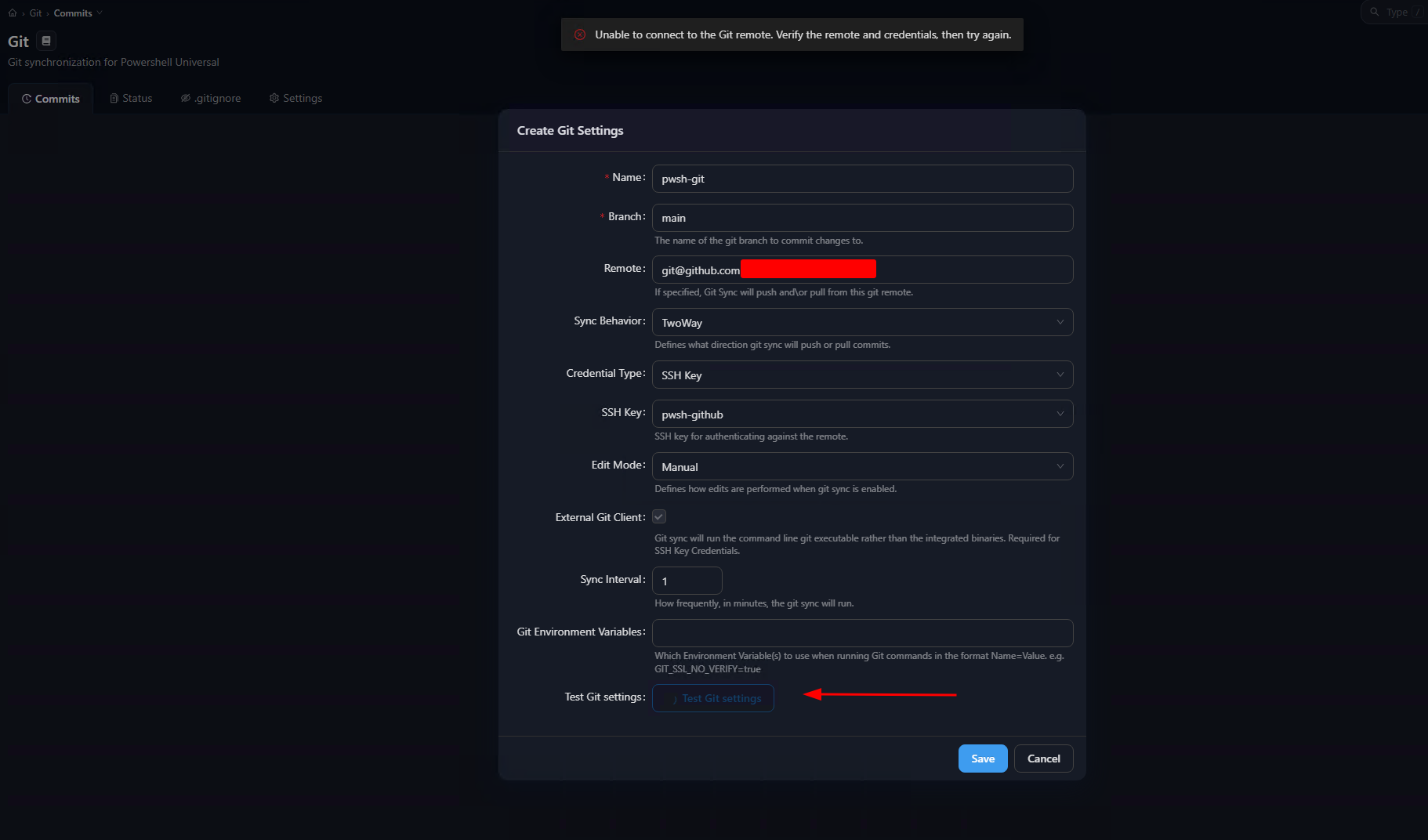
Tried with:
- New SSH keys and added it to github as deploy keys
- Ensured that the pod / container have access to github.com on port 22
- Cleared the .git folder in the Repository folder
- Deleted the git settings, and then created a new key and tried to enable git again
The notifications is showing:
SSH key error: The configured SSH key is invalid or not accepted by the remote. Verify your SSH key configuration.
But the key was created in PSU itself, and the public key was copied to github and ensured it have Read/Write
1aaf64f2-17e0-4d14-8085-617fbdc57586.png
All Comments (10)
Same here.
I've raised an issue for this. This is the first I've heard of it so I will let you know if I need some more information.
Adam Driscoll
PowerShell Expert and Software Architect at Devolutions
I just noticed I was running 2026.3.0 (Docker), not 2026.3.2 like @krle.
Also getting error on nodes that formerly didn't have any problems
This is Windows Server 2025 Standard, 2 nodes
Other servers with same configs are fine so it seems like not every Windows PowerShell Universal is touched by it
Running 2026.3.2
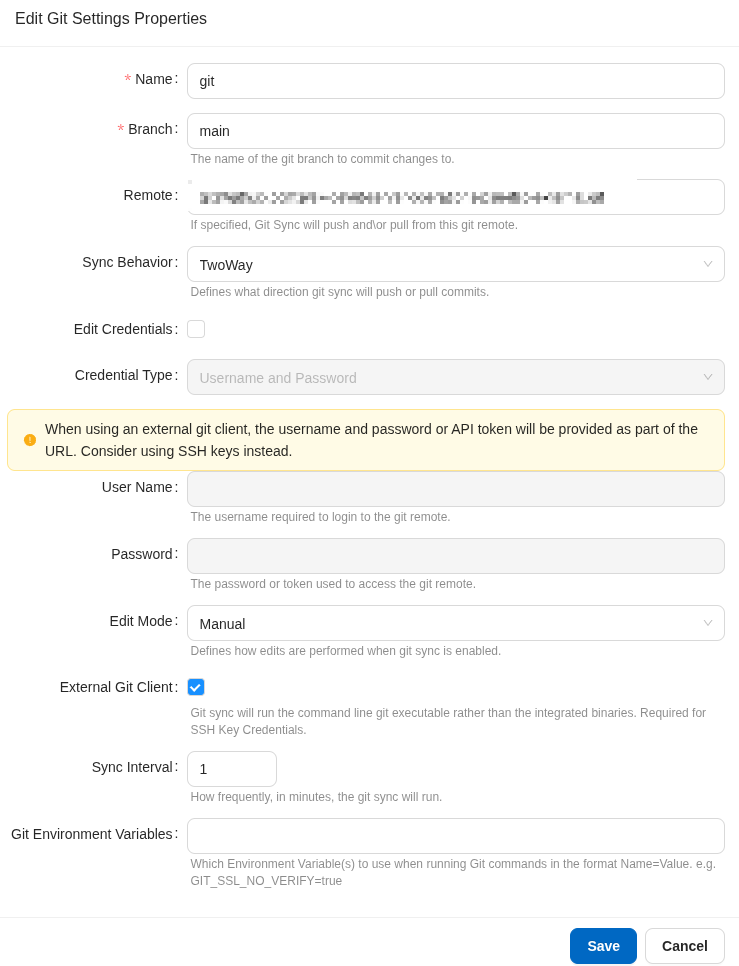
e1beaf89-c57c-495c-9b0e-3663b8bebb5e.png
df387d1a-6b15-4714-b7dc-e688cfb09fae.png
Same here - we're using Azure Devops.
Is this a config change on Microsoft's side?
We're trying to verify a fix for this. It works on a fresh Windows server for me and I will be testing Linux as well. That said, it would be useful if we could see if git logs any additional information. In 2026.3, we made git logging opt-in because it could log sensitive data. To enable it, you need to add the following to appsettings.json and restart.
{
  "Logging": {
    "LogLevel": {
      "PowerShellUniversal.Git.GitCommandDiagnostics": "Debug",
      "PowerShellUniversal.Git.GitService": "Debug"
    }
  }
}
If someone has the time to configure this and send the output, that would be helpful.
Adam Driscoll
PowerShell Expert and Software Architect at Devolutions
We're trying to verify a fix for this. It works on a fresh Windows server for me and I will be testing Linux as well. That said, it would be useful if we could see if git logs any additional information. In 2026.3, we made git logging opt-in because it could log sensitive data. To enable it, you need to add the following to appsettings.json and restart.
{
"Logging": {
"LogLevel": {
"PowerShellUniversal.Git.GitCommandDiagnostics": "Debug",
"PowerShellUniversal.Git.GitService": "Debug"
}
}
}
If someone has the time to configure this and send the output, that would be helpful.
@Adam Driscoll
Just for clarification, I was having the issue on 2026.2 and upgraded to the latest before seeing this thread.
Anyway, here's what I get in the log file (sanitised) after making the changes:
2026-09-29 15:09:00.993 +01:00 [DBG][PowerShellUniversal.Git.GitService] Repository directory already exists. Validating whether it is a valid git repository.
2026-09-29 15:09:00.998 +01:00 [DBG][PowerShellUniversal.Git.GitService] Repository directory is valid repository.
2026-09-29 15:09:00.999 +01:00 [DBG][PowerShellUniversal.Git.GitService] Updating remote.
2026-09-29 15:09:01.004 +01:00 [DBG][PowerShellUniversal.Git.GitService] Repository has a configured remote.
2026-09-29 15:09:01.017 +01:00 [DBG][PowerShellUniversal.Git.GitService] Repository has a configured remote.
2026-09-29 15:09:01.034 +01:00 [DBG][PowerShellUniversal.Git.GitService] Running external Git command remote.
2026-09-29 15:09:01.066 +01:00 [INF][PowerShellUniversal.Configuration.SshKeyService] Reused installed SSH key <KEYNAME> with public fingerprint <FINGERPRINT> at C:\path\to\pem.pem.
2026-09-29 15:09:01.307 +01:00 [DBG][PowerShellUniversal.Git.GitService] External Git command remote completed with exit code 0.
2026-09-29 15:09:01.307 +01:00 [DBG][PowerShellUniversal.Git.GitService] Running external Git command pull.
2026-09-29 15:09:01.314 +01:00 [INF][PowerShellUniversal.Configuration.SshKeyService] Reused installed SSH key <KEYNAME> with public fingerprint <FINGERPRINT> at C:\path\to\pem.pem.
2026-09-29 15:09:01.960 +01:00 [DBG][PowerShellUniversal.Git.GitCommandDiagnostics] External Git command pull failed with exit code 1. Standard error: No RSA host key is known for ssh.dev.azure.com and you have requested strict checking.
Host key verification failed.
fatal: Could not read from remote repository.

Please make sure you have the correct access rights
and the repository exists.

2026-09-29 15:09:01.960 +01:00 [ERR][PowerShellUniversal.Git.GitService] External Git command pull failed with exit code 1.
2026-09-29 15:09:01.996 +01:00 [ERR][UniversalAutomation.GitSyncService] Git sync 251538 failed with result "InvalidSshKey".
@lloydmitchell Thanks. This is the issue that we have identified. We were using StrictHostKeyChecking=yes for the ssh command in git. Changing this to accept-new seems to have resolved the issue. What I'm trying to determine is why this worked from some users before this change we made for 2026.3.3.
If your service is running under local system, you can check the known_hosts file here:
C:\Windows\System32\config\systemprofile\.ssh\known_hosts
If you do not have a record for ssh.dev.azure.com, you can use this command to update the file.
$knownHosts = Join-Path $env:USERPROFILE '.ssh\known_hosts'
$knownHosts
Test-Path -LiteralPath $knownHosts
ssh-keygen -F ssh.dev.azure.com -f $knownHosts
Adam Driscoll
PowerShell Expert and Software Architect at Devolutions
@Adam Driscoll
That command doesn't appear to do anything - from what I can see, it just searches the known_hosts file for the 'ssh.dev.azure.com' string and returns if it's found.
Ok - so I got it working.
From the PSU terminal (because it's running as that service account for the SSH connection):
$knownHosts = Join-Path $env:USERPROFILE '.ssh\known_hosts'
Get-Content $knownHosts
ssh-keyscan ssh.dev.azure.com >> $KnownHosts      # Ignore the red [ERROR] messages - it's probing different algorithms apparently
Get-Content $KnownHosts