chase.mccain
Screen capture protection for the Devolutions Password Manager desktop app
Thanks for implementing this feature so fast.
Screen capture protection for the Devolutions Password Manager desktop app
Using the KeePassXC example, when I try to make a screenshot, the windows disappears. Same if someone connects via TeamViewer to my PC or I share my screen via MS Teams etc. the window is invisible to others.
In my opinion, this is a useful feature. For example, it is useful when third-party service providers or external participants are viewing my screen, or when I am sharing it.
Screen capture protection for the Devolutions Password Manager desktop app
Hello,
is it possible to add an option to protect the Devolutions Password Manager desktop app from screen capture, similar to the existing "Protect data from screen capture" setting in RDM?
For example, the KeePassXC project uses a Windows API (SetWindowDisplayAffinity with WDA_EXCLUDEFROMCAPTURE, which removes the window from captures entirely.)
On MacOS the function setWindowSecurity is used, and sharingType set to NSWindowSharingNone
Password renewal via browser extension
Hi,
It gets stuck on the loading state. I logged out and logged back in, and now it works.
I hope you'll soon find a way to do it directly from the extension.
Thank you.
@maamigo
What browser are you using?
It could be a cache problem. Chromium-based browsers sometimes have cache issues. When a website changes, it should notify the browser to update its cache, but sometimes this does not work.
It is a good idea to clear the cache when you close the browser.
https://chromeenterprise.google/policies/#ClearBrowsingDataOnExitList
In most cases, doing it manually is enough when there is a problem.
chrome://settings/clearBrowserData
Information "Bank Account" > custom fields are not shown on overview
When I add a custom field in a "Bank Account" Information, it does not show on the Overview.
Devolutions Cloud, 2026.1.106.5554-FR
Google Chrome 148.0.7778.215 (Official Build) (64-bit)
Geo IP credential is invalid?
Hello,
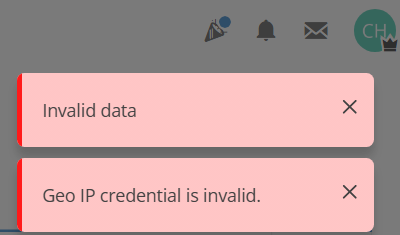
I’m using Devolutions Hub Business (Free) and would like to test the GeoIP security feature. I set up a free MaxMind account, but when entering my credentials (Account ID & License key), I consistently get the following error:
"Invalid Data" / "Geo IP credential is invalid"
The credentials are correct and also the MaxMind Portal sees that the key has been used.
Could you please help me look into this?