
pankracyolejniczak
SSH Terminal Syntax Highlitning
Thank you for explanation.
Will there be an option to select syntax highlighting from predefined templates?
I'd like to be able to define several templates in the settings and then choose from that list for each connection, rather than being limited to only the default template or a custom one.
SSH Terminal Syntax Highlitning
Hello Everyone,
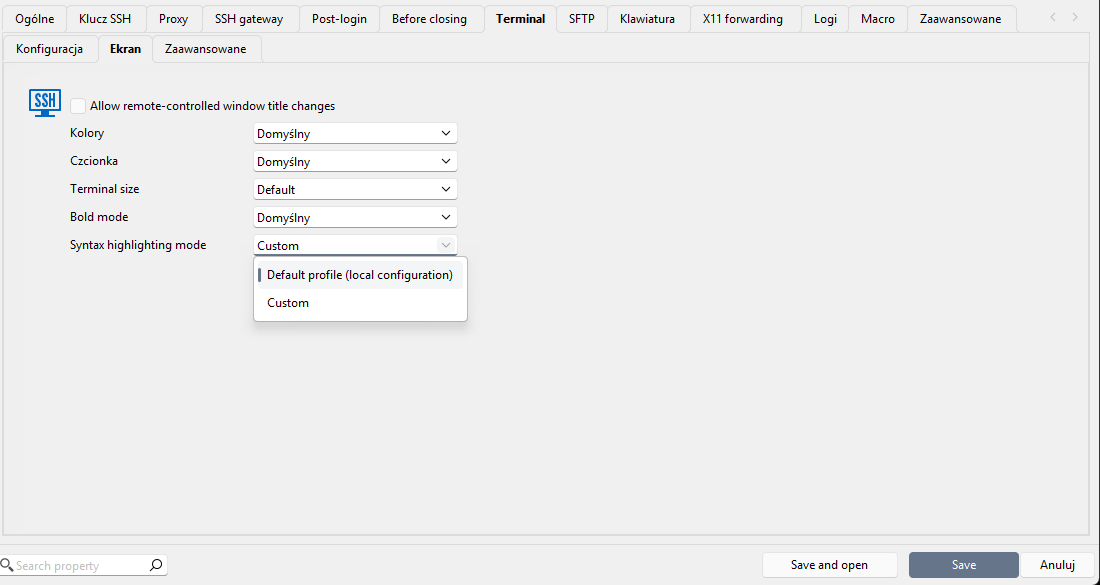
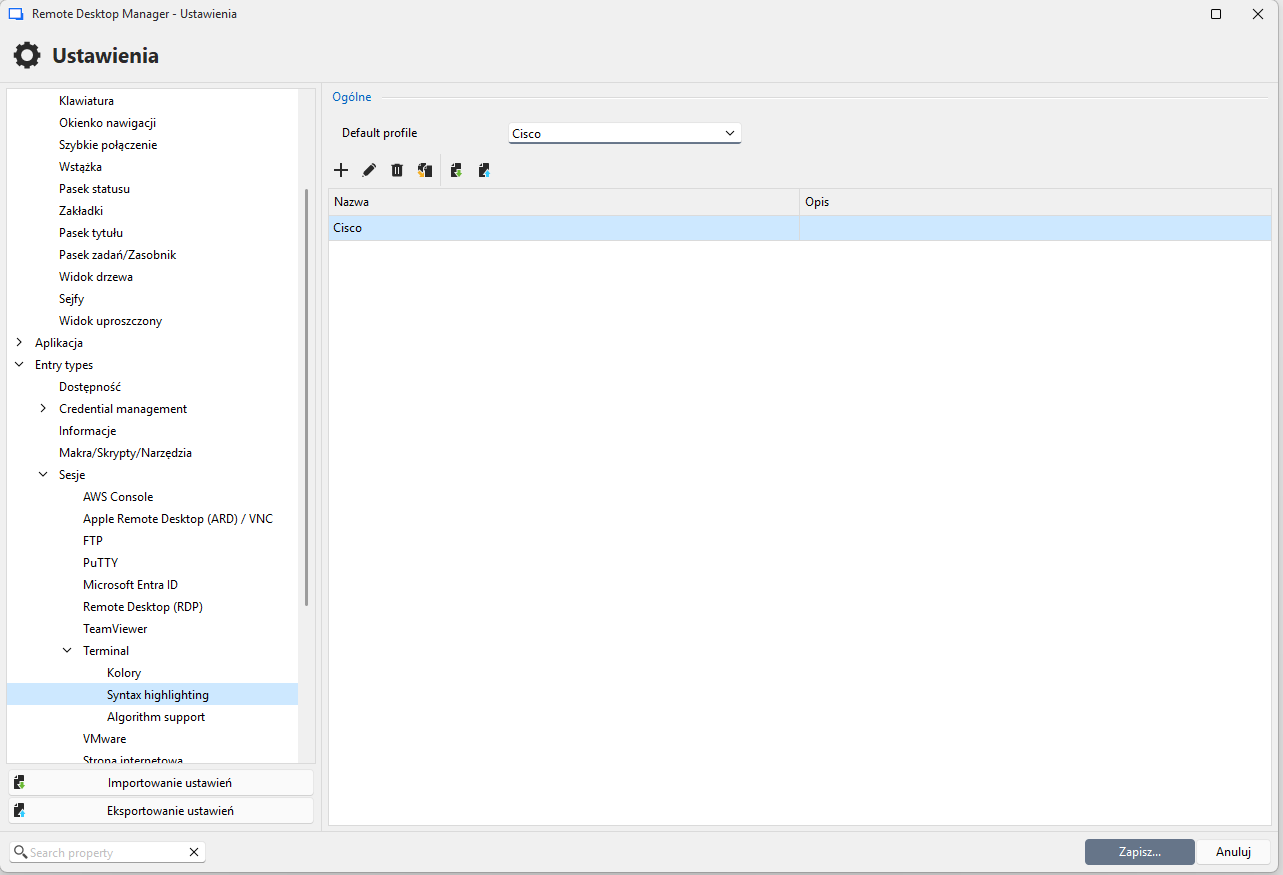
I'm not able to use a predefined by myself in File > Settings > Entry types > Sessions > Terminal > Display Syntax Highlitning.
I created a few templates (copied from MobaXTerm, which I previously used, screenshot taken when only one was created).
When I try to select Custom, it opens me tab to create a new "syntax highlighting template".
Am I doing something wrong? Should I navigate elsewhere to use the my themes?
version: Windows 2026.2.18.0
SSH Shell - An unexpected error occurred. Error code: FAIL_PROTOCOL_ERROR
That was it! Thank you very much.
I couldn't find any logs in the app, I had to enable in the session settings - thanks for showing this tip.
For the refference, DH group and MAC were missing.
[24.06.2026 18:22:20] Devolutions.ProtocolsSharp: 2026.1.26.1 OS: Windows

[24.06.2026 18:22:20] Terminal font: Courier New [Courier New, fixed=True]

[24.06.2026 18:22:20] Starting SSH, verbose level: 2

[24.06.2026 18:22:20] Setting up connection

[24.06.2026 18:22:20] Connecting to: x.y.z.u (IPV_ANY)

[24.06.2026 18:22:20] SSH version banner: SSH-2.0-Cisco-1.25

[24.06.2026 18:22:20] Sending kex init

[24.06.2026 18:22:20] Received kex init

[24.06.2026 18:22:20] SSH algo negociation failed:
  enable kex: diffie-hellman-group14-sha1
enable mac: hmac-sha1SSH Shell - An unexpected error occurred. Error code: FAIL_PROTOCOL_ERROR
Hi,
I'm trying to set up regular SSH connection to Cisco switch (in terminal/powershell - ssh admin@switch).
In MobaXTerm I have no issues, but in RDM, I'm getting this error.
Is there any setting that I should change? I have everything on Default, it is a SSH Shell selected as connection type and port is 22. No SSH key login, just regular login/password. No matter if it set or not, the terminal does not open.
