SSH Terminal Syntax Highlitning

Hello Everyone,
I'm not able to use a predefined by myself in File > Settings > Entry types > Sessions > Terminal > Display Syntax Highlitning.
I created a few templates (copied from MobaXTerm, which I previously used, screenshot taken when only one was created).
When I try to select Custom, it opens me tab to create a new "syntax highlighting template".
Am I doing something wrong? Should I navigate elsewhere to use the my themes?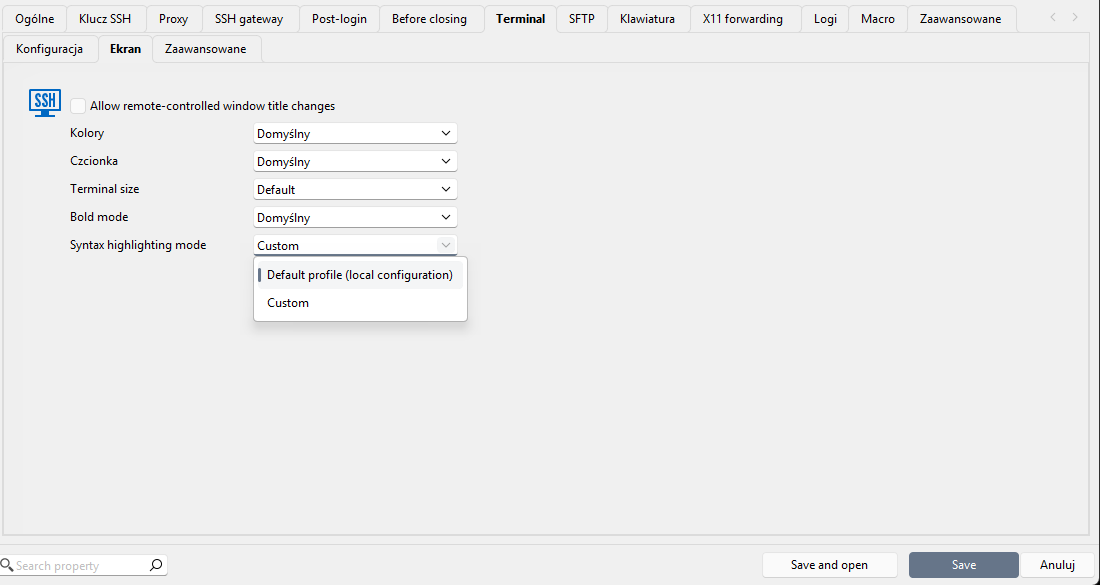
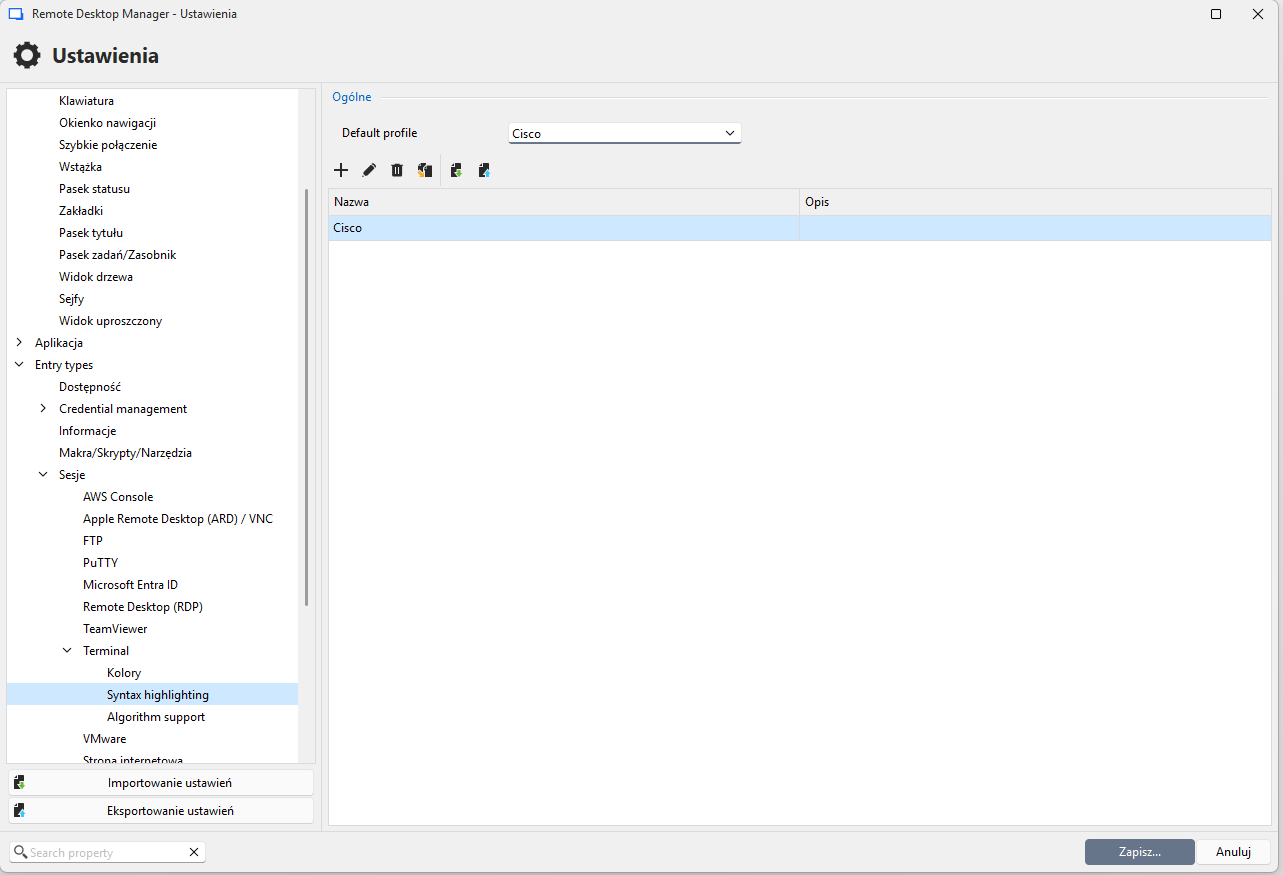 version: Windows 2026.2.18.0
Zrzut ekranu 2026-08-31 125004.png
Zrzut ekranu 2026-08-31 125047.png
All Comments (3)
Hello,
Thank you for the details and screenshots.
The setting you configured under File > Settings > Entry Types > Sessions > Terminal > Display > Syntax Highlighting is a global default. It applies to all SSH session entries that use that entry type, rather than to a single session individually.
If you want a specific syntax highlighting template (such as one of the custom templates you imported from MobaXTerm) to apply to only one entry, you will need to set it directly on that entry rather than through the entry type defaults. To do this:
- Open the specific SSH session entry
- Go to its Terminal settings
- Set the Syntax Highlighting option there to the template you want
This entry-level setting will override the entry type default for that session only, leaving your other SSH entries unaffected.
If you need to apply the same template to several entries at once rather than editing them one by one, you can also select multiple entries, right-click, choose Edit > Batch Edit, and then edit the session type settings there. This will update the Terminal syntax highlighting setting on all selected entries in a single operation.
Let us know if you run into any issues while applying the template.
Best regards,
Carl Marien
Thank you for explanation.
Will there be an option to select syntax highlighting from predefined templates?
I'd like to be able to define several templates in the settings and then choose from that list for each connection, rather than being limited to only the default template or a custom one.
Hello,
Currently, it's not available on single-user workspaces, but if you're on a team workspace like SQL Server, DVLS or Cloud, you should have access to the "Linked (system settings)" mode which allows you to configure a syntax highlighting at the workspace level, to be reused in all your entries across vaults.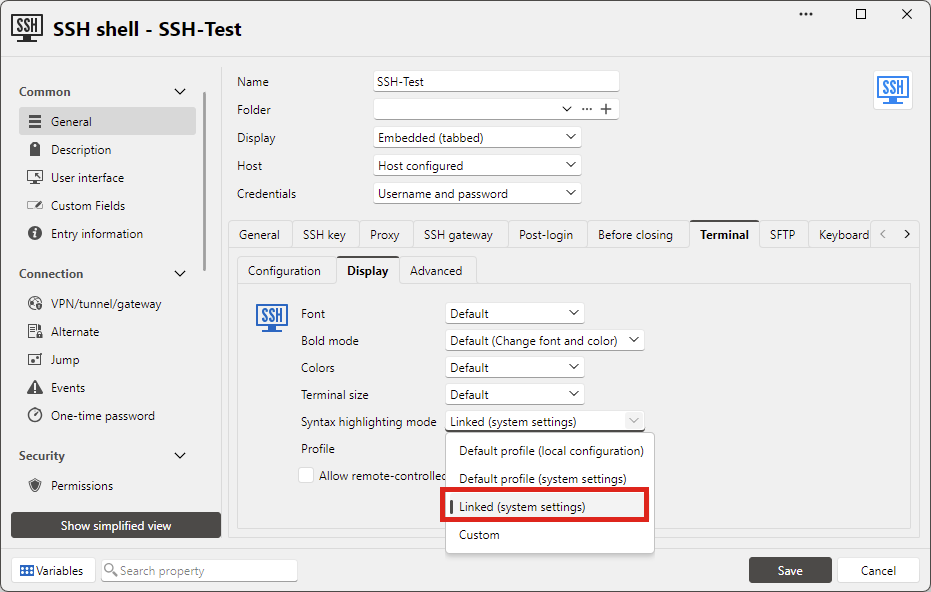
If you're on a single-user workspace like SQLite or XML, we could see about adding a similar option that looks in File>Settings instead, but it would only be available on single user workspaces as this configuration would fail in a multi-user environment due to not having the same local settings.
Let me know what you think.
Regards,
Hubert Mireault
86144ca4-741c-41d9-944f-b83d617e5995.png