
phowarth
VMRC Session NumLock setting not preserved
I'm on 2026.1.19 and don't think i've had any issues since I updated.
vSphere VMID overwritten from template
Thanks Carl, that's great.
VMRC Session NumLock setting not preserved
Thanks Richard.
VMRC Session NumLock setting not preserved
Hi @Richard Markiewicz
Running 2026.1.12 and just discovered this same problem.
I connect to a VMRC session in RDM and press the left arrow key in the cluster of four arrow keys and it types a '4' into the remote session.
Also the [Delete] key above the arrows (by Insert/Delete/Home/End/PageUp/PageDn) doesn't work at all regardless of whether NumLock thinks it's active or inactive.
Standard 103/104 UK keyboard on my PC, the server is virtual but behaves correctly in normal VMRC.
Could you have another look?
Peter
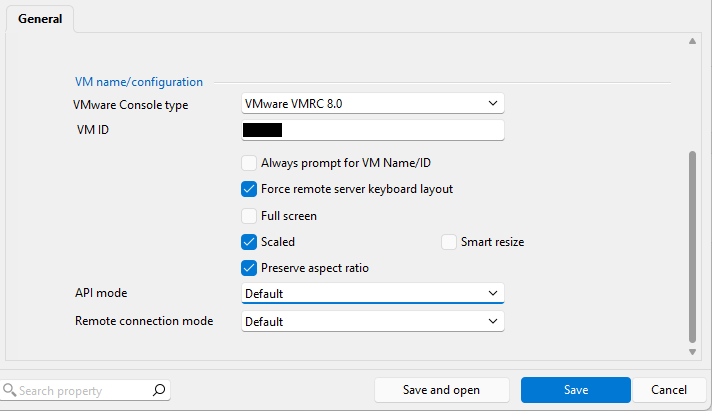
vSphere VMID overwritten from template
Hi.
i've used vSphere Synchroniser to initially bring in all our VMs, then I choose to rename and move some out into a subfolder for important VMs.
I've saved one as a template and changed the Custom Image, and blanked the VMID in the template.
Now when I apply the template to all the VMs (Edit > Special Actions > Convert from Template), it deletes the VMID from the VM session entries
as the value is blank in the template.
Is there a way to prevent overwriting certain properties that are specific to entry types - I know we can "keep" the name, image, description, etc etc when we apply the template, but VMID isn't one of the options to keep as it's configured within the entry type.
Screenshots in order show the progression from working VM (from the synchroniser) to non-working VM once the template is applied.
Peter
Typing Macro bug in SSH
Excellent, thanks David.
Typing Macro bug in SSH
Hi Carl
Screenshot of the macro config; no other settings on other tabs are changed.
The problem is intermittent - I just tried it twice and the second time, it went wrong again as described. I had rebooted my PC this morning before trying it.
Peter
Typing Macro bug in SSH
Hello.
New to RDM and currently in Teams trial period.
I have a SSH Terminal to our firewall appliance which occasionally needs a kick by running four commands a, b, c and d.
I've made a Typing Macro in the same folder so I can right-click and "Execute in Current Tab":
a{DELAY}
b{DELAY}
c{DELAY}
d{DELAY}
When executed in the terminal, this is behaving as:
a{ENTER}{ENTER}
b{ENTER}{ENTER}
c{ENTER}{ENTER}
d{ENTER}{ENTER}
{DELAY}
b{ENTER}{DELAY}
c{ENTER}{DELAY}
e{ENTER}{DELAY}
{ENTER}
I tested and proved this several times before coming to create this topic, including closing and re-opening the SSH terminal session.
However now i've come to take and submit screenshots of the issue, it's behaving exactly as it should!!!
Fortunately i'm only testing with dummy commands a,b,c,d rather than live commands (which stop/restart live daemons on the firewall) because if they commands run in the wrong order, we lose internet access.
Are there any known bugs or issues you're trying to identify in this area?