
christophsinabell
Painfull slow startup
Hi Stéfane,
Many thanks for the quick action on your end. We will try the new update and I'll update the post afterwards.
Best Regards
Painfull slow startup
Hi,
The issue isn't present in 2025.2.14.0, we use it in another dark site. There, the startup still works normally and we didn't even re-create the RemoteDesktopManager.exe.config with generatePublisherEvidence set to false after the last update, yet the startup performance is still acceptable.
Regards
Painfull slow startup
Hi all,
Since upgrading to 2025.3.20.0 the startup performance is totally unacceptable. We had to revert to 2022.3.18.0 and restore the database. What is going on? Most customer use this tool in an environment without Internet Access on Jumpservers in secure environments. We re-created "C:\Program Files\Devolutions\Remote Desktop Manager\RemoteDesktopManager.exe.config" with <generatePublisherEvidence enabled="false" /> we tried everything else in https://docs.devolutions.net/de/rdm/kb/troubleshooting-articles/startup-performance/, disable Analytics, also disable all the Options for signature checking in Internet Options, but the performance doesn't change - it remains a total mess on startup.
Using process monitor we see that the application hangs on reconnects to those IPs:
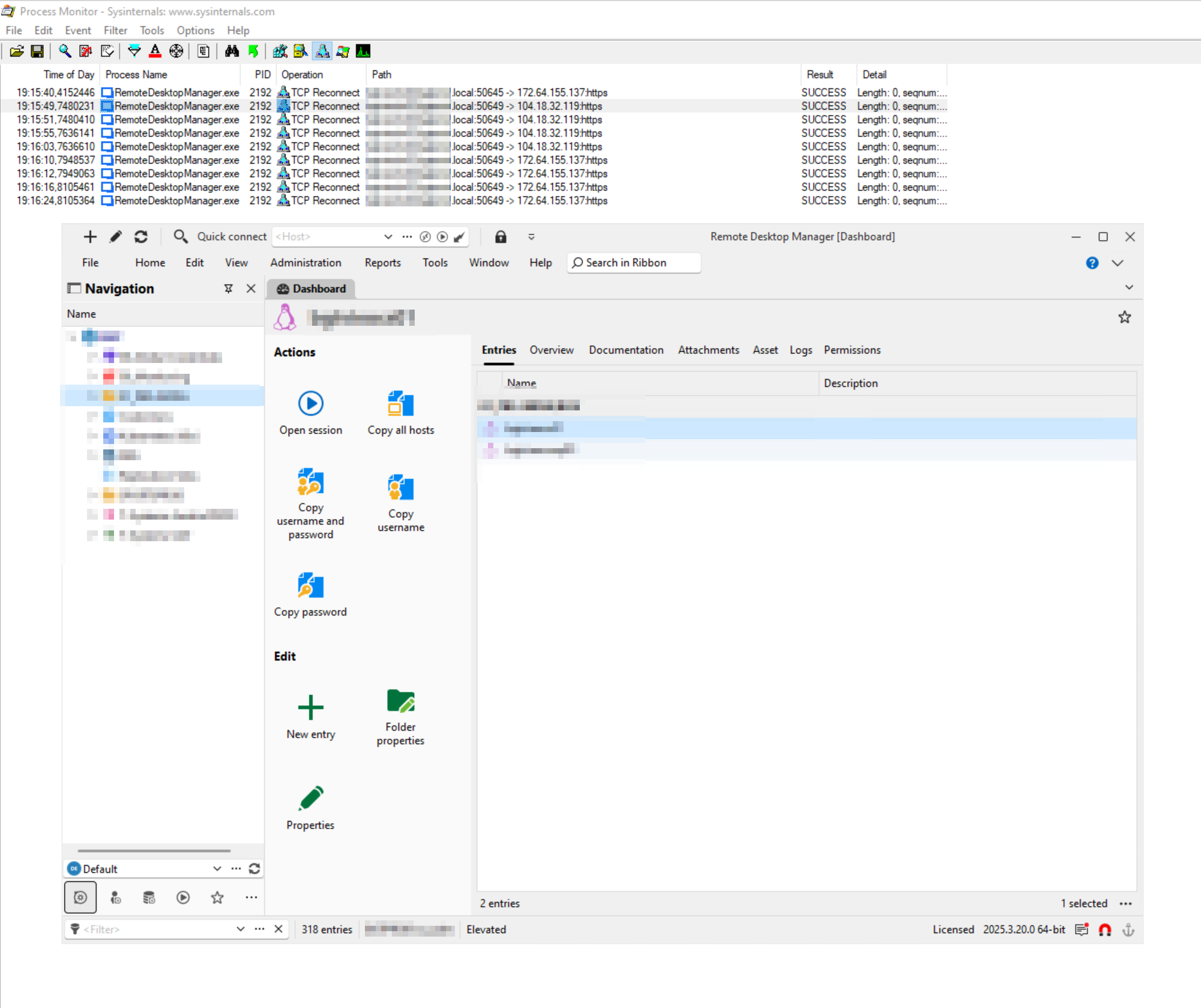
Once it stops doing that the application seems to work normally.
Please fix this.
Regards
Store Custom Variables in User Vault
Hi,
Currently custom variables are stored (encrypted) in RemoteDesktopManager.cfg. Please implement an option to store custom variables directly in the User Vault of the datasource (for ex. MSSQL) instead of as part of the application configuration. This would make it more secure and convenient (no need to roam RemoteDesktopManager.cfg) when storing sensitive data in custom variables.
Regards
Active Directory Trusts and Foreign Security Principals
Hi all,
Please help if this is a bug or a current limitation of the product.
When using Domain Diagnostics (Administration -> Sever settings -> Authentication -> Domains -> Medkit Icon) for ex. using "Get users by group", then foreign security principals are correctly listed. Meaning the software lists the Distinguished Names of the users which may originate from several different domains in another Active Directory forest (full transitive Trust between both forests) beloging to this group.
However when then trying to use those Active Directory groups in Devolutions Server, the software will suddenly not recognize that the users originating from a foreign forest (those users were also Auto-Created by a login from the connected foreign forest) are members of the group which showed them as being members through diagnostics. If you click on the user the group membership is not selected, only members from the same domain as the group show the group as selected.
Another limitation is that the Auto-Create User group limitation on Active Directory domains only seems to work with a group from the same Active Directory domain as the connection, also making things more difficult to manage, as this would now suddenly require 7 differnent groups in 7 different domains in 2 forests to achieve what is currently possible on the MSSQL database with just one AD group which contains all users from any domain and forest.
Please advise.
Regards