Painfull slow startup

Hi all,
Since upgrading to 2025.3.20.0 the startup performance is totally unacceptable. We had to revert to 2022.3.18.0 and restore the database. What is going on? Most customer use this tool in an environment without Internet Access on Jumpservers in secure environments. We re-created "C:\Program Files\Devolutions\Remote Desktop Manager\RemoteDesktopManager.exe.config" with <generatePublisherEvidence enabled="false" /> we tried everything else in https://docs.devolutions.net/de/rdm/kb/troubleshooting-articles/startup-performance/, disable Analytics, also disable all the Options for signature checking in Internet Options, but the performance doesn't change - it remains a total mess on startup.
Using process monitor we see that the application hangs on reconnects to those IPs: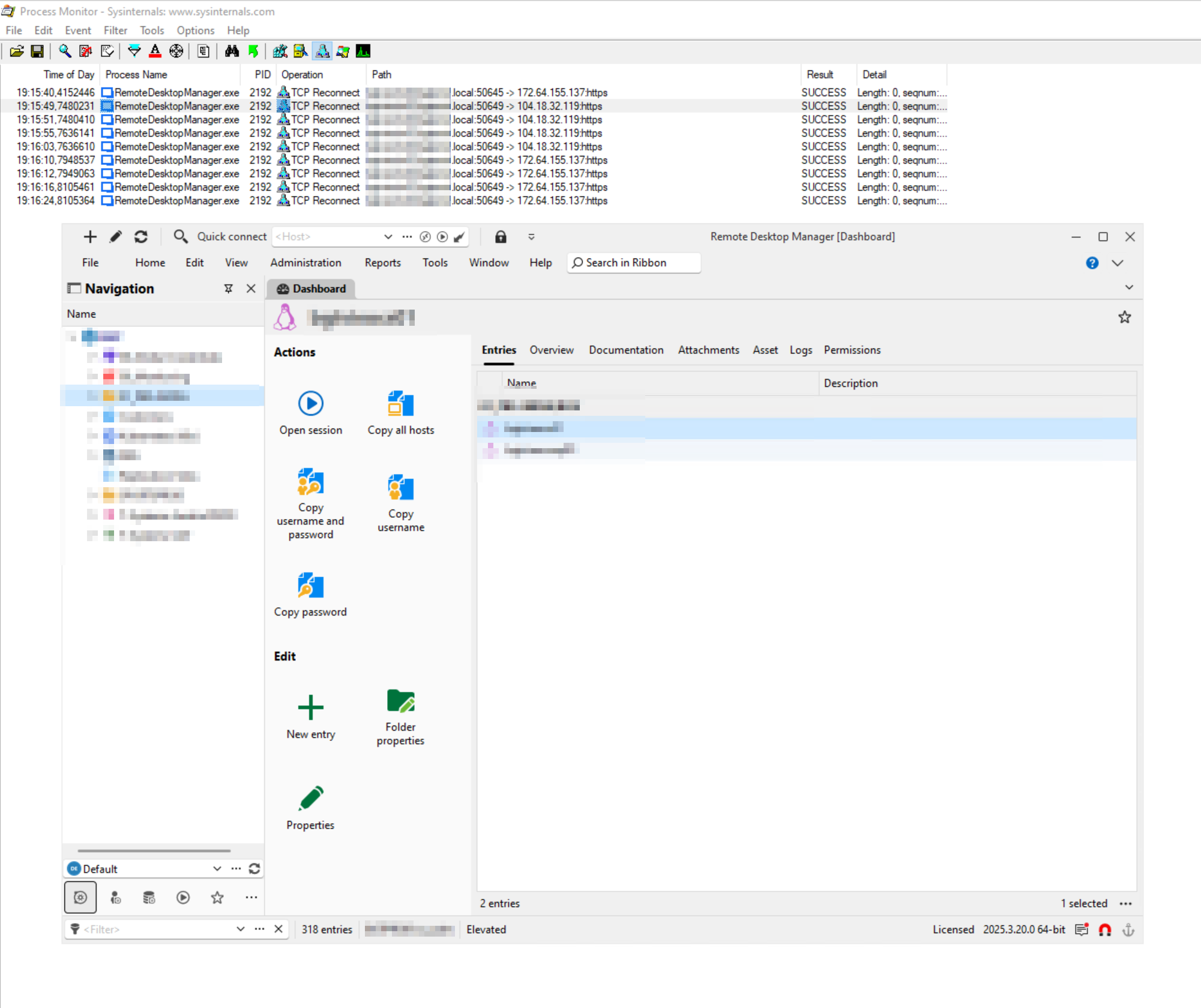
Once it stops doing that the application seems to work normally.
Please fix this.
Regards
60fec818-d414-414e-8c9f-8a6635065fad.png
All Comments (5)
We are investigating...
Stéfane Lavergne
Hi,
The issue isn't present in 2025.2.14.0, we use it in another dark site. There, the startup still works normally and we didn't even re-create the RemoteDesktopManager.exe.config with generatePublisherEvidence set to false after the last update, yet the startup performance is still acceptable.
Regards
Chances are something was introduced in v2025.3 that doesn't observe the "No internet connection" setting (called DisableAnalytics in the .cfg file, option 3 here).
We need to find out what that call is. Working on it...
Best regards,
Stéfane Lavergne
We've fixed two edge cases where the "No Internet Connection" setting wasn't being observed. This should resolve some, if not all, of your startup issues.
The build (v2025.3.21.0) is available here: https://devolutions.net/remote-desktop-manager/download/
Please give it a try and let us know how it goes.
Best regards,
Stéfane Lavergne
Hi Stéfane,
Many thanks for the quick action on your end. We will try the new update and I'll update the post afterwards.
Best Regards
