
adillinger1
Persistent localStorage not working when accessing web applications through Devolutions Gateway
Hello,
we are running into an issue when accessing web applications through the Devolutions Gateway.
When connecting directly (without the Gateway), user-specific settings of the web application are stored in the browser’s localStorage and persist across sessions as expected.
However, when connecting through the Gateway, these settings are lost every time the session is closed and reopened. After some analysis, the reason seems clear:
The browser only persists localStorage per origin (scheme + host + port).
When using the Gateway, the session is usually exposed as https://127.0.0.1:<randomPort> or via a dynamic relay path.
Because the port/path changes on every connection, the origin is never the same.
As a result, the browser creates a new, empty localStorage container each time, and the previously saved settings are not visible anymore.
This is not an issue with cookies (those might be handled differently), but specifically with localStorage, since it is strictly tied to the origin.
Question:
Is there any way to configure the Gateway / RDM so that a stable origin is used (e.g., a fixed URL or fixed port), so that localStorage can persist across sessions?
If not, would it be possible to consider this as a feature request for the Gateway? Having a stable origin would solve the problem and allow web applications to properly persist user settings.
Thanks!
PAM - Approval process only when using JiT Elevation, or choose between PAM accounts on RDP Connections.
any news about this feature?
import passwords
Hello,
We would like to import our passwords into a PAM vault. Since there are well over 100 of them, they are stored as a .csv file.
Is there a way to import them so that they end up directly in a PAM vault?
PAM - Approval process only when using JiT Elevation, or choose between PAM accounts on RDP Connections.
We would like to extend the request.
It would be great if it were possible to define a different workflow for a JIT release.
For example, the user checks out a password where no approval is required. If he gets the DomainAdmin via JIT, this requires an approval.
temporary access in RDM?
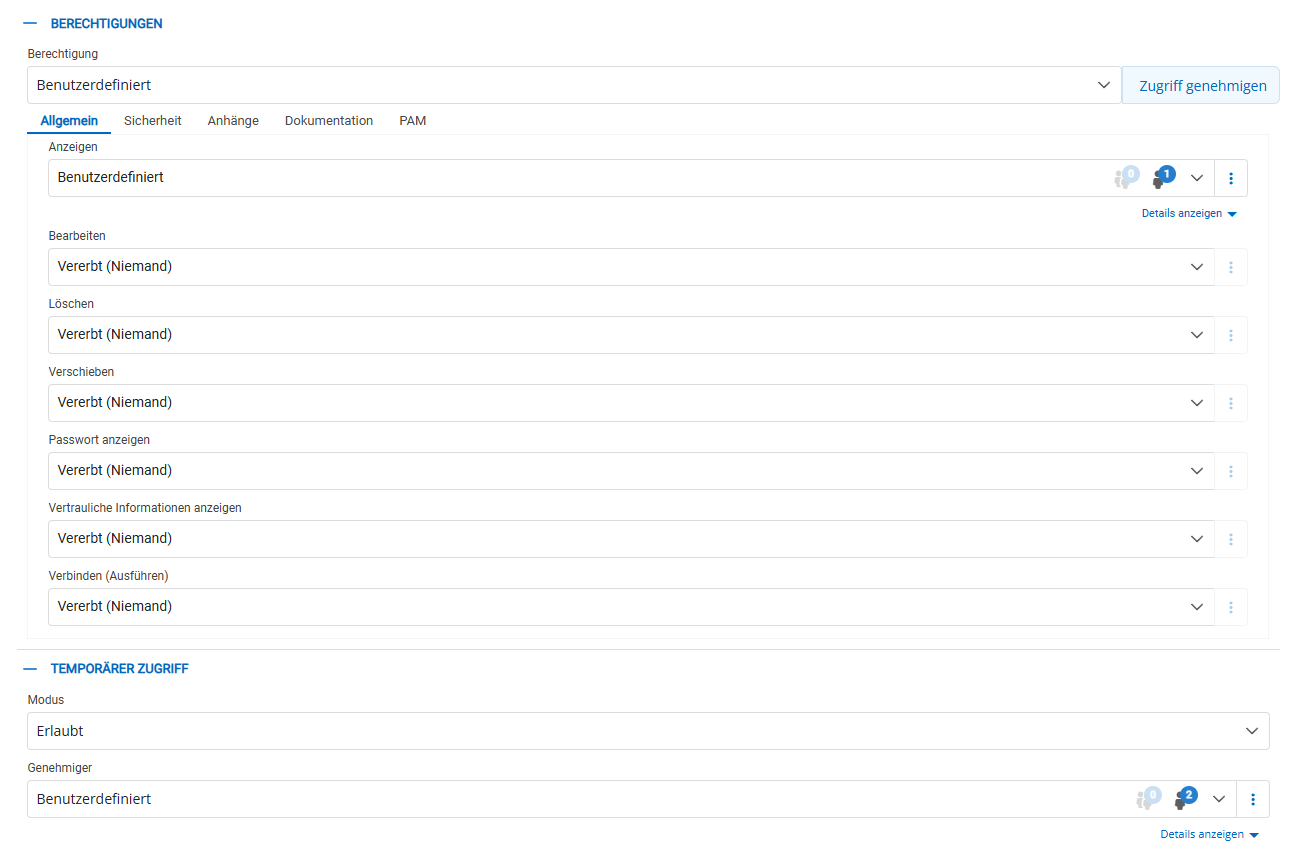

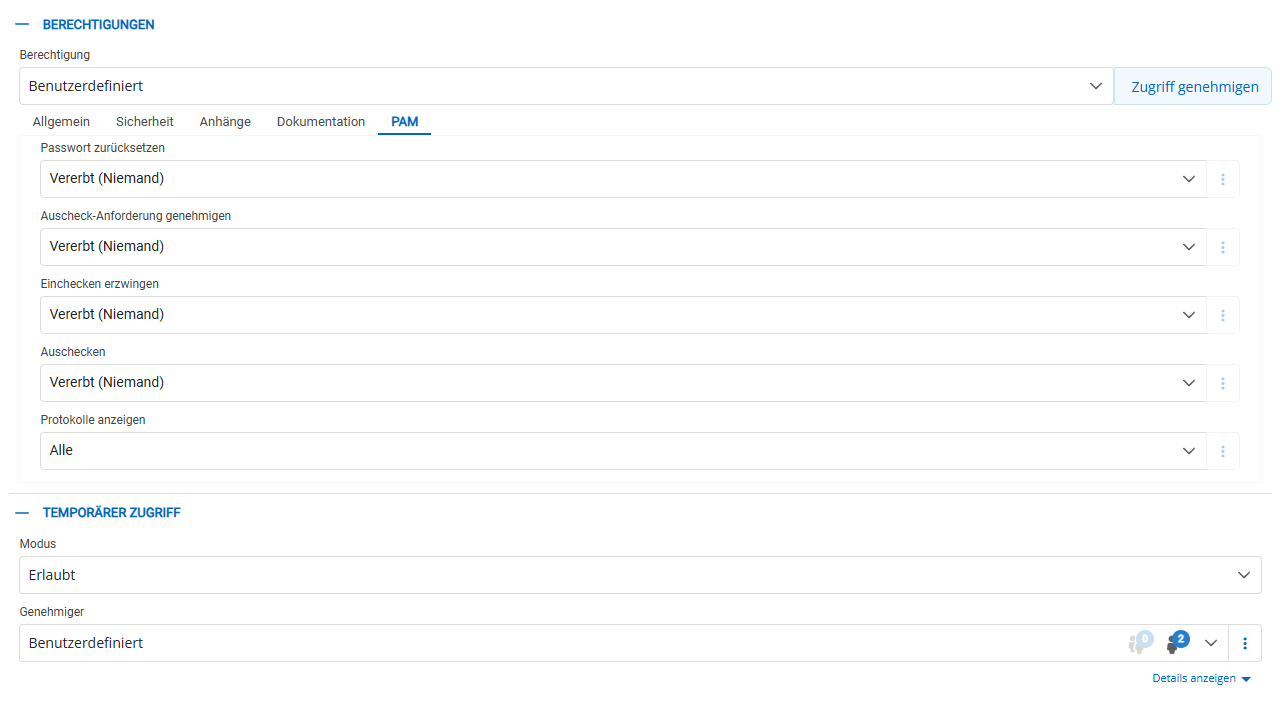
in attachmend and doku is all on nothing
temporary access in RDM?
Hi Samuel,
we are using version 2025.1.37.0 with RDM and 2025.1.7.0 on the Devolutions Server
There is no Option to get temporary access.

temporary access in RDM?
I would like to set up temporary access.
To do this, I have set the vault to shared and activated temporary access in the entire vault. I myself only have “view” rights to the vault.
The vault is displayed to me in RDM and the relevant entries are also displayed. However, I have no way of requesting temporary access in RDM?
I only see this option in the WEB Gui, which nobody works with.
Please tell me that I have done something wrong.
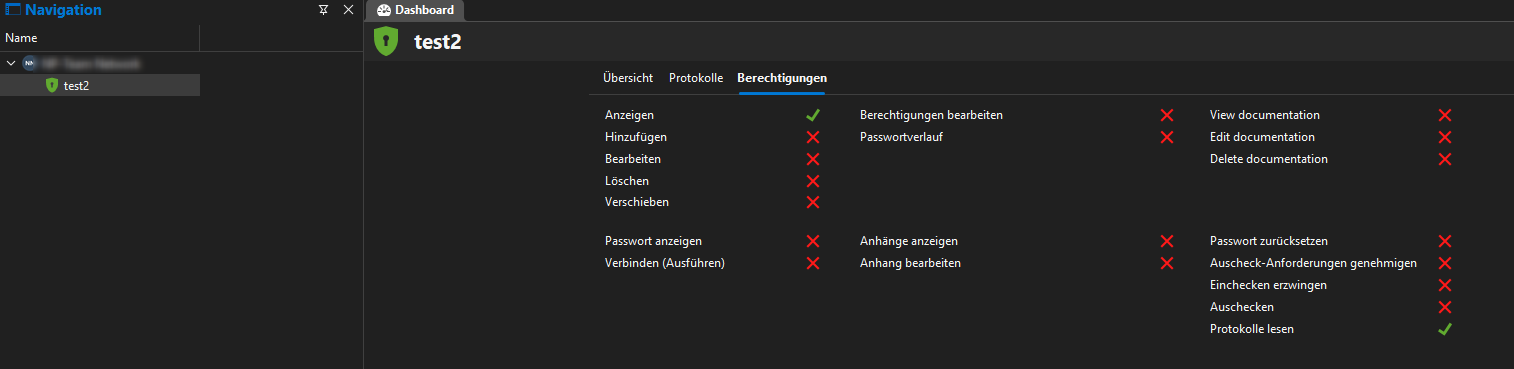

Reason that JIT use tempory groups
If you monitor the groups, this makes no sense as you cannot see which user has been granted the rights. However, you can find this out via the reports.
We have the same, but send the logs from devolutions to our SIEM system and match the whole thing.
automatic force check-in
Hi,
we are using 2025.1.7.0
We can confirm this, after a restart of the Scheduler Service, overdue entries disappear immediately.
I do not see any errors in the logs that indicate that the password change failed.
If we can support you with further logs, please let us know.
automatic force check-in
Hello everyone,
we're facing an issue where checked-out accounts are not automatically checked back in.
In the screenshot, you can see that the account was checked out yesterday morning for 420 minutes (i.e., 7 hours).
Most colleagues simply close their laptops and leave without properly ending their sessions.
How can I ensure that the account is automatically checked in after 7 hours and the password is rotated accordingly?

AnyIdentity PowerShell Script – Parameters not passed to script despite correct mapping
Hello everyone,
I'm currently working on integrating a password rotation script using AnyIdentity in Devolutions Server (DVLS) for Citrix ADC. I've created a custom AnyIdentity template with the following configuration:
✅ Provider Properties:
targethost (String)
user (Username)
password (Password)
✅ Account Properties:
account (Username)
✅ Script Parameters:
Mapped in the template as:
target → Provider → targethost
user → Provider → user
password → Provider → password
account → Account → account
NewPassword → System (default)
My PowerShell script starts with:
param(
[string]$target,
[string]$user,
[securestring]$password,
[string]$account,
[securestring]$NewPassword
)
Write-Output "target = $target"
...
All fields are filled in the PAM entry, and the correct AnyIdentity provider is selected.
However, during execution, I get the following error:
❌ 'target' is missing.
(Or: ❌ 'targethost' is missing. if I switch parameter names)
I’ve tried:
Different parameter names (host, targethost, remoteHost, endpoint, etc.)
Clean AnyIdentity templates with minimal logic
Mapping provider fields via the UI
Assigning values directly in the PAM entry
Testing the script interactively on the DVLS server (works fine)
Running DVLS Scheduler under a proper service account with access to Posh-SSH
No matter what I do – DVLS never passes the values into the script.
❗Question
Has anyone successfully used custom AnyIdentity password rotation with parameters passed from the provider?
Is this a known issue with certain parameter names?
Is there a limitation in the DVLS Scheduler’s script engine?
Any working examples or templates to compare?
DVLS version: 2025.1.7.0
PowerShell: 7.5.1
Script tested independently = working
Thanks in advance – hoping someone has found a solution or workaround!
Best regards,
Alexander
Gateway - pre authentication
Hello everyone,
Is it possible to set up pre-authentication for certain entries in the RDM that connect via the gateway?
A new login against the own RDM account.
PAM work with variables
Yes it was my mistake, I had set a user specific setting on the entry :)
OK we will structure it by folder.
Another question has just arisen. If I check out an account for e.g. 10 minutes and the time has expired, am I not automatically disconnected from the system I am connected to? Do I have to set this somewhere?
PAM work with variables
Hello Wiliam,
Thank you for your detailed reply.
Unfortunately, the checkout window appears immediately despite the “Always prompt with list” checkbox being activated.
There are 2 more questions:
Does each user have to set this manually for themselves under “My privileged account” or can we control this centrally?
And the second question, since we have a lot of server systems, our admins sometimes find it difficult to know which tier level account they are allowed to use to access the server. This means that the admin needs to know that he can access the database with his T1 account, for example, and not with his T2 account.
That was the background to my question about the variable.
PAM work with variables
Hello everyone,
We work with personalized admin accounts in a tiering model.
Is there a way to work with the variables in RDM?
For a connection in RDM I always have to select a PAM account.
The names of our admin accounts are always the same
admt0username admt1username admt2username.
My idea was to work with a variable. admt0$USERNAME$. Unfortunately there is no possibility to do this in RDM if you select privileged account.
As a rule, RDP and SSH connections are always carried out with your own account. Since the colleagues do not know the password of their own account, I need a way to assign the login name of a connection individually for each user.
thank you