
Danvo1
Bug Report: Tab Order and Focus Issues When Navigation Is Docked as a Tab
Hello @Eduard Sepúlveda López,
thanks for letting me know, but that was already fixed in 2026.3.16.0 and I tested it and reported on this thread: https://forum.devolutions.net/topics/56892/option-to-pin-the-navigation-tab-when-it-is-docked-as-a-document-tab
Or did something else change?
Best regards,
Option to pin the Navigation tab when it is docked as a document tab
Hello,
Thank you for the update and for fixing these issues!
I've tested version 2026.3.16.0 and can confirm that all three reported issues are now resolved. Everything works as expected.
I really appreciate your team's quick response and support!
Best regards
Option to pin the Navigation tab when it is docked as a document tab
Hi Michaël,
Thanks for the clarification! Good to know that the "Pin tab" feature already exists and just needs a fix.
One additional question: Are you also aware of the focus issues when Navigation is docked as a tab?
Specifically, after saving an entry or the application settings, RDM automatically switches to another tab instead of keeping the previously active tab in focus. Ideally, RDM should always return to the tab that was active before opening the dialog, whether that's Navigation or any other tab.
These issues have already been reproduced and forwarded to the developers in the original bug report. I just wanted to make sure they're also being addressed.
Thanks again for your help!
Bug Report: Tab Order and Focus Issues When Navigation Is Docked as a Tab
Hi,
Thanks for reproducing all three issues and forwarding them to your developers. I appreciate the clear explanation and the workaround—I’ll keep Navigation docked on the side for now.
Thanks also for creating a separate thread for the pinning request. I’ll subscribe to it and look forward to any updates.
Best regards,
Bug Report: Tab Order and Focus Issues When Navigation Is Docked as a Tab
Product: Remote Desktop Manager
Version: 2026.3.12.0 (64-bit, PreJIT)
Runtime: .NET 10.0.3
OS: Windows Server 2022 (Build 20348)
Description
I prefer using the Navigation panel as a tab in the main workspace instead of keeping it docked on the left side.
This allows me to maximize the available screen space for remote sessions. I also don't need the Dashboard, so ideally the Navigation tab should act as my main starting point.
Unfortunately, this layout causes three usability issues.
Issue 1: New sessions open to the left of the Navigation tab
Steps to reproduce:
Move the Navigation panel into the main tab area.
Position the Navigation tab as the first (leftmost) tab.
Open a new remote session from the Navigation tab.
Actual behavior:
New session tabs are inserted to the left of the Navigation tab, rather than to its right.
Expected behavior:
The Navigation tab should remain the leftmost tab, with new sessions opening to its right.
Ideally, there should be an option to pin the Navigation tab in a fixed position.
Issue 2: Focus switches to another tab after editing an entry
Steps to reproduce:
Move the Navigation panel into the main tab area.
Open another tab, such as a remote session or the Dashboard.
Return to the Navigation tab.
Right-click an entry and select Edit.
Modify the entry and click OK to save.
Actual behavior:
After saving the entry, RDM automatically activates another tab, such as an open remote session or the Dashboard.
This is particularly frustrating when editing multiple entries, because I have to manually switch back to the Navigation tab after each edit.
Expected behavior:
The Navigation tab should remain active after saving an entry. Editing an entry should not cause RDM to switch to another tab unless explicitly requested by the user.
Issue 3: Focus switches to another tab after saving application settings
Steps to reproduce:
Move the Navigation panel into the main tab area.
Open another tab, such as a remote session or the Dashboard.
Return to the Navigation tab.
Open the application settings via File → Settings.
Click Save to close the settings.
Actual behavior:
After saving the application settings, RDM automatically activates another tab, such as an open remote session or the Dashboard.
This happens even though the Navigation tab was active before opening the settings.
Expected behavior:
The Navigation tab should remain active after saving the application settings. Opening and saving application settings should not change the currently active tab.
Desired Workflow
My preferred layout is:
Navigation displayed as a tab in the main workspace.
Navigation remains the leftmost tab.
New sessions open to the right of the Navigation tab.
Editing entries does not change the currently active tab.
No Dashboard required.
This layout provides significantly more usable screen space while still allowing quick access to the Navigation tree.
Additional Information
Both issues occur when the Navigation panel is docked as a tab rather than in its default position on the left.
I have attached a screenshot showing my preferred layout:
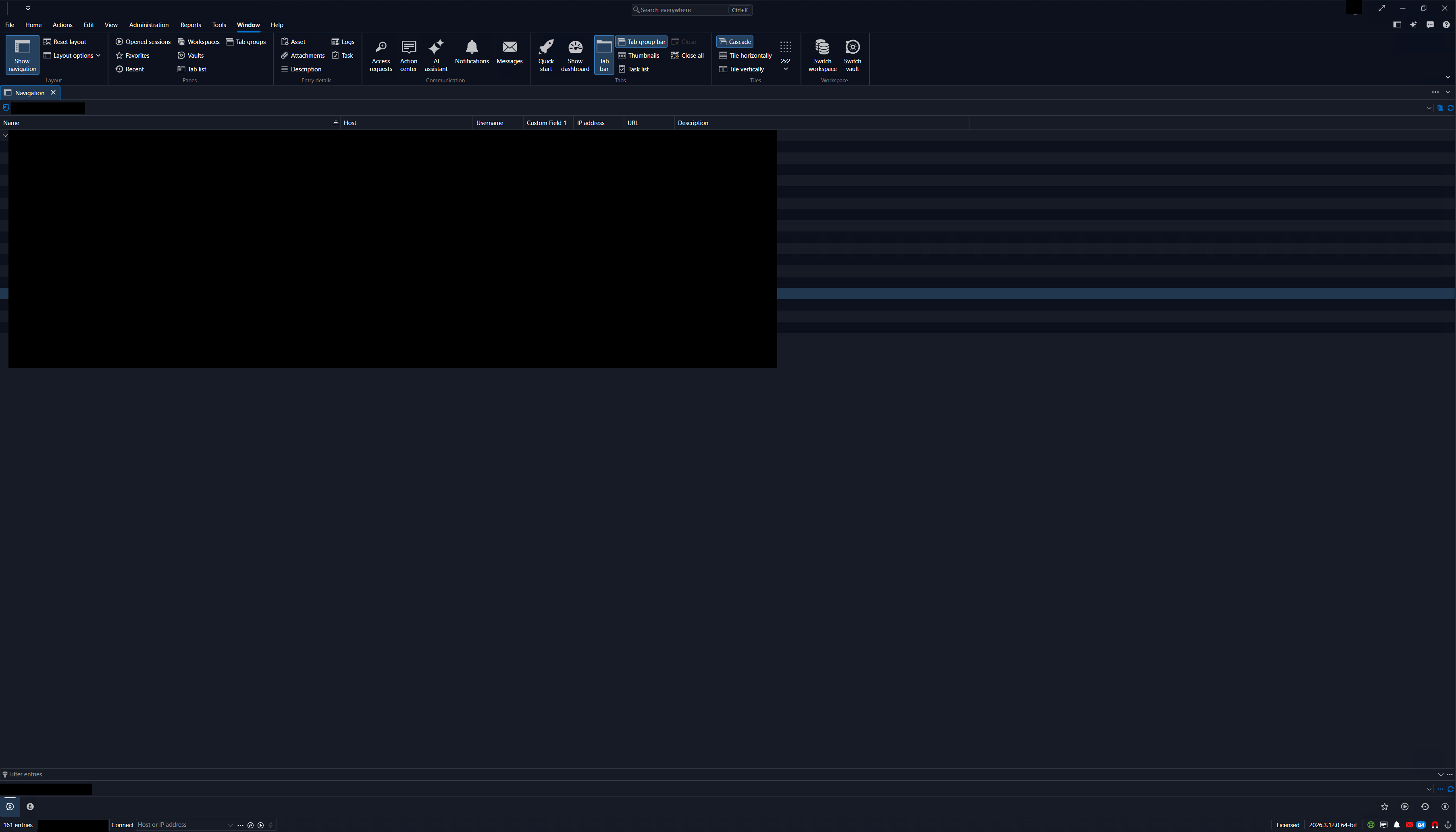
Request: Please investigate these behaviors and consider allowing the Navigation tab to remain fixed in position and retain focus after editing entries.
Seperate button instead of drop down for "Save and open session immediately"
Hi,
thank you for the quick reply.
IMHO: Having a drop down is great for customizing, but bad for functions.
So having a drop down next to "Add" with the following options could be a good compromise:
[ ] Show button "Save & add another"
[ ] Show button "Save & open"
[ ] Show button "Add"
This way the setting is not hidden in the depths of the preferences/settings window and can be quickly changed when a user wants to try out different layouts.
Seperate button instead of drop down for "Save and open session immediately"
Hi,
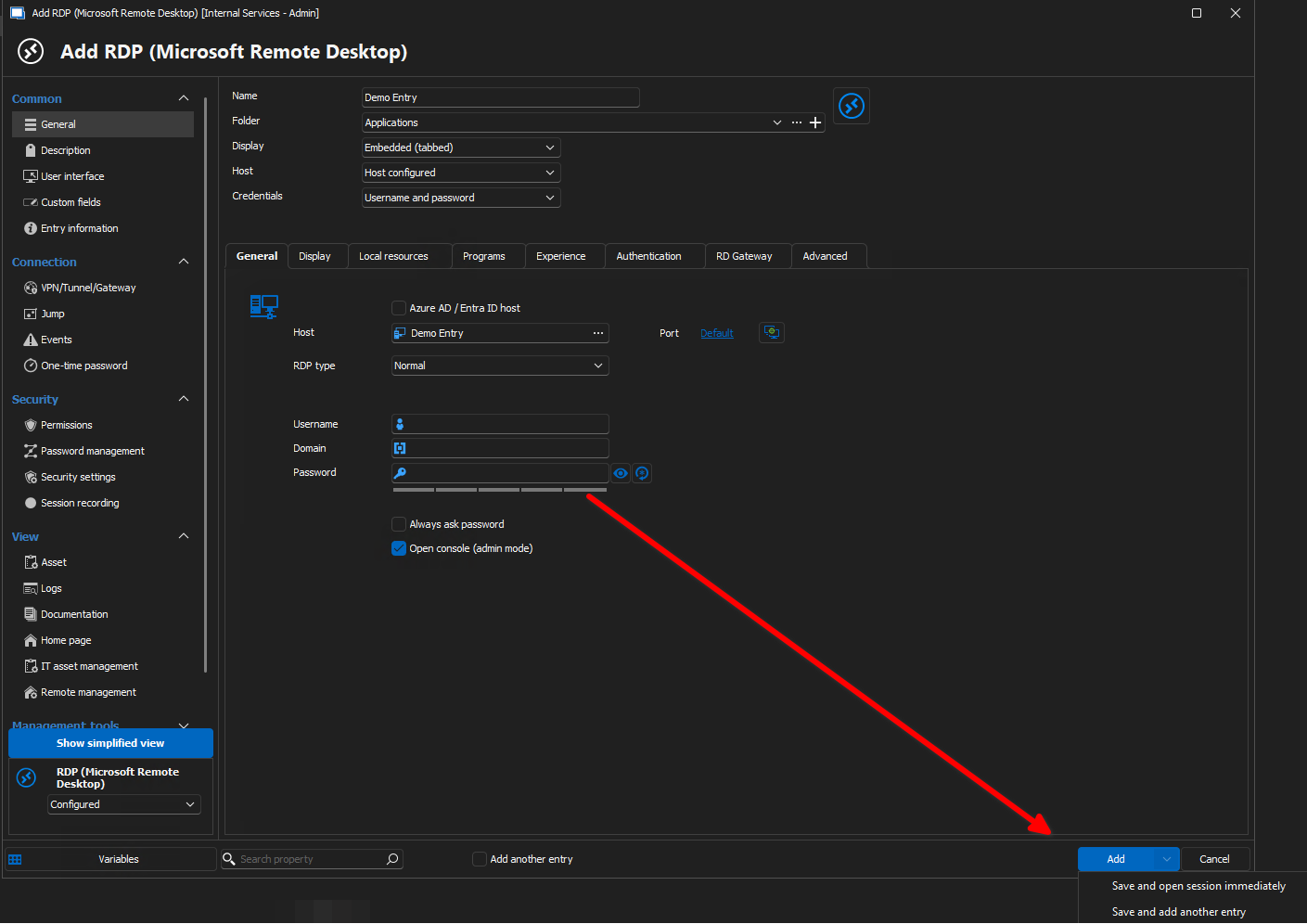
since the latest version of RDM, I saw a new feature: "Save and open session immediately".
In my opinion this is a great feature, but has been misplaced in the UI, leading to a bad user experience.
The bad user experience come from these observations of my colleagues:
They don't know the option exists, since its hidden behind a drop down.
They use it once and then say "yeah nice feature, but I stick to my routine, since I don't want to open the drop down with an extra click".
So I propose this change:
Currently - Creating a new entry
New proposed change - Creating a new entry
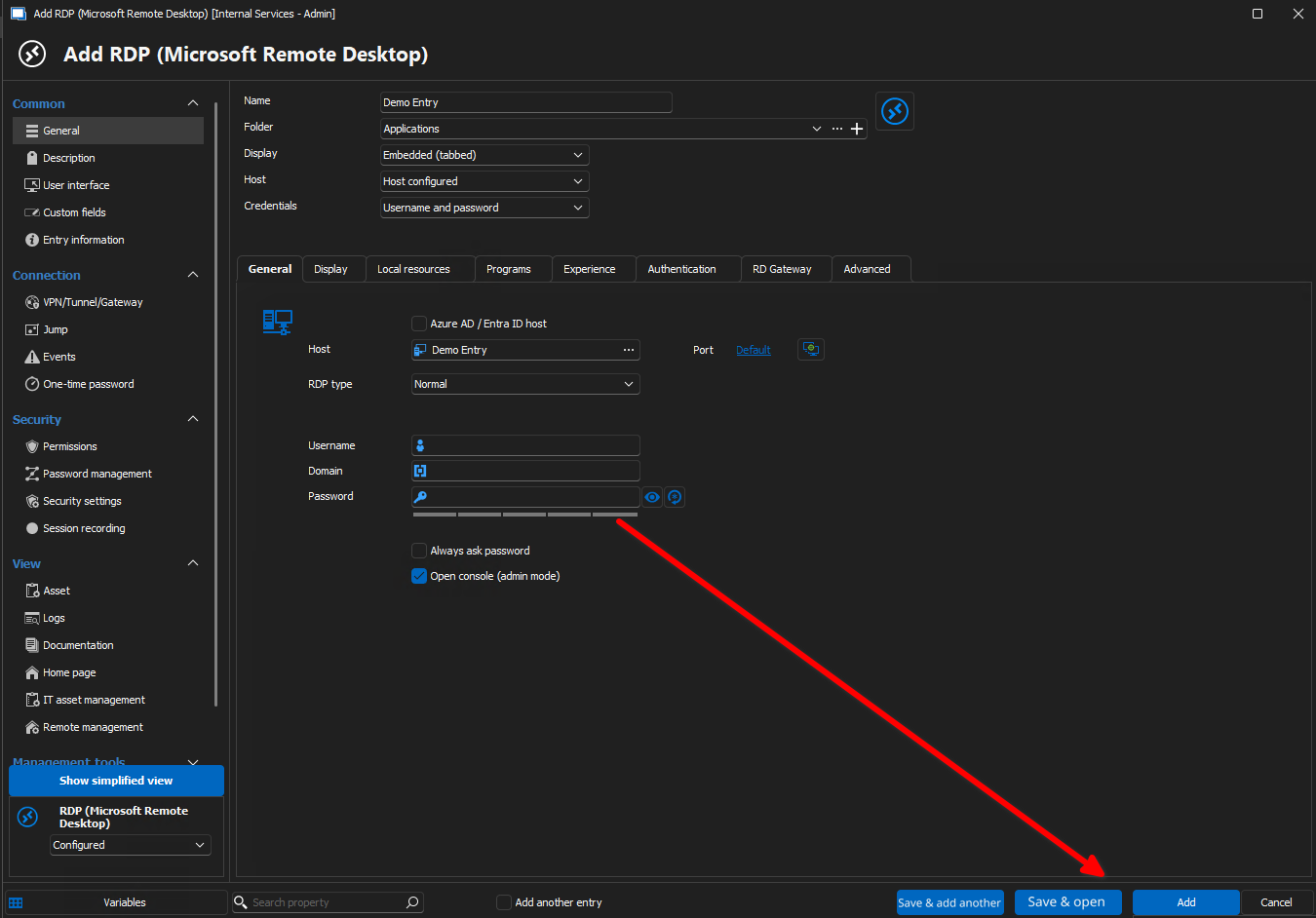
Same goes obviously for editing an existing entry.
I know this will increase the already many functions and buttons in the entry window, but in this case the checkbox "Add another entry" can be removed and the user is saved another click.
I hope others will agree, I'm happy to discuss this feature request.
Have a nice day and kind regards,
Daniel