Bug Report: Tab Order and Focus Issues When Navigation Is Docked as a Tab
Bug Report: Tab Order and Focus Issues When Navigation Is Docked as a Tab

Product: Remote Desktop Manager
Version: 2026.3.12.0 (64-bit, PreJIT)
Runtime: .NET 10.0.3
OS: Windows Server 2022 (Build 20348)
Description
I prefer using the Navigation panel as a tab in the main workspace instead of keeping it docked on the left side.
This allows me to maximize the available screen space for remote sessions. I also don't need the Dashboard, so ideally the Navigation tab should act as my main starting point.
Unfortunately, this layout causes three usability issues.
Issue 1: New sessions open to the left of the Navigation tab
Steps to reproduce:
- Move the Navigation panel into the main tab area.
- Position the Navigation tab as the first (leftmost) tab.
- Open a new remote session from the Navigation tab.
Actual behavior:
New session tabs are inserted to the left of the Navigation tab, rather than to its right.
Expected behavior:
The Navigation tab should remain the leftmost tab, with new sessions opening to its right.
Ideally, there should be an option to pin the Navigation tab in a fixed position.
Issue 2: Focus switches to another tab after editing an entry
Steps to reproduce:
- Move the Navigation panel into the main tab area.
- Open another tab, such as a remote session or the Dashboard.
- Return to the Navigation tab.
- Right-click an entry and select Edit.
- Modify the entry and click OK to save.
Actual behavior:
After saving the entry, RDM automatically activates another tab, such as an open remote session or the Dashboard.
This is particularly frustrating when editing multiple entries, because I have to manually switch back to the Navigation tab after each edit.
Expected behavior:
The Navigation tab should remain active after saving an entry. Editing an entry should not cause RDM to switch to another tab unless explicitly requested by the user.
Issue 3: Focus switches to another tab after saving application settings
Steps to reproduce:
- Move the Navigation panel into the main tab area.
- Open another tab, such as a remote session or the Dashboard.
- Return to the Navigation tab.
- Open the application settings via File → Settings.
- Click Save to close the settings.
Actual behavior:
After saving the application settings, RDM automatically activates another tab, such as an open remote session or the Dashboard.
This happens even though the Navigation tab was active before opening the settings.
Expected behavior:
The Navigation tab should remain active after saving the application settings. Opening and saving application settings should not change the currently active tab.
Desired Workflow
My preferred layout is:
- Navigation displayed as a tab in the main workspace.
- Navigation remains the leftmost tab.
- New sessions open to the right of the Navigation tab.
- Editing entries does not change the currently active tab.
- No Dashboard required.
This layout provides significantly more usable screen space while still allowing quick access to the Navigation tree.
Additional Information
Both issues occur when the Navigation panel is docked as a tab rather than in its default position on the left.
I have attached a screenshot showing my preferred layout: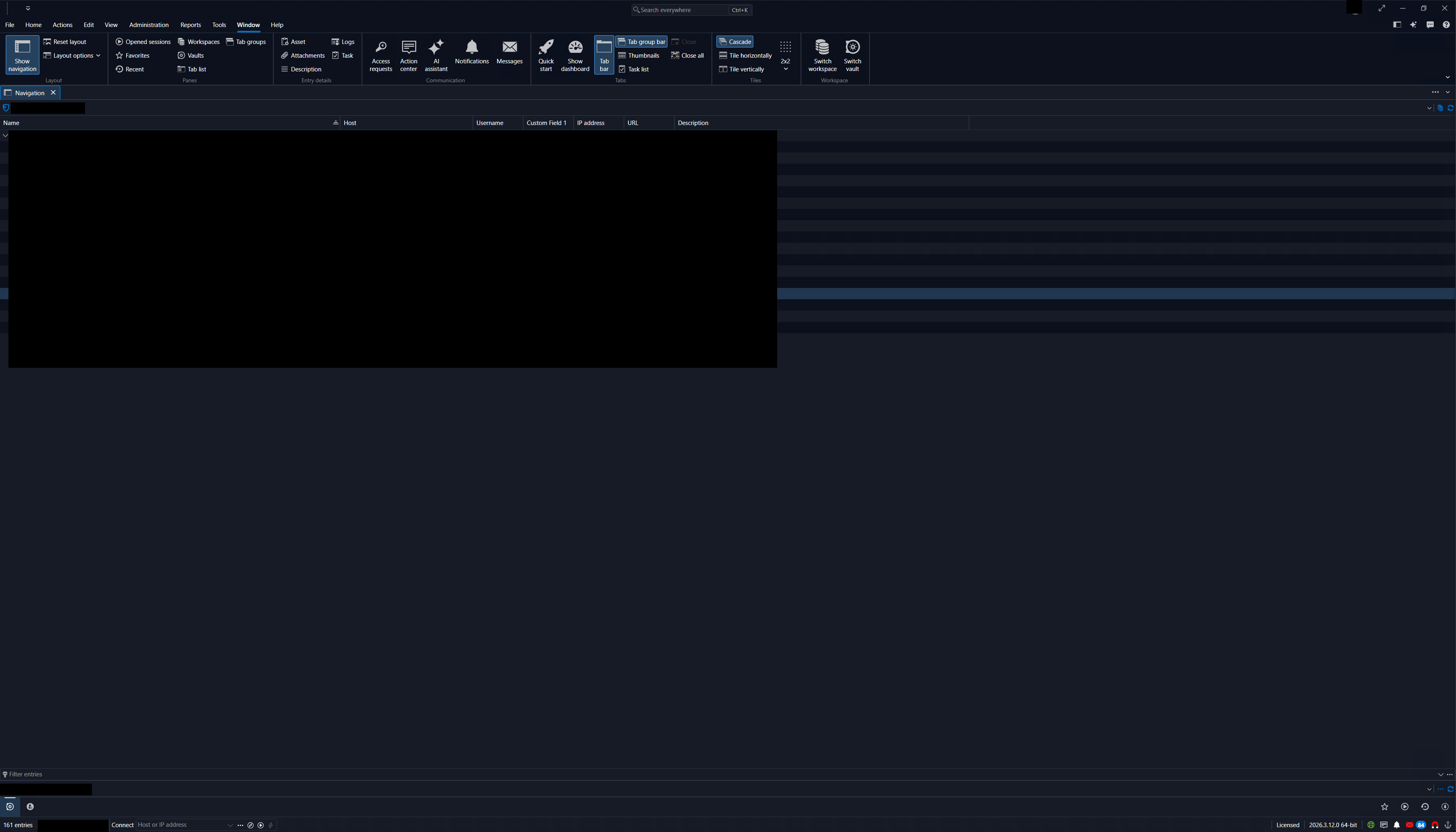
Request: Please investigate these behaviors and consider allowing the Navigation tab to remain fixed in position and retain focus after editing entries.
Bildschirmfoto_20261008_134919-censored.png
All Comments (3)
Hi Danvo1,
Thanks for the detailed report and the screenshot, the steps made this easy to follow.
We reproduced all three on our side with 2026.3.13 using the same layout as yours (Navigation docked as a document tab, Dashboard hidden): new sessions open to the left of the Navigation tab, and saving an entry or the settings switches to another tab instead of staying on Navigation. We've sent this to our developers.
There's no setting today that controls where new tabs open, so for now the only way around it is keeping Navigation docked on the side. We'll update this thread when we have news on a fix.
We keep bugs and feature requests in separate threads, so we've moved your request to pin the Navigation tab into its own post, using your text: https://forum.devolutions.net/topics/56892/option-to-pin-the-navigation-tab-when-it-is-docked-as-a-document-tab
You can subscribe to that thread to get updates on it.
Best regards,
Eduard Sepulveda Lopez
Hi,
Thanks for reproducing all three issues and forwarding them to your developers. I appreciate the clear explanation and the workaround—I’ll keep Navigation docked on the side for now.
Thanks also for creating a separate thread for the pinning request. I’ll subscribe to it and look forward to any updates.
Best regards,
Hi Danvo1,
My pleasure! We will keep you posted about the bugs.
Best regards,
Eduard Sepulveda Lopez