
McSwizzle
Network Share within the Program
We have a shared folder with PowerShell scripts which are unique to our environment. We would like to have a "folder" that links out to the network share and pulls in the scripts. Is that possible?
Thanks.
Setting RDP Advanced Settings
Hello
You don't mention your RDM version, but this is possible.
The default setting is located in File > Settings > Entry types > Sessions > Remote Desktop (RDP) - "Automatically log off when disconnecting"/
Alternatively you can batch edit the connections themselves. The easiest way is to start an advanced search to find the connections you want to change (it can even be "connection type" == "RDP" to find all your RDP sessions). Multi-select the search results, and from the right-click context menu choose Edit > Batch Edit > Edit entries (Session Type Settings). In the "Advanced" tab, enable the override and choose the settings you want to change.
Please, let me know if something isn't clear or you have further questions
Kind regards,
Thank you, I'm sorry. I was trying to do the change from the Bulk edit options AFTER the import. And my RDM version is 2024.3.10.0 64-bit
iLo Connections Ctrl+Alt+Del button not working
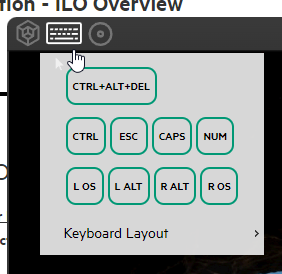
Additional information (not sure if this matters) but I also can't use the HTML5 "KVM" and the control alt del either.
iLo Connections Ctrl+Alt+Del button not working
The firmware version that is on this particular server is 1.45 ilo version 5.
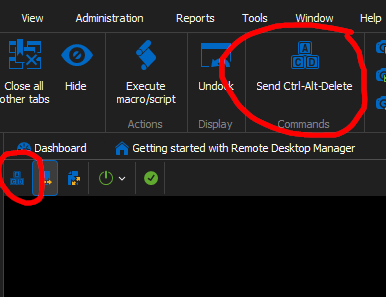
I have tried both of these and neither of them work.
Setting RDP Advanced Settings
I have imported a large number of RDP connections and I would like the ability to "bulk" set the 'Automatically log off when disconnecting" option in the Advanced tab. Is there a way to set that by default or in bulk after an import? TIA
iLo Connections Ctrl+Alt+Del button not working
I am testing using the ilo connection instead of a standard webpage connection. And it will connect but It doesn't allow me to press the control+alt+del button in the upper left corner of the window to login. TIA