iLo Connections Ctrl+Alt+Del button not working

I am testing using the ilo connection instead of a standard webpage connection. And it will connect but It doesn't allow me to press the control+alt+del button in the upper left corner of the window to login. TIA
All Comments (5)
Hello
Thanks for the issue report and sorry for the inconvenience. I'm taking a look into this and will post back with an update.
Best regards,
Richard Markievicz
Hello again
Did you try the button in the ribbon, or the session toolbar? Or both?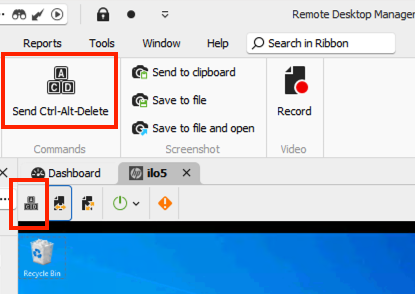
I tried both of these on both a 4th and 5th generation iLO and it was working on my side.
Can you tell me some more information about the server? What generation of iLO do you have, and what firmware version?
Thanks and kind regards,
Richard Markievicz
Screenshot 2024-09-24 at 10.47.38.png
The firmware version that is on this particular server is 1.45 ilo version 5.
I have tried both of these and neither of them work.
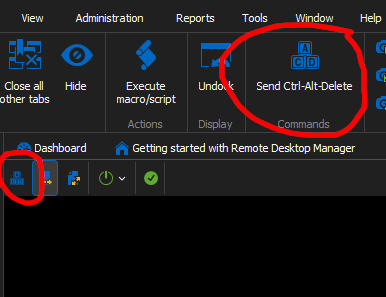
440eb2e5-89b9-4e82-82d9-623c38d1e339.png
Additional information (not sure if this matters) but I also can't use the HTML5 "KVM" and the control alt del either. 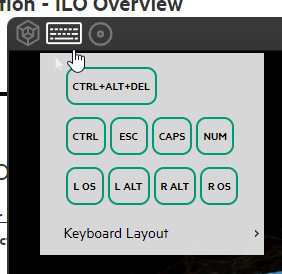
da297d8d-d80a-40a1-ae12-ebb3c4178ee7.png
Hello
My iLO 5 that I have for testing is on firmware 2.81 so the setup is not quite the same.
However, the RDM native console is basically doing the same thing as the HTML5 console here (in terms of how we report the key presses to the server). So if it's not working in the HTML5 console, that points to some configuration or environment issue or bug on the server.
Does it work in the HTML5 console independently of RDM (i.e. if you open in a browser rather than embedded in the application)?
Please, let me know if something isn't clear or you have further questions
Kind regards,
Richard Markievicz