
jbcg
Keyboard Layout with VMRC Session to vSphere
Hello,
I tried what you asked me to do and this seems to solve the problem.
Best regards
Keyboard Layout with VMRC Session to vSphere
Hello
Sorry for the delay in response here, we've been busy with the 2024.3 release.
First, jbcg - I've tried this on various Windows guest OS and found it to work well. I do note that in your message you're using an older 2024.2 release and there definitely were fixes to VMWare keyboard input later in that version (around 2024.2.17 IIRC, but I could check the exact version). Please update to a more recent RDM, ensure the keyboard layout matches on the client and server, and let me know if you're still having a problem.
Hello
I'm now using 2024.3.15.0 64-bit.
The yz zy and üöä,.- problem seems to be fixed now.
But I have another problem .. If I use the my notebook instead of doing what's supposed to do when pressing the up-down-left-right arrows numbers are typed ..
The layout is:
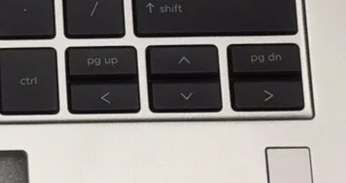
But if I select:
VMware console type - VMWare PowerCLI
and
Remote connection mode - Default
It types out the numbers:
┌───┬───┬───┐
│ 9 │ 8 │ 3 │
├───┼───┼───┤
│ 4 ╎ 2 ╎ 6 │
└───┴───┴───┘
Only if I chang either the
Remote connection mode to VNC
or
VMware console type to VMware VMRC 8.0
Thank you very much
Best regards
Keyboard Layout with VMRC Session to vSphere
Hi Richard,
I'm running Win 10 64-Bit 22H2 (Build 19045.4780). My OS and keyboard are German.
The RDM Ver. is 2024.2.10.0 64-bit with .NET 8.0.7
The Servers are different OS but I picked one for example that is a Win Server 2022 21H2 (Build 20348.2655)
But I figured if I change the "Remote connection mode" Properties from "WebMKS" to "VNC" the problem is solved somehow. So it seems that there might be something wrong with this implementation.
"Force remote server keyboard layout" didn't change anything. It was no difference if I ticked the option or not.
Keyboard Layout with VMRC Session to vSphere
Where can I change this on Win 10? I mean to German keyboard layout. I couldn't find the setting in the menu.