
drpixel
DPM browser plugin issue
Hello,
Thank you for the update.
My find by name was a simple string but it seems that it try to find *string. That was not the case with older plugin version.
And a lot of entries are not filled even though the entry is correct (BTW copy/paste from RDM is working and also when the plugin connected via RDM, but it is not filled).
My issue is when the plugin is connected directly to DVLS.
Best Regards,
DPM browser plugin issue
Hello, I've an environnement with DVLS (2026.3.12.0), RDM (2026.3.16.0) and DPM extension for Edge (2026.3.1.9).
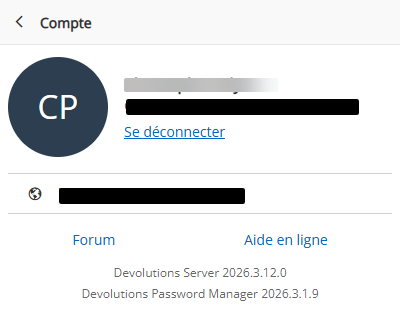
For exemple with this entry
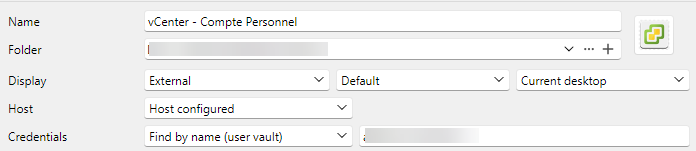

The plugin finds correctly the web site.
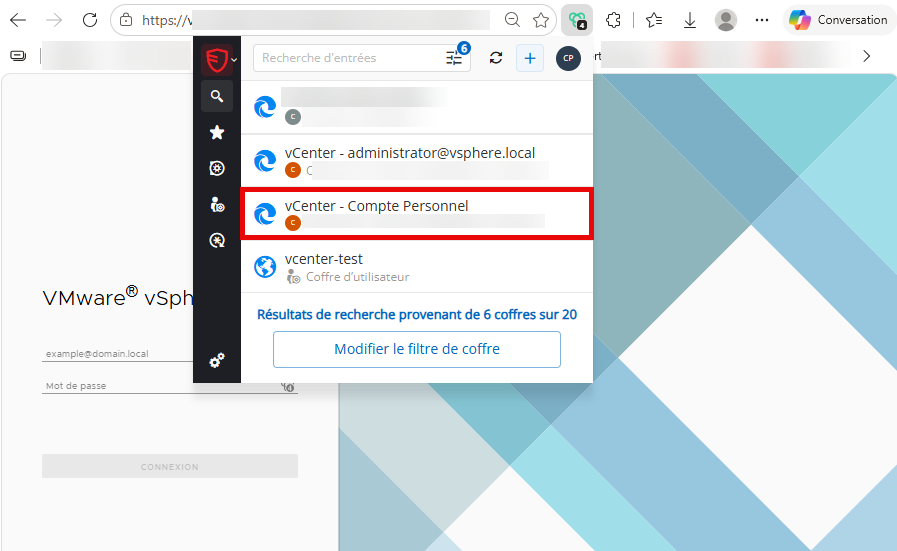
But when I select the entry there is an odd additional windows that enumerate the accounts that looks similar to the one to be found.
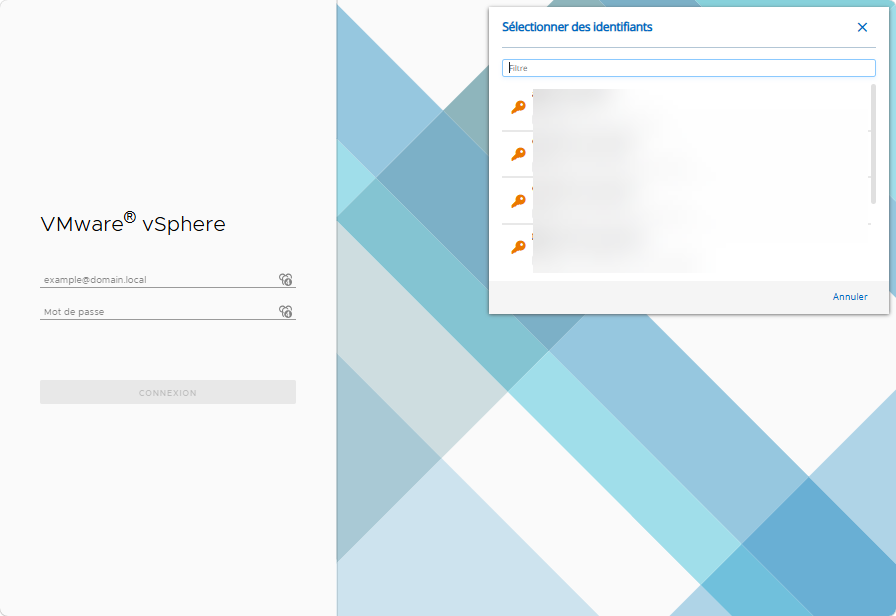
Then the username format settings is discarded by the extension.
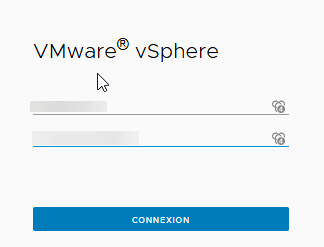
I've the issue whatever the OS + browser + extension (latest version) I use.
I've tested with and old plugin version (2026.1.1.1 in this case, I no longer have a 2026.2.x version somewhere), and everything is working.
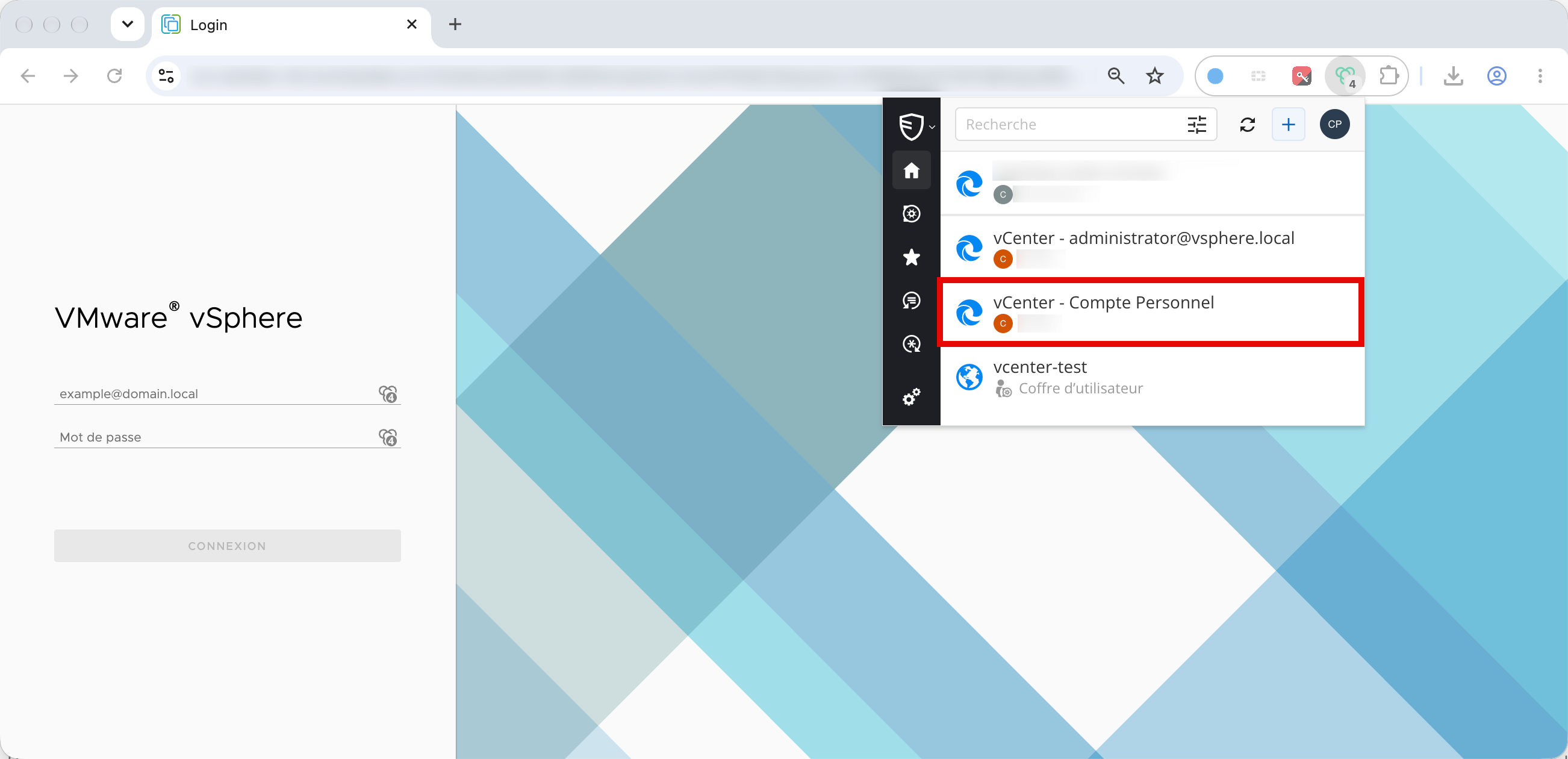
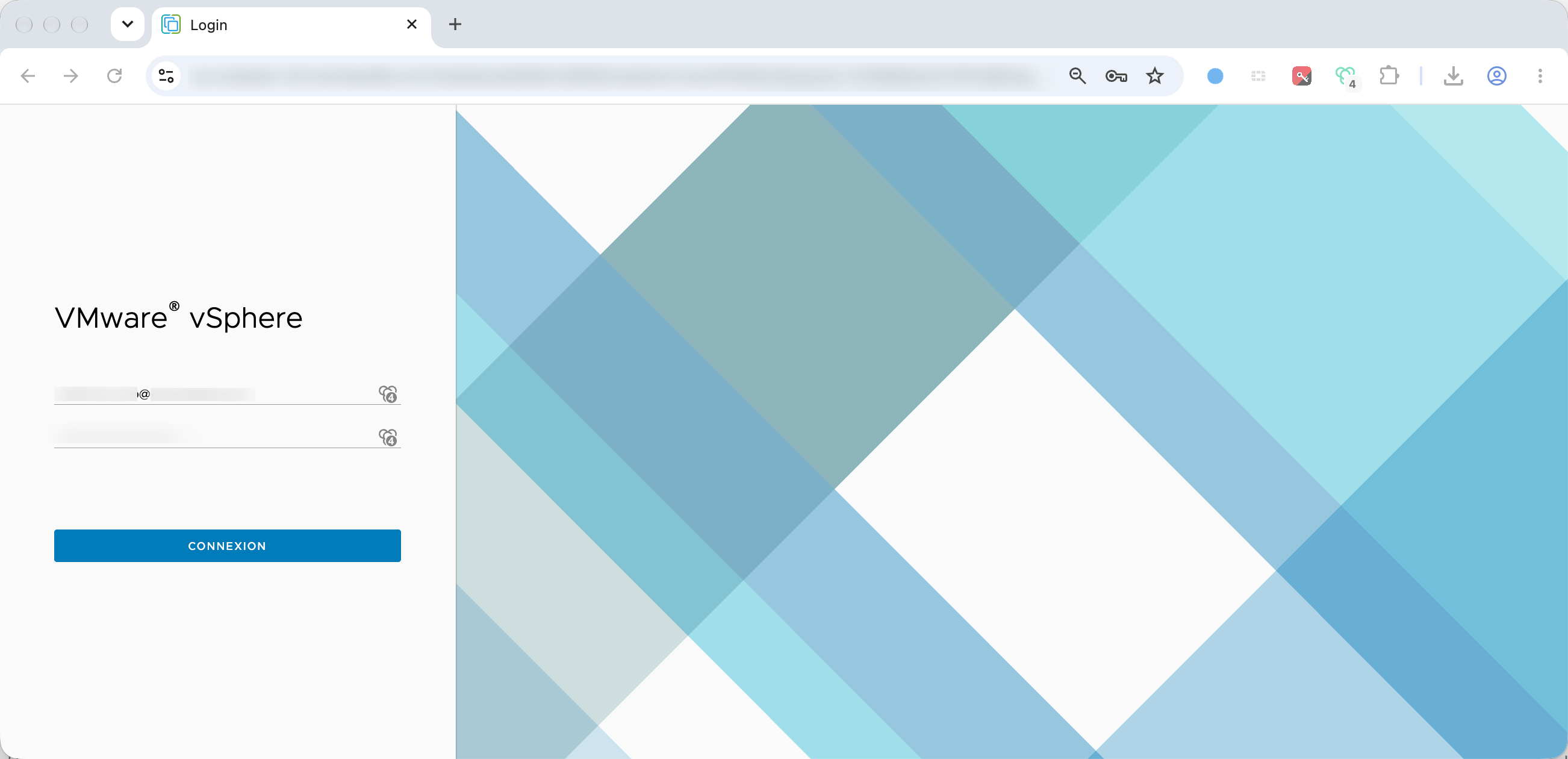
This is an exemple of defect, but I also have another case when after the additional window, if I select the credential, nothing is done. Again with the old plugin version everything is working.
Best Regards,
PS: This issue was present with the dvls server version 2026.2.x and the plugin 2026.3.x, I've upgraded the server to see if the issue was resolved.
FOLDER IP Variable
Hello,
Great tip.
For me supported in name means, I can't use the variable in the connection name, but obviously this is not limited to that ^^.
Best Regards,
Christophe
Template with Devolutions Password Manager brower extension.
Hello, thank you for the update.
Finger crossed for the technical possibility to display templates in the matching view.
Best Regards,
Christophe
SSH connection hang
Hello,
It seems to work.
It was not obvious ^^ ,
TCP keepalives sound better for me to keep the session up :-).
Best Regards,
Christophe
SSH connection hang
Hello,
When I connect via SSH on my devices, after a period of inactivity, the session is disconnected.
This is very annoying.
A connection on the same device via putty or mobaxterm doesn't hang.
I have tried the keep alive option, but that doesn't help.
Is there a way to keep the session alive (and manage the inactivity on the device side) ?
The RDM version is 2024.2.19.0.
Best Regards,
Christophe
FOLDER IP Variable
The main goal of the IP was to add it as an equivalent URL automatically.
It works with $COMPUTER_IP$.
The tricky part is the equivalent URL will still with the variable name instead of the value.
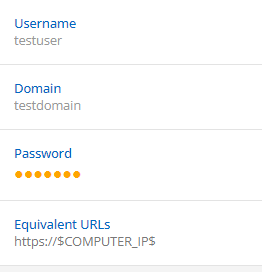
With using $INFORMATION_IP$, it's parsed in the GUI, the equivalent URL will be the exact URL.
Best Regards,
Christophe
Website entry with custom port
Hello,
I guess that this is a vcenter. Here is how I have done mine.There is maybe a better way.
As I have multiple vCenter, I have set this tree as a template group.
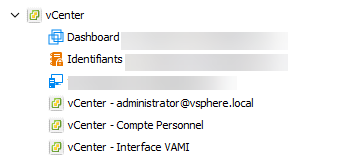
Most informations are set in root folder including the root credential which is located in the credential list.
The root folder is set like that :
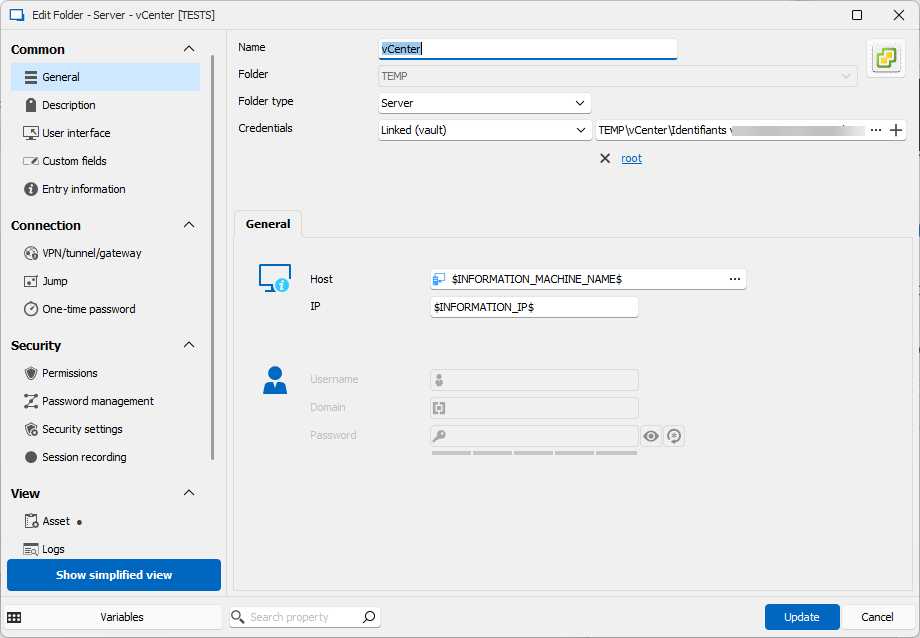
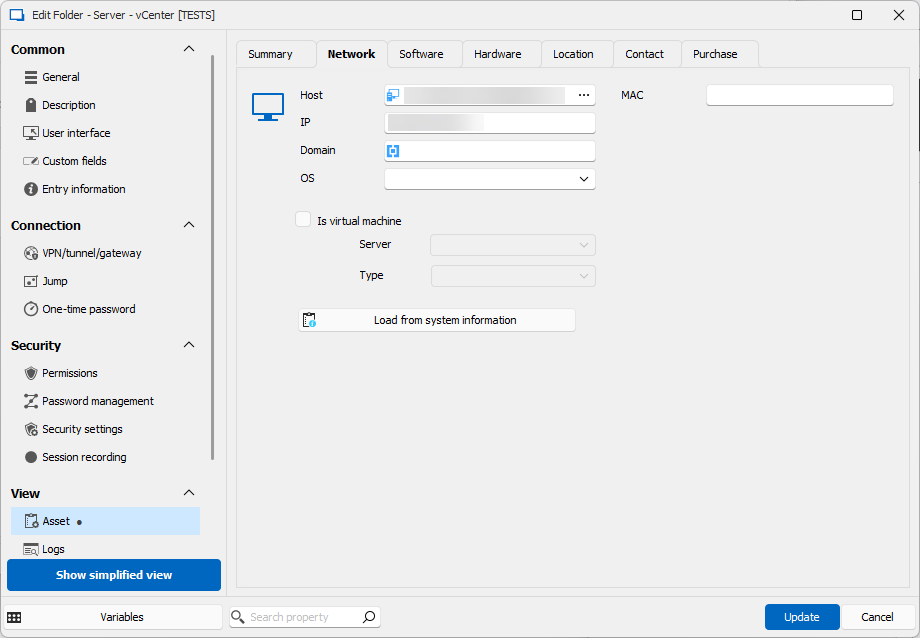
Each child entries, reference the host with $PARENT_INFORMATION_MACHINE_NAME$.
If the login is root, then the credential is inherited, otherwise its configured as needed.
For the pure web entries :
Global SSO administrator
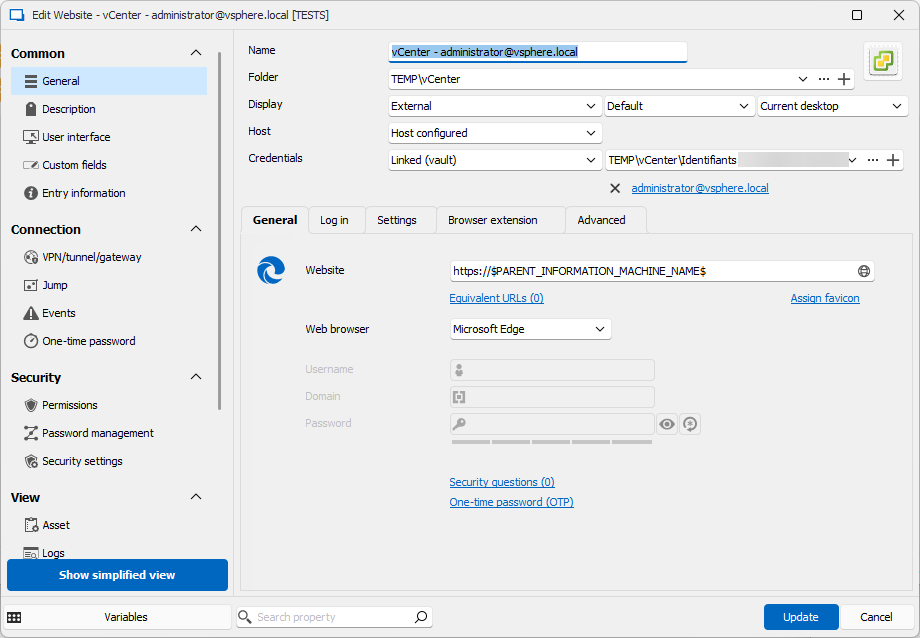
For individual admin account :
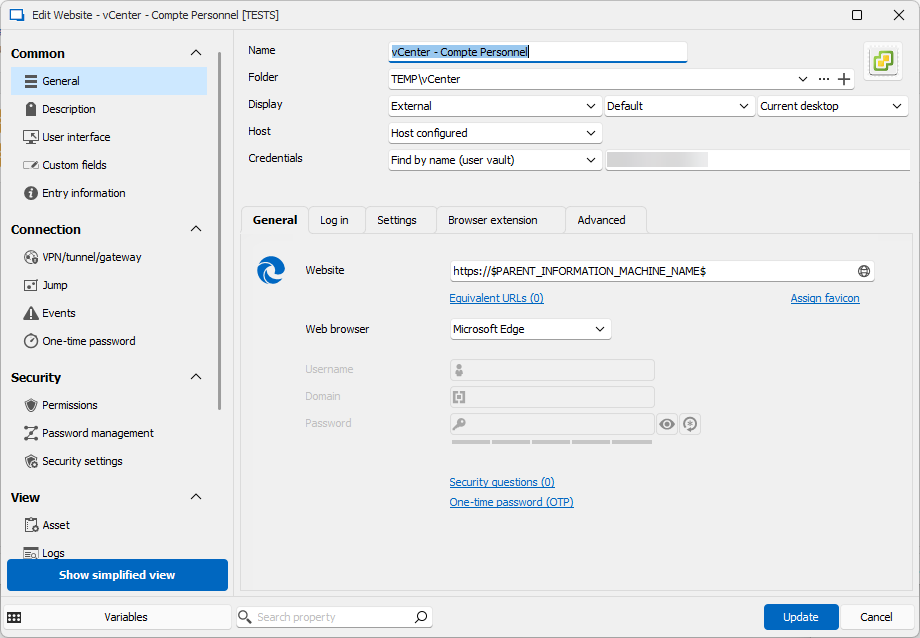
For the VAMI interface
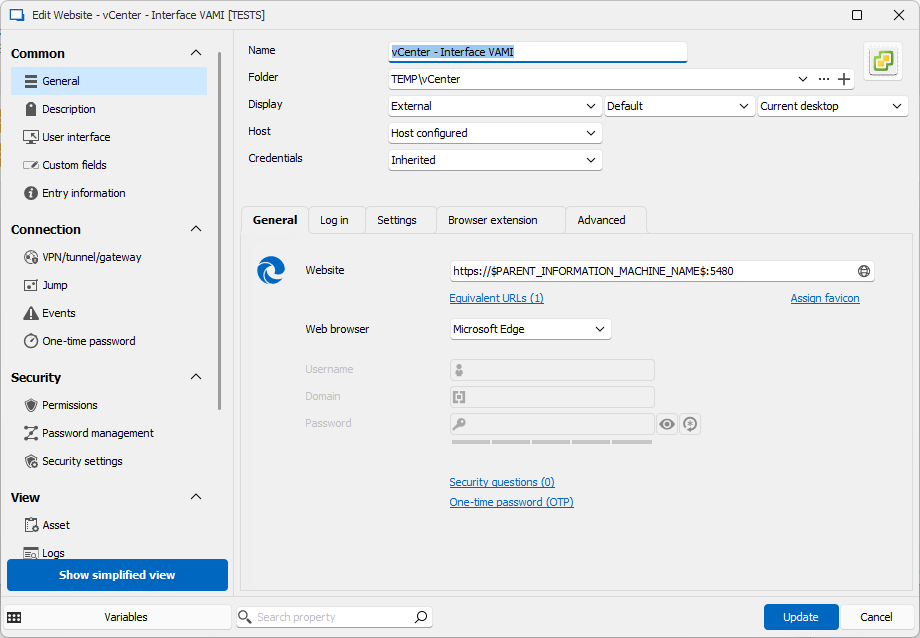
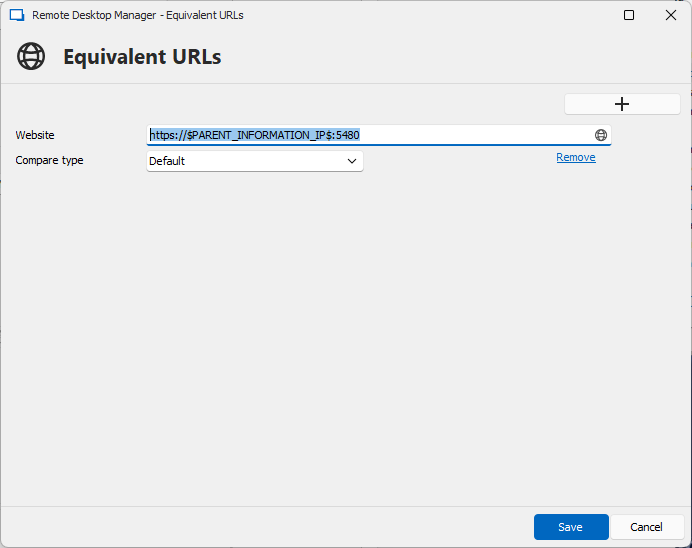
Of course, if your exemple wasn't vCenter, feel free to adapt.
Best Regards,
Christophe
Template with Devolutions Password Manager brower extension.
Hello,
Thank you for the answer.
So, I have created a web template.
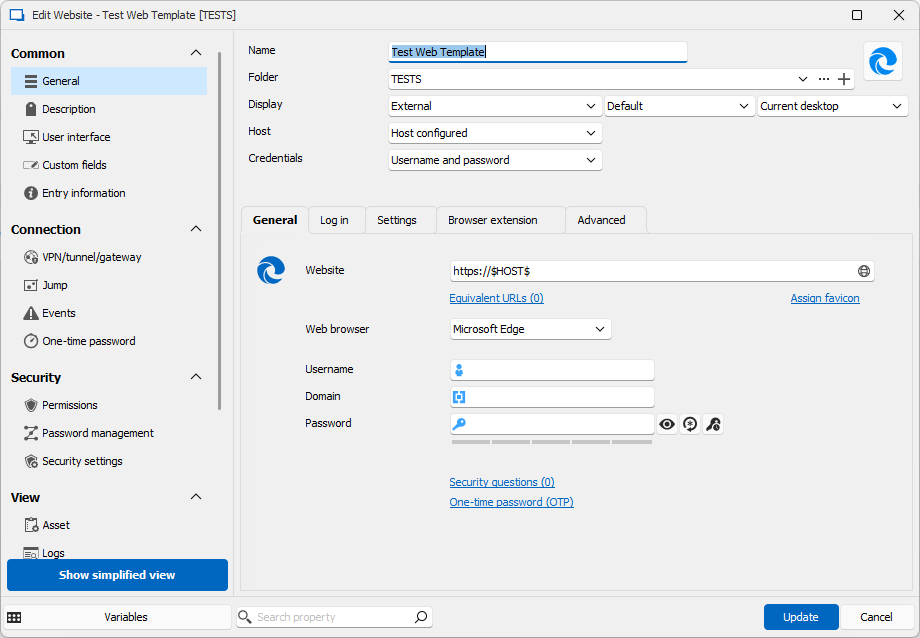
Then I create a host
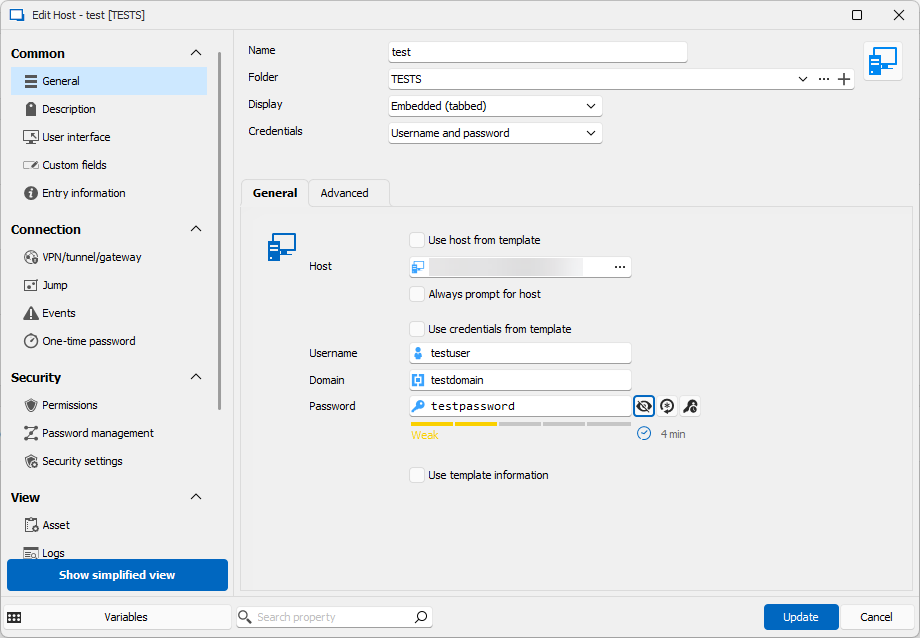
When I double click the host entry, the web site appear. But the devolution plugin doesn't find the username/password (the proposed credential in my screenshot is the one from the hard created entry)
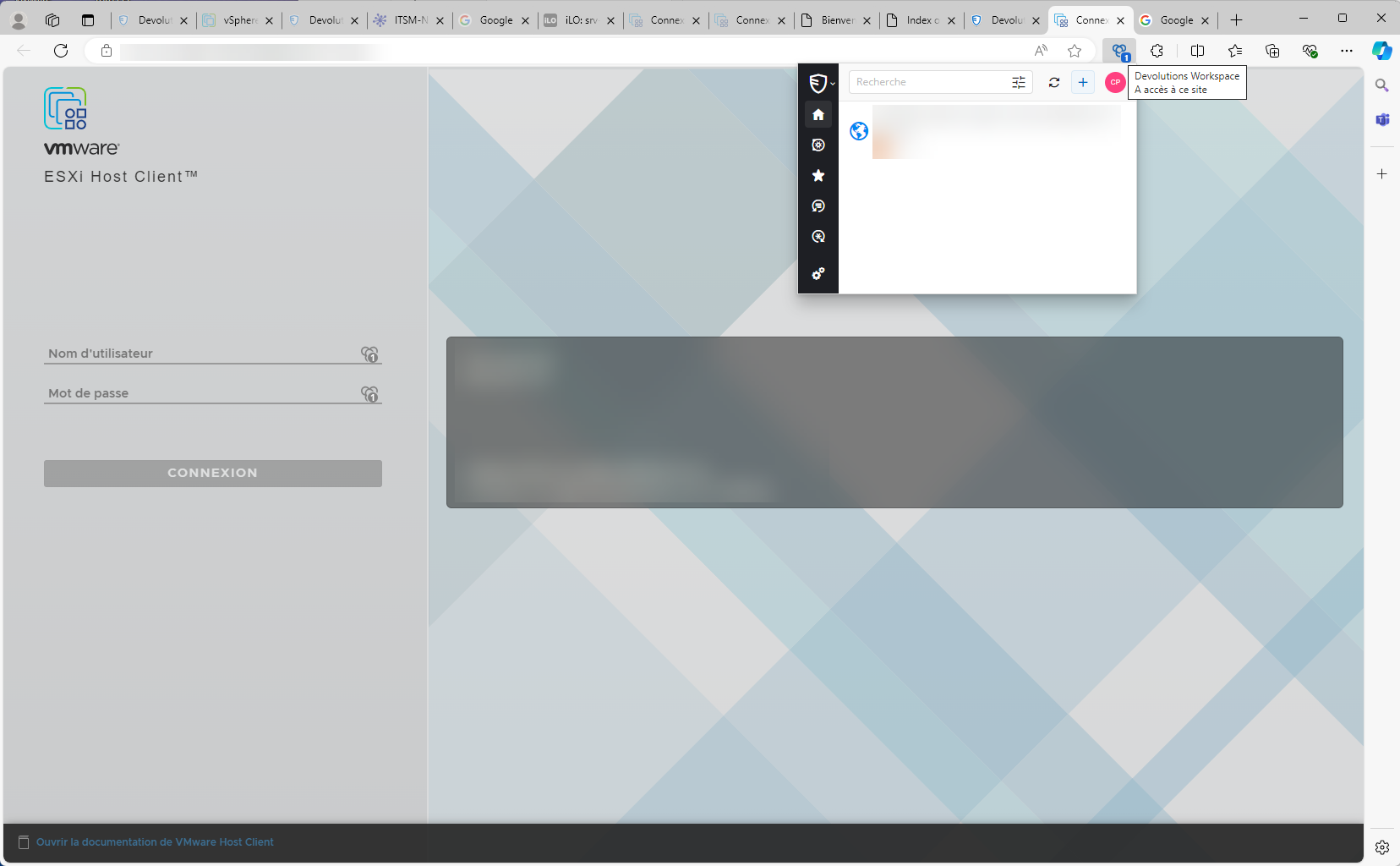
RDM is version 2024.2.19.0.
Workspace extension is : 2024.1.4.0
Best Regards,
Christophe
FOLDER IP Variable
Thank you for the return.
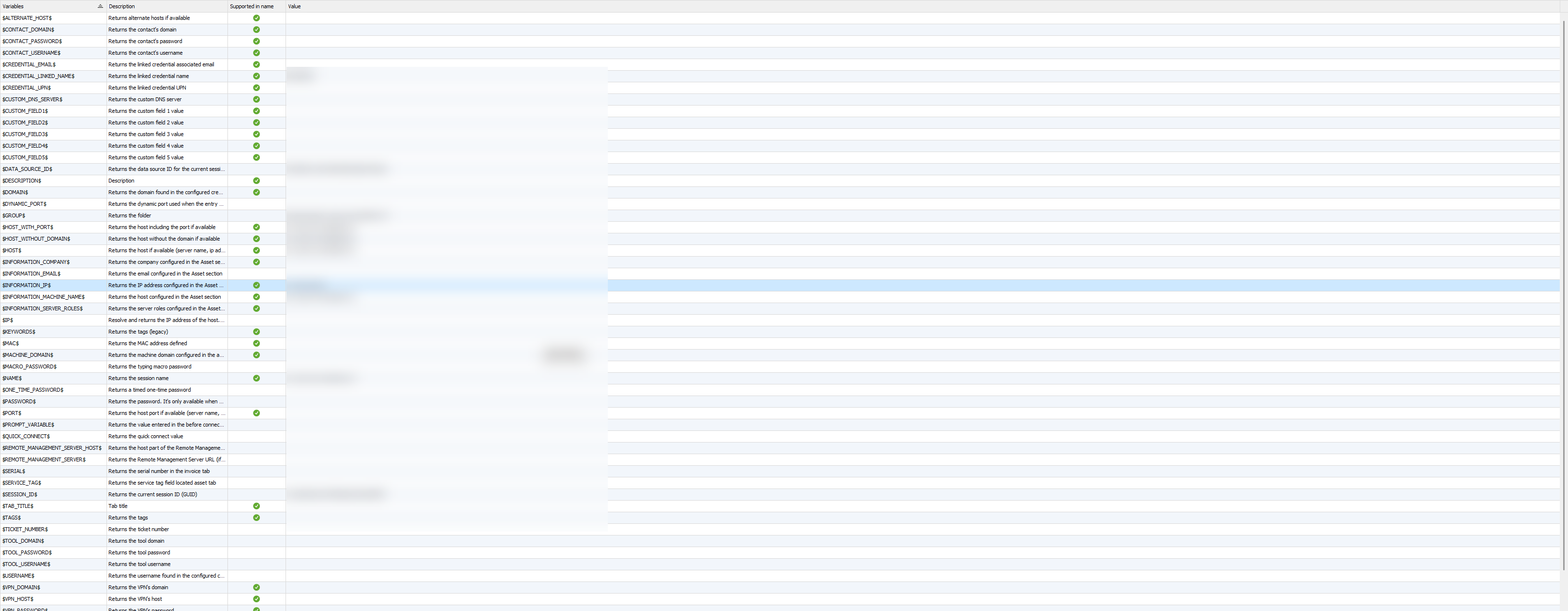
Unfortunately it doesn't work.
If I put a dummy information in the folder IP field, I don't find it while browsing the variables.
Best Regards,
Christophe
FOLDER IP Variable
Hello,
Is there a variable that return the IP set in a server type folder ?
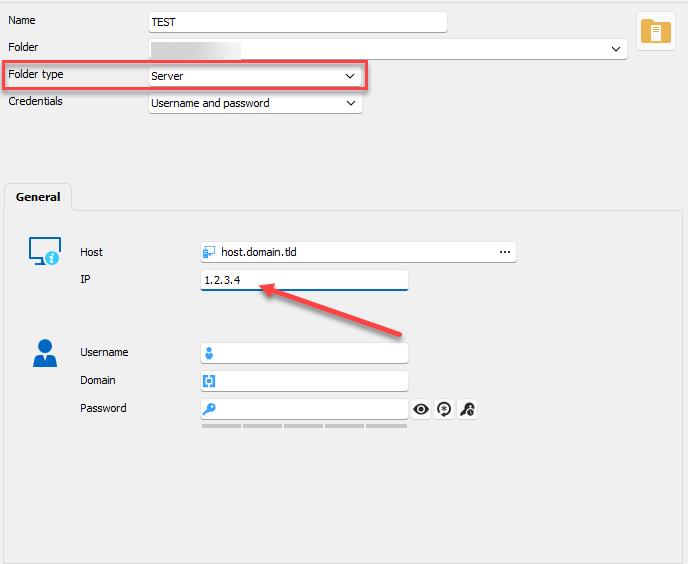
Right now I use the asset information, but we often forget to fill it.
This would be easier to use this IP instead of the asset one.
Best Regards,
Christophe
Template with Devolutions Password Manager brower extension.
Hello,
In my DVLS/RDM/Workspace environment, most of the entries were hard coded.
I want to take advantage of the template to lower the administrative tasks and lower the number of entries.
The plugin doesn't recognize the web entry that is added as template this way:
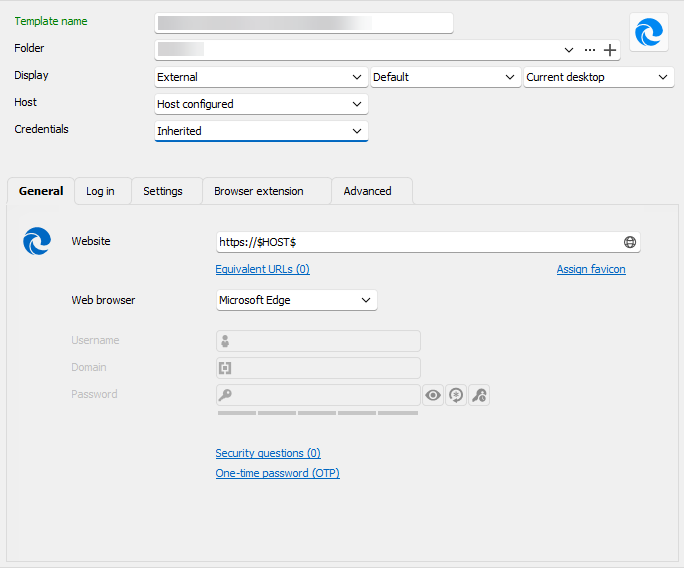
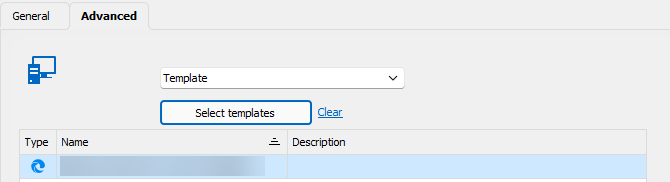
While it's not a a true entry, I can understand that.
So, is it possible to have the plugin to recognize a template without creating a full entry ?
Best Regards,
Christophe
Devolutions Password Manager browser extension and username format
Hello,
The extension is indeed connected directly to DVLS.
I'll wait the investigation results.
Best Regards,
Christophe
Devolutions Password Manager browser extension and username format
Hello,
I have an environment with DVLS, RDM and workspace (full app and browser extension).
I have a credential entry which looks like :
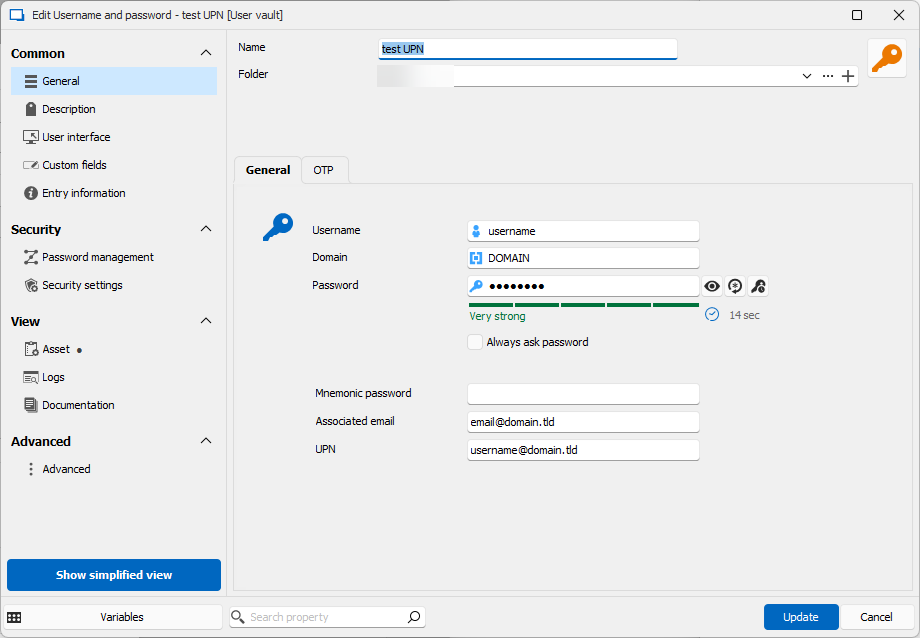
I want to use this entry for different websites, some of them require the upn format (or some other the email if different, ...).
I create a website entry and in the advanced properties, I change the "Username Format".
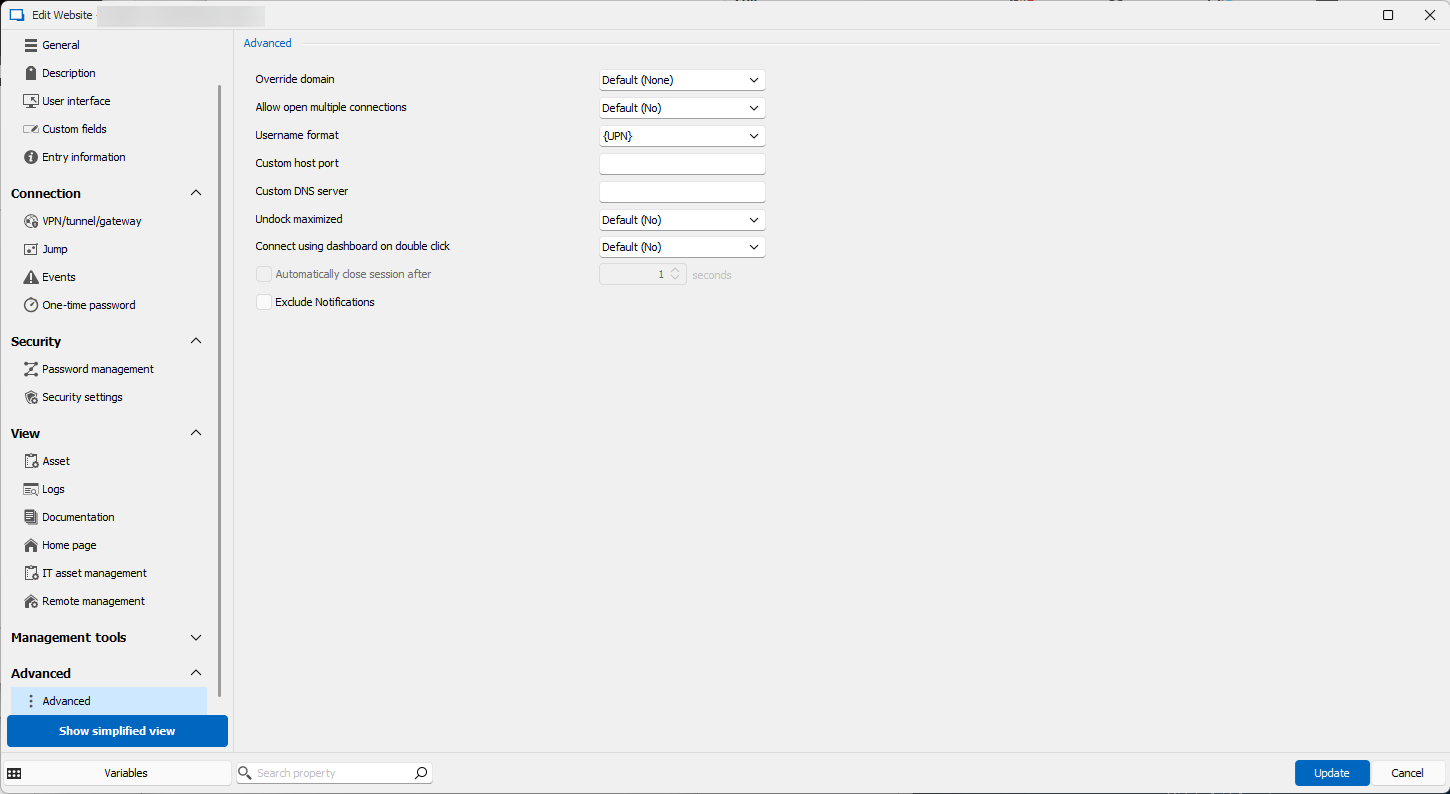
Here are the result from a copy username with the different apps :
From RDM windows : username@domain.tld
From RDM mac : "Nothing to copy in the clipboard" error
From workspace : username
From workspace extension : username
From DVLS web : username
It seems that there is some inconsistencies between all apps with this parameter.
If needed, here are the versions :
DVLS : 2024.2.8.0
RDM Windows : 2024.2.19.0
RDM Mac : 2024.2.9.2
Workspace extension : 2024.2.4.0
Is it possible to fix this inconsistencies or what would be the proper way to have a single entry with different format (login, upn,email ... ) .
Best Regards,
Christophe