Website entry with custom port

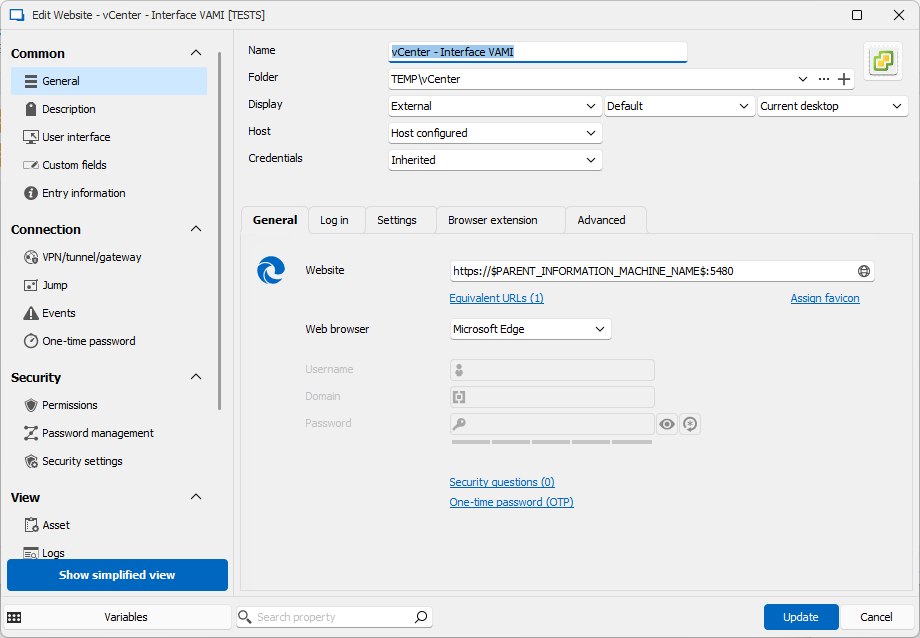
Hello, I don't know if this is the right way to organize the RDM Entries but let me explain it....i would like to have an host entry where i will configure the IP address and the credentials (linked from vault), under this entry i would like to create several sub entries, including two websites, that will get from the main entry the host and credentials info with inheritance, force the https protocol (and till now everything is working and clear) but one of them must use a custom port (5480). I tried to change the port in the advanced settings but it seems to be ignored
All Comments (8)
Hello,
Thank you for reaching out to us regarding this,
- Could you please specify the version of RDM you are currently using?
- What type of data source are you using?
Additionally, would it be possible for you to provide me with some screenshots of the configuration? Blur or remove any sensitive data.
Best regards,
Samuel Dery
Hello, i'm using the latest windows version (2024.2.20.0 64-bit),datasource type is XML. I've attached the screenshots. tell me if they are useful or not ;-) cheers
screen04.png
screen03.png
screen02.png
screen01.png
Hello Matt,
Thank you for your reply,
I see, I'm wondering if using the Proxy section in your Website entry Properties would be what you're looking for?
Let me know,
Best regards,
Samuel Dery
Hello Samuel, no, i'm not looking to a proxy. Let me better explain with an example. Vcenter appliance from Vmware is running two web-apps, accessible in https from two different ports
- 443 (default https port) is the main application, the one that allows you to manage vms
- 5480 is the vcenter management interface
i would like to have a single entry (as said, host one) and two web sub-entries where all the info are inherited from the host, but with different ports.
i guess that the custom host port parameter is ignored for this entry.
best regards
Hello Matteo,
Thank you for your reply,
I see, how are you currently connecting to this web app outside RDM? Are you simply adding the port in the website URL?
Let me know,
Best regards,
Samuel Dery
Hello,
I guess that this is a vcenter. Here is how I have done mine.There is maybe a better way.
As I have multiple vCenter, I have set this tree as a template group.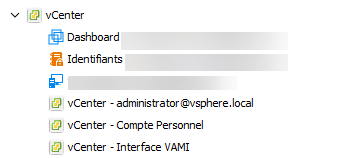
Most informations are set in root folder including the root credential which is located in the credential list.
The root folder is set like that :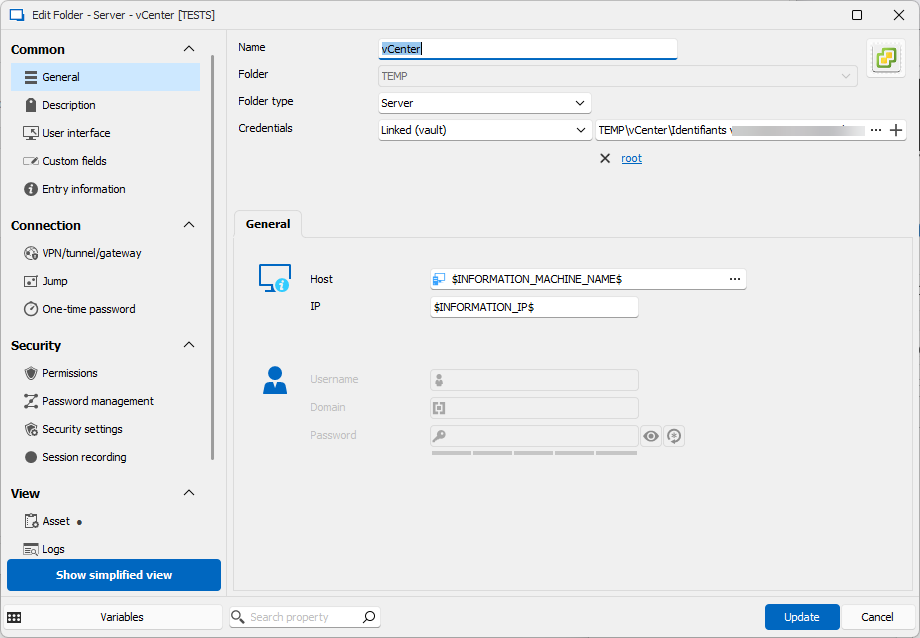
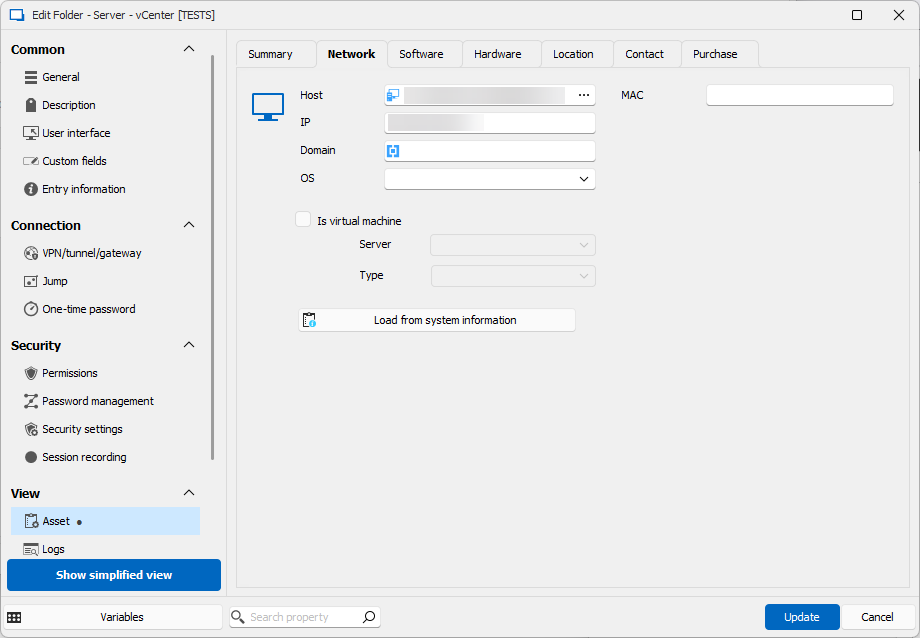
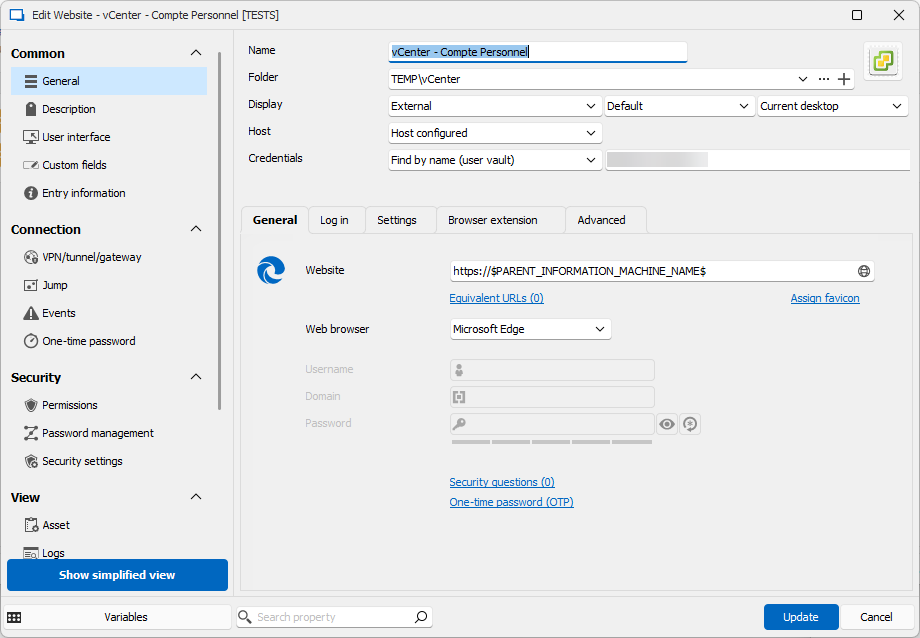
Each child entries, reference the host with $PARENT_INFORMATION_MACHINE_NAME$.
If the login is root, then the credential is inherited, otherwise its configured as needed.
For the pure web entries :
- Global SSO administrator
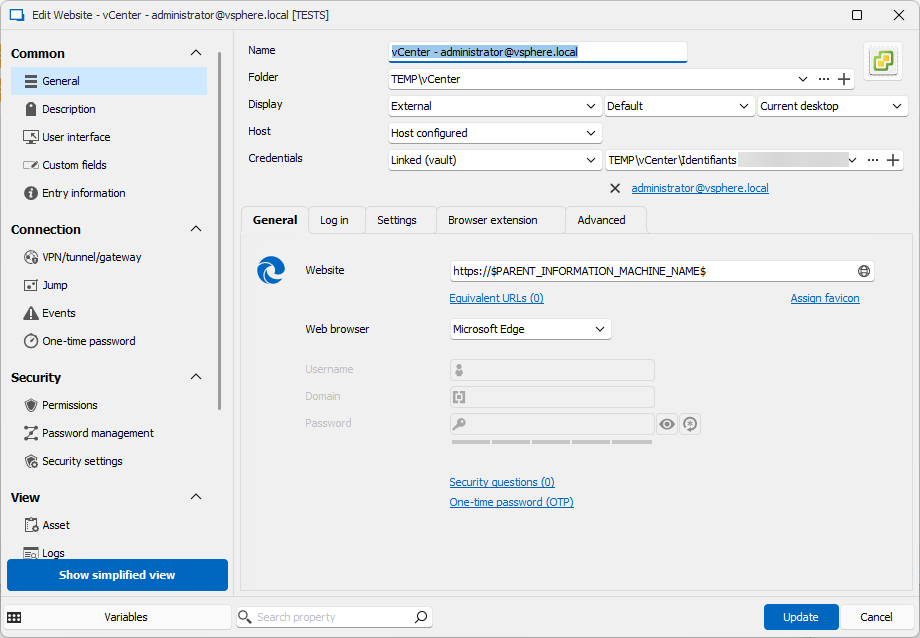
- For individual admin account :
- For the VAMI interface
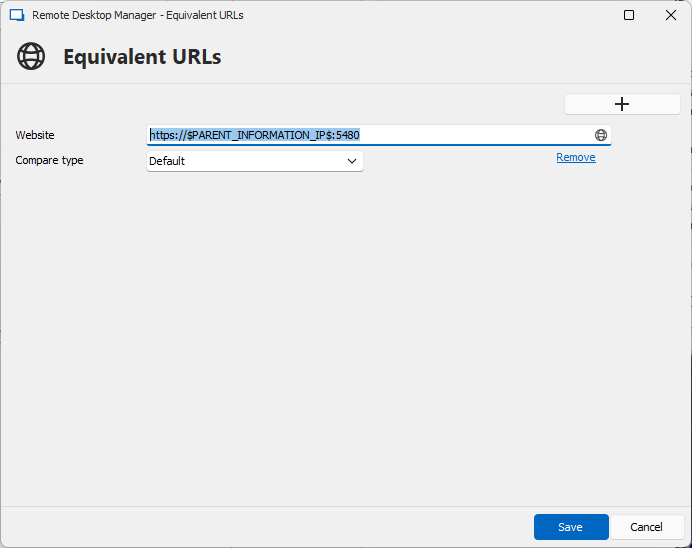
Of course, if your exemple wasn't vCenter, feel free to adapt.
Best Regards,
Christophe
906ca036-a855-4f8a-b3dc-e6a2ca747b23.png
e2892fda-25ef-4a35-a949-031b9054f2a6.png
43c0dc58-e8d7-470e-b00d-3fa130e63aa9.png
9bc1776e-d518-4df0-bb2d-ae2872725ddf.png
f78433ea-29e1-4665-9cb7-41a2017103df.png
04513662-3d01-4823-a264-f607b9a4523d.png
38f4d6a3-80bf-46fc-8d1a-f6c1ba17a782.png
Hello Matteo,
Thank you for your reply,
I see, how are you currently connecting to this web app outside RDM? Are you simply adding the port in the website URL?
Let me know,
Best regards,
yes correct, and this solution works also from RDM without inheriting the host from the parent
Hello,
I guess that this is a vcenter. Here is how I have done mine.There is maybe a better way.
As I have multiple vCenter, I have set this tree as a template group.
Of course, if your exemple wasn't vCenter, feel free to adapt.
Best Regards,
Christophe
Hello Cristophe, this is amazing. thank you for your suggestion, i will test it. I thought that the solution was to use the inherited variables instead of the host parameter, I'm not yet so familiar with RDM ;-) best regards