
mrgnome
Feature Request: Permanently turn off "are you sure" dialog when exiting
Thank you very much for pointing this out Gabriel!
I've only checked it last on mac with a very old version - could successfully disable the popup on latest Mac version now.
Double thx for adding it to the next linux build aswell, just great service 👍️
The feature inconsistency (at least UI wise) between different OS releases is kinda confusing though.
Faced this on Linux with SSH options aswell https://forum.devolutions.net/topics/41305/change-ssh-behaviour-on-network-issue
Cheers
change ssh behaviour on network issue
Hi there,
any updates on this? just noticed disconnect action is now included for ssh tunnel in newer mac client, THX! 👌
Recently i've switched my main from Win to Linux (Mint22) and was very happy to find RDM there aswell and simpy could import my Backup hassle free NICE! 👍️
On Linux (2024.3.1.3 x64 deb package) the behaviour with the ssh disconnect option behaviour is exactly the opposite way to mac, meaning: available only for the tunnel but missing for the ssh terminal session.
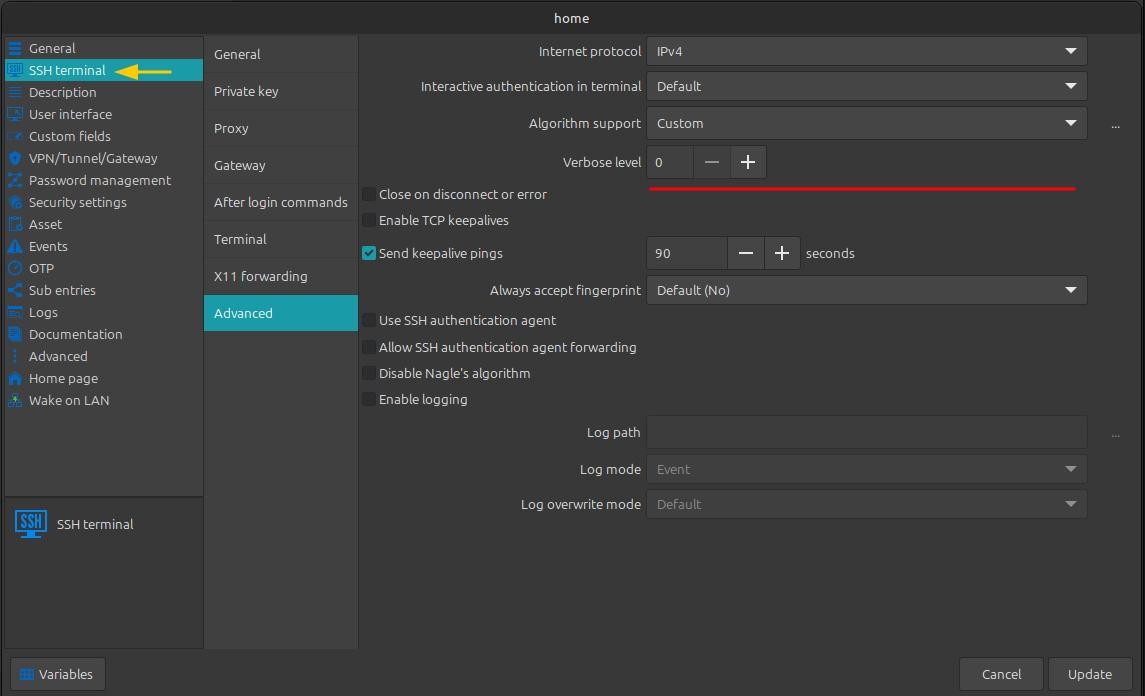
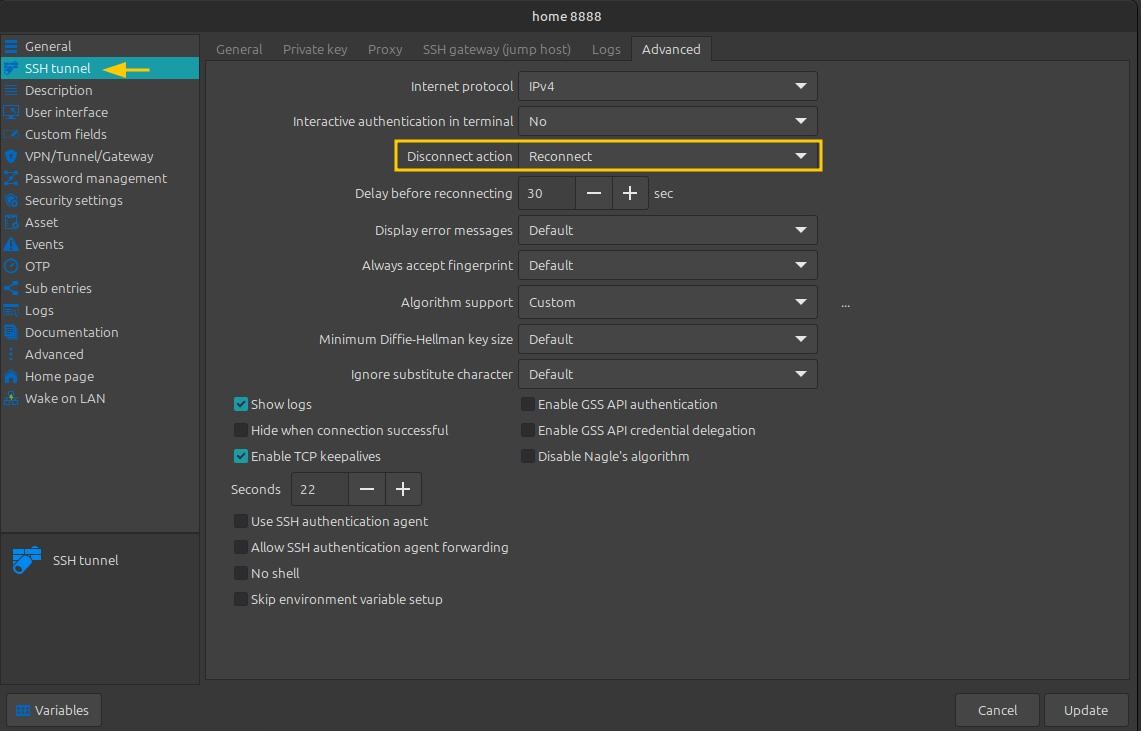
Maybe the linux version could be considered in same feature level aswell :)
Cheers!
Feature Request: Permanently turn off "are you sure" dialog when exiting
Nevermind, I found that you already have a setting for this.
Any hint where i can find this?
Still searching for this option on mac + Linux since i'm using RDM 🙈
change ssh behaviour on network issue
Nice, thank you for following up on that ticket Michel.
For me it simply looks forgotten to be added to the SSH tunnel dialog as it's technically available for SSH terminal connection on the same platform already ✌
PS: dont care abt the delay timer but being on the same level with windows would be even nicer ofc
change ssh behaviour on network issue
Wow, thats what i'd call a lightning fast reaction 🙇🏻
I'm on 2024.2.9.2 on MacOS ARM with migrated DB from 2022.x but even for a new entry the disconnect option seems missing...
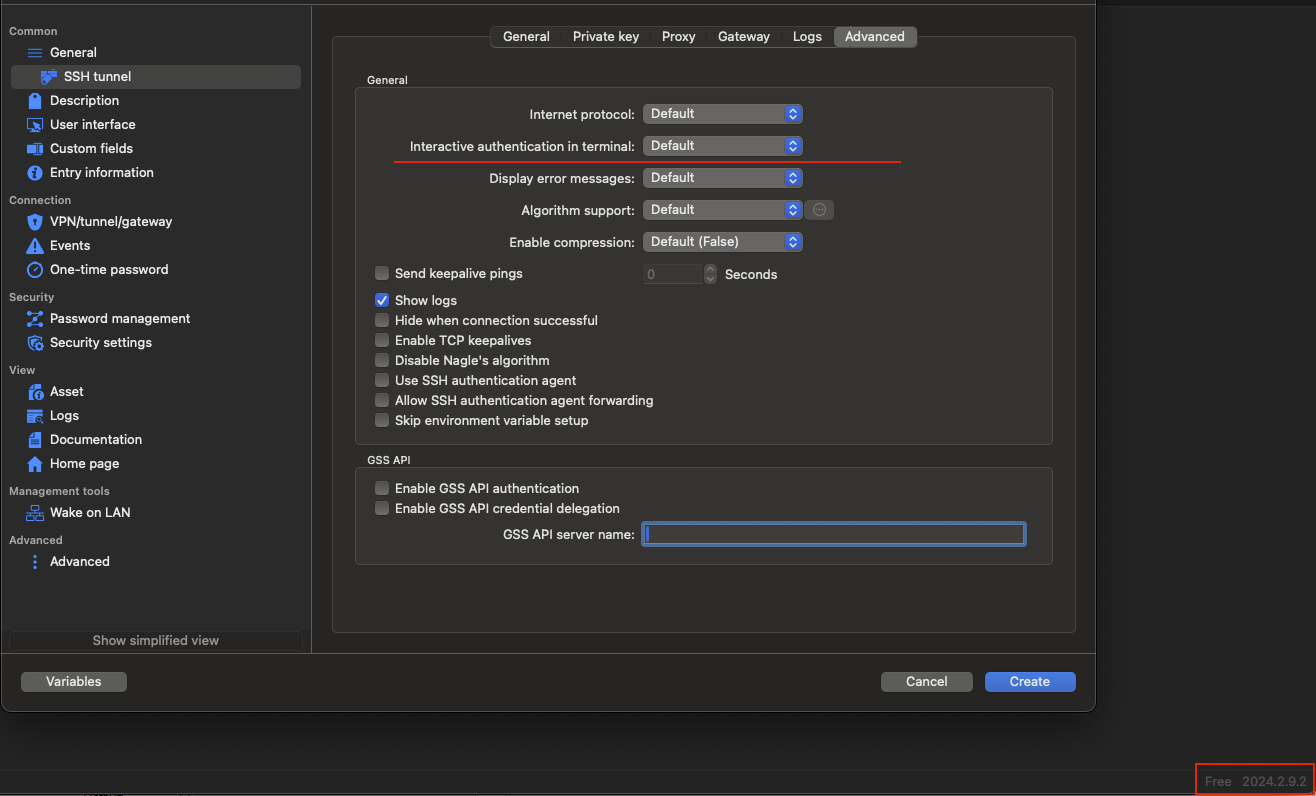
For normal SSH terminal entry its there (but also missing the delay timer as on your screenshot)
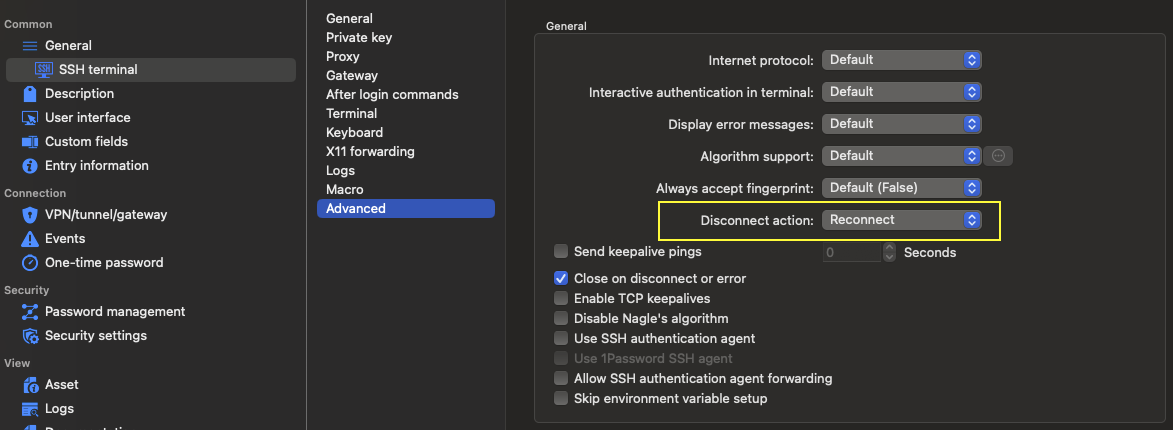
Cheers
change ssh behaviour on network issue
Regarding SSH tabs not to be closed after network error, in the Properties of the SSH entry, go to Advanced > Disconnect Action > Select "Reconnect"
Hello there, just registered on the forum, is there any way to get this "Disconnect Action" for SSH Tunnel Entries as well?
Although it's also ssh the option for disconnect action seems missing there.
Keep alive doesnt help me as well since its mainly loosing connection due to OS disconnect/(wifi) standby/etc.
Cheers!