change ssh behaviour on network issue

Hi all,
I am using RDM to mostly manage ssh connections. Everything works fine, but I would prefer to mimic default PuTTy behaviour:
- I would prefer ssh tabs not to be closed after network error, i.e. in order not to loose output of commands being run
- I would like ssh connections to be kept open, but "enabling TCP keepalive" did not help me
How can I achieve these two enhancements?
Thanks,
Andrea M
All Comments (9)
Hello Ilsuonogiallo,
Thank you for contacting us on that matter!
Regarding SSH tabs not to be closed after network error, in the Properties of the SSH entry, go to Advanced > Disconnect Action > Select "Reconnect" 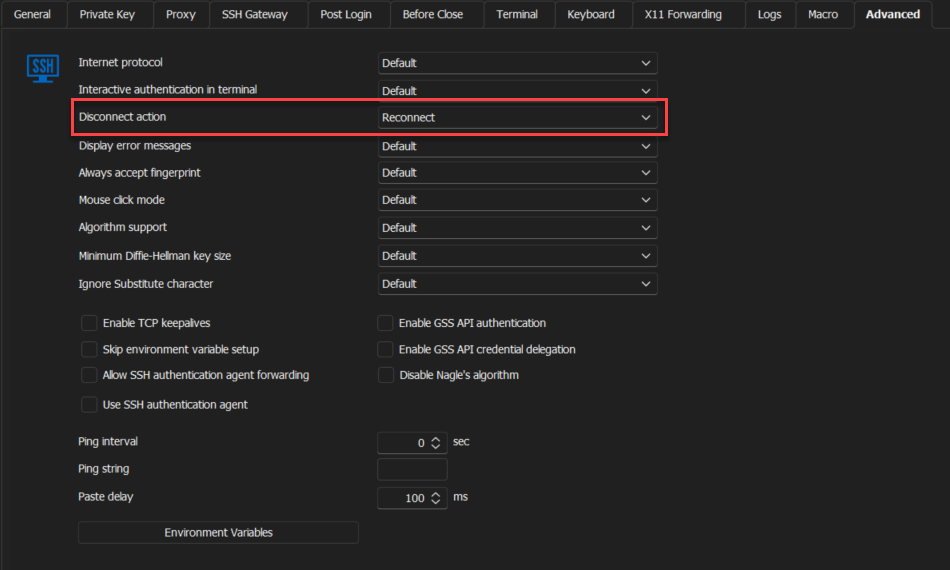
Concerning the SSH Connection enabling TCP Keepalive to keep the session on, can you try to set the ping interval to "10" and see if it changes the behaviour?
Thank you for letting us know. If you have any other questions, feel free to let us know.
Best regards,
Maxim Robert
2024-02-29_15-34-03.png
Regarding SSH tabs not to be closed after network error, in the Properties of the SSH entry, go to Advanced > Disconnect Action > Select "Reconnect"
Hello there, just registered on the forum, is there any way to get this "Disconnect Action" for SSH Tunnel Entries as well?
Although it's also ssh the option for disconnect action seems missing there.
Keep alive doesnt help me as well since its mainly loosing connection due to OS disconnect/(wifi) standby/etc.
Cheers!
Hello,
The disconnect action configuration should already be available in the SSH Tunnel entry: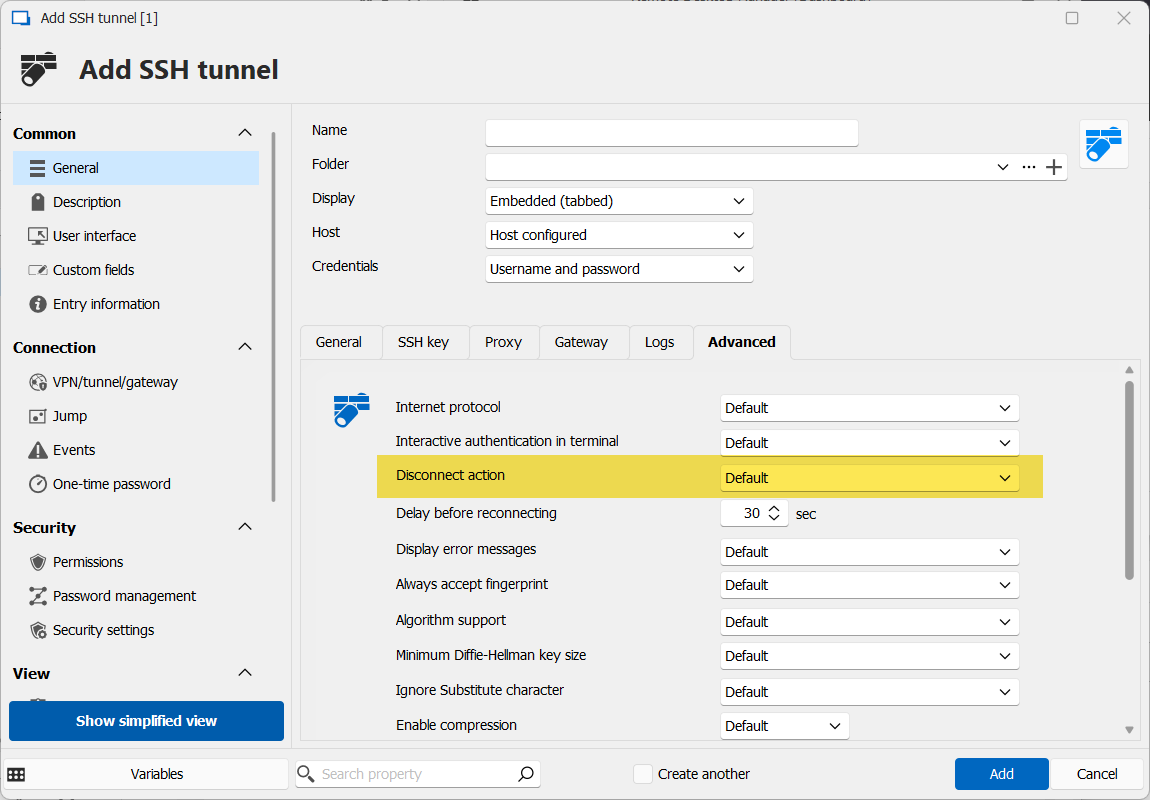
Can you check if your RDM version is up to date?
Regards,
Hubert Mireault
f02274c0-ee55-4406-b5aa-fd9734552913.png
Wow, thats what i'd call a lightning fast reaction 🙇🏻
I'm on 2024.2.9.2 on MacOS ARM with migrated DB from 2022.x but even for a new entry the disconnect option seems missing...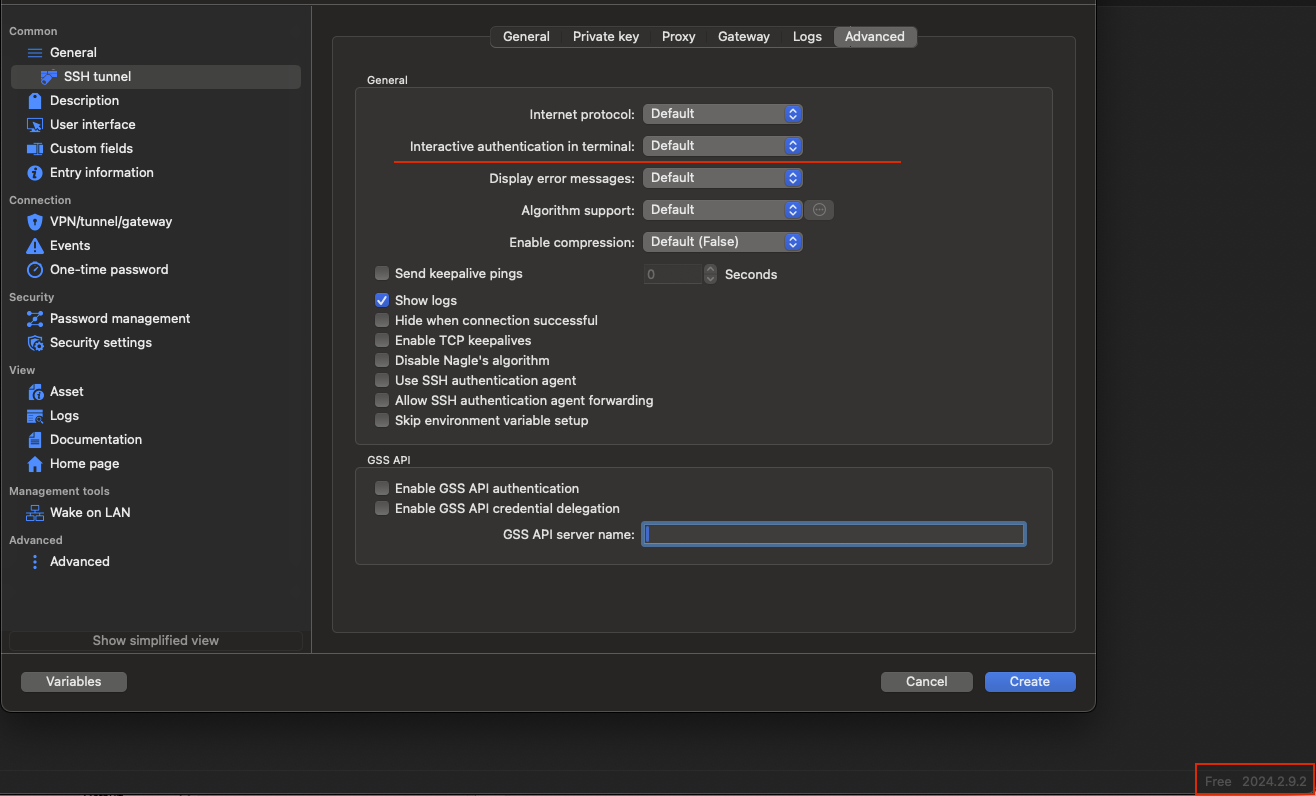
For normal SSH terminal entry its there (but also missing the delay timer as on your screenshot)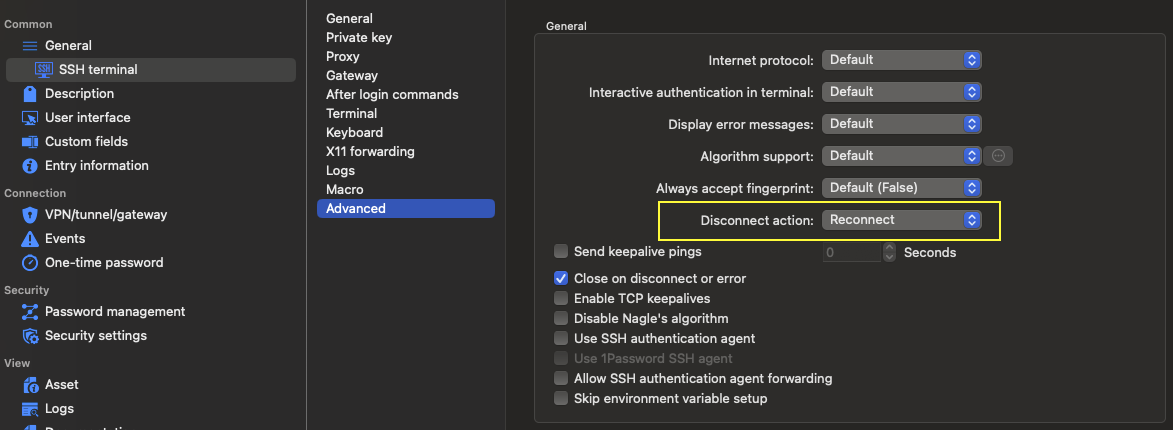
Cheers
bf9fcc1e-aee0-47cc-b45b-12c4655699af.png
bc7c993c-54bf-4271-ace4-fb1afd637caa.png
Hello,
We acknowledge that some options are missing on the Mac version of RDM. A ticket was opened to see if it is possible to add them, we will probably do the same with the SSH Shell advanced tab.
We will keep you updated on the situation. If there's anything in the meantime, don't hesitate to communicate with us.
Best regards,
Michel Lambert
Nice, thank you for following up on that ticket Michel.
For me it simply looks forgotten to be added to the SSH tunnel dialog as it's technically available for SSH terminal connection on the same platform already ✌
PS: dont care abt the delay timer but being on the same level with windows would be even nicer ofc
Hi there, any updates on this? just noticed disconnect action is now included for ssh tunnel in newer mac client, THX! 👌
Recently i've switched my main from Win to Linux (Mint22) and was very happy to find RDM there aswell and simpy could import my Backup hassle free NICE! 👍️
On Linux (2024.3.1.3 x64 deb package) the behaviour with the ssh disconnect option behaviour is exactly the opposite way to mac, meaning: available only for the tunnel but missing for the ssh terminal session.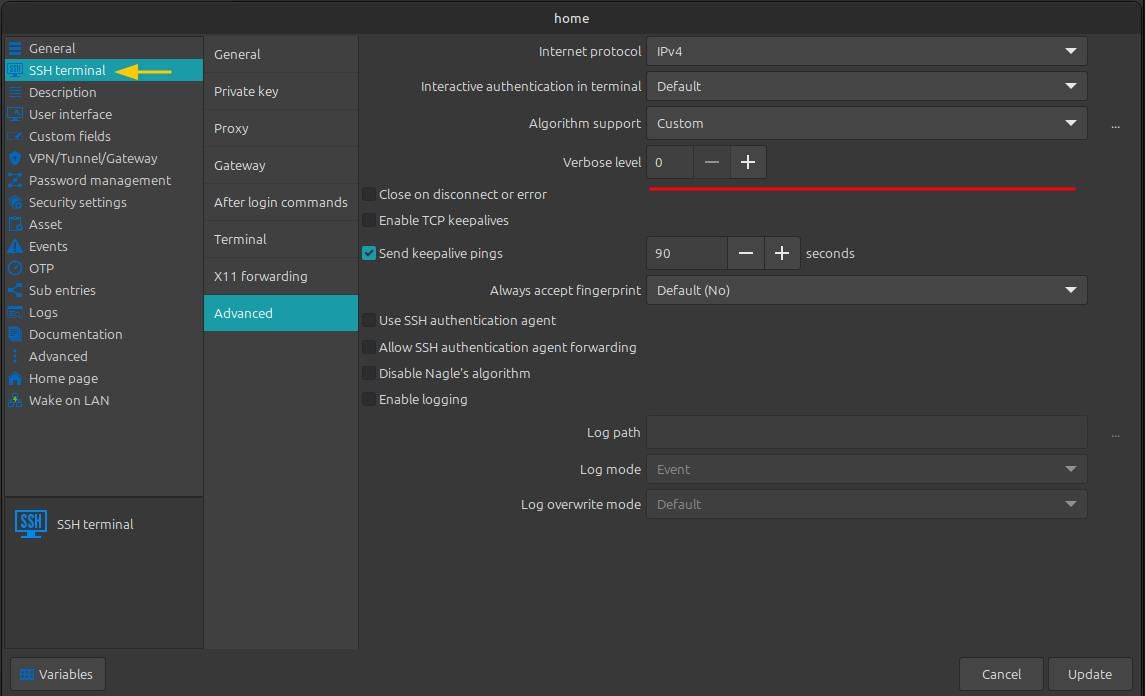
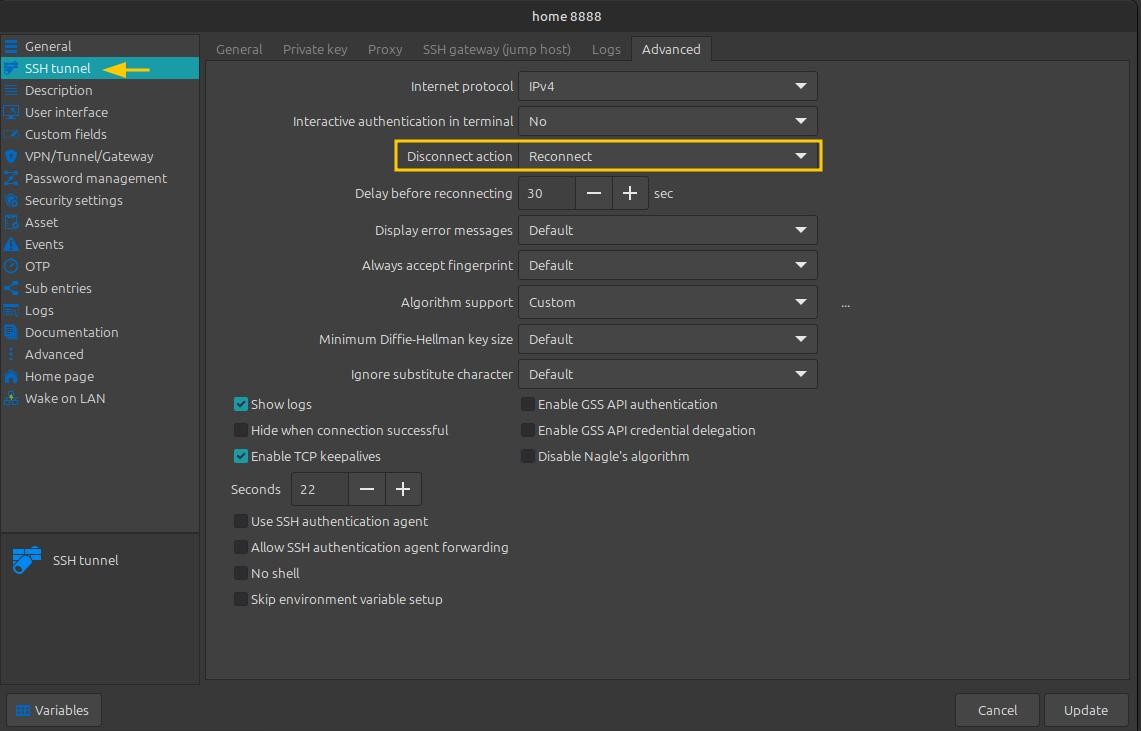
Maybe the linux version could be considered in same feature level aswell :)
Cheers!
2024-11-10_14-32.jpeg
2024-11-10_14-31.jpeg
Hello mrgnome,
I have created a ticket to add the "Disconnect action" to the SSH connection settings in RDM Linux. We’ll keep you informed once it’s implemented.
Please let us know if there’s anything else you need.
Regards,
Gabriel Dubois
Hello,
This feature has been added in version 2025.2.1.2.
Best regards,
Simon Duguay Létourneau