
ferfebles
Template not working when opened from URL
Can't see "System Settings" under "Administration". I'm using the free edition. Is there any way of changing this parameter with the free edition?
Template not working when opened from URL
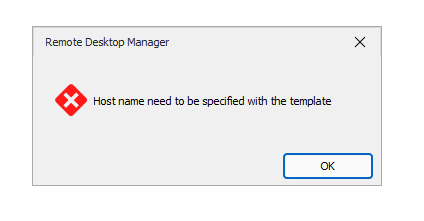
There are no activity log entries for this problem. This is the screenshot
Template not working when opened from URL
I created a RDP (Microsoft Remote Desktop) template.
If I edit the template properties, go to "Entry Information", copy the command line and add the name of a server it works. The command line is like this:
"C:\Program Files\Devolutions\Remote Desktop Manager\RemoteDesktopManager.exe" /DataSource:5b744ee5-4d7b-4645-819b-ee8563eed894 /Repository:00000000-0000-0000-0000-000000000000 /Session:c8967439-0cc3-4945-8878-b8921babb06d /Host:my_host_name
With the same template, if I try to use the button "Create Web URL" and then paste the url with the host in the browser like this:
rdm://open?DataSource=ba2c4d31-8911-4e06-8b6a-5722313f51e7&Template=c8967439-0cc3-4945-8878-b8921babb06d&Host=my_host_name
It fails with the message: Host name need to be specified with template
The same problem happens when using a SSH session.
I'm using the 2024.1.30.0 64-bit free version.