Template not working when opened from URL
I created a RDP (Microsoft Remote Desktop) template.
If I edit the template properties, go to "Entry Information", copy the command line and add the name of a server it works. The command line is like this:
"C:\Program Files\Devolutions\Remote Desktop Manager\RemoteDesktopManager.exe" /DataSource:5b744ee5-4d7b-4645-819b-ee8563eed894 /Repository:00000000-0000-0000-0000-000000000000 /Session:c8967439-0cc3-4945-8878-b8921babb06d /Host:my_host_name
With the same template, if I try to use the button "Create Web URL" and then paste the url with the host in the browser like this:
rdm://open?DataSource=ba2c4d31-8911-4e06-8b6a-5722313f51e7&Template=c8967439-0cc3-4945-8878-b8921babb06d&Host=my_host_name
It fails with the message: Host name need to be specified with template
The same problem happens when using a SSH session.
I'm using the 2024.1.30.0 64-bit free version.
All Comments (7)
Hello Ferfebles,
Thank you for contacting us on that matter!
Could you check the Administration logs to see if there's any information? If so, could you provide us with a screenshot of the information?
I have also been able to reproduce the issue. I will provide the information to our QA Team and will let you know with more information as soon as possible.
If you have any other questions, feel free to let us know.
Best regards,
Maxim Robert
There are no activity log entries for this problem. This is the screenshot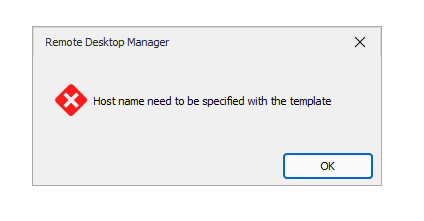
ac17a0ca-0fad-47af-a393-6c45ad6391ba.png
Hello Ferfebles,
Thank you for being this patient!
After providing the information to our team, a ticket regarding this issue was opened with our development team.
I will let you know with more information as soon as possible. If you have any other questions, feel free to let us know.
Best regards,
Maxim Robert

Hello Fer,
Thank you for being patient again.
This behavior is completely normal when it comes to Web URL's. There exists an option to allow the "Host Override" which you can find under Administration > System Settings > Security Settings > Allow host override.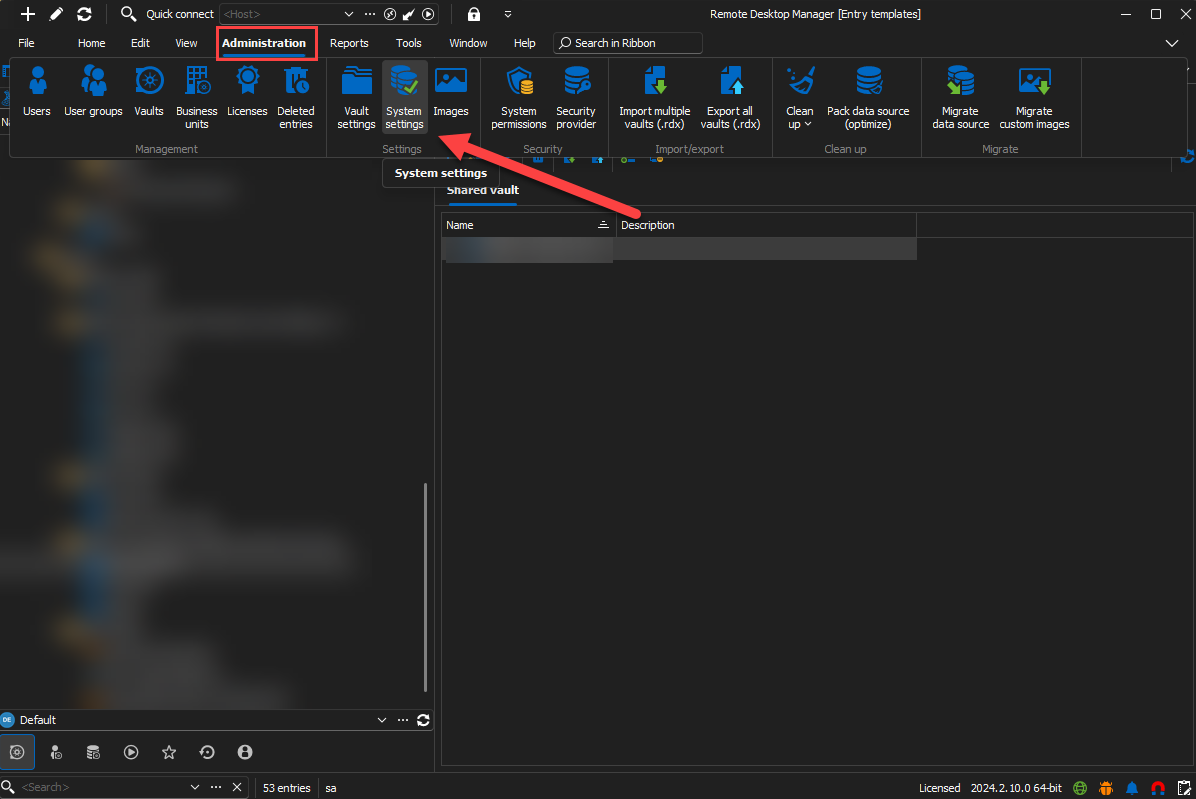
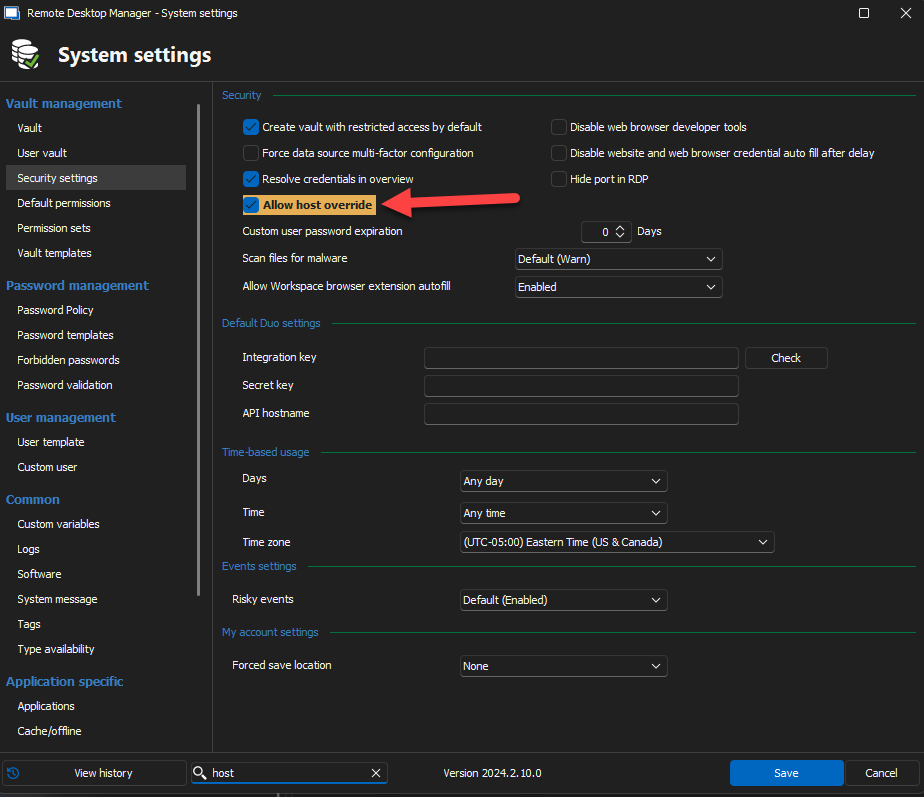
This option is disabled by default for security purposes. When it will be checked you should be able to enter your destination host in the URL and the RDP should open normally.
Best regards,
Nathan Beauregard
8026e661-8d87-4641-ad6a-9446d8a65e28.png
7dd6ea09-fd2a-4407-b482-4d0530cb3c2a.png
Can't see "System Settings" under "Administration". I'm using the free edition. Is there any way of changing this parameter with the free edition?
Hello Fer,
In your case it will be normal. I will implement a fix soon that will allow it in your case.
I will post back here when it will be available. In the mean time, get back to us if needed !
Best regards,
Nathan Beauregard
Hello Fer,
This feature is now authorized by default for all Data Sources that don't support "Data Source Settings". It will be available in the next minor release (2024.2.14.0).
If you have any questions or you encounter other problems, get back to us !
Best regards,
Nathan Beauregard