KevinH
RDM keeps/stealing focus over other open applications.
Hi there,
To answer your questions.
My datasource is SQLite (local data source)
'Auto refresh' is not enabled on the advanced tab of the data source.
'Wait progress mode' is set to Window
My OS is Windows 10 Enterprise 22H2
Normal day use applications are Office365, Firefox, Notepad++, Virtual Machine Manager Console. That's about it.
I'm not sure if it's related, but when the issue occurs I'm often already connected to one or more VM's.
We connect to most of our VM's through an RD Gateway setup.
But like I said I can't reproduce it on demand if I want to. :(
RDM keeps/stealing focus over other open applications.
Hi there,
Any updates on this from your side?
I bumped into this issue a couple more times over the past month.
Sometimes restarting RDM solves it for a while, sometimes the issue is almost back instantly.
So I can't put my finger on it yet what seems to trigger it.
Any ideas from your side that I can check or look into?
RDM keeps/stealing focus over other open applications.
From my post above:
Note: I know there is an 'always op topic' option in the settings, but that is not enabled.
RDM keeps/stealing focus over other open applications.
I had a look at the setting, but Mouse Jiggler is not enabled.
On the remote VM is no management software like TeamViewer or AnyDesk installed.
In addition, even if I close all the open RDP sessions, RDM still is on top of everything.
Even windows/panels inside RDM, like properties or the search for updates window, also don't pop up. It's like they are invisible.
Hitting the escape key on an invisible window gives me control over RDM again, but I have to close and reopen the application to get it to work like normal.
RDM keeps/stealing focus over other open applications.
I'm not exactly sure since which version this started, 2-3 versions ago I suppose.
I'm currently using version 2024.1.23.0 of RDM.
If I have RDM open for a while and I'm connected to some serves through RDP (embedded in tabs) I notice that RDM steals focus over other applications. I have to actually minimize RDM before I can use other applications in a normal fashion. Alt-tab doesn't work either in that situation.
Closing RDM often solves it for a short period and sometimes it doesn't, but it keeps returning after a while of normal use.
I haven't found a way to reproduce the issue yet if I want it to. It's suddenly there.
I don't suspect other applications yet, because it's only the RDM window that is stealing focus.
Is there a way to analyse this from my side or anything I can look into?
Note: I know there is an 'always op topic' option in the settings, but that is not enabled.
Entry Templates not visible in Import from Computer Wizard
Updated to version 2024.1.23.0 this morning and this indeed solved the template visibility issue.
Thanks a lot for addressing and solving the issue.
Entry Templates not visible in Import from Computer Wizard
Pressing ctrl+refresh icon does refresh the list. Items are visible.
Shared Vault Templates are also visible in other RDM windows from that point.
But pressing the refresh icon without ctrl pressed makes the Shared Vault Templates disappear again.
Shared Vault Templates are again invisible in other RDM windows from that point.
So does a restart of the application.
Profile result pressing ctrl+refresh icon:
Main thread (UI)
----------------------------------------
GlobalConnectionManager.Refresh...
LoadConnections UI - [SQLite : Local Data Source] - Cache - 64-bit...
HasSecurityChanged...
ConnectionManager.RefreshDataSourceSettings...
GetDataSourceSettings : 6 ms
ConnectionManager.RefreshDataSourceSettings : 6 ms
HasSecurityChanged : 12 ms
Reload: False - HasSecurityChanged: True - HasChanged: True
LoadConnectionsFromDataSource...
GetDataSourceSettings : 5 ms
GetConnections...
Database.GetConnections...
ReadConnections...
Reading connections from database : 5 ms - Run count : 0 - Count : 1569
ReadConnections : 5 ms
DecryptAndDeserializeConnections...
DecryptData : 7 ms - Count : 1569
DeserializeData : 20 ms - Count : 1569
DecryptAndDeserializeConnections : 28 ms
Database.GetConnections : 37 ms
GetConnections : 37 ms
DoSetConnections - Cache...
Engine.Clear - DisposeInternalList : 0 ms
DoSetConnections - Cache : 3 ms
LoadConnectionsFromDataSource : 57 ms
FavoriteManager.LoadFolders : 5 ms
LoadConnections UI - [SQLite : Local Data Source] - Cache - 64-bit : 79 ms
GlobalConnectionManager.Refresh : 82 ms
Thread : 13
----------------------------------------
13 - Sync to Offline : 18 ms - Count : 1568
Thread : 64
----------------------------------------
64 - OfflineManager.SaveMeta...
64 - DataSourceSettings : 4 ms
64 - OfflineManager.SaveMeta : 4 ms
Profile result pressing the refresh icon without ctrl pressed.
Main thread (UI)
----------------------------------------
GlobalConnectionManager.Refresh...
LoadConnections UI - [SQLite : Local Data Source] - Cache - 64-bit...
HasSecurityChanged : 4 ms
Reload: False - HasSecurityChanged: False - HasChanged: False
FavoriteManager.LoadFolders : 1 ms
LoadConnections UI - [SQLite : Local Data Source] - Cache - 64-bit : 5 ms
GlobalConnectionManager.Refresh : 9 ms
Entry Templates not visible in Import from Computer Wizard
Just installed the 2024.1.21 version this morning.
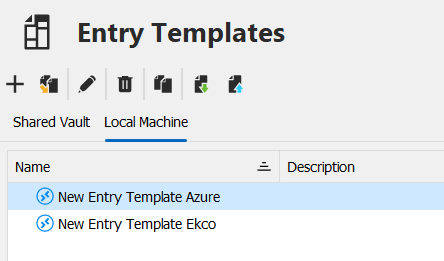
Local Templates are now visible again from the 'Import from Computer Wizard.
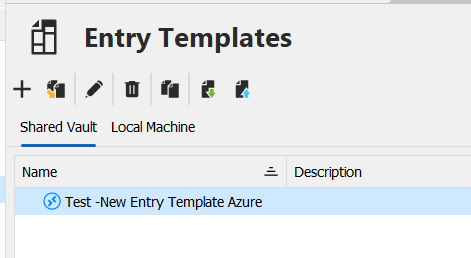
But I don't see the Shared Vault Templates yet. I do have one as you can see in my post above.
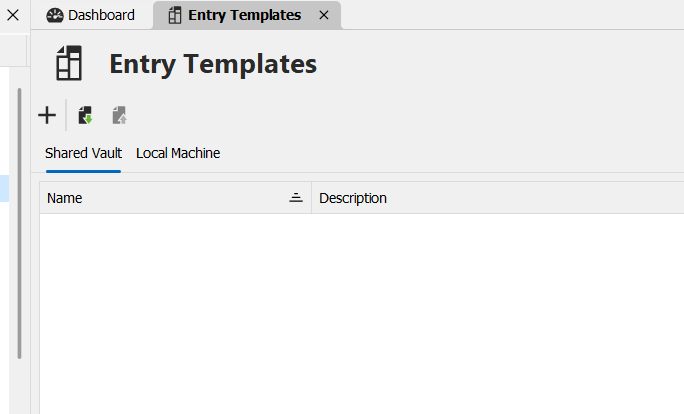
However, the Shared Vault Templates are also not visible any more from the Entry Templates (management) window.
While they previously were visible. Creating a new Shared Vault Template also doesn't show up in the list.
Local Templates are still visible from the Entry Templates tab.
Entry Templates not visible in Import from Computer Wizard
Hi,
I've recently upgraded to version 2024.1.19.0 of RDM.
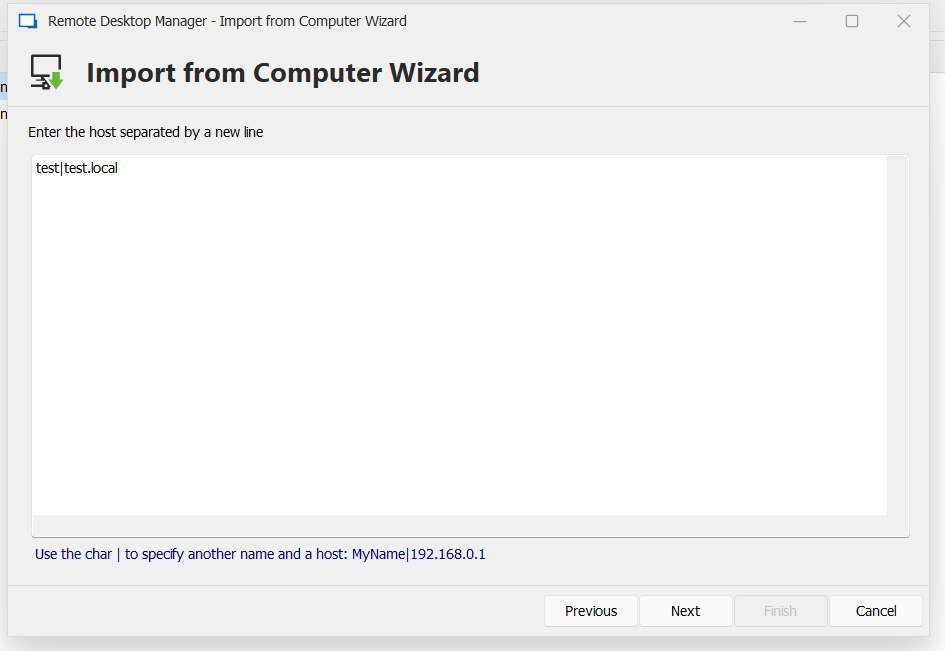
I always do an import of new servers based on a text file using the Import from Computer Wizard and then selecting the Host List option.
I recently created 2 Entry Templates to make the import a bit more easy.
In the previous version for RDM I could only make those visible if I created a Local Template.
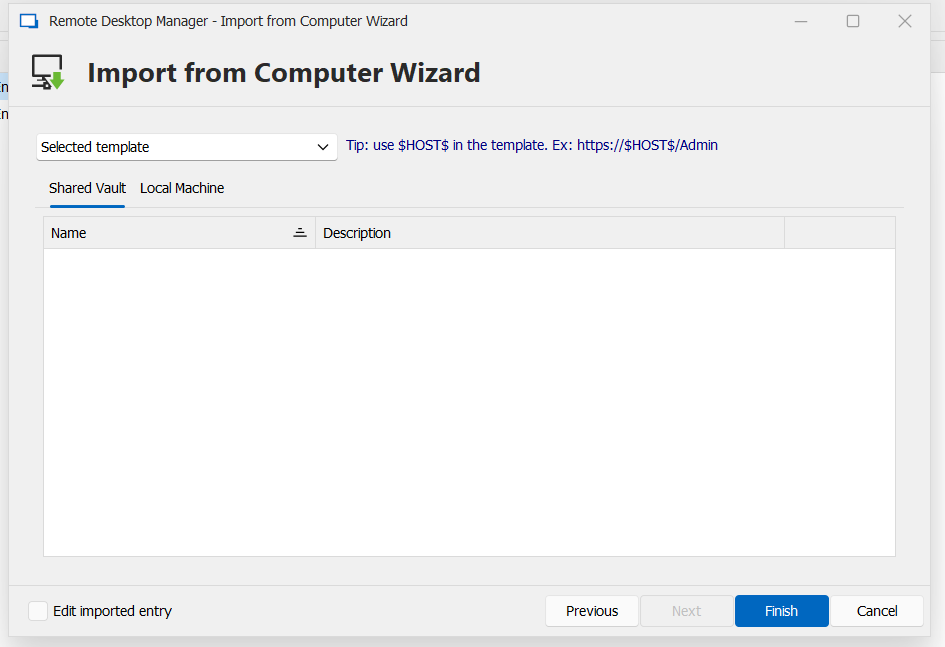
If I created a Shared Vault Template it didn't show up when I wanted to select the template in the Import from Computer Wizard.
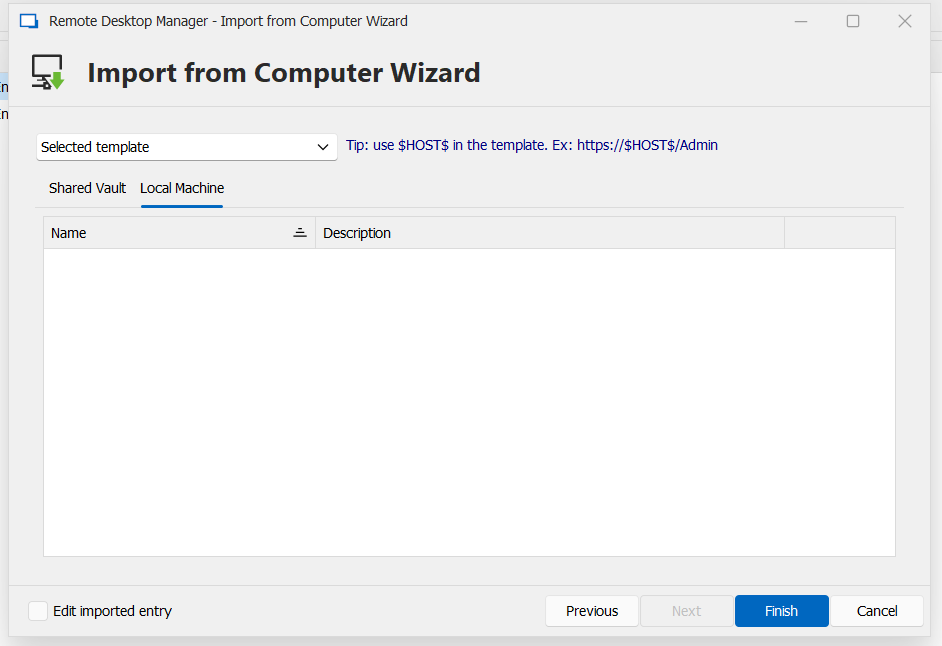
However in the new 2024 version (see above) I can't select any template any more.
Is this a bug or am I doing something wrong here?
Some screenshots for clarification.