Entry Templates not visible in Import from Computer Wizard
Entry Templates not visible in Import from Computer Wizard

Hi,
I've recently upgraded to version 2024.1.19.0 of RDM.
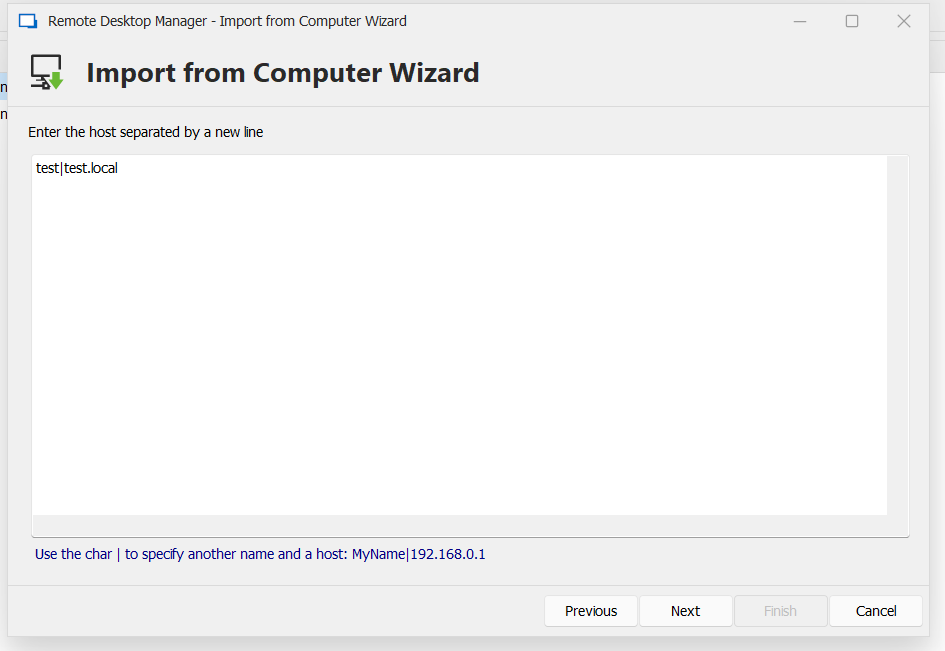
I always do an import of new servers based on a text file using the Import from Computer Wizard and then selecting the Host List option.
I recently created 2 Entry Templates to make the import a bit more easy.
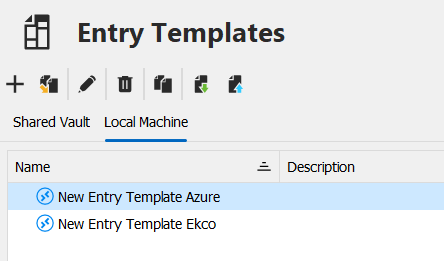
In the previous version for RDM I could only make those visible if I created a Local Template.
If I created a Shared Vault Template it didn't show up when I wanted to select the template in the Import from Computer Wizard.
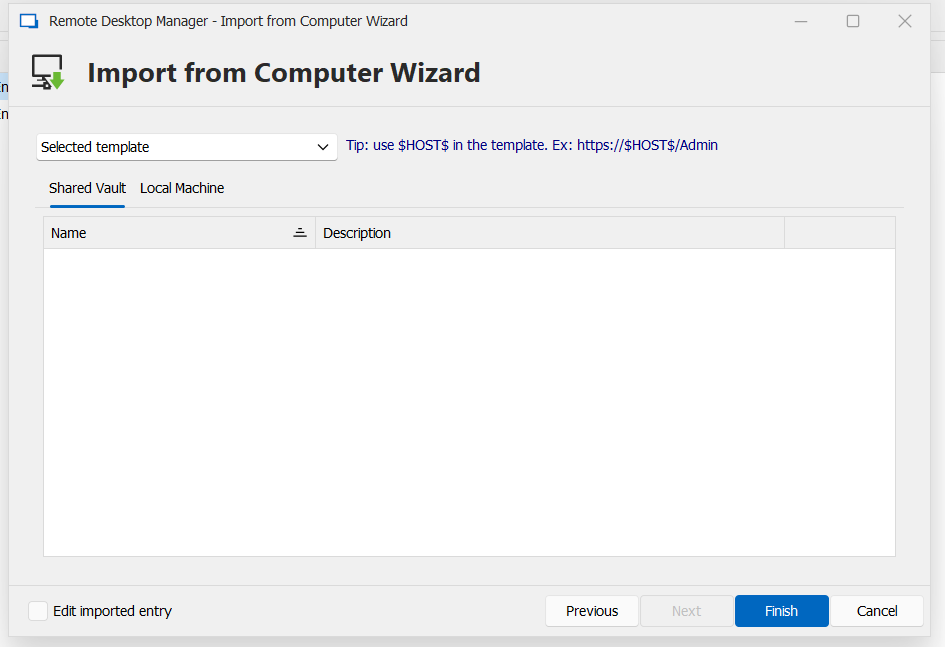
However in the new 2024 version (see above) I can't select any template any more.
Is this a bug or am I doing something wrong here?
Some screenshots for clarification. 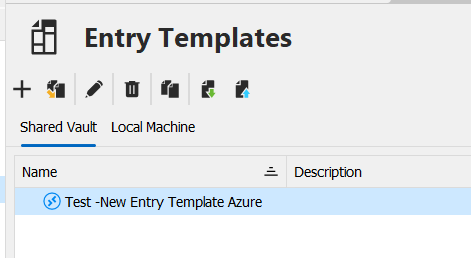
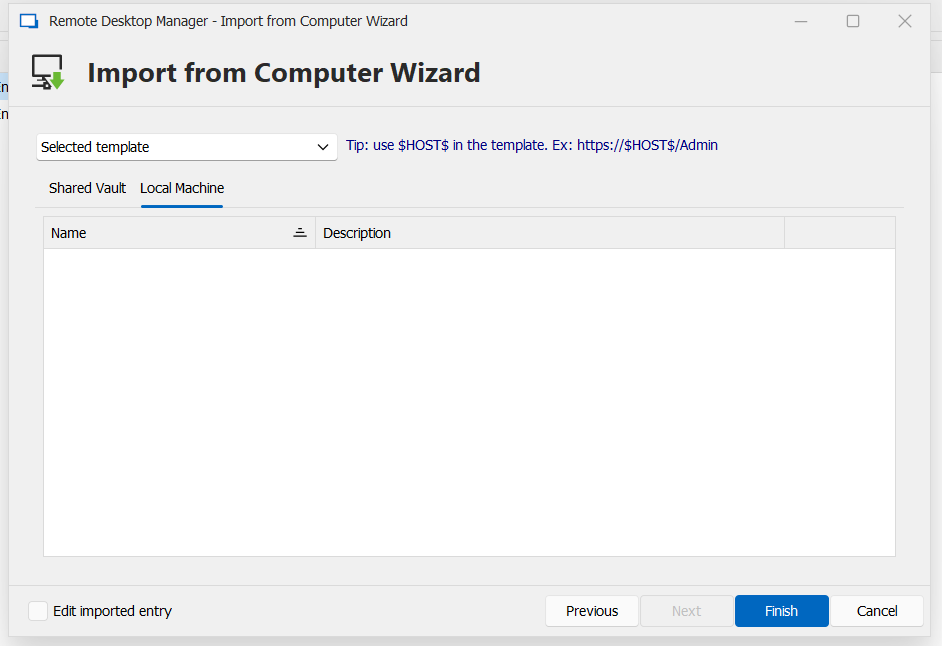
LJXeCMhJCj.png
8wJ4r3FdAt.png
372KLzRVmi.png
RemoteDesktopManager_hDPtMTgJAN.png
RemoteDesktopManager_sVwv57uLDD.png
All Comments (7)
Hello,
we've managed to reproduce your issue and a ticket has been sent to the Engineering Team.
Best Regards,
Antoine Mauger
Hello,
We've found and fixed this issue. You can expect this to take effect for the upcoming 2024.1.21 version.
Regards,
Jafran Majeau
Just installed the 2024.1.21 version this morning.
Local Templates are now visible again from the 'Import from Computer Wizard.
But I don't see the Shared Vault Templates yet. I do have one as you can see in my post above.
However, the Shared Vault Templates are also not visible any more from the Entry Templates (management) window.
While they previously were visible. Creating a new Shared Vault Template also doesn't show up in the list.
Local Templates are still visible from the Entry Templates tab. 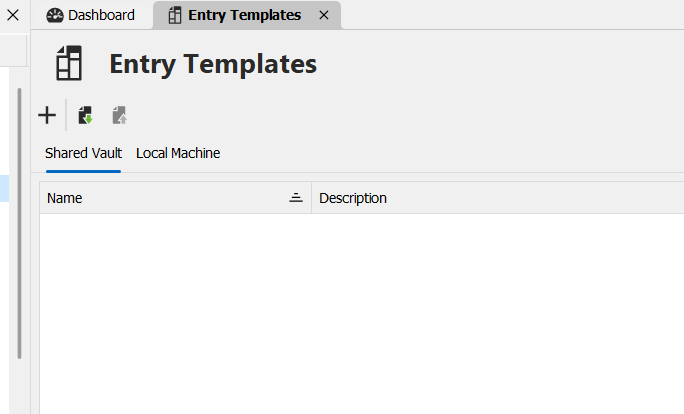
RemoteDesktopManager_Xtpyt9ZjQF.png
@KevinH,
Does CTRL+Refresh (button on the right side of the Entry Templates window - Shared Vault) bring them back?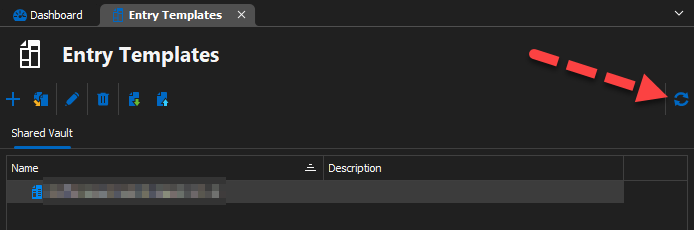
If not, please
- open the Profiler (Help > Profiler)
- Set Profiler Level = 32769
- CTRL + Refresh (same as above)
- Send us the profiler trace
Best regards,
Stéfane Lavergne
28f35f40-76e5-4745-b336-934238644998.png
Pressing ctrl+refresh icon does refresh the list. Items are visible.
Shared Vault Templates are also visible in other RDM windows from that point.
But pressing the refresh icon without ctrl pressed makes the Shared Vault Templates disappear again.
Shared Vault Templates are again invisible in other RDM windows from that point.
So does a restart of the application.
Profile result pressing ctrl+refresh icon:
Main thread (UI)
----------------------------------------
GlobalConnectionManager.Refresh...
LoadConnections UI - [SQLite : Local Data Source] - Cache - 64-bit...
HasSecurityChanged...
ConnectionManager.RefreshDataSourceSettings...
GetDataSourceSettings : 6 ms
ConnectionManager.RefreshDataSourceSettings : 6 ms
HasSecurityChanged : 12 ms
Reload: False - HasSecurityChanged: True - HasChanged: True
LoadConnectionsFromDataSource...
GetDataSourceSettings : 5 ms
GetConnections...
Database.GetConnections...
ReadConnections...
Reading connections from database : 5 ms - Run count : 0 - Count : 1569
ReadConnections : 5 ms
DecryptAndDeserializeConnections...
DecryptData : 7 ms - Count : 1569
DeserializeData : 20 ms - Count : 1569
DecryptAndDeserializeConnections : 28 ms
Database.GetConnections : 37 ms
GetConnections : 37 ms
DoSetConnections - Cache...
Engine.Clear - DisposeInternalList : 0 ms
DoSetConnections - Cache : 3 ms
LoadConnectionsFromDataSource : 57 ms
FavoriteManager.LoadFolders : 5 ms
LoadConnections UI - [SQLite : Local Data Source] - Cache - 64-bit : 79 ms
GlobalConnectionManager.Refresh : 82 ms
Thread : 13
----------------------------------------
13 - Sync to Offline : 18 ms - Count : 1568
Thread : 64
----------------------------------------
64 - OfflineManager.SaveMeta...
64 - DataSourceSettings : 4 ms
64 - OfflineManager.SaveMeta : 4 ms
Profile result pressing the refresh icon without ctrl pressed.
Main thread (UI)
----------------------------------------
GlobalConnectionManager.Refresh...
LoadConnections UI - [SQLite : Local Data Source] - Cache - 64-bit...
HasSecurityChanged : 4 ms
Reload: False - HasSecurityChanged: False - HasChanged: False
FavoriteManager.LoadFolders : 1 ms
LoadConnections UI - [SQLite : Local Data Source] - Cache - 64-bit : 5 ms
GlobalConnectionManager.Refresh : 9 ms
@KevinH,
Thank you for the update. Over the last few days, we were able to identify a new bug with the SQLite data source (introduced in v2024.1.21) and a fix is the works. Should be finalized shortly then we must build a new version and send it for internal tests before we released it publicly.
Sorry for the inconvenience.
Best regards,
Stéfane Lavergne
Updated to version 2024.1.23.0 this morning and this indeed solved the template visibility issue.
Thanks a lot for addressing and solving the issue.