
kevinadulaney
VBScript arguments not working with variables.
Hello Samuel, I wanted to follow up with you to see if you had any updates on this request.
Thanks,
Kevin Dulaney
VBScript arguments not working with variables.
I just switched over to AutoIt, but it is possible that it never worked. Even if I compile the AutoIt script into an executable and pass the variables over as arguments it still displays the same behavior.
Thanks,
Kevin Dulaney
VBScript arguments not working with variables.
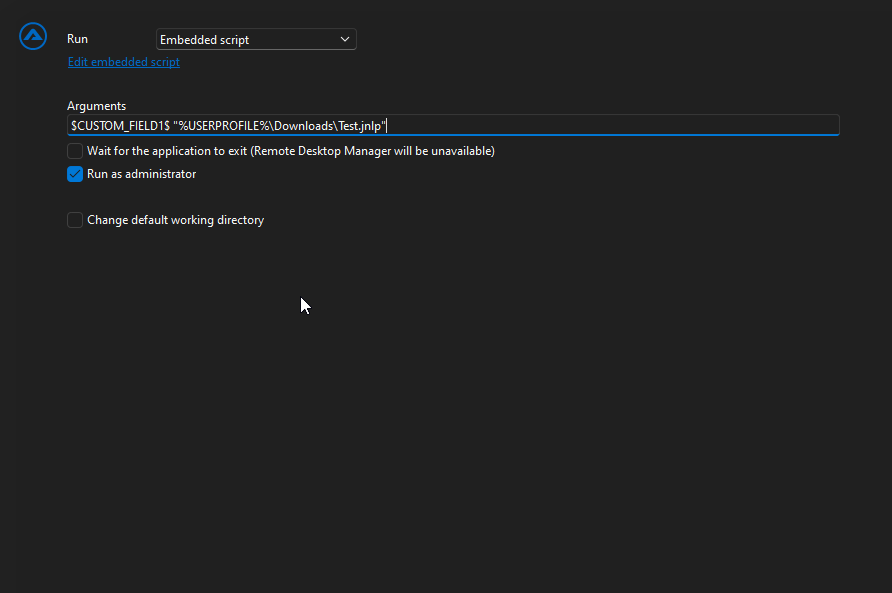
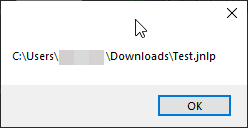
Hello again, since the VBScript functionality has been deprecated and the scripts cannot be directly executed from RDM, I am shifting over to AutoIt to perform some automations. I am currently running version 2025.2.20.0 and I am having the same issue with AutoIt that I had with the VBscript as far as the Arguments not passing custom variables. I created an embedded AutoIt script that takes two arguments. The value of $CUSTOM_FIELD1$ does not become the value of that variable it just sends the literal text.
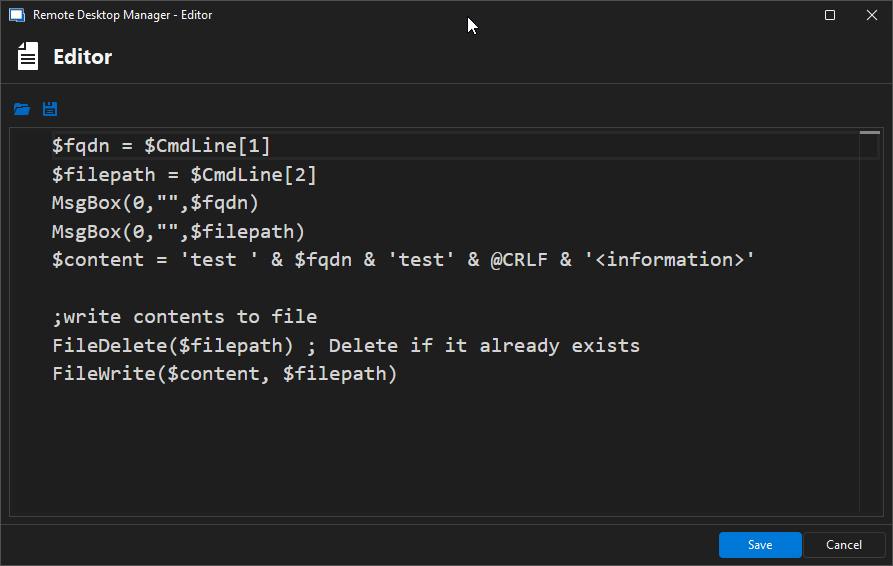
$fqdn = $CmdLine[1]
$filepath = $CmdLine[2]
MsgBox(0,"",$fqdn)
MsgBox(0,"",$filepath)
$content = 'test ' & $fqdn & 'test' & @CRLF & '<information>'
;write contents to file
FileDelete($filepath) ; Delete if it already exists
FileWrite($content, $filepath)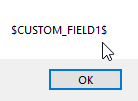
Thanks
Kevin Dulaney
Macro/Script/Tools additional functionality needed.
Thanks for the response Hubert. I believe that solution would be a great long-term solution. I am not sure what kind of time it would take to implement, but a quicker short-term solution may be to give the ability to increase the timeout to over 100 seconds. I have processes that can take in excess of 15 minutes to complete and return the prompt to the screen, just to give you an idea of how high I wish that I could set it to.
Kevin
Macro/Script/Tools additional functionality needed.
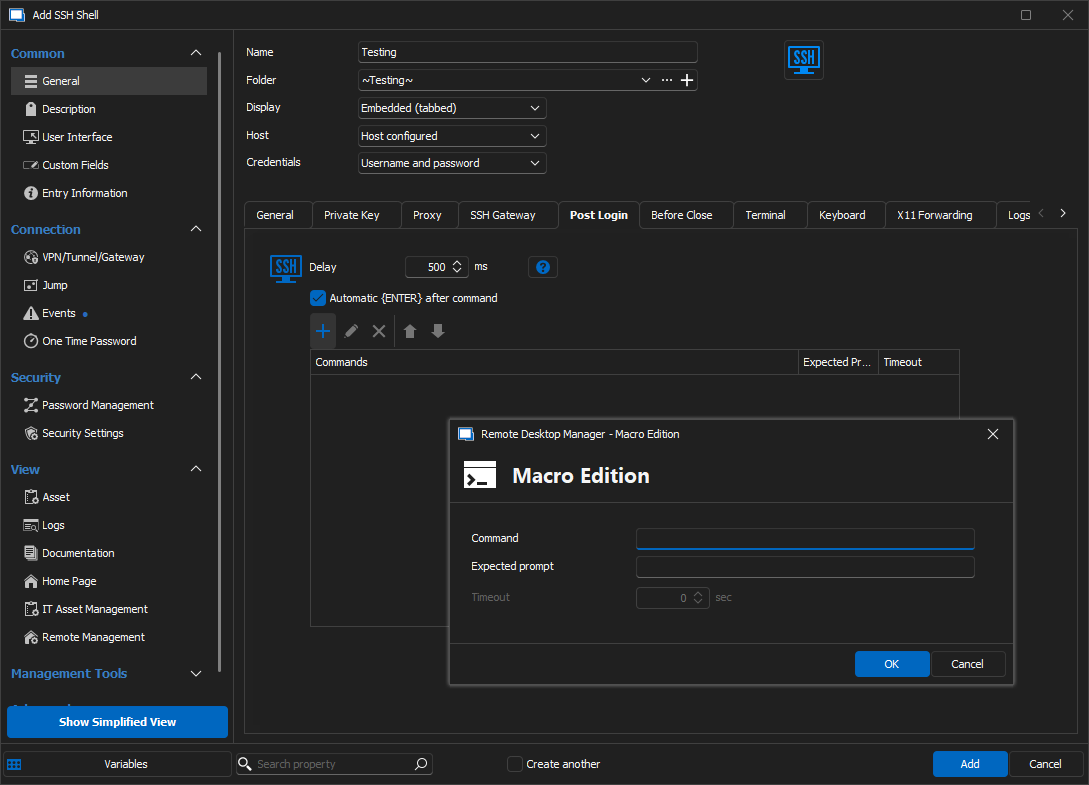
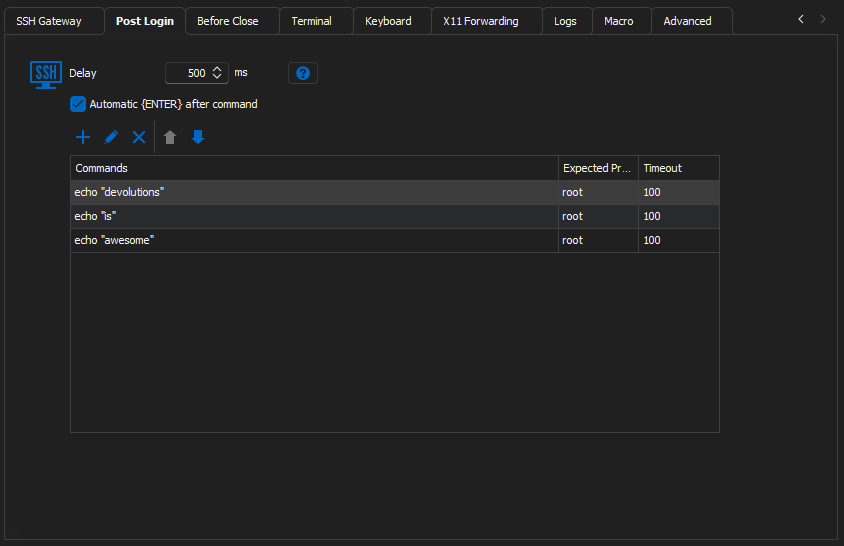
Inside of the properties of a SSH Shell Entry there is a tab to define a Post Login script. Here we can add a new Macro Edition and supply a command and an expected prompt. The Expected prompt functionality is awesome, but it does not appear in any of the other stand-alone Macro/Script/Tool entries or their options. It would be great to see this Macro Edition added to its own stand-alone Macro/Script/Tool entry.
I am trying to automate the installation and configuration of some Linux servers using this functionality, but it has some disappointing limitations. For one, the Timeout is limited to 100 seconds. If I am trying to automate a process from start to finish, sometimes a software package will install for longer than that time, which effectively breaks the Macro Edition. It would also be wonderful if each entry in the table that is created is able to be deactivated and reactivated to make testing and troubleshooting the process quicker.
Unfortunately, my only workaround is to make multiple SSH Shell entries and put commands in the Post Login Macro Edition until the installation reaches a point at which it can no longer continue.
The Terminal Command, Command Line, and Typing Macro Entries all fall short of meeting my needs because there is no way for them to understand where it is in the process as they simply push the commands at the terminal without waiting for the necessary cues to continue.
VBScript arguments not working with variables.
Hello Samuel, thanks for responding. I am running version 2023.3.39.0 64-bit
I am using the individual SQLite data source.
I have a host entry that has a FQDN defined in the Host Field, I have created numerous sub entries that use the variable $PARENT_HOST$ to populate the FQDN defined in the parent host entry inside of the sub entries. For example, I have a website entry setup and place the variable $PARENT_HOST$ inside of the Website input box. This populates the URL to be launched with a browser and I can add additional custom variables to modify the subpages. This is working flawlessly for webpages, SCP, and SSH sessions, but when I attempt to use the variables as an argument in a VBScript entry, they are not interpreted correctly, and instead become free text.
I am getting this:
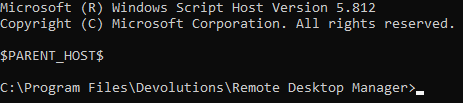
when I expect this:

*Edit* - I am attaching a testing.rdm file that you can import to see how I have this setup. Entry and Parent variables do not work in a vbscript entry.
Thanks,
Kevin Dulaney
VBScript arguments not working with variables.
I am attempting to create a vbscript that will take variables passed into the Arguments section of the Macros/Scripts/Tools window. The variable is not being passed into the script, only the $PARENT_HOST$ as literal text. The vbscript in this test scenario just takes the first argument passed and echos it to the window.

FQDN = Wscript.Arguments(0)
WScript.Echo FQDN