Macro/Script/Tools additional functionality needed.
0 vote

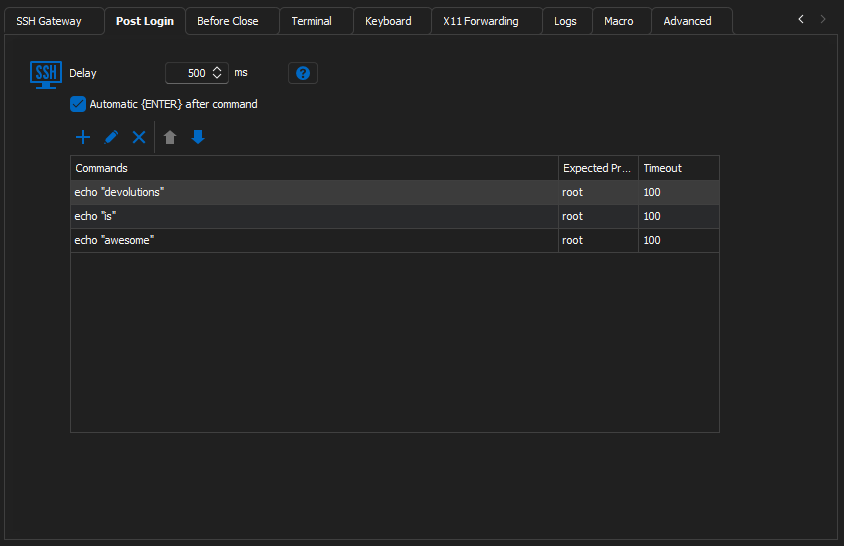
Inside of the properties of a SSH Shell Entry there is a tab to define a Post Login script. Here we can add a new Macro Edition and supply a command and an expected prompt. The Expected prompt functionality is awesome, but it does not appear in any of the other stand-alone Macro/Script/Tool entries or their options. It would be great to see this Macro Edition added to its own stand-alone Macro/Script/Tool entry.
I am trying to automate the installation and configuration of some Linux servers using this functionality, but it has some disappointing limitations. For one, the Timeout is limited to 100 seconds. If I am trying to automate a process from start to finish, sometimes a software package will install for longer than that time, which effectively breaks the Macro Edition. It would also be wonderful if each entry in the table that is created is able to be deactivated and reactivated to make testing and troubleshooting the process quicker.
Unfortunately, my only workaround is to make multiple SSH Shell entries and put commands in the Post Login Macro Edition until the installation reaches a point at which it can no longer continue.
The Terminal Command, Command Line, and Typing Macro Entries all fall short of meeting my needs because there is no way for them to understand where it is in the process as they simply push the commands at the terminal without waiting for the necessary cues to continue.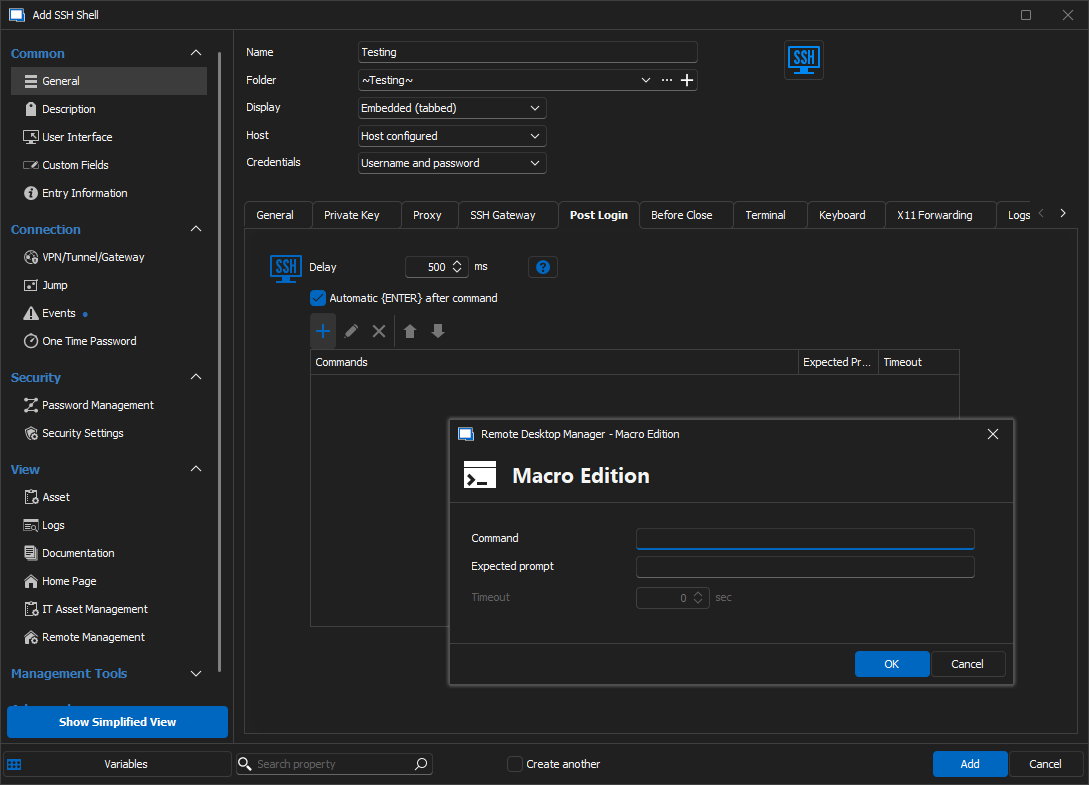
c82599c5-ae3f-4974-977f-b35abf75b045.png
02e7a7dd-3b4b-4a62-a7e4-3723646365ca.png
All Comments (4)
Hello,
Thank you for the detailed scenario for your request. I think what would make the most sense would be to do the following:
- Add a new mode to the Terminal Command entry that will look similar to the post-login section of the SSH Shell entry. This will allow you to set multiple commands, with their own expected prompts/timeout configuration. There will be a dropdown to let you choose between this mode and the current one.
- Change the post-login section of the SSH Shell entry to allow linking to Terminal Command entries. RDM will take the configured list of commands and their expected prompts/timeouts and use them as post-login commands
This should allow more flexibility to accomplish this kind of task. Do you think this would work for you?
Regards,
Hubert Mireault
Thanks for the response Hubert. I believe that solution would be a great long-term solution. I am not sure what kind of time it would take to implement, but a quicker short-term solution may be to give the ability to increase the timeout to over 100 seconds. I have processes that can take in excess of 15 minutes to complete and return the prompt to the screen, just to give you an idea of how high I wish that I could set it to.
Kevin
Hello,
As a quick fix we will increase the timeout limit in the SSH shell entry, it should be a simple change.
We will still open a ticket for the more long term solution as well, but as you say it would involve more on our end so I can't give you an estimate on the time to change this.
Regards,
Hubert Mireault
Hello,
We've increased the timeout limit to 9999 seconds. The change will be available in version 2024.1.18.0.
Regards
Jonathan Del Signore