
devolutionsme
"Apply Windows key combinations" set to "Remote Computer" not working
Hello Samuel,
I'm currently running 2023.3.37.0
The option is enabled (if enabled means the icon is colored):
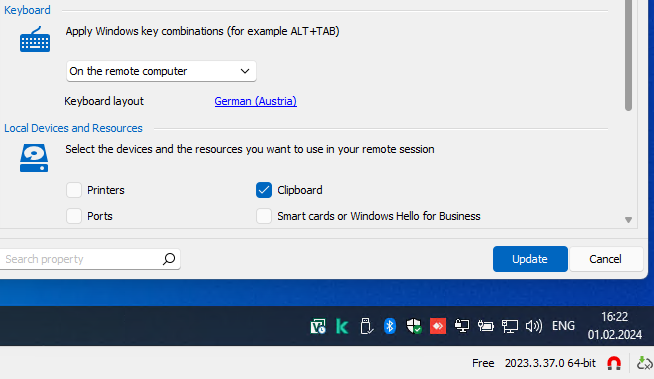
Further, as you can see, I have set my keyboard layout to German (Austria). On my local computer "English (United States) - QWERTZ" and "German (Austria) - QWERTZ" are enabled, but yet every time I start a session in RDM the keyboard layout is set to "English (United States) - QWERTY", which makes absolutely no sense, even more considering the remote computer is only installed with a German language. Only my local computer is installed with English (United States). Neither the settings in RDM are "respected", nor the keyboard layout at all.
Even weirder, both issues are not on every remote host. I have another Windows 10 host, where the keyboard is also English (US) - QWERTY, but the shortcuts like WIN + X do work, and on another host (Windows Server 2019), both - shortcuts and the correct keyboard layout - are working.
I've switched from rdman to RDM and although I like the more features and better UI, it's just frustrating so far.
Cheers.
"Apply Windows key combinations" set to "Remote Computer" not working
Maybe I'm missing something, but on the host I've set under "Local Resources" the option "Apply Windows key combinations" to "Remote Computer", but yet when I press ALT + ENTER, it switches windows on my local machine, not on the RDP connected machine.