
joshuad
Variable Substitution not working in "Command Line" Template
Hi Michel,
Thanks for looking. I can use this WA for now although its a little annoying as I have a host entry specifically so i didnt have to create duplicate entries for SSH and Web connections to the same IP or opening an SSH session and the Web Session opens at the same time but i can use it for now.
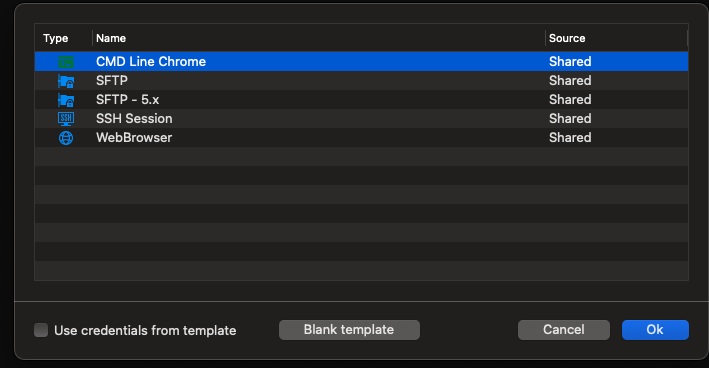
Also, I have another small issue. When creating the command line template above, it doesn't appear when double clicking on the host entry window, only the "Open With a Template" Window. I think i have raised this before in a forum but not sure.
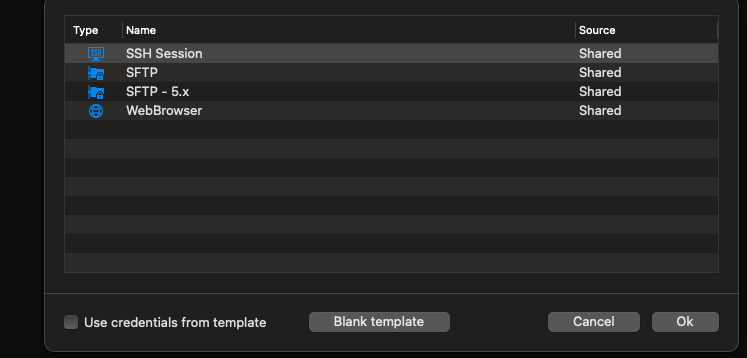
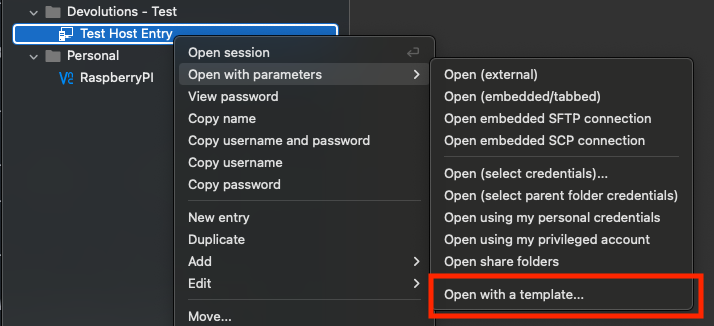
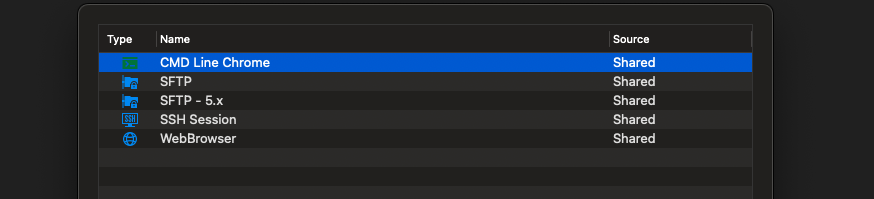
Double Click on Host or Right Click Select "Open Session": (No CMD Line Chrome)
Right Click -> "open with parameters" -> "Open with a template": (Has CMD Line Chrome)
If you have any ideas about this part please let know.
If you can let me know when the issues will be fix that would be most appreciated.
Thanks again for you help
Josh
Variable Substitution not working in "Command Line" Template
Hi Michel
Thanks for response!! Here is what i have done.
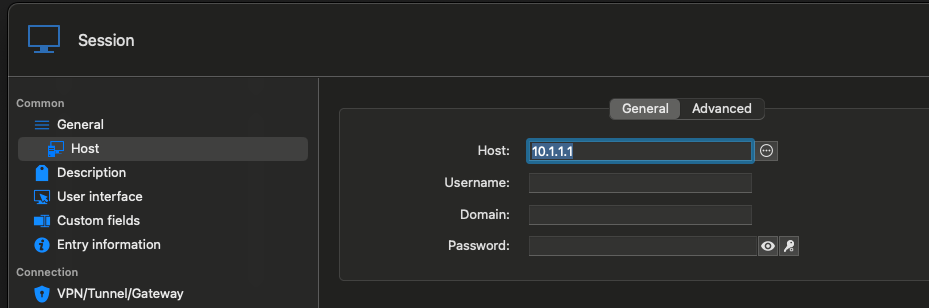
Create a host entry with 10.1.1.1:

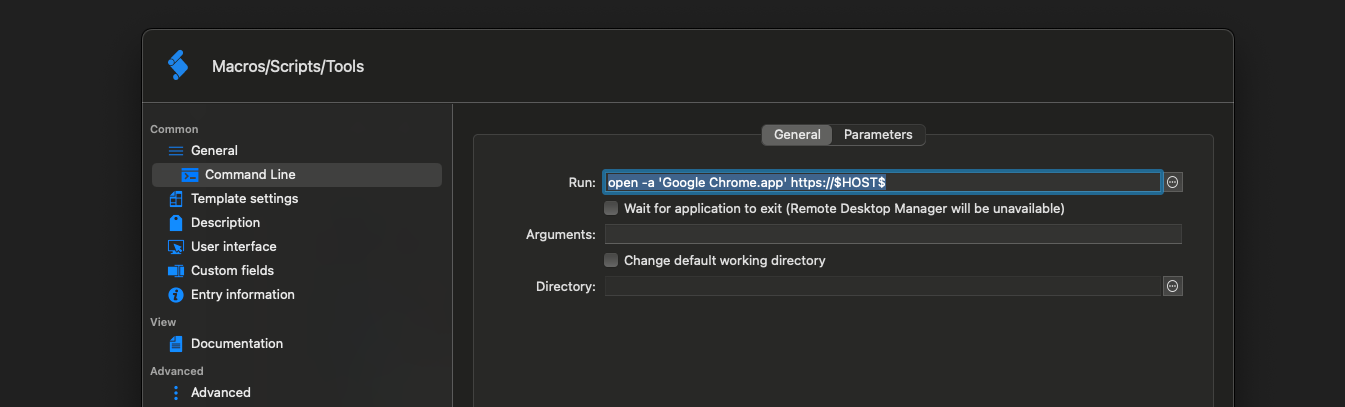
Create a Command Line Template with the below info:
Open the host entry you just created with the template you just created:
Last login: Thu Jan 23 21:59:27 on ttys000
open -a 'Google Chrome.app' https://$HOST$
blah@blah-mbk ~ % open -a 'Google Chrome.app' https://$HOST$ <------------ I'd expect 'https://$HOST$' to be substituted 'https://10.1.1.1/'
blah@blah-mbk ~ %
Let me know if you need a screen recording
Cheers
Josh
Variable Substitution not working in "Command Line" Template
Hi All,
Wondering what i'm doing wrong here. I created a command line template with the below command and $HOST$ substitution isn't working
I'm using Devolutions RDM Mac 2024.3.9.0 - Note this used to work on an older version 2023.3.12.3
Last login: Thu Jan 23 18:28:21 on ttys001
open -a 'Google Chrome.app' $HOST$
blah@jd-mbk ~ % open -a 'Google Chrome.app' $HOST$
The file /Users/blah/jd-mbk.local$ does not exist.
$HOST$ isn't being substituted with the Host IP in the host entry,

I would expect the command line to run:
open -a 'Google Chrome.app' 10.1.1.1
If the host's entry was 10.1.1.1
Am i missing something?
Cheers
Josh
Can't Access Shared Templates
Is there a way i can access the shared ones in the back end? I see the local ones are stored in the RemoteDesktopManager.cfg for my user. Where do the Shared ones end up?
Can't Access Shared Templates
Hi There,
Thanks for the response, I'm using an SQLite File only

Can't Access Shared Templates
Hi There,
Just wondering if anyone knows why i can't edit shared templates but I can use them. If i show templates i see only a single local one
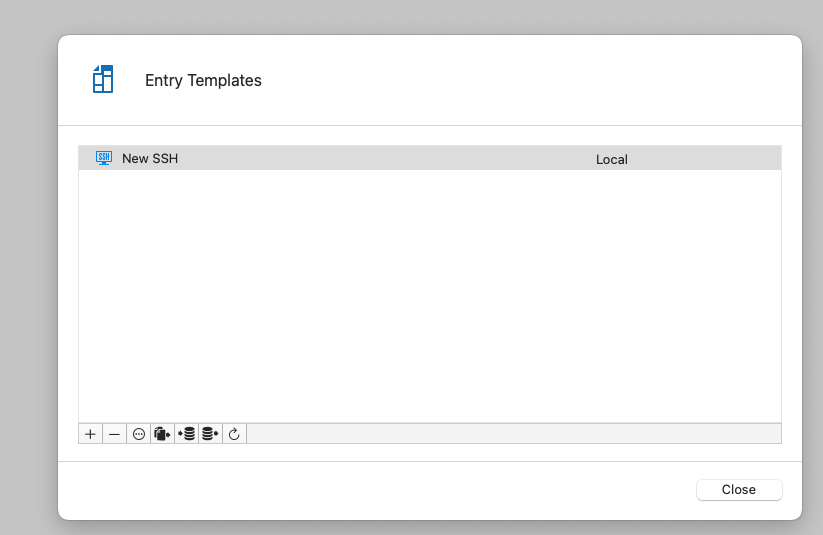
but if i right click and choose "open Session" i get the shared ones only?
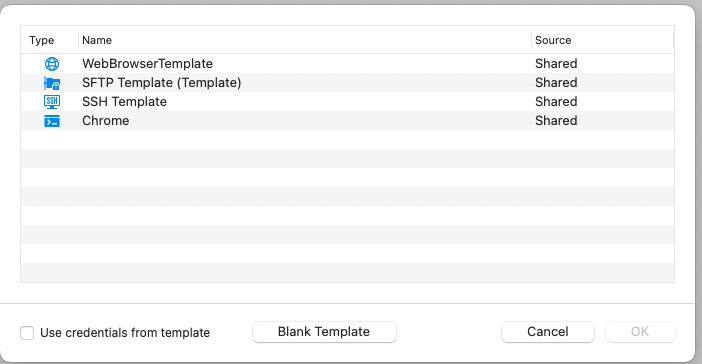
but right click "open with parameters" -> "open with a template" i see the "new SSH"
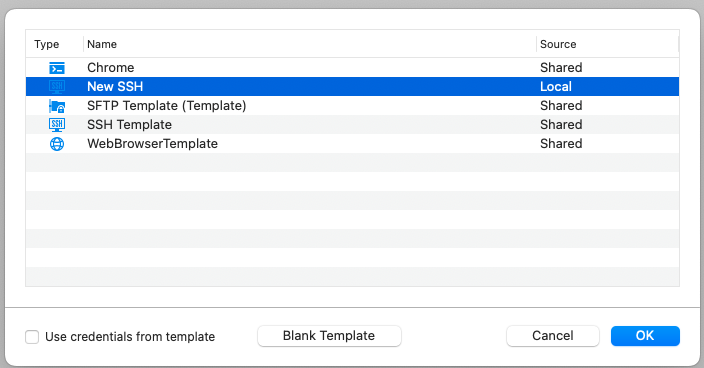
I have 2 questions:
How do i make the "Open Session" window show all the templates?
How do i edit my shared templates?
I'm using MacOS RDM 2020.3.9.3 completely stand alone on my mac