Variable Substitution not working in "Command Line" Template

Hi All,
Wondering what i'm doing wrong here. I created a command line template with the below command and $HOST$ substitution isn't working
I'm using Devolutions RDM Mac 2024.3.9.0 - Note this used to work on an older version 2023.3.12.3
Last login: Thu Jan 23 18:28:21 on ttys001
open -a 'Google Chrome.app' $HOST$
blah@jd-mbk ~ % open -a 'Google Chrome.app' $HOST$
The file /Users/blah/jd-mbk.local$ does not exist.
$HOST$ isn't being substituted with the Host IP in the host entry,
I would expect the command line to run:
open -a 'Google Chrome.app' 10.1.1.1
If the host's entry was 10.1.1.1
Am i missing something?
Cheers
Josh
All Comments (5)
Hello,
to start we will need a bit more details about your setup so we can test on our side.
the $HOST$ variable get the his host from where? Is the command line a sub-connection?
Best regards,
Michel Lambert
Hi Michel
Thanks for response!! Here is what i have done.
Create a host entry with 10.1.1.1:
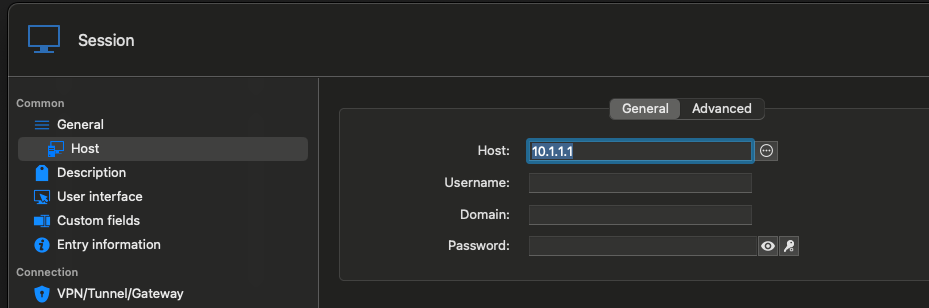
Create a Command Line Template with the below info: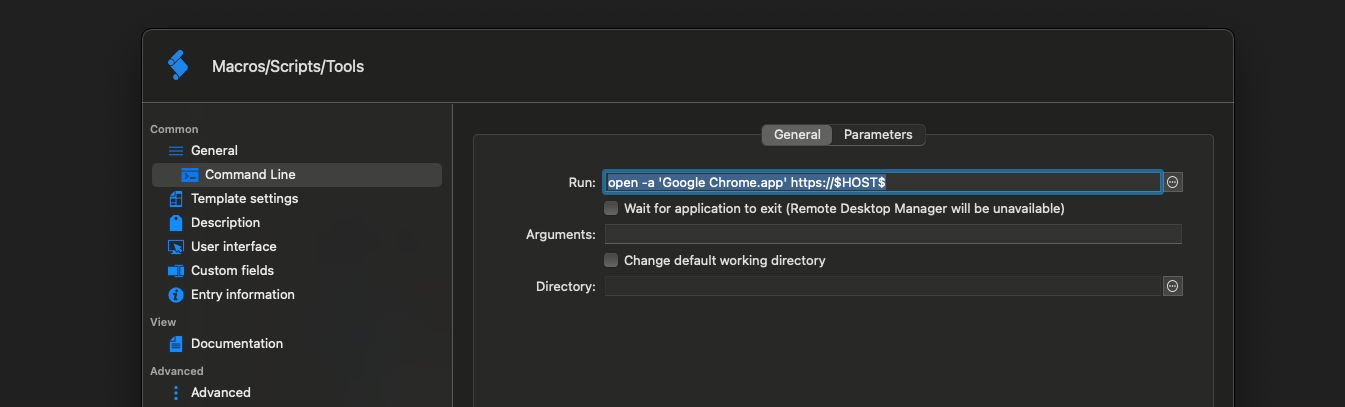
Open the host entry you just created with the template you just created: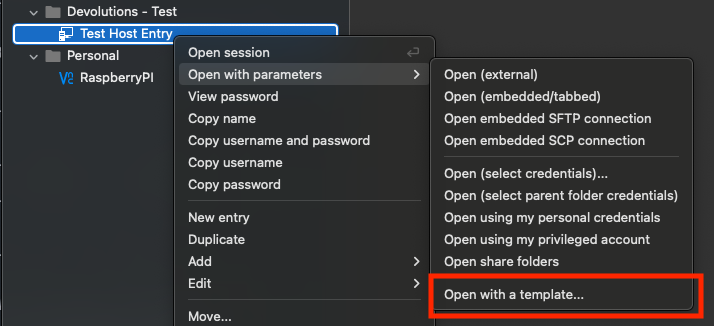
Last login: Thu Jan 23 21:59:27 on ttys000
open -a 'Google Chrome.app' https://$HOST$
blah@blah-mbk ~ % open -a 'Google Chrome.app' https://$HOST$ <------------ I'd expect 'https://$HOST$' to be substituted 'https://10.1.1.1/'
blah@blah-mbk ~ %
Let me know if you need a screen recording
Cheers
Josh
6ff6f0b7-ebe8-401a-8fc1-ed2141b36e7e.png
bd533156-8695-4ed5-b879-ccff4fae4c44.png
4fb12dc5-6896-4555-ba1a-8d88d2c0e2da.png
80659aeb-3ac7-4faf-b3fe-a92bc5cf212f.png
77fc5267-e2ff-4020-8dca-f3a303fcf349.png
Hello,
We confirm we can reproduce the issue and a ticket has been opened to look into it.
In the meantime, we think it is possible to work around the problem by using the events tab in properties and setting the command line in Before Open box.
Tell us if it work.
Best regards,
Michel Lambert
Screenshot 2025-01-29 at 10.29.57 AM.png
Hi Michel,
Thanks for looking. I can use this WA for now although its a little annoying as I have a host entry specifically so i didnt have to create duplicate entries for SSH and Web connections to the same IP or opening an SSH session and the Web Session opens at the same time but i can use it for now.
Also, I have another small issue. When creating the command line template above, it doesn't appear when double clicking on the host entry window, only the "Open With a Template" Window. I think i have raised this before in a forum but not sure.
Double Click on Host or Right Click Select "Open Session": (No CMD Line Chrome)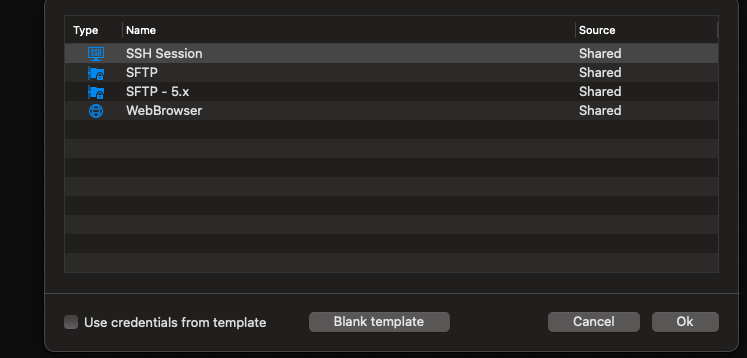
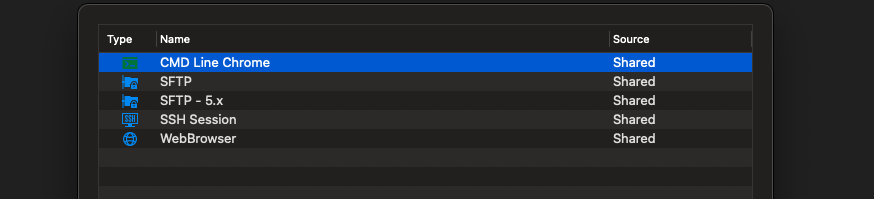
Right Click -> "open with parameters" -> "Open with a template": (Has CMD Line Chrome)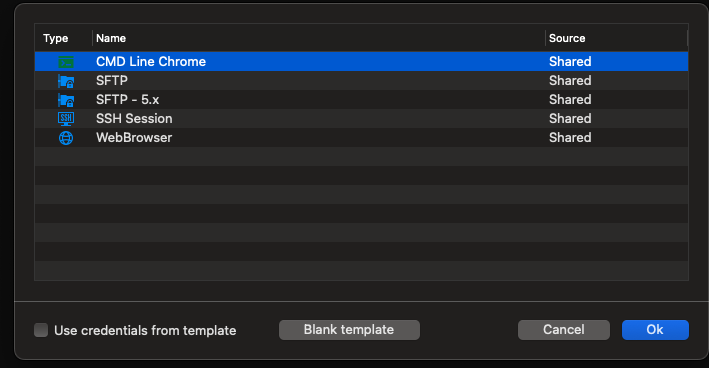
If you have any ideas about this part please let know.
If you can let me know when the issues will be fix that would be most appreciated.
Thanks again for you help
Josh
7b5e92b3-c937-4a67-8abe-eb1f113f5e21.png
d3d8b304-73f2-483f-9c49-f473c273ade3.png
Hello,
We are going to look into this issue too.
We sadly don't have an ETA for when it will be solved but we will keep you updated on any development.
Best regards,
Michel Lambert