
hugojob
2022.3.27.0 64-bit - Visual Bug - "Q","q","p"
I change the Tree view to large about a year ago (getting old), always update RDM and it's the first time it's happening for some reason.
Tree View->Font size, anything larger than standard gets cut off.
If we change the font size, it doesn't make sense to manually change/adjust the "tree view item height".

2022.3.27.0 64-bit - Visual Bug - "Q","q","p"
bottom part of the letter are not showing in the side navigation panel.
e.g. those are QQ not OO

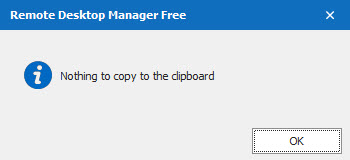
Nothing to copy to the clipboard - pop up
Thank you.
Nothing to copy to the clipboard - pop up
when I double click on some folders, always the same ones, to expend the tree I get this pop up.
couldn't find/see an option for that.
How to get rid of it and/or how to reset RDM to default settings without loosing all my stuff?
FYI, it all started after I imported a colleague's DB.