
bazkikz
RDM stuck on logout with open SFTP tab
Hello,
I was able to reproduce this, and I will open a ticket so we can fix it.
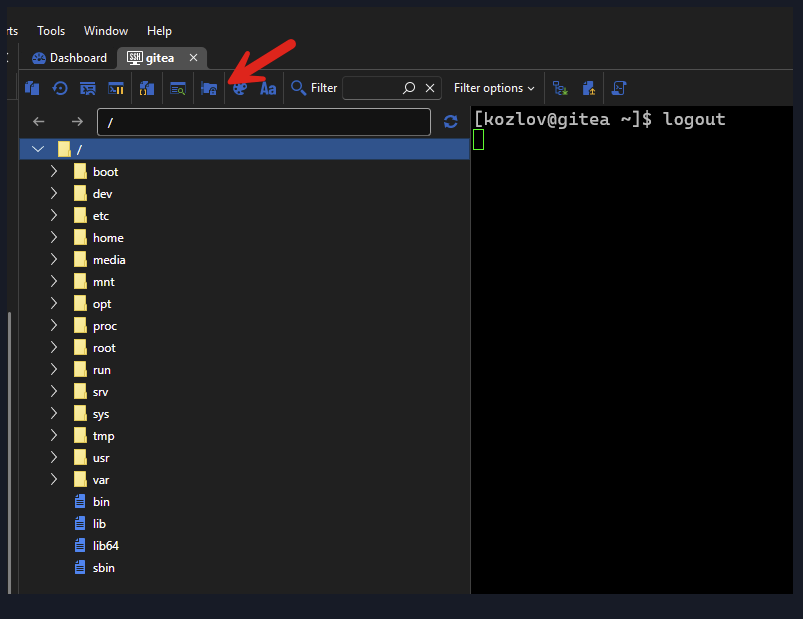
As a workaround, you should be able to click the "SFTP" button to hide the tree, which will allow to close the terminal.
Regards,
@Hubert Mireault
I hope that the fix will be included in the next release. Thank you
RDM stuck on logout with open SFTP tab
Hello!
When I try to end an ssh session with an open SFTP tab, the session freezes. I'm using version 2025.2.20.0 64-bit

RDP Keep alive
I have created a workaround by running a Autohotkey script on the server. I have attached the script itself with the code, as well as a .exe that you can run directly. You will need to install Autohotkey if you were to run the script, or if you were to modify the script and convert it to a .exe (there's a compiler in the Autohotkey program files directory that you can run). Alternatively, you can just run the .exe file compiled from the script. This does not require Autohotkey to be installed.
Hi. Thanks for this solution! Do you know how to automate the launch of this application on all hosts to which I connect via RDM?
Prevent Microsoft RDP session from locking screen?
Hello,
Unfortunately nothing new on our side.
Regards
Ок. Thanks for the answer!
Prevent Microsoft RDP session from locking screen?
Hi,
As far as I know it's not possible. I think we already tried few thing in the past without success.
Sorry about that
Hi, David!
Do you know if it has been possible to implement this somehow at the moment?
Program close after push ellipsis button in Quick connect
Hello,
You are more than welcome! The version of RDM that contains the fix can be downloaded here: https://devolutions.net/remote-desktop-manager/home/thankyou/rdmsetup
Let us know if it works for you as well!
Best regards,
Hello!
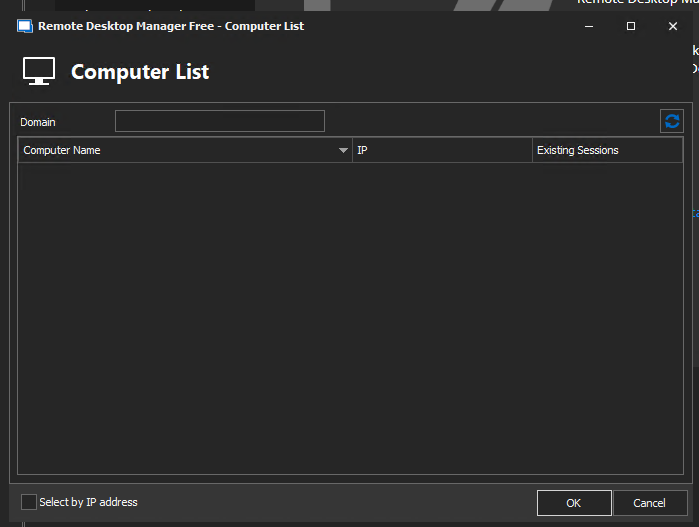
I try to use RDM portable 2022.1.13.0 and it works fine. It did not find any computer, but I don't think they should be there. Import by "Network neighborhood" also does not cause the program to close. Thanks a lot for the quick help and notification!
Program close after push ellipsis button in Quick connect
Hello,
I just wanted to let you know that this feature should be available in the next release of RDM.
Best regards,
Hello! Big thanks for this info! I'm waiting for a new release.
Program close after push ellipsis button in Quick connect
Hello,
A ticket has been opened with our Engineering Department to have this fixed. At the moment, no further information are requried.
We will keep you updated as soon as progress will be made on this ticket.
Best regards,
Hi. Thanks!
Program close after push ellipsis button in Quick connect
Hello,
I have created a ticket for that.
Regards
Hi. Is there anything required of me? Logs or screenshots? I don't understand where this ticket is open.
Program close after push ellipsis button in Quick connect
Hello,
Unfortunately I don't see any details in the event logs. It seems that RDM crashes when we try to list the computers on your network. Could you try File-> Import | Import Computer Wizard?
Let me know if crashes like with the Quick Connect?
Regards
Thanks for your reply! You're right. If i try import by "Import Computer Wizard" and choose "Network neighborhood" program close. If i choose option "Active Directoty" program works fine. Can this be fixed somehow?
Program close after push ellipsis button in Quick connect
Hi. I use remote desktop manager free 2022.1.11.0 64 bit portable on Windows 10 21h2 build 19044.1526
When i push ellipsis button in Quick connect program close. I try start program with administrator privileges but it did not help.
In Windows event log i see 3 event. Attach info from them. Can anyone help me?