gallinalukas
2026.3.13 - UI freezes 4-5 s when selecting a large folder (O(n*m) in ExpandConnectionsForCheckoutSelection)
Environment:
RDM 2026.3.13.0 64-bit, .NET 10.0.12, Windows
Data source: Devolutions Server, cache mode File, ~10,100 entries
Folder "DC FASTER" contains ~5,800 entries, several thousand of them are folders (Group)
Problem:
Selecting this folder in the navigation tree freezes the UI thread for 4-5 s (one CPU core at 100 %). Selecting a sibling folder with few subfolders, or the vault root, is instant. Dashboard tab, documentation and folder names have no effect. Disabling "Enable entry states (locked, running, checked out)" does not help.
Profiling (dotnet-trace, UI thread, 2 clicks = 9.4 s):
TreeDataGrid.OnPointerPressed
> FrmMainDocumentManager.LoadConnectionDetailsInControl
> FrmMainDocumentManager.SetControlStates
> ConnectionControlStates..ctor
> BaseConnectionControlStates.SetCheckoutInfo (9.0 s)
> BaseConnectionControlStates.ExpandConnectionsForCheckoutSelection
> <ExpandConnectionsForCheckoutSelection>g__TryAdd|181_0
> InternalConnectionList.FindConnectionsInGroup(string) (9.0 s)
> Enumerable.Where(...).ToArray() (SpanHelpers.SequenceEqual)
FindConnectionsInGroup appears to do a linear scan over all entries for every subfolder in the selection, i.e. O(folders x entries), on the UI thread.
Expected:
Folder selection should not recursively expand the whole subtree for checkout state (or use an indexed lookup / run it off the UI thread).
The trace file (rdm.nettrace, zipped) is attached.
freeze RDM after upgrade to v 2025
Hi Maxim,
Sorry, I was out of the office and didn't get to focus on this. I just tried updating from version 2024.3.29.0 to 2025.1.29.0, and everything went smoothly.
You can close the request now; that resolves it 😊
Thanks,
Best regards,
Lukáš Gallina
freeze RDM after upgrade to v 2025
Hello everyone!
After updating RDM from version 2024.3.29.0 to 2025.1.24.0 (and also to 2025.1.25.0), a strange issue occurs. RDM performs the database upgrade but then freezes — the process consumes 1 CPU core, and the system reports it as not responding.
This issue occurs consistently on all computers we use.
When I launch RDM with a different data source than our MS SQL and subsequently add our data source, the database check completes successfully; the database version is correct, and everything appears OK. However, as soon as I switch to our data source, RDM loads the vault (I can see its folders), but then it freezes again.
I suspect the problem lies within the database data. What additional information do you need for further analysis? For now, we remain on version 2024.3.29.0.
Best regards,
Lukáš Gallina
Winbox 4 beta14 in embedded mode
Maxim,
thank you for your time. I expected that, actually because Winbox is still in beta.
Thanks and have a nice day
Lukáš Gallina
Winbox 4 beta14 in embedded mode
Hi.
Sorry for delay.
a) I am using Windows 11 Pro for Workstations, 24H2
Editon Windows 11 Pro for Workstations
Version 24H2
Build OS 26100.2605
b) datasource is Microsoft SQL server
Recording I was send thru secure link.
Thank You.
Lukas Gallina
Winbox 4 beta14 in embedded mode
Hi folks,
trying to use Winbox 4 beta 14 in RDM 2024.3.20.0 64-bit.
It works, but in windows you can't expand columns; where the mouse cursor should appear to expand a column, nothing happens. In Winbox running externally it works.
I understand that the Beta version is beta :-), but don't you want to take a look?
Thanks
Lukáš Gallina

Lost focus in terminl when use F10
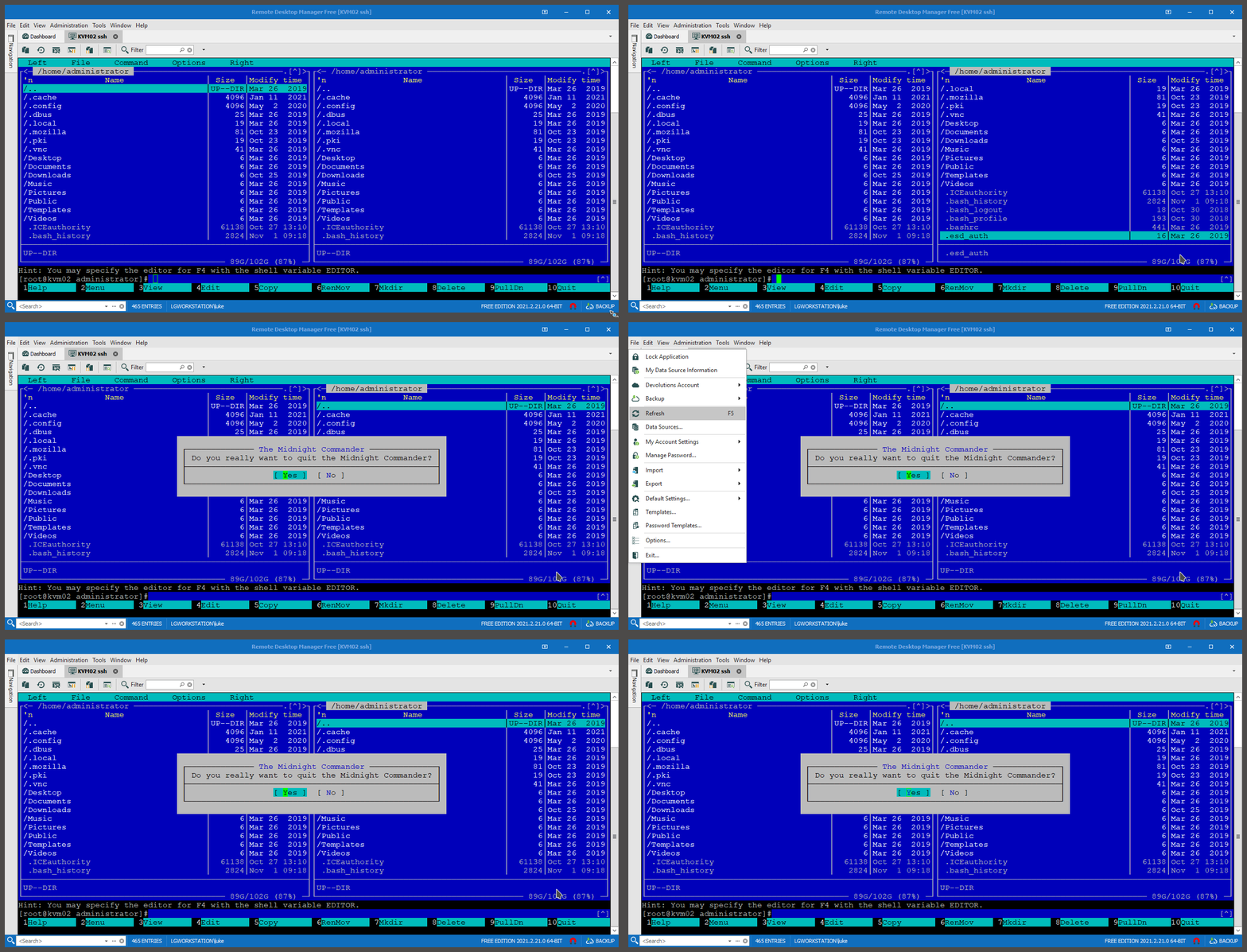
Hi.
I use RDM 2021.2.21.0 and when use F10 in SSH Shell (close mc, in example), RDM open set focus to application menu.
Its same problem you fixed in version 2019.1.18.0.