
carsten1
After Upgrade to 2021.2.13.0 all my settings and connections are gone
Hi David,
only can see and report what I already did 6 days ago - pls see above. No other errors I can see. Also my "new" Application Log reaches only back to 4th of October - new Installation of RDM.
After Upgrade to 2021.2.13.0 all my settings and connections are gone
BTW, should'nt it say: "...and then reenable DPAPI." For I suspect, that secrets might be unprotected / less secure protected, if DPAPI is not enabled on those files?!
And another BTW: I don't understand how deleting WHfB Container would affect DPAPI in such a way, for (1) DPAPI for RDM could have been initialized using a password based login and (2) computer is member of domain, so DC could/should deliver DPAPI master key restore.
So the reason to this behavior is still untold - maybe.
After Upgrade to 2021.2.13.0 all my settings and connections are gone
Hi!
I saw in your first message that you deleted your WHfB containers, which I suspect deletes your DPAPI keys and renders the .enc and .stv files unreadable and un-writable.
Are you able to manually read the content of the RemoteDesktopManagerFree.enc file?
If this is the issue, you could try the following workaround:
Delete all the configuration files in the %localappdata% folder (RemoteDesktopManagerFree.cfg, .bak, .ext, .exb, .stv, .stb, .enc, .enb)
Open RDM and go to Options->Security->Other. From there you can check the "Disable DPAPI cryptography on local files" box.
If you still have any issue from there, delete RemoteDesktopManagerFree.enb, RemoteDesktopManagerFree.enc, RemoteDesktopManagerFree.stv and RemoteDesktopManagerFree.stb.
Re-set up your data source and local database as David mentioned.
I hope this helps!
TOP! This time it worked and even survived a reboot. I only had to do steps 1,2 and 4. It hasn't been necessary to do 3.
Thanks a lot.
After Upgrade to 2021.2.13.0 all my settings and connections are gone
Not so great!
After logging off and on again, starting RDM brings up the same empty box and all settings are gone, again. Now I know, that I only need to configure the Data Source, but guess what: saving the Data Source configuration throws the "error while saving" dialog box. In the end this leads to configuring the Data Source *each time one starts RDM*.
After Upgrade to 2021.2.13.0 all my settings and connections are gone
Ypu can also backup the configuration folder. Delete it and start RDM to see if the empty configuration load. If it works, you could copy back your .db file in the folder and configure the SQLite data source linked to the file.
Regards
Great - this worked!
What I couldn't copy for it required administrative permissions despite the fact that these files are in my %localappdata% folder and my account has "Full access" permissions as of File Explorer:
RemoteDesktopManagerFree.enb
RemoteDesktopManagerFree.enc
RemoteDesktopManagerFree.stb
RemoteDesktopManagerFree.stv
After Upgrade to 2021.2.13.0 all my settings and connections are gone
Could you try to start the application with the switch /profiler
remotedesktopmanagerfree.exe /profiler
and let me know if you see any error in the dialog?
Regards
Starting with /profiler switch gives same result as above: an empty error/warning box.
Help -> Application Log shows two errors:

Saying:
System.UnauthorizedAccessException: Der Zugriff auf den Pfad "C:\Users\MyUserName\AppData\Local\Devolutions\RemoteDesktopManagerFree\RemoteDesktopManagerFree.stv" wurde verweigert.
bei System.IO.__Error.WinIOError(Int32 errorCode, String maybeFullPath)
bei System.IO.FileStream.Init(String path, FileMode mode, FileAccess access, Int32 rights, Boolean useRights, FileShare share, Int32 bufferSize, FileOptions options, SECURITY_ATTRIBUTES secAttrs, String msgPath, Boolean bFromProxy, Boolean useLongPath, Boolean checkHost)
bei System.IO.FileStream..ctor(String path, FileMode mode, FileAccess access, FileShare share)
bei Devolutions.Utils.FileUtils.ReadAllBytes(String path)
bei Devolutions.RemoteDesktopManager.Managers.OptionManager.cacdea74f06794e013c0cf46ed24bd5e9()
The second error message is for same file name but ending with .stb instead of .stv.
After Upgrade to 2021.2.13.0 all my settings and connections are gone
Hi, same behavior with 14 as was with 13. Sorry.
After Upgrade to 2021.2.13.0 all my settings and connections are gone
But what to do now: every time I start RDM it shows me an empty little box
After clicking OK RDM shows up - please guide me - how can I load/import/restore my data?
BTW: ending RDM the little box comes up again, this time with some text saying "Error while saving"
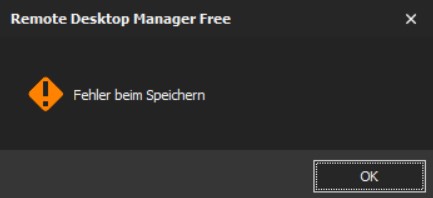
After Upgrade to 2021.2.13.0 all my settings and connections are gone
Hi,
thank you for pointing me there. I can see data and one of these files is my former storage "SomeName.db".
I am not sure what data source type I used before, for it has been running quite a while and so I forgot. Could it be local database or so?
After Upgrade to 2021.2.13.0 all my settings and connections are gone
Upgraded to 2021.2.13.0 dur to RDM showing message. After install, RDM started just fine. I deleted my WHfB container, logged off, logged on....and RDM start with messagebox, saying "Can't save" or like this (it's in german)
I only see "Local Datasource" and none of my former connections is there.
Very, very, very bad.