After Upgrade to 2021.2.13.0 all my settings and connections are gone
After Upgrade to 2021.2.13.0 all my settings and connections are gone

Upgraded to 2021.2.13.0 dur to RDM showing message. After install, RDM started just fine. I deleted my WHfB container, logged off, logged on....and RDM start with messagebox, saying "Can't save" or like this (it's in german)
I only see "Local Datasource" and none of my former connections is there.
Very, very, very bad.
All Comments (25)
Hello,
I'm sure that your data is not gone. Usually it's located in %localappdata%\Devolutions\RemoteDesktopManager or %localappdata%\Devolutions\RemoteDesktopManagerFree
What data source type did you use before the update?
Regards
David Hervieux
Hi,
thank you for pointing me there. I can see data and one of these files is my former storage "SomeName.db".
I am not sure what data source type I used before, for it has been running quite a while and so I forgot. Could it be local database or so?
But what to do now: every time I start RDM it shows me an empty little box
After clicking OK RDM shows up - please guide me - how can I load/import/restore my data?
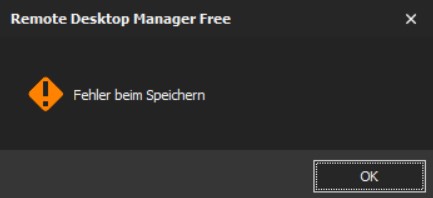
BTW: ending RDM the little box comes up again, this time with some text saying "Error while saving"
Hello,
I've just released a new version .14 with a potential fix. Could you give it a try?
https://remotedesktopmanager.com/home/download
Regards
David Hervieux
Hi, same behavior with 14 as was with 13. Sorry.
Could you try to start the application with the switch /profiler
remotedesktopmanagerfree.exe /profiler
and let me know if you see any error in the dialog?
Regards
David Hervieux
You can also go in Help->Application Logs if you have access to the Ribbon menu
Regards
David Hervieux
Ypu can also backup the configuration folder. Delete it and start RDM to see if the empty configuration load. If it works, you could copy back your .db file in the folder and configure the SQLite data source linked to the file.
Regards
David Hervieux