
javierg_ua
HMAC failure
Hello , here are the outputs
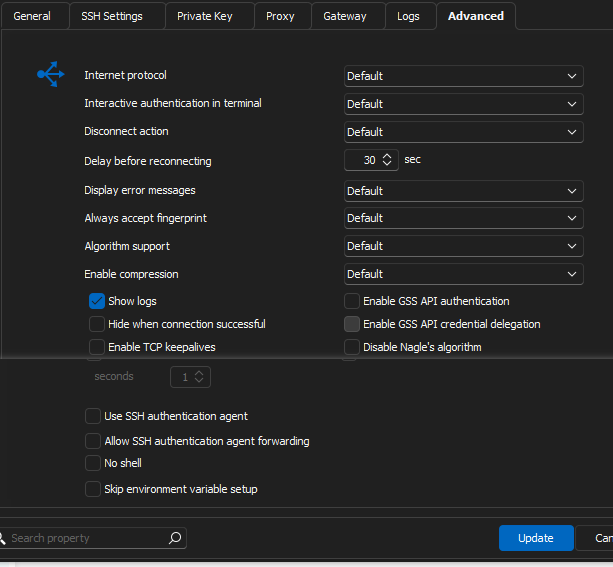
also I think it is important to share
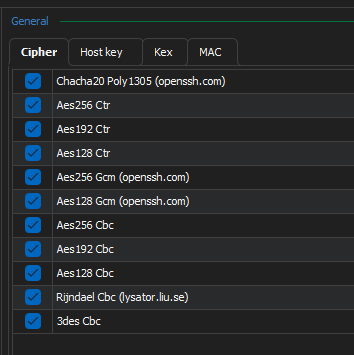
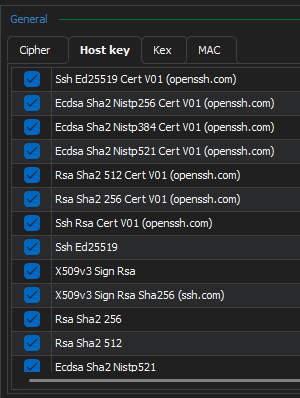
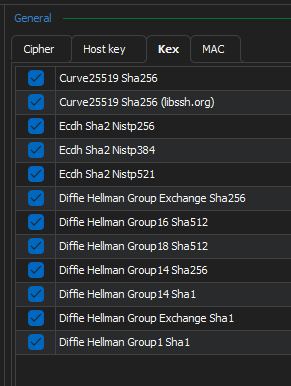
HMAC failure
Hello, thanks for the update.
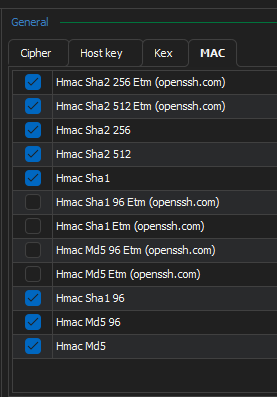
I already did it , I mean I use all the options and also I use specific options, but I always got the same result.
I only could get it to work when I downgrade RDM.
HMAC failure
I updated RDM , I have a ssh forwarding configuration, but now I always keep having this issue
5/17/2024 1:19:53 PM] Sending kex init
[5/17/2024 1:19:53 PM] Received kex init
[5/17/2024 1:19:53 PM] Selected algorithms: curve25519-sha256, ecdsa-sha2-nistp384, aes256-ctr, aes256-ctr, hmac-sha2-256, hmac-sha2-256, none, none
[5/17/2024 1:19:53 PM] Sending Ed25519 kex init
[5/17/2024 1:19:53 PM] Received Ed25519 kex reply
[5/17/2024 1:19:53 PM] Successfully authentified server
[5/17/2024 1:19:53 PM] Sending new keys message
[5/17/2024 1:19:53 PM] Received new keys message
[5/17/2024 1:19:53 PM] Sending userauth service request
[5/17/2024 1:19:53 PM] HMAC verification failed
[5/17/2024 1:19:53 PM] Disconnection in progress
[5/17/2024 1:19:53 PM] Bytes sent: 1536, Bytes received: 1492
[5/17/2024 1:19:53 PM] Packets sent: 4, Packets received: 3
[5/17/2024 1:19:53 PM] Kex completed: 1
[5/17/2024 1:19:53 PM] Disconnecting
[5/17/2024 1:22:14 PM] Devolutions Protocols version: 2024.4.16.1 Windows
[5/17/2024 1:22:14 PM] Terminal font: Courier New [Courier New, fixed=True]
[5/17/2024 1:22:14 PM] Starting SSH, verbose level: 2
[5/17/2024 1:22:14 PM] Setting up connection
[5/17/2024 1:22:14 PM] Connecting to port: 22 (IP any)
[5/17/2024 1:22:14 PM] SSH banner: SSH-2.0-9.37 FlowSsh: Bitvise SSH Server (WinSSHD) 9.37: free only for personal non-commercial use
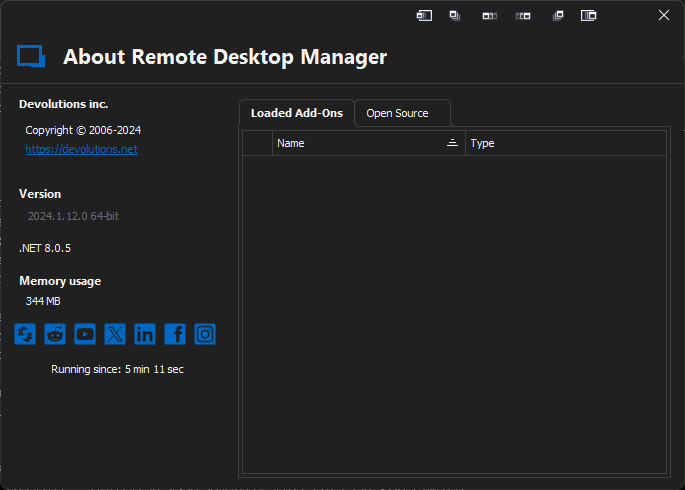
last version is 2024.1.29.0, I had to rollback to 2024.1.12.0
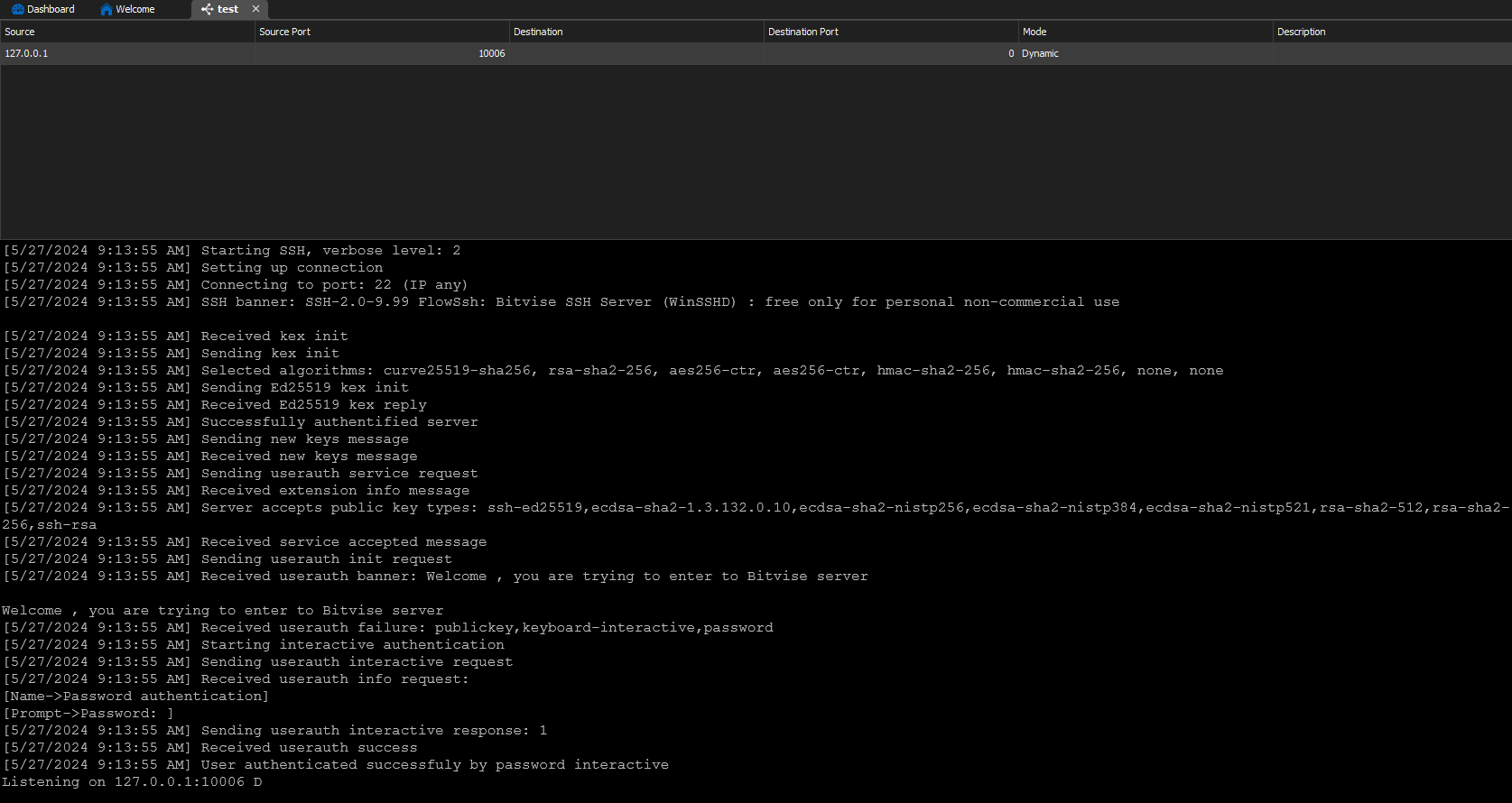
the ok output looks like this
[5/18/2024 12:39:15 PM] Starting SSH, verbose level: 2
[5/18/2024 12:39:15 PM] Setting up connection
[5/18/2024 12:39:15 PM] Connecting to port: 22 (IPv4 - 6)
[5/18/2024 12:39:16 PM] SSH banner: SSH-2.0-9.99 FlowSsh: Bitvise SSH Server (WinSSHD) : free only for personal non-commercial use
[5/18/2024 12:39:16 PM] Sending kex init
[5/18/2024 12:39:16 PM] Received kex init
[5/18/2024 12:39:16 PM] Selected algorithms: curve25519-sha256, ssh-rsa, 3des-cbc, 3des-cbc, hmac-sha2-256, hmac-sha2-256, none, none
[5/18/2024 12:39:16 PM] Sending Ed25519 kex init
[5/18/2024 12:39:16 PM] Received Ed25519 kex reply
[5/18/2024 12:39:16 PM] Successfully authentified server
[5/18/2024 12:39:16 PM] Sending new keys message
[5/18/2024 12:39:16 PM] Received new keys message
[5/18/2024 12:39:16 PM] Sending userauth service request
[5/18/2024 12:39:16 PM] Received extension info message
[5/18/2024 12:39:16 PM] Server accepts public key types: ssh-ed25519,ecdsa-sha2-1.3.132.0.10,ecdsa-sha2-nistp256,ecdsa-sha2-nistp384,ecdsa-sha2-nistp521,rsa-sha2-512,rsa-sha2-256,ssh-rsa
[5/18/2024 12:39:16 PM] Received service accepted message
[5/18/2024 12:39:16 PM] Sending userauth init request
[5/18/2024 12:39:16 PM] Received userauth banner: Welcome , you are trying to enter to Bitvise server
Welcome , you are trying to enter to Bitvise server
[5/18/2024 12:39:16 PM] Received userauth failure: publickey,keyboard-interactive,password
[5/18/2024 12:39:16 PM] Starting interactive authentication
[5/18/2024 12:39:16 PM] Sending userauth interactive request
[5/18/2024 12:39:16 PM] Received userauth info request:
[Name->Password authentication]
[Prompt->Password: ]
[5/18/2024 12:39:16 PM] Sending userauth interactive response: 1
[5/18/2024 12:39:16 PM] Received userauth success
[5/18/2024 12:39:16 PM] User authenticated successfuly by password interactive
Listening on 127.0.0.1:10006 D
the destination server is a bitvise, I could take this information
<event seq="154" time="2024-05-18 12:34:34.288526 -0500" app="BvSshServer 9.37" type="Info" name="I_CONNECT_DISCONNECTED_NORMALLY" desc="Connection disconnected normally.">
<conn id="1032" winSesId="C1032" service="SSH" remoteAddress="192.168.0.5:58678" virtualAccount="javus" windowsAccount="PE-00002\BvSsh_VirtualUsers" winSes="new" cacheUse="late"/>
<parameters reason="EofReceived" elapsedMs="2076516" socketBytesReceived="79896" socketBytesSent="12424" payloadBytesReceived="2525" payloadBytesSent="2116" channelBytesReceived="0" channelBytesSent="0"/>
<conns ssh="0" sshAuth="0" ftp="0" ftpAuth="0" nrWinSes="4" winSesUsesActive="0"/>
<help message="The client has disconnected the connection by sending EOF."/>
</event>
Can you fix the issue in the next version or if there any parameter that I can configure let me know please.
Color Scheme Scripting - Cisco , Juniper, Hp, Huawei, etc
I know there is a way to choose color for background or text, but i think it is limited. Can you create an option that lets users to add a color scheme scripting that overrides that default configuration in order to put color to commands used with Cisco-IOS of CiscoNXOS for example. I think Cisco is very popular an other apps like RDM has it.

Compatibility with GNS3 , EVE-NG or PNETLAB
There are many virtualization programs in order to make a lab enviroment, usually you can use html mode where these apps open a windows in which you can manage virtual devices, but also you can use a third app in this case it wuold be RDM, but it when I use It , It doesnt open any telnet session on demand as others as in market like SecureCRT , MobaXterm or Putty.
the need is when i choose RDM to open a telnet session it could open without the need to create a specific session from other apps like GNS3 , EVE-NG or PNETLAB. They are very popular apps in order to make lab enviroments.