
(user deleted)
Unable to connect to existing Data Source SQL Server with MAC and Active Directory
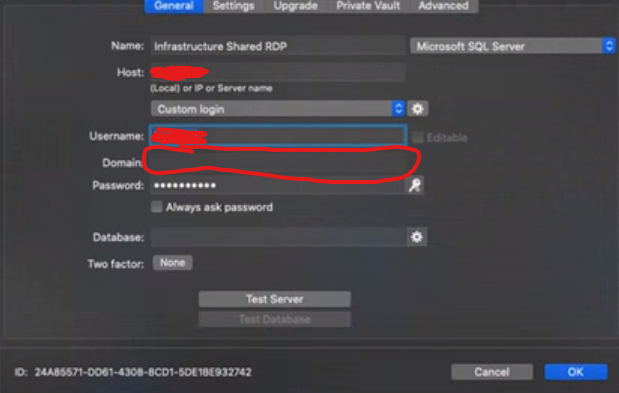
I have successfully used the existing Data Source with SQL Server on my Windows machine, but I am unable to connect with my MAC.
I only have the following options on the MAC:
Database login
Custom login
When using either of the above options, the Domain field is greyed out and unable to be populated. I have tried to use DOMAIN\USERNAME with no success, as it passes it as a SQL username.
On my Windows machine, I have the following options:
Database login
Custom login
Integrated Security (Active Directory)
Unable to create database - SQL Server
That solved the issue.
Weird, I installed the new installation from the exe and it was missing the file. I downloaded the zip and manually included the dll.
Thanks!
Unable to create database - SQL Server
Trying to create a new Data Source using Microsoft SQL Server. I have tried SQL Server 2012 and 2019 with the same results:
Unable to create database!
Could not load file or assembly 'System.Data.SqlClient, Version=4.6.1.0, Culture=Neutral, PublicKeyToken=b03f7f11d50a3a' or one of its dependencies. The system cannot find the file specified.
I have a successful 'Test Host' and able to view all databases.
I have tested with:
'Create Database'
creating a database manually and trying to 'Update Database'
They all fail with the same response, listed above.