Unable to connect to existing Data Source SQL Server with MAC and Active Directory
Unable to connect to existing Data Source SQL Server with MAC and Active Directory

I have successfully used the existing Data Source with SQL Server on my Windows machine, but I am unable to connect with my MAC.
I only have the following options on the MAC:
- Database login
- Custom login
When using either of the above options, the Domain field is greyed out and unable to be populated. I have tried to use DOMAIN\USERNAME with no success, as it passes it as a SQL username.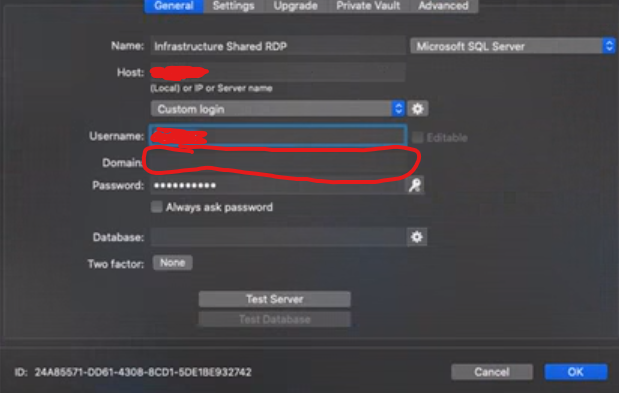
On my Windows machine, I have the following options:
- Database login
- Custom login
- Integrated Security (Active Directory)
mac-login.png
All Comments (1)
Hello,
Thank you for contacting us on that matter!
Unfortunately, the "Integrated Security" authentication method is no longer supported on RDM Mac, Android and iOS.
For more information on that matter, please refer to this forum thread: https://forum.devolutions.net/topics/30175/integrated-security-on-sql-server-data-source-doesnt-work-with-rdm-mac#131572
In order to connect to your SQL Database with RDM Mac, you will need to opt for either the "Database login" or the "Custom Login". More information on these authentication methods can be found here:https://helpmac.remotedesktopmanager.com/datasource_sqlserver.html
Please note that the "Integrated Security" section of this help topic will be removed by our documentation team shortly.
Best regards,
James Lafleur