
borat
Smart reconnect crashes the client 2025.3.2.3
Fedora KDE 43, when smart reconnect is used with RDP, for example when hiding the navigation bar on the left to give more space for the remote session, remote desktop manager crashes every single time. Only work around is to disable smart reconnect, and then manually reconnect the session to make the resolution change.
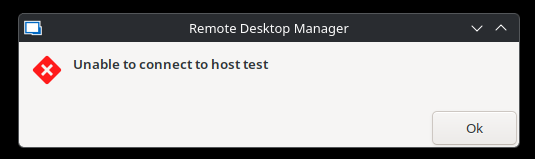
Fedora 43 KDE, Flatpak 2025.3.2.2, previously working RDP sessions now fail to connect instantly
thanks, but It seems this version cannot access folders to import entries.
Fedora 43 KDE, Flatpak 2025.3.2.2, previously working RDP sessions now fail to connect instantly
Is possible to install an earlier version of the flatpak instead of latest then?
RDP does not work on Fedora 43
Hi guys, does RDP works? I've installed RDM from flatpak, it does not connect to any RDP session I add compared if I do the same in Windows, where it works fine.
Cannot import rdm files as explorer window in RDM has a big red cross
It happens with my laptop 1920x1200 resolution in 100% scalling
Cannot import rdm files as explorer window in RDM has a big red cross
Thanks for letting me know about this. I'm not sure I was using anything than 100% scaling before, it is always one of the first settings I always take is to have 100% scaling regardless of display size.
I'll do the fix meanwhile to keep using it on my laptop, thanks!
Cannot import rdm files as explorer window in RDM has a big red cross
Hi Alexandre,
Indeed, deleting the .lyt files resolves the problem, but if I try to browse a Onedrive folder it trigger the problem again.
I'm testing this on a laptop Dell 9650 with its 15.6 inches 1080p screen
When I try on my desktop computer the same procedure using a 4K monitor over DP port, I could not reproduce the problem so far.
Bear in mind the laptop has got a fresh W10 1909 install last week, it had the problem before and still has the same problem now.
Thanks!
Cannot import rdm files as explorer window in RDM has a big red cross
Any luck verifying that at your end chaps?
Cannot import rdm files as explorer window in RDM has a big red cross
I've managed to reproduce the problem, you need to try to browse for the file you want to import on a Microsoft Onedrive folder, that bring the red cross screen and then regardless if I uninstall RDM or not, it will never go back to normal
Cannot import rdm files as explorer window in RDM has a big red cross
I've removed and reinstalled RDM, same issue as well. I'll try on a VM to check if the same still happens
Cannot import rdm files as explorer window in RDM has a big red cross
Even using manual filepath and pressing enter doesn't work
It says windows explorer can't find the path. If I paste the same patch in a regular Windows explorer window, I can reach the file
Cannot import rdm files as explorer window in RDM has a big red cross
Hi there,
I'm trying to import a file with rdm entries, but when I try to browse for the file, the explorer window is white with a big red cross on it. It doesn't matter if a close and re open the application.
I noticed this before when I was browsing for files on Onedrive, which I thought was just a problem with RDM not able to read files directly from Onedrive, but now seems to be affecting any locaiton on my computer
image of the problem https://imgur.com/a/ZKFSVlE
Windows 10 1909 and RDM 2019.2.21.0 64bit