
mark22
Disable personal vault for specific users
Arnaud,
Please remember that if you are working in any organization under HiTrust (HIPAA), PCI, or SOX (Sarbanes Oxley), FSAP, and i believe GDPR compliance requirements, the use of shared accounts is non-compliant. All users should have named accounts that can be reflected in an Audit trail so that any potential security or breach can be effectively researched.
Request to add Credentials to the System Vault
There already is an option to create a folder for Credentials keys in the System Vault - i am just asking that we would be allowed to create (or Clipboard Copy) credentials into that folder.
We use these for defining connection strings to separate client databases, and it would be helpful to share them across multiple department vaults.
How to access/create a System Vault?
I did find that - i was looking under Administration - not View.
I did however just submit another email to support on how to use the System vault.
thanks for your quick response on this one though...

How to access/create a System Vault?
This only shows how you can select the System vault from the drop-down - not how to create the system vault.
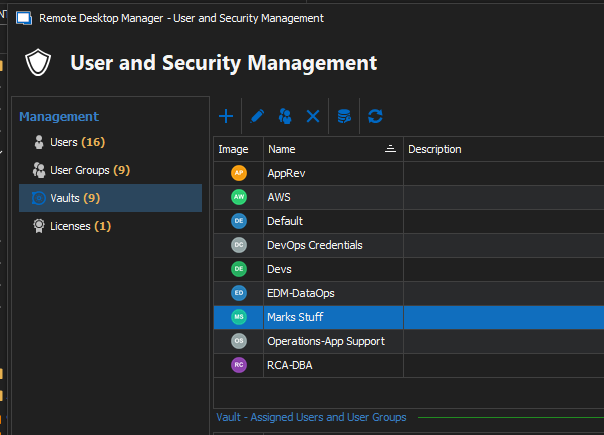
If you go to "User and Security Management" - and select "Vaults" from teh left hand column... you can clearly see that there is no "System" vault.
If I go to create a Vault - do I just name is "System"? or should there be a checkbox to signify the new vault as a "System" vault.
Configurable Welcome Page
can you tell me where thsi menu option moved to in version: 2023.2.14.0 64-bit
" Administration -> Data Source Settings -> General -> Check the "Use web or html welcome page" checkbox."
We would like to use this.
Also, is there a way to disable the checkbox allowing the user to bypass the "System Message". We need this to be displayed every time the application is launched (Hi-Trust requirement)