How to access/create a System Vault?

Hi,
I read the release article "What's New in Remote Desktop Manager 2023.2" (Devolutions Blog).
The System Vault looks really great.
But it does not show up in the View tab, or at the bottom of the navigation pane as mentioned in the article.
How can I access/create a System Vault?
RDM-Version: 2023.2.12.0
DVLS: 2023.2.2.0
Best regards
All Comments (9)
Hello,
To access and add entries to the System Vault, you need to be logged in as an admin.
For example, a VPN entry can then be used in an RDP entry. Under VPN/Tunnel/Gateway, you can select Session under Type:
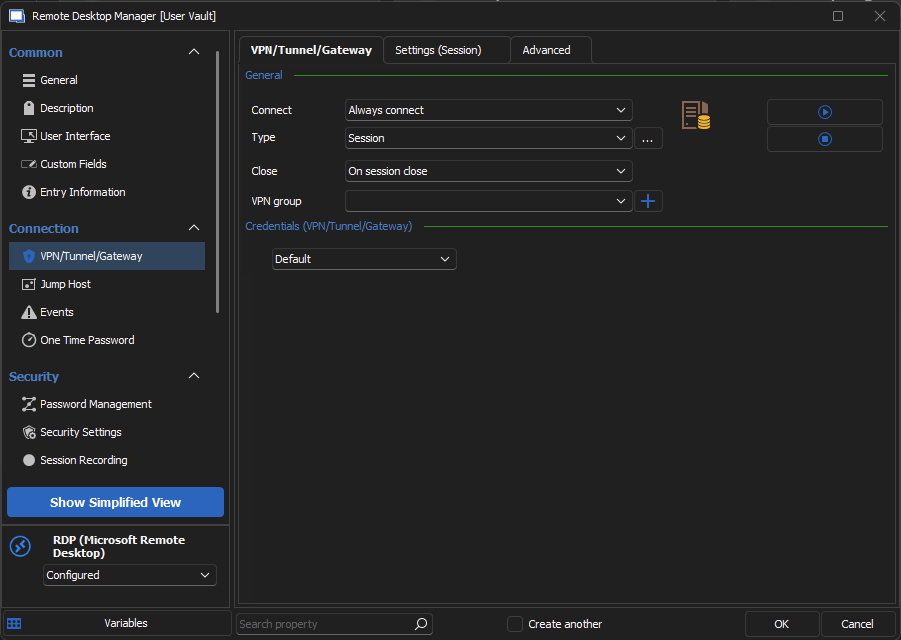
Then under Settings (Session) you can select your VPN from the System Vault:
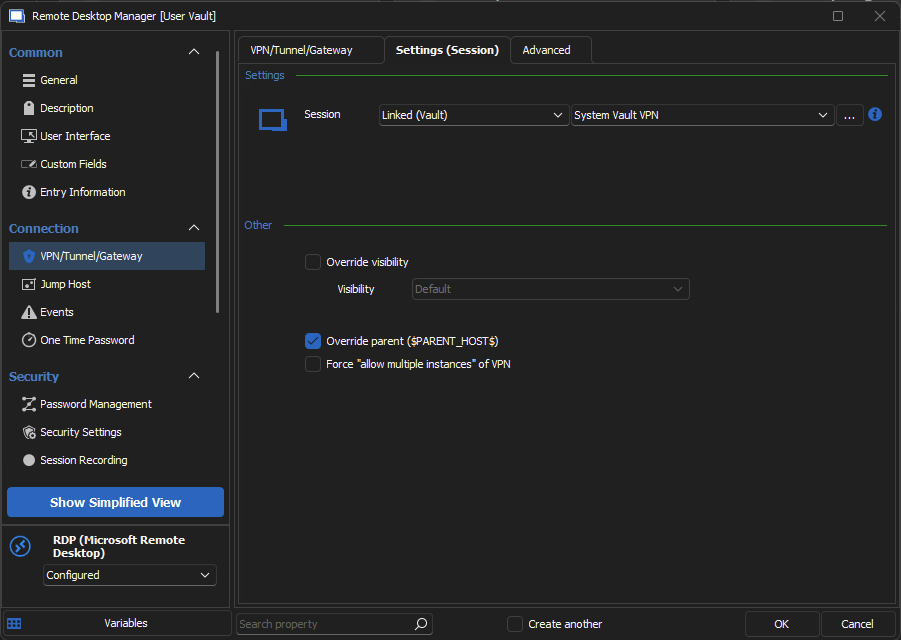
Hope this helps, if you have any questions don't hesitate to write back to us.
Best regards,