
(user deleted)
Constant Crashing when closing terminal sessions.
This seems to work perfectly. Thank you!
Constant Crashing when closing terminal sessions.
I'm having trouble finding others with this issue. I'm running the most current version of Windows 10, .NET 8, and Remote Desktop Manager. This has been happening for a long time for me. Any assistance on this would be amazing and appreciated.
System.InvalidOperationException:
  Value Dispose() cannot be called while doing CreateHandle().

  at System.Windows.Forms.Control.Dispose(Boolean disposing)

  at System.Windows.Forms.Form.Dispose(Boolean disposing)

  at DevExpress.Utils.Win.StickLookAndFeelForm.Dispose(Boolean
  disposing)

  at DevExpress.XtraSplashForm.SplashFormBase.Dispose(Boolean disposing)

  at DevExpress.XtraWaitForm.WaitForm.Dispose(Boolean disposing)

  at
  Devolutions.RemoteDesktopManager.Forms.FrmWaitProgress.Dispose(Boolean
  disposing)

  at System.ComponentModel.Component.Dispose()

  at DevExpress.Utils.DisposeHelper.Dispose[T](T& object)

  at
  DevExpress.XtraSplashScreen.ThreadManagerBase.ThreadEntryPointCore(ThreadParameters
  params)

  at
  DevExpress.XtraSplashScreen.ThreadManagerBase.ThreadEntryPoint(Object params)

  at System.Threading.ExecutionContext.RunInternal(ExecutionContext
  executionContext, ContextCallback callback, Object state)
--- End of stack trace from previous
  location ---

  at System.Threading.ExecutionContext.RunInternal(ExecutionContext
  executionContext, ContextCallback callback, Object state)
System.InvalidOperationException: Value
  Dispose() cannot be called while doing CreateHandle().

  at System.Windows.Forms.Control.Dispose(Boolean disposing)

  at System.Windows.Forms.Form.Dispose(Boolean disposing)

  at DevExpress.Utils.Win.StickLookAndFeelForm.Dispose(Boolean
  disposing)

  at DevExpress.XtraSplashForm.SplashFormBase.Dispose(Boolean disposing)

  at DevExpress.XtraWaitForm.WaitForm.Dispose(Boolean disposing)

  at
  Devolutions.RemoteDesktopManager.Forms.FrmWaitProgress.Dispose(Boolean
  disposing)

  at System.ComponentModel.Component.Dispose()

  at DevExpress.Utils.DisposeHelper.Dispose[T](T& object)

  at
  DevExpress.XtraSplashScreen.ThreadManagerBase.ThreadEntryPointCore(ThreadParameters
  params)

  at
  DevExpress.XtraSplashScreen.ThreadManagerBase.ThreadEntryPoint(Object params)

  at System.Threading.ExecutionContext.RunInternal(ExecutionContext
  executionContext, ContextCallback callback, Object state)
--- End of stack trace from previous
  location ---

  at System.Threading.ExecutionContext.RunInternal(ExecutionContext
executionContext, ContextCallback callback, Object state)New Install of RDM on fresh Windows 11 Pro Installation - Blank screen on first launch
Thank you, Alexandre. Because I have to have my computer up and running, I ended up installing Windows 10 back on it the very same day. Thus, I don't have my Windows 11 machine to test this on. I do hope this helps someone else with this strange problem.
Thank you, again.
Chuck
New Install of RDM on fresh Windows 11 Pro Installation - Blank screen on first launch
Thank you for your reply. I'm not on a preview build, and it is the onboarding wizard. Here is my Windows info:
Edition Windows 11 Enterprise
Version 22H2
Installed on 7/20/2023
OS build 22621.1992
Experience Windows Feature Experience Pack 1000.22644.1000.0
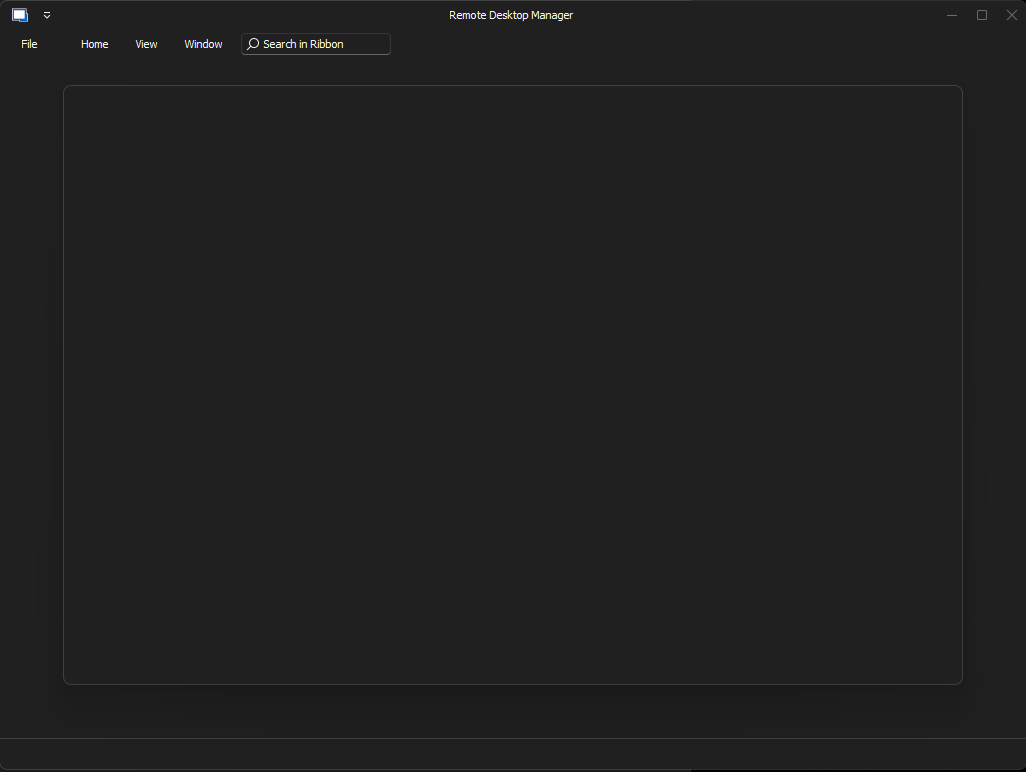
Attached is the screenshot of the issue.
Thank you for helping.
New Install of RDM on fresh Windows 11 Pro Installation - Blank screen on first launch
I have a brand new installation of Windows 11 Pro with the current version of RDM installed. Upon opening it for the first time, where there should be a welcome screen, it's just completely blank. There is no way to get around it but force ending the app in task manager. I tried uninstalling and reinstalling, installing and opening it as administrator, install the previous version, all of this as both the EXE and MSI versions. I can't get into the app without getting rid of that blank popup. Any assistance would be greatly appreciated.
Thank you.