
IT
Skip passkey on specific URL
Awesome. I have tested on login.microsoft.com where I pressed Don’t ask again. Then login.microsoft.com was added to the new Show passkey prompt. Moved login.microsoft.com to Never do anything and can confirm that I can now both create and use passkeys using Windows Hello on login.microsoft.com without Devolutions comes up. Thank you :)
As you said yourself the new Show passkey prompt should probably be renamed to Never show passkey prompts ;)

Website entry OTP source confusing name
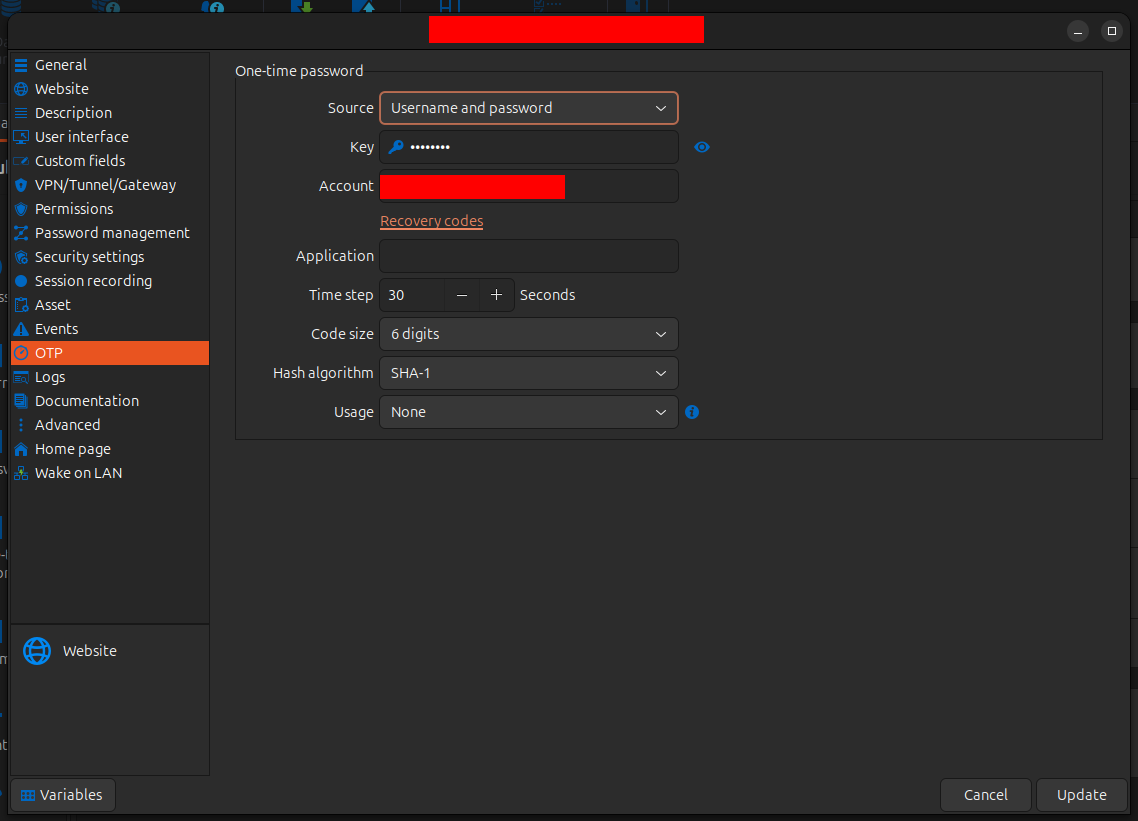
Same issue on Linux RDM
Website entry OTP source confusing name
Hi
In RDM when configuring a one-time password (OTP) for a website you can either create an OTP entry and link it to the website entry, or you can configure it directly in the website entry. The same can be done with the username and password.
I would like to create a website entry with username, password and OTP in the same entry.
In RDM it is shown like this
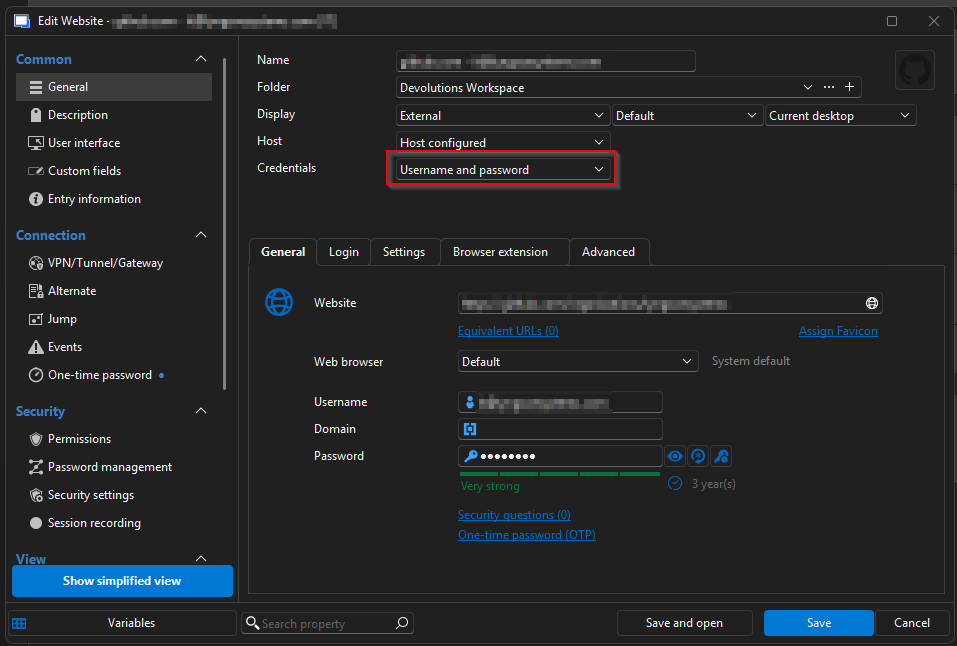
This makes sense that the field Credentials is Username and password because you type the username and password below.
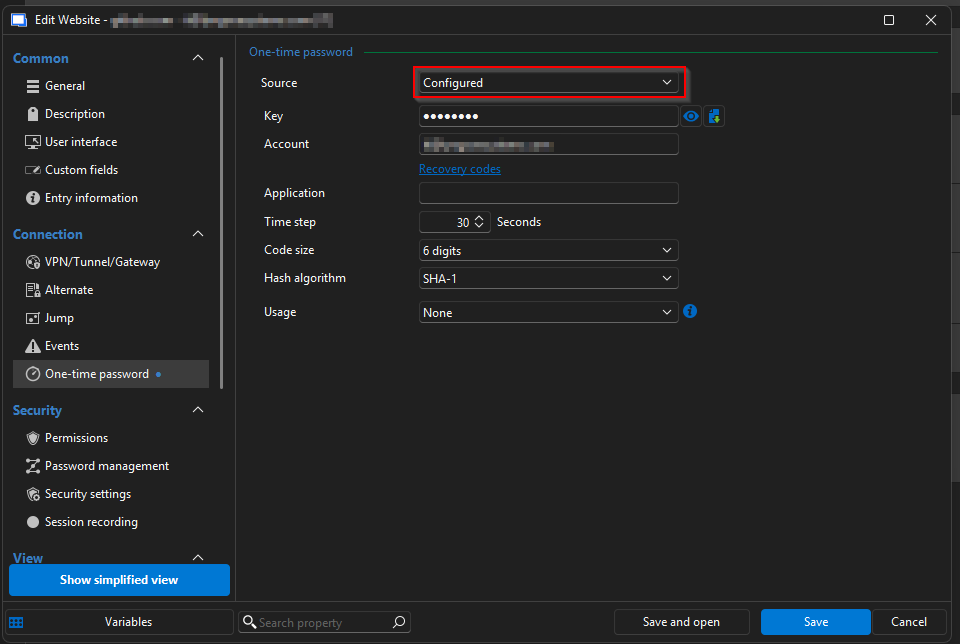
It makes somewhat sense that the field Source is Configured because it's default None. In my opinion TOTP, OTP or One-time password would be better, because that is what you type below.
Now we come to the even more strange part.
On the web the same entry is shown like this. Credentials is Username and password. That makes sense. So far so good.
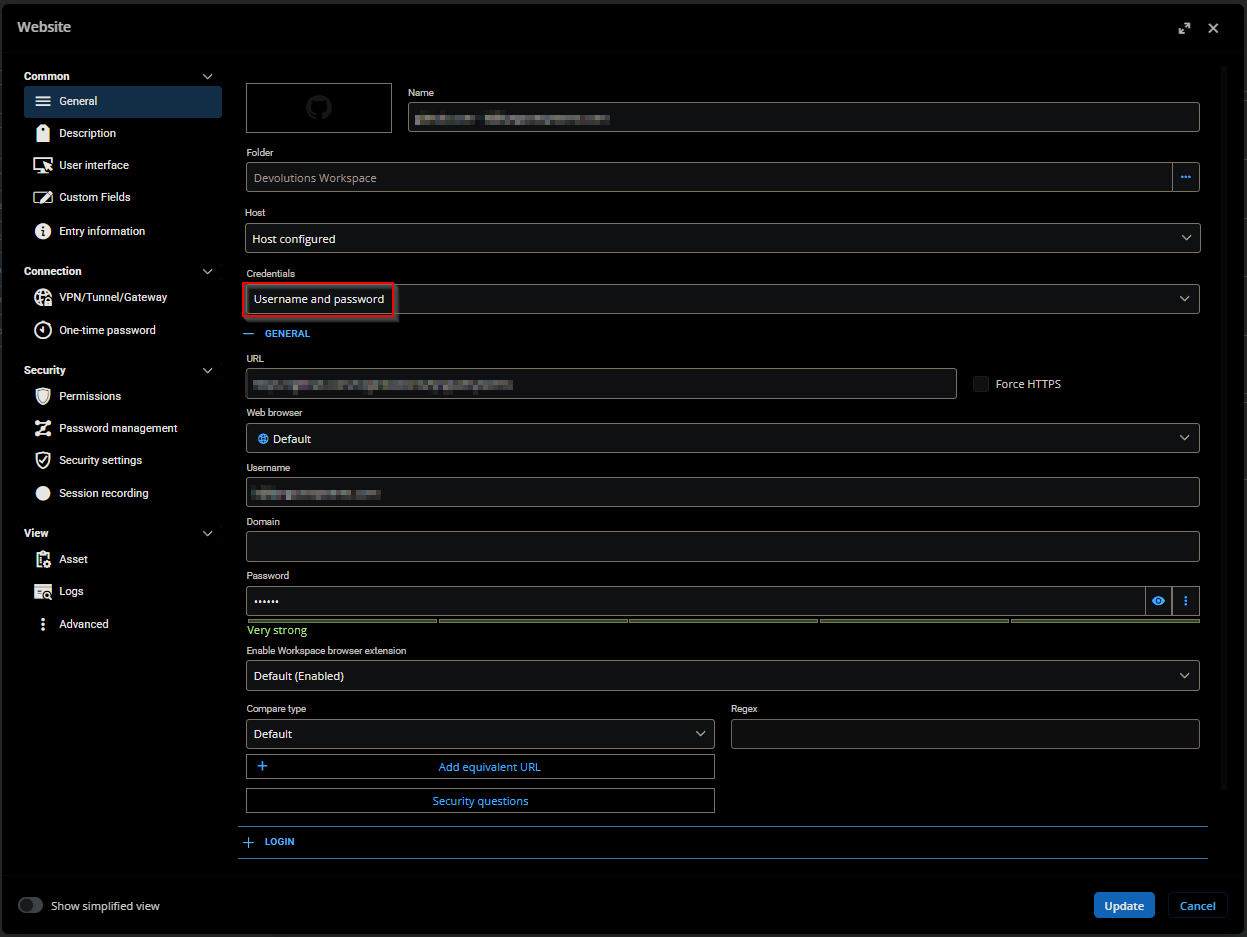
But here the OTP Source is Username and password
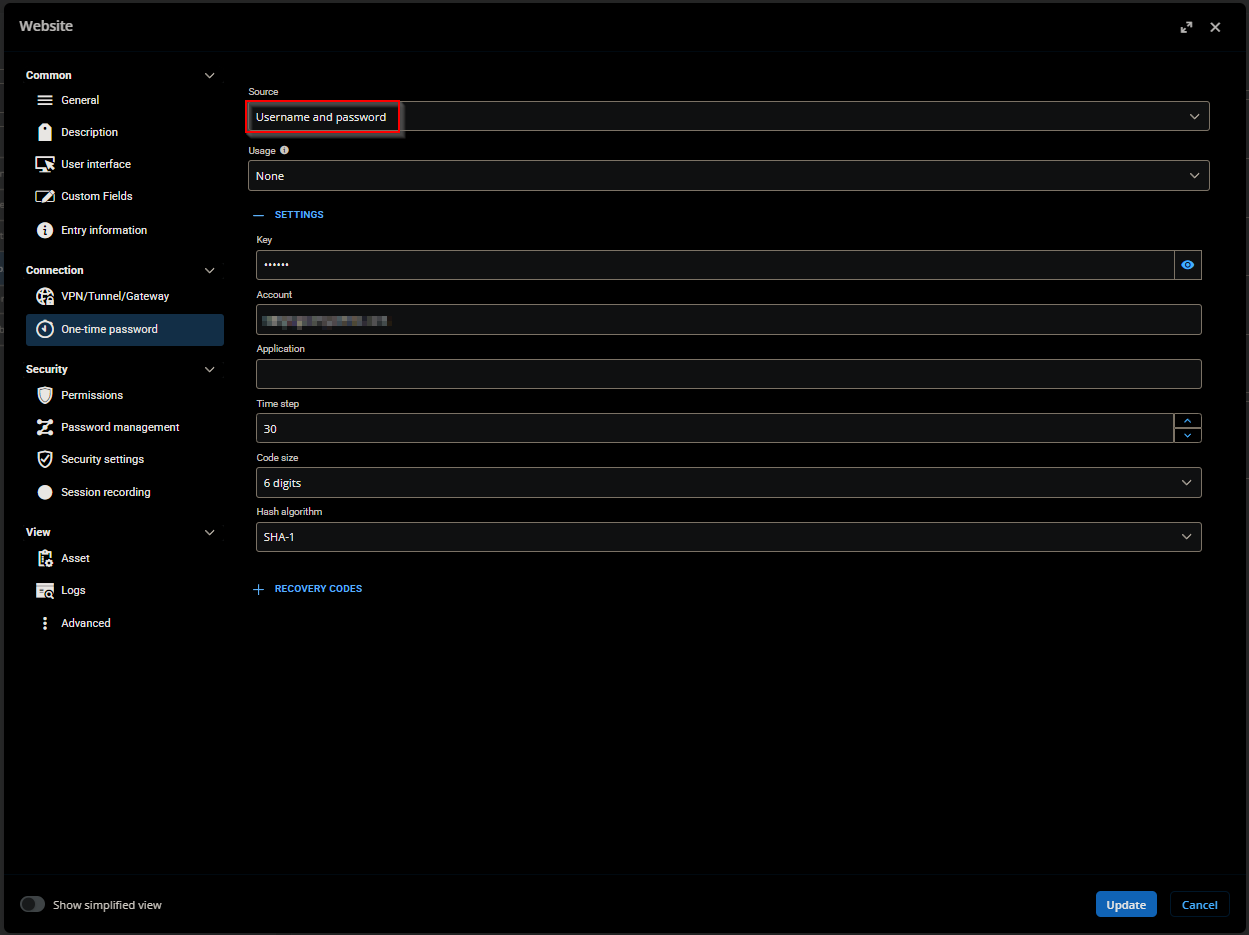
What? This doesn't make sense at all. One would think these field values would be the same for RDM and website.
My guess is the Source values have been copied from the Credentails values when creating the UI for the website.
DVLS version 2025.3.20.0 Same happens on 2026.2.4.5715 - Cloud
Please align value names in RDM and website.
Skip passkey on specific URL
Ok, so normally when creating a passkey the Devolutions Add passkey window pops up. Then to save to Windows Hello, you would click X or Cancel. And then the Windows Hello window pops up.

But adding https://login.microsoft.com to Never do anything or Never add site in the Never list makes it so the Add passkey window doesn't pop up.

That results in the Windows Hello pop up doesn't come up either. Probably because Devolutions doesn't skip the passkey setup correctly.
The Never list only affects when creating passkeys. Not using them.
Skip passkey on specific URL
I visit a site that asks for a passkey (login.microsoft.com). My passkey is stored in Windows Hello, so I want to skip the empty passkey prompt from Devolutions Workspace.

In Bitwarden I can have it always skip for a specific site.

I would like this option in Devolutions Workspace.
I have tried adding the URL to the Never list, but this doesn't have any effect on passkeys.

I have also tried configuring a GPO to block the extention site access on login.microsoft.com, but this doesn't help, because the extension has the permission Read and change all your data on all websites
GPO name: Configure extension management settings
Value: {"ddloeodolhdfbohkokiflfbacbfpjahp":{"installation_mode":"force_installed","runtime_blocked_hosts":["*://login.microsoft.com/*"]}}
Reveal button reveals a different password than intended in the webapp
Hello,
Thank you for your reply,
We have opened a development case regarding this issue. We will keep you updated with any news we receive.
For now, as a workaround, going into the entry Properties and pressing the "Save" button should help with this problem.
Best regards,
@Samuel Dery
Hello Mr. Dery,
Thank you very much for your quick help and reporting it to the devs.
Reveal button reveals a different password than intended in the webapp
Hello,
Thank you for reaching out to us regarding this,
Could you please specify the version of DVLS you are currently using?
I assume you are encountering this issue with a Password Lists type entry. Is that correct?
Let me know,
Best regards,
@Samuel Dery
Hello Mr. Dery,
Thank you for replying. We are currently running 2025.1.11.0.
It is an Other (custom) entry that is being faulty.

Reveal button reveals a different password than intended in the webapp
Hello,
We are currently facing an issue where an entry with 3 passwords stored in it reveals the "wrong" password on the webapp.

If you press the top button the bottom password gets revealed, if you press the middle button the top password gets revealed, and if you press the bottom button the middle password gets revealed.
Azure Key Vault -> View Password results in error
Hi. Sorry I didn't see your reply earlier.
Lets take a Username / Password entry as an example.
Here we have the buttons
View Password
Copy Username and Password
Copy Username
Copy Password
Copy Domain
Those are mapped to the fields of the entry
Username and Password
Username and Password
Username
Password
Domain
So when clicking the Copy Password button, the Password field is put to my clipboard.
What I expect from an Azure Key Vault entry.
Buttons
View Password
Copy Username and Password
Copy Username
Copy Password
Copy Domain
To be mapped to the fields
Client ID, Client secret, Username and Secret (same as in the Properties window)
Client ID and Client secret
Client ID
Client secret
None. I would remove this field
Azure Key Vault -> View Password results in error
Hi
We have an Azure Key Vault entry in RDM.
When clicking the action View Password, the RDM fails to retrieve the information and instead shows empty Username/Password fields.
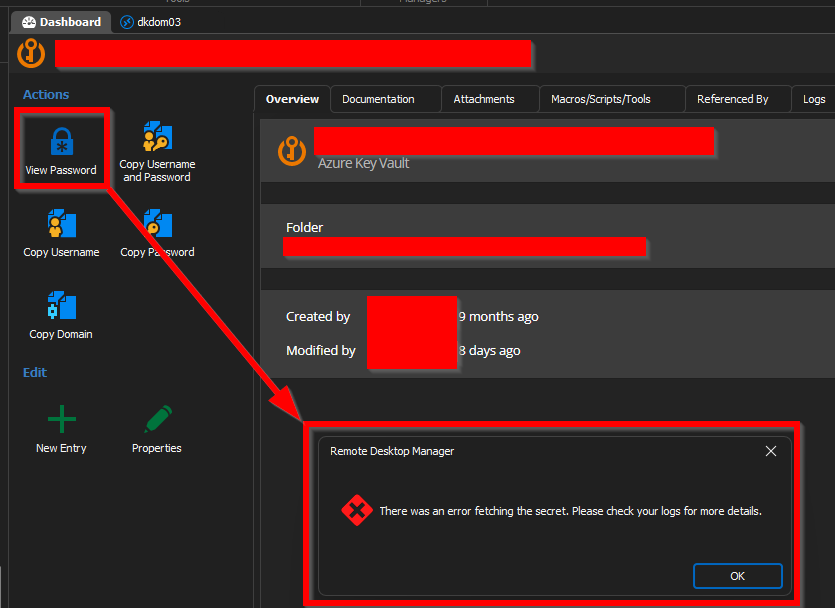
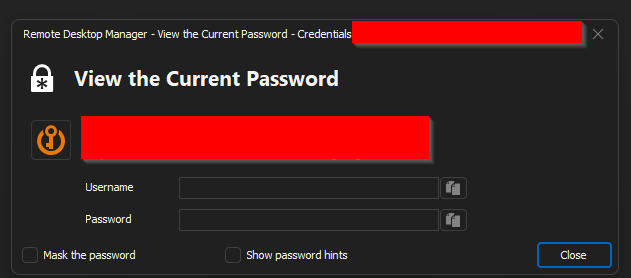
There are no field in the Azure Key vault called Password, so my guess is that the View Password view is mapped incorrectly.
Here are the fields of the General tab:
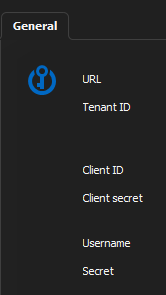
A workaround is to open the Properties view. Here you have access to all the information, but at the risk of editing it.
RDM version 2023.1.28.0 64bit
Web Login fills multiple password fields
Hi
I have added a Website entry manually with the public available URL https://citrixportal.rm.dk/vpn/index.html
I filled in the username and password fields. Now the Devolutions Web Login thinks that both the PIN and Password fields are passwords and fills the password in both fields.

I tried opening the RDM and setting IDs manually. It works when the Display is "Embedded (tabbed)", but not External or when I visit the webpage directly from my browser.


Can you help so when I use my browser with the Web Login extension, the password is only filled in the password field?
Prompt for Port number
Hi.
We would like the option to RDM to prompt us for which port to use, when connecting to specific connections.
Best regards,
Rasmus
Find duplicates
Hi
I think it would be nice, if you could compare by Username and Password, when finding duplicates.
It should at least check Account and Credentials entries.
This could both give you an overview of how many local admins on your servers have the same password, and if the same login has been created with different names in different folders.