Azure Key Vault -> View Password results in error

Hi
We have an Azure Key Vault entry in RDM.
When clicking the action View Password, the RDM fails to retrieve the information and instead shows empty Username/Password fields.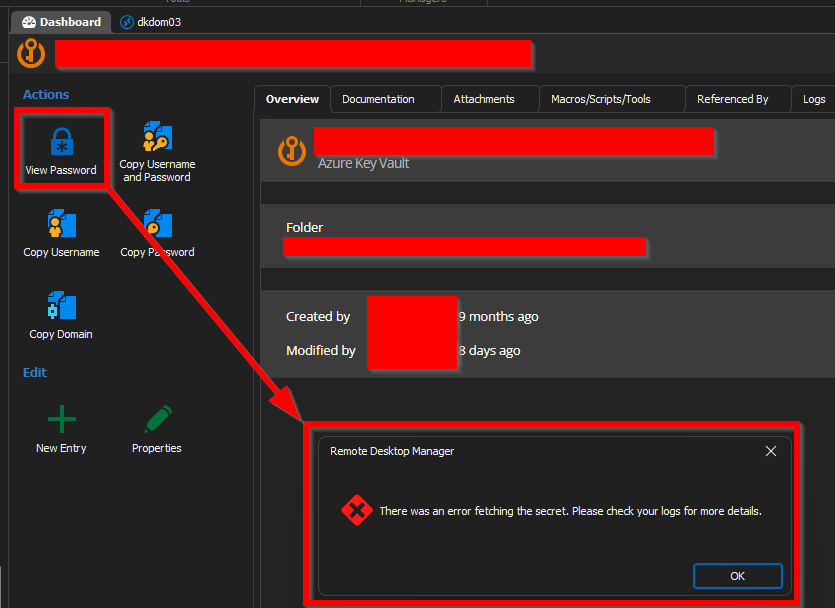
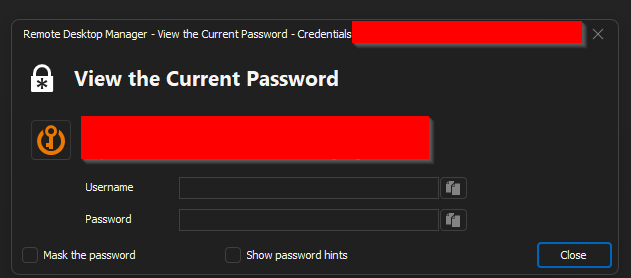
There are no field in the Azure Key vault called Password, so my guess is that the View Password view is mapped incorrectly.
Here are the fields of the General tab: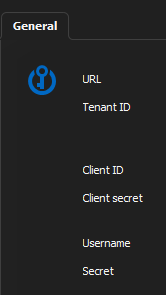
A workaround is to open the Properties view. Here you have access to all the information, but at the risk of editing it.
RDM version 2023.1.28.0 64bit
145b37b7-7861-4f3f-a208-74b9110294dc.png
5035c453-e1e2-4007-b92e-35b38032db1f.png
a53c3af9-62a9-48cb-a584-fb8e9b2d1a33.png
All Comments (3)
Hello,
Could you please confirm what kind of entry you are trying to fetch from your Azure Key Vault? We don't support every type available, so that may be why you're not seeing anything.
I'm also not quite sure I understand how you can view the password directly from the properties window, since the only info we show is the secret's name, not it's actual value.
Regards
Jonathan Del Signore
Hi. Sorry I didn't see your reply earlier.
Lets take a Username / Password entry as an example.
Here we have the buttons
- View Password
- Copy Username and Password
- Copy Username
- Copy Password
- Copy Domain
Those are mapped to the fields of the entry
- Username and Password
- Username and Password
- Username
- Password
- Domain
So when clicking the Copy Password button, the Password field is put to my clipboard.
What I expect from an Azure Key Vault entry.
Buttons
- View Password
- Copy Username and Password
- Copy Username
- Copy Password
- Copy Domain
To be mapped to the fields
- Client ID, Client secret, Username and Secret (same as in the Properties window)
- Client ID and Client secret
- Client ID
- Client secret
- None. I would remove this field
Hello,
I believe the "Azure Service Principal" entry might better fit your needs. It lets you store the Client ID, Client Secret and Tenant ID. You will then have a copy button for all three fields.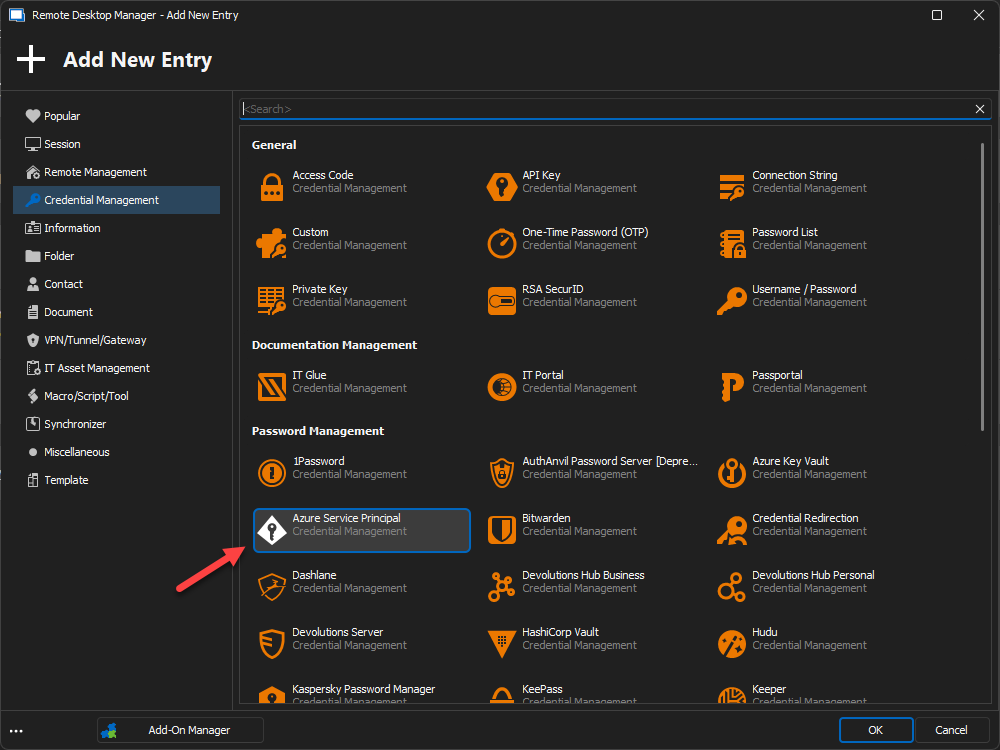
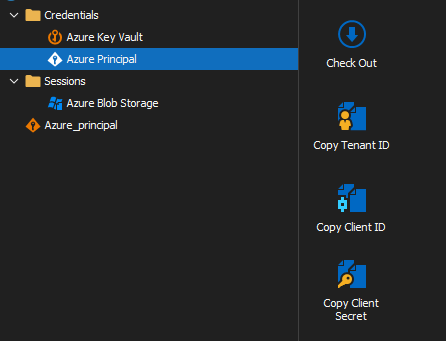
The "Azure Key Vault" entry is specifically used to fetch secrets from your vault, using the client/tenant info you provide. So the dashboard actions won't show the information used to authenticate in Azure. It follows the same pattern as the majority of our external credential integrations.
Please let us know if the "Azure Service Principal" entry is indeed what you were looking for.
Regards
Jonathan Del Signore
30ed10b5-1deb-4122-bc77-2cdc75a255da.png
4bf6a6bd-dde8-4484-9b30-29428c58a512.png