
drintoul8
tried a 3270 session to z/os and rdm falls over
Hey,
Well done.
Thanks for that.
tried a 3270 session to z/os and rdm falls over
hi,
on second invocation it stays up for me.
But i could not get it to work.
Here is my setup:
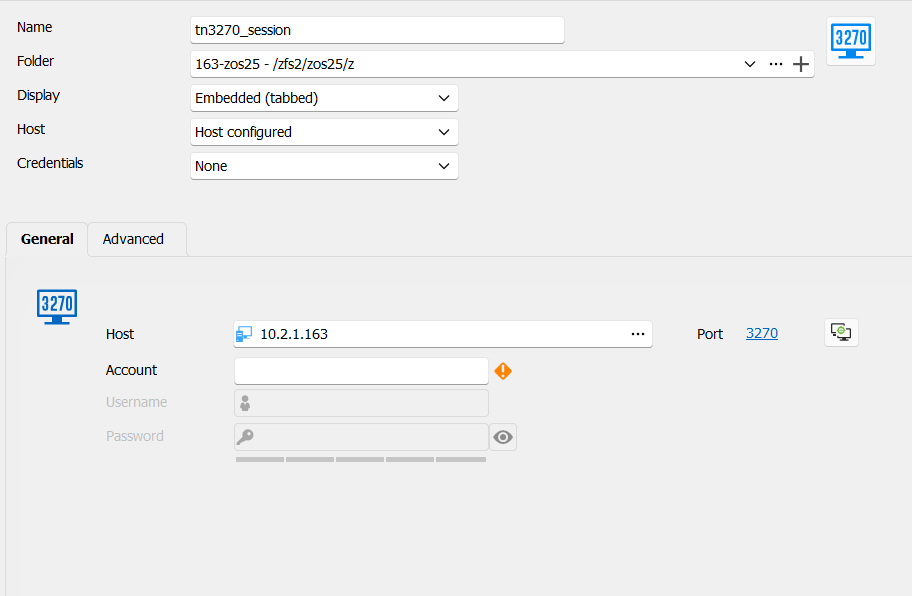
The thing that would need to be available for it to work (ie for z/os to understand what type of terminal request it is seeing) would be to define a terminal type for the screen (at least mod type - mod 2,3,4,5).
Here are the options another app gives me in a similar situation.
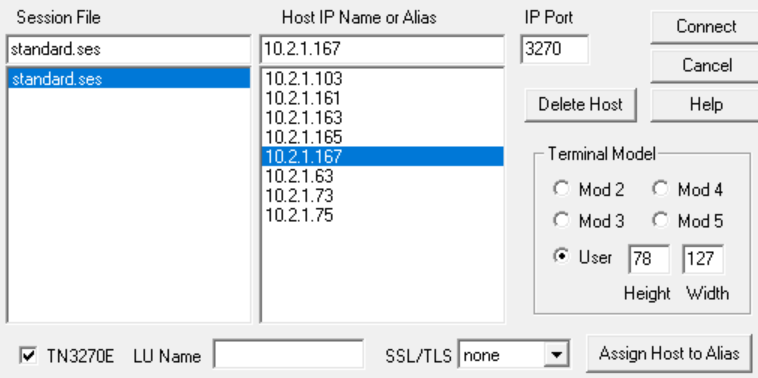
User defined is a bit fancy for now.
tried a 3270 session to z/os and rdm falls over
i just retested it.
It happens on first invocation for me. I get the outline of a 3270 screen (ie pfkeys get displayed) and then after 5 ish seconds the app gets blown away.
event viewer says :-
Application: RemoteDesktopManager.exe
CoreCLR Version: 8.0.1124.51707
.NET Version: 8.0.11
Description: The process was terminated due to an unhandled exception.
Exception Info: exception code c0000005, exception address 00007FFDC98B1E58
Stack:
Then -
Faulting application name: RemoteDesktopManager.exe, version: 2024.2.21.0, time stamp: 0x66960000
Faulting module name: ntdll.dll, version: 10.0.22621.4541, time stamp: 0xe7035eba
Exception code: 0xc0000005
Fault offset: 0x0000000000021e58
Faulting process id: 0x0xC480
Faulting application start time: 0x0x1DB609BE69FB530
Faulting application path: C:\Program Files\Devolutions\Remote Desktop Manager\RemoteDesktopManager.exe
Faulting module path: C:\Windows\SYSTEM32\ntdll.dll
Report Id: e16e4da4-270f-48ba-b9dc-bde6e4f86703
Faulting package full name:
Faulting package-relative application ID:
Then -
Fault bucket 1180182712128615517, type 4
Event Name: APPCRASH
Response: Not available
Cab Id: 0
Problem signature:
P1: RemoteDesktopManager.exe
P2: 2024.2.21.0
P3: 66960000
P4: ntdll.dll
P5: 10.0.22621.4541
P6: e7035eba
P7: c0000005
P8: 0000000000021e58
P9:
P10:
Attached files:
\\?\C:\ProgramData\Microsoft\Windows\WER\Temp\WER.1b599e1e-924c-4a77-ba1e-9f35a22ecba8.tmp.dmp
\\?\C:\ProgramData\Microsoft\Windows\WER\Temp\WER.e5ae44ed-8182-48a3-b436-e35fa33ecaf1.tmp.WERInternalMetadata.xml
\\?\C:\ProgramData\Microsoft\Windows\WER\Temp\WER.c0f6f1eb-1469-45e3-bc13-cf3f4adc694d.tmp.csv
\\?\C:\ProgramData\Microsoft\Windows\WER\Temp\WER.ad0ac246-02db-467d-86e6-6fd1f204467b.tmp.txt
\\?\C:\ProgramData\Microsoft\Windows\WER\Temp\WER.95ab67e6-9e8a-4255-acf0-10dc26a8c4f6.tmp.xml
These files may be available here:
\\?\C:\ProgramData\Microsoft\Windows\WER\ReportArchive\AppCrash_RemoteDesktopMan_21e5576b8483d63382bf6f78a48177a7872b378_39d0592f_4b477974-b0ae-46ed-8097-209ac5a6bcc9
Analysis symbol:
Rechecking for solution: 0
Report Id: e16e4da4-270f-48ba-b9dc-bde6e4f86703
Report Status: 268435456
Hashed bucket: baf93ea632bceea30060d9ec7e7bb45d
Cab Guid: 0
Hope that helps.
Regards Dave
tried a 3270 session to z/os and rdm falls over
Hi,
I recreated the issue and looked in the application logs display and there were no files displayed after i did a search covering the last 5 days. Where else can i look for evidence of what happened? Regards Dave
tried a 3270 session to z/os and rdm falls over
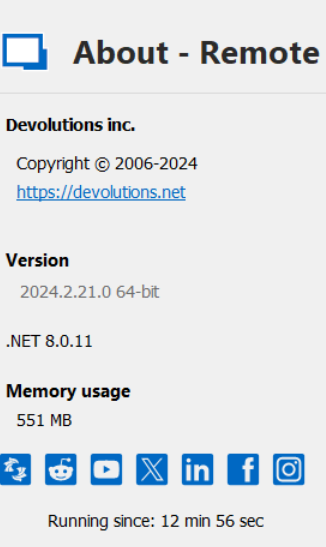
Hi I tried to use the tn3270 session option to log onto a local z/os system. when i try it, the 3270 session outline is displayed (ie i can see the pfkeys etc). There is no info inside the 3270 screen display and 5 seconds later the whole rdm application falls over. i attached a .wer file which seems to get created at the same time. its windows 11. i'm running -
i have lost my navigator bar on lhs of the screen
Brilliant!
Thank you very much for your support at this hour.
I charged thru the menu options but didn't try that one.
Next time I will know.
i have lost my navigator bar on lhs of the screen
hi,
i have lost my navigator bar on lhs of the screen.
The navigator tab seems to be separate from the sessions I open.
How can I get it back?