
daniel.schick
Shortcut for closing a session doesn't work
Hi David,
ah ok that did it for me! I've ever wondering what will this magnet do. :)
Shortcut for closing a session doesn't work
Hello David,
I made a video and uploaded it to sharefile.
Put the loading window in the background
That's very nice, thanks alot!
Shortcut for closing a session doesn't work
Hello David,
no sorry, that this still doesn't work. After resetting and restarting RDM I tried other shortcuts like "STRG + ALT + W", but nothing happens.
Is there a restriction when using RDP? Which session type did you try?
Put the loading window in the background
Yes, this will be perfect! Thanks.
Shortcut for closing a session doesn't work
Hello David,
currently I'm on 2019.1.35.0.
STRG + W does work for me in Browser Sessions, too, because i activated the Browser Keyboard Shortcuts.
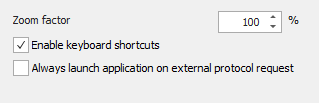
But I want to use STRG + W for other sessions like RDP, too.
Embedded SSH fallback to password authentication
Ok, thanks!
Shortcut for closing a session doesn't work
Hello,
no, default doesn't work, too. I tried another shortcut keys like STRG + ALT + W, but nothing changed.
Embedded SSH fallback to password authentication
Hello,
for SSH Sessions we want to use the SSH Agent.
When enabling the SSH Agent Setting there is no Fallback to password authentication.

When the user doesn't store his key on the remote server, he just get asked after the username and get the following error:
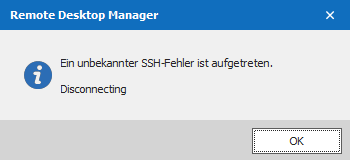
I knew it from PuTTY, there is a fallback to password authentication. Is this a restriction of the embedded SSH?
Shortcut for closing a session doesn't work
Hello,
we want to use STRG + W to close a session, like you know it from modern web browsers.
We set up the keyboard shortcut in the settings:

But the only thing that's working is to set up as global hotkey. The disadvantage is that this setting is system wide, so it breaks the hotkey in other programs like Google Chrome.
Greets
Daniel
Put the loading window in the background
Hello,
when using Google Chrome for example there's a loading window in foreground, even when you switch to another tab.
It is possible to restrict the loading windows to the current tab? So when switching to another tab the window should stay in the background.
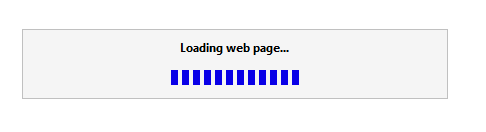
I know that is possible to right click and select disable, but that's only for the current session. Or is it possible to disable the windows for all sessions?
Thanks.
Daniel
5 errors in RDM 2019
Yes, that that did it! Thanks.
Ok so point 4. and 6. are still open in version 2019.1.27.0.
Any news here?
5 errors in RDM 2019
Yes, that that did it! Thanks.
Ok so point 4. and 6. are still open in version 2019.1.27.0.
5 errors in RDM 2019
That are great news, thanks!
A question to point 2: Is there a command to reset the opened sessions in the database?
5 errors in RDM 2019
For example one of our customers have the following setup:
VMware Version 6.5.0. We're connecting to a vCenter. It's a cluster of two Hypervisors.
When using the "VMware Dashboard" type there are 21 VMs and templates listed.
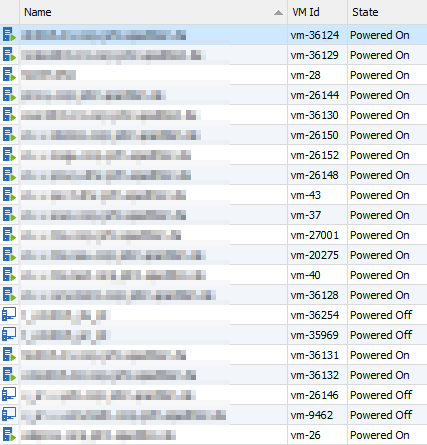
When using the VMware VSphere Web Client there are 27 VMs and templates listed.
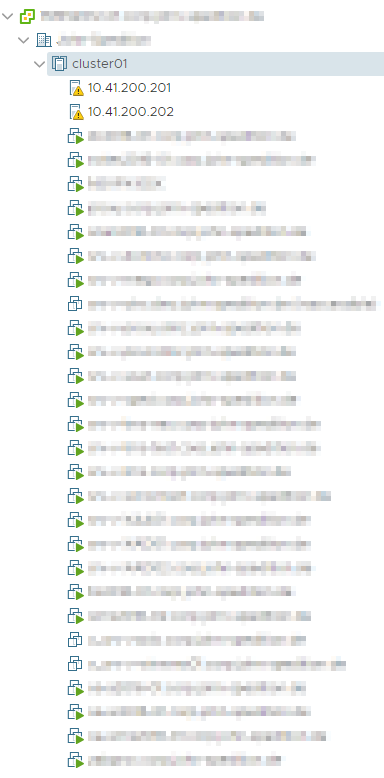
On the vCenter there are 5 folders, but there is no pattern of the missing VMs.
5 errors in RDM 2019
That's the last entry in the logs from 22. May. In these week we had trouble with our storage. That's the reason for the sql errors. The problems are solved now and RDM doesn't log anything new.
System.IndexOutOfRangeException: Data
at System.Data.ProviderBase.FieldNameLookup.GetOrdinal(String fieldName)
at System.Data.SqlClient.SqlDataReader.GetOrdinal(String name)
at Devolutions.RemoteDesktopManager.Business.DataSources.DatabaseConnectionDataSource.cca8119a110bebd9f7c66a9b8aa671a9c(IDataReader cb8306497615195e4d2b0b196997bb844, List`1 c956c86e3e516742fdb9aca7e24607786)
at Devolutions.RemoteDesktopManager.Business.DataSources.DatabaseConnectionDataSource.cca8119a110bebd9f7c66a9b8aa671a9c(IDbCommand c469787a81372d641f189d46c8cbb1738, List`1& c8b9dc1f68940a43e7cd099cb1e4646fe, Byte[]& c9bd301a2fd1db0ad012d647646537ec1, Int32& c0d10ab04b5b18d594b7605de6eda18b5, RepositoryEntity& c1f8ddfa1eaeaf7bf35c25d5d9b952cc6)
at Devolutions.RemoteDesktopManager.Business.DataSources.DatabaseConnectionDataSource.GetConnections()
at Devolutions.RemoteDesktopManager.Managers.ConnectionManager.ca4799bebd8b706f34eea94a778843b55(BaseConnectionDataSource c7f28727fc7a5daa94ba08f688b2a5781, Boolean cfe205b02d73750f8fd14d199343fe545)
at Devolutions.RemoteDesktopManager.Managers.ConnectionManager.LoadConnections(BaseConnectionDataSource dataSource, ConnectionEngine currentEngine)
at Devolutions.RemoteDesktopManager.Managers.ConnectionManager.RefreshConnections()
at Devolutions.RemoteDesktopManager.Forms.FrmMainRibbonBase.RefreshAllConnectionView(Boolean saveState, Boolean checkOnline)
at Devolutions.RemoteDesktopManager.Forms.FrmMainRibbonBase.RefreshView(Boolean checkOnline)
at Devolutions.RemoteDesktopManager.Managers.UIManager.RefreshView(Boolean checkOnline, Boolean forceRefresh)
at Devolutions.RemoteDesktopManager.Managers.UIManager.EndUpdate(Boolean checkOnline)
at Devolutions.RemoteDesktopManager.Managers.SessionMenuManager.cb5f4370dc0bade8ad60e1eb90902f742()
at System.Windows.Forms.ToolStripItem.RaiseEvent(Object key, EventArgs e)
at System.Windows.Forms.ToolStripMenuItem.OnClick(EventArgs e)
at System.Windows.Forms.ToolStripItem.HandleClick(EventArgs e)
at System.Windows.Forms.ToolStripItem.HandleMouseUp(MouseEventArgs e)
at System.Windows.Forms.ToolStrip.OnMouseUp(MouseEventArgs mea)
at System.Windows.Forms.ToolStripDropDown.OnMouseUp(MouseEventArgs mea)
at System.Windows.Forms.Control.WmMouseUp(Message& m, MouseButtons button, Int32 clicks)
at System.Windows.Forms.Control.WndProc(Message& m)
at System.Windows.Forms.ToolStrip.WndProc(Message& m)
at System.Windows.Forms.ToolStripDropDown.WndProc(Message& m)
at System.Windows.Forms.NativeWindow.Callback(IntPtr hWnd, Int32 msg, IntPtr wparam, IntPtr lparam)
System.Data.SqlClient.SqlException (0x80131904): Execution Timeout Expired. The timeout period elapsed prior to completion of the operation or the server is not responding. ---> System.ComponentModel.Win32Exception (0x80004005): Der Wartevorgang wurde abgebrochen
at System.Data.SqlClient.SqlConnection.OnError(SqlException exception, Boolean breakConnection, Action`1 wrapCloseInAction)
at System.Data.SqlClient.TdsParser.ThrowExceptionAndWarning(TdsParserStateObject stateObj, Boolean callerHasConnectionLock, Boolean asyncClose)
at System.Data.SqlClient.TdsParser.TryRun(RunBehavior runBehavior, SqlCommand cmdHandler, SqlDataReader dataStream, BulkCopySimpleResultSet bulkCopyHandler, TdsParserStateObject stateObj, Boolean& dataReady)
at System.Data.SqlClient.TdsParser.Run(RunBehavior runBehavior, SqlCommand cmdHandler, SqlDataReader dataStream, BulkCopySimpleResultSet bulkCopyHandler, TdsParserStateObject stateObj)
at System.Data.SqlClient.TdsParser.TdsExecuteTransactionManagerRequest(Byte[] buffer, TransactionManagerRequestType request, String transactionName, TransactionManagerIsolationLevel isoLevel, Int32 timeout, SqlInternalTransaction transaction, TdsParserStateObject stateObj, Boolean isDelegateControlRequest)
at System.Data.SqlClient.SqlInternalConnectionTds.ExecuteTransactionYukon(TransactionRequest transactionRequest, String transactionName, IsolationLevel iso, SqlInternalTransaction internalTransaction, Boolean isDelegateControlRequest)
at System.Data.SqlClient.SqlInternalTransaction.Commit()
at System.Data.SqlClient.SqlTransaction.Commit()
at Devolutions.RemoteDesktopManager.Business.DataSources.DatabaseConnectionDataSource.DeleteConnection(Connection connection)
ClientConnectionId:83d6b0f9-c748-49e3-85c4-960486a4203b
Error Number:-2,State:0,Class:11
****************************** SqlError ******************************
Message:Execution Timeout Expired. The timeout period elapsed prior to completion of the operation or the server is not responding.
5 errors in RDM 2019
Ok I send the log again.
But I think there's no interesting content inside.
5 errors in RDM 2019
Ok thanks, I've send the application log.
5 errors in RDM 2019
Ok, thanks we will try the Google Chrome workaround.
We found another bug:
6. When connecting to a VMware VSphere Server with the VMware Dashboard using PowerCLI we're missing VMs. Not all VMs of the VSphere cluster are listed. When using the VMWare VSphere Client all VMs are listed.
5 errors in RDM 2019
Hello,
since RDM 2019 Beta we have the following errors. Currently we are on RDM 2019.1.21.0.
1. RDM hangs very often. When opening multiple Sessions (especially RDP and Google Chrome) RDM got no response and we have to kill the task.

2. This behavior causes that RDM doesn't close the sessions properly and shows the sessions as already opened. Even when connecting with the same user, we get the already opened warning.
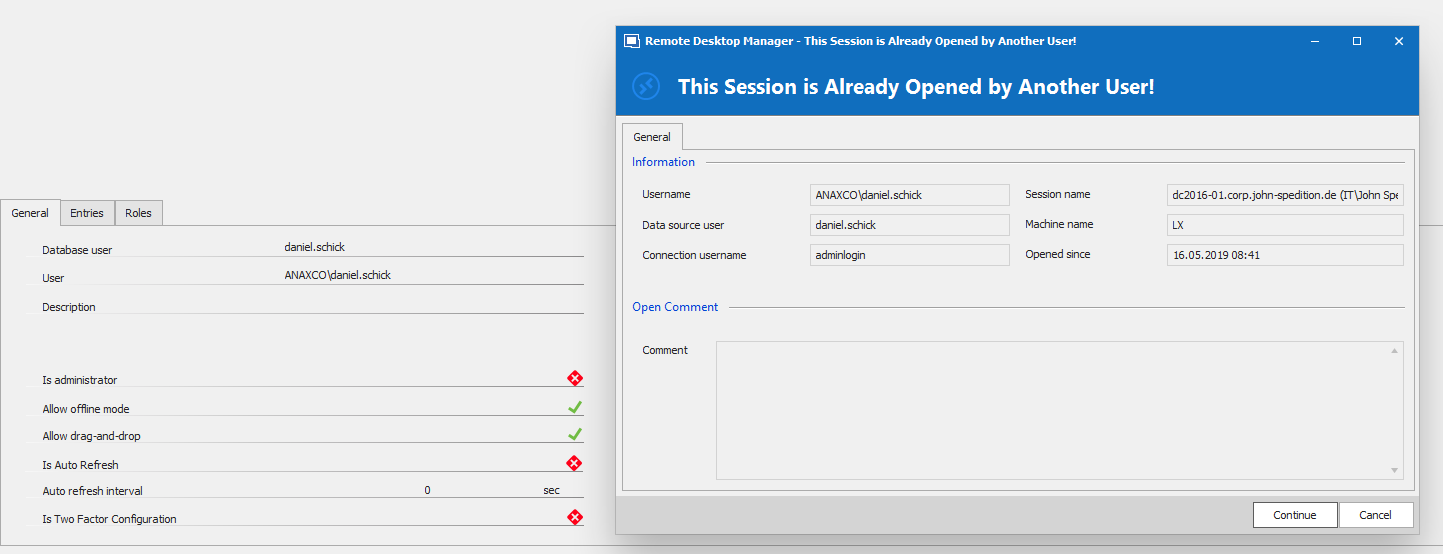
3. Firefox doesn't work. On most of all clients and terminal servers Firefox doesn't work. There are a few clients where it works. Regardless of whether Firefox is installed or not on the client machine. I cannot find a pattern there.
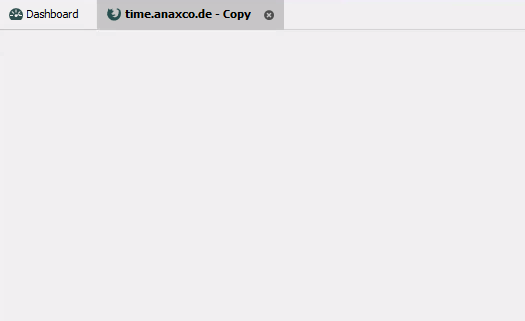
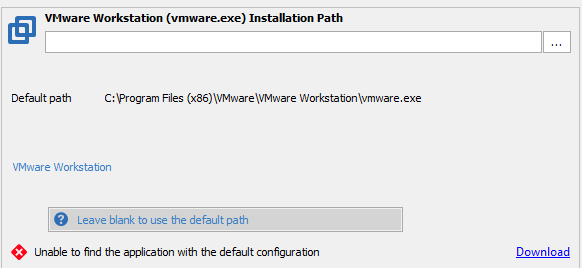
4. The VMware Workstation path is wrong. At the end of the path you have to remove the executable.
5. Save Document is not possible. I don't know what permissions are necessary, but currently only the Admin Group can do this. Read, write and execute Permissions are not enough.
Upgrading the database fails
Yes, I think that's the right way.
Upgrading the database fails
Ok, thanks this fixed it for us. But in my opinion it's a very strange update progress. When requesting the credentials before the update dialog appears it will be more easier.
Upgrading the database fails
Hello,
we want to try out the new RDM 2019 beta. It's our first database upgrade. We startet with the latest stable release 14.1.3.0.
After upgrading and starting RDM, I get the promt for upgrading the database. After confirming this message, the upgrade fails.
We have one user with RDM Administrator and SQL sysadmin permissions. But RDM doesn't ask me for any credentials.
We're using the Custom Login method and executed your SQL script with minimal permission for the SQL Service Account.
How can I perform database upgrades?
Thanks in advance.
Daniel
System.Data.SqlClient.SqlException (0x80131904): Incorrect syntax near '0'.
Ok, thanks for the info.
The release is called "March". When do you expect to release the new version?
System.Data.SqlClient.SqlException (0x80131904): Incorrect syntax near '0'.
Hello,
we have the same issue with RDM 14.1.3 and SQL Server. We're currently rolling out RDM in our company. Every new users get this message.
Why is there no update since January? Before this Devolutions released multiple updates a month.