
slaurin
LastPass
Hello,
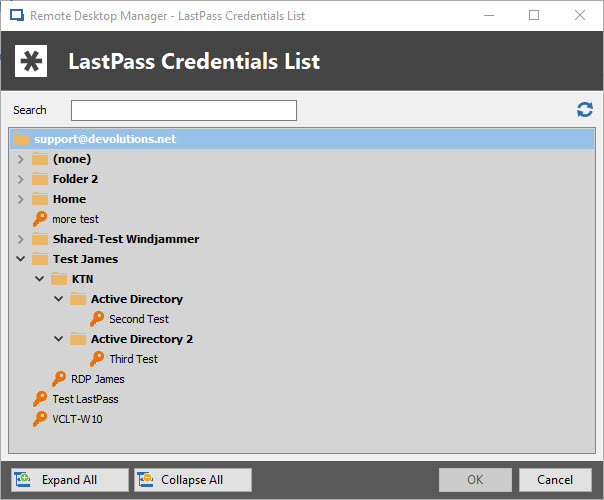
As you can see in the picture, i can see the full sub-folder sections.
Could you try setting up test folder organisation that you can show to me on both side (RDM and LastPass) so that we can reproduce your situation more precisely.
Kind regards,
Display option keeps changing back to embedded when edit extg record
Hello,
It would seem that after some testing, I find my login (web) entry to have your similar problem.
After setting the display option to external and rebooting the software, the display option reverted to embedded.
I took the liberty of creating a ticket for that issue.
Here is the ticket number : DEVO-422
Kind regards,
Display option keeps changing back to embedded when edit extg record
Hello,
What is your PVM version ?
What type of data source are you using ?
In order to further help you could you please send me a screenshot of the entry properties at fault, and also, what is the exact change that you are trying to apply.
Kind regards,
LastPass
Hello,
After some testing I noticed that indeed, newly created credentials in last pass doesn't appear if Remote Desktop Manager is already open.
I reported this issue to our engineering team straight away.
The case number is DEVO-414
As for your second issue all of our sub-folders are shown, could you show me with screenshot what doesn't appear in RDM ?
Kind regards,
Multiple KeePass Databases
Hello,
Has you said it is possible to link multiple Keepass data base to a Keepass entry, but sadly it is not possible to put a relative path to make the entry work properly.
As for your second request, what do you mean by "reference open databases in KeePass" ?
Best regards,
Moving entries from one repository to another
Hello,
Go into edit tab -> and press "Move to repository" -> chose your desired repository then next -> choose the file/entries you are wanting to move -> Hit the transfer button -> Hit the finis button.
Your entries should now have transferred to your desired location.
Best regards,
Undock to Virtual Desktop
Hello,
Indeed there is an option that allow what you are looking for.
If you go in your entry properties under General/Display then change the option called "Remote desktop size" to "Full screen"

Also if you only want the window to be Undocked, you can change that in the entry properties/General then the first Display option

Admin user no read right on folder
Hello,
There is a way for you to make one of your user a user/security groups/Roles manager without being able to see a single folder in the data source.
It require the user to be a regular user, then under administration tab/data Source Permission/Management you can set User/Security group and Roles to custom and add the user you wish to be able to manage user.
Once the previous step is done, You can exclude the user from your folder trees view permissions in the folder properties.
It would look a little like this once everything is done for the user:
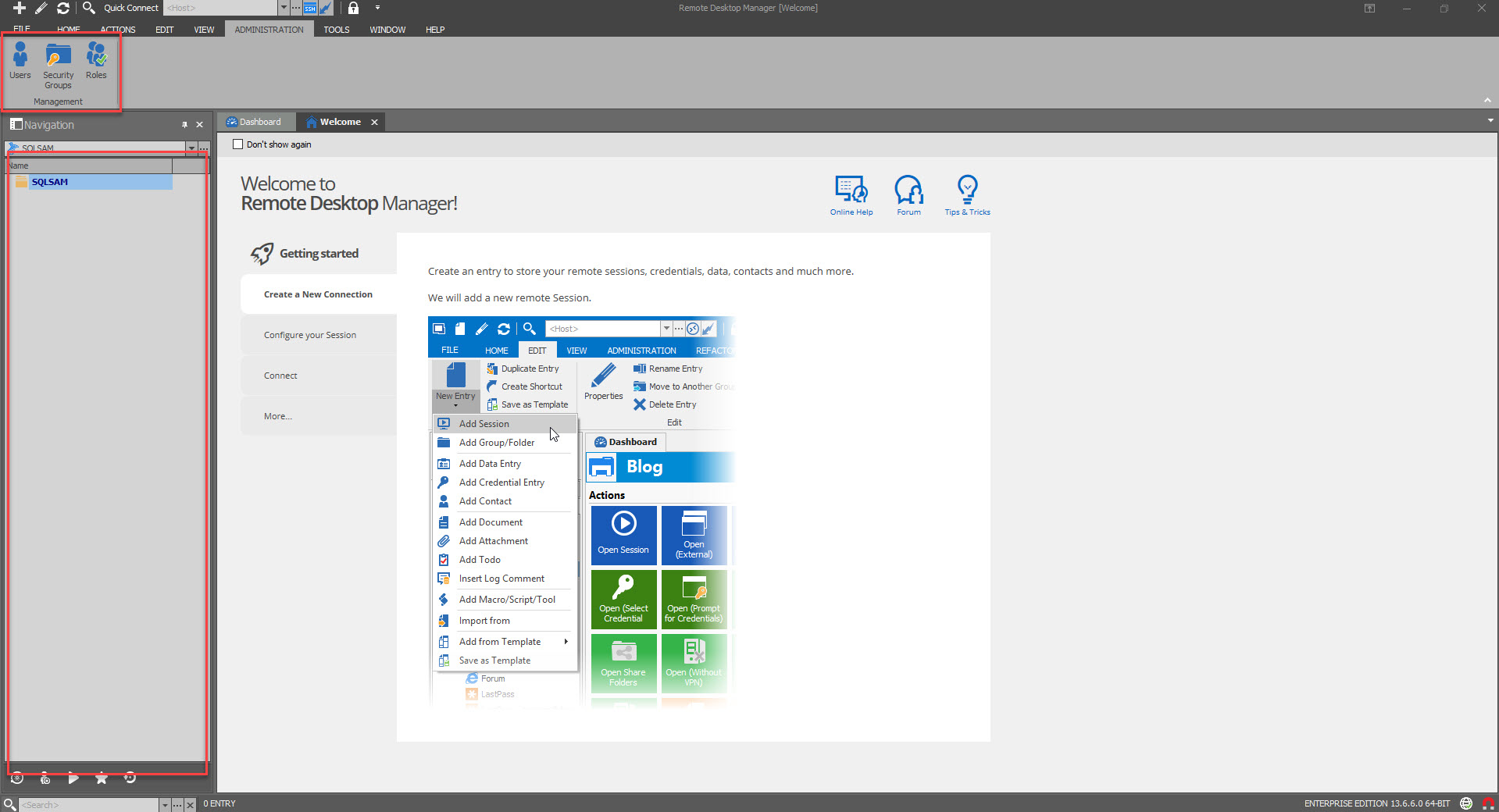
Would that answer your question?
Best regards,
Open network share via UNC?
Hello,
There is an entry called file explorer where you can set a path shortcut in RDM.


Best regards,