
(user deleted)
RDM on iPhone/iPad with DarkMode -> unusable dark
Is this on the "Known Bug list""
Pin Actions on Dashboard
Hello Devolutions-Team,
it would save a lot of unnecessary clicks if we can pin this:

to the Dashboard-Actions.
A few thoughts about Jump Hosts...
Hey Stefane,
thanks for your reply!
#3 - If an icon isn't possible, maybe you could color the label of that connection? Like RDM is doing already with States... maybe this could be a good way, too! :)
Best wishes
Alex
A few thoughts about Jump Hosts...
Dear Devolutions-Team,
we just tested the Jumphost-Feature in your RDM Enterprise 12.0.8.0. Its a pretty good feature, and we think we will use it more often now, after we learned how to use it, but still we got a few points that could make that feature even more awesome...
1. "Direct (NoJump)" should be easier to reach. At the moment you have to rightclick the connection, select "Open with parameters", select "open via jump..." and then click "Direct (NoJump)" - which is a lot of actions for that basic command... could you just move that context-menu-entry to the main context-menu? Maybe between "Open Session" and "Open with parameters"? That would be nice!
2. Talking of Direct (NoJump)... we don't really get it to work here. We made a connection with a jump host, but if we click Direct (NoJump) just nothing happens... which is not the expected behavior of that button. Maybe that one should be in the the bug-report section, but I think its good here, too, since I asked you to move that menu-entry as well.
3. Is it possible to mark connections via JumpHosts somehow... ? At the moment you have to remember all of them, or check the settings of the connection first, before you can see, if you could need the direct connection...
Most of this points get very important for us, since we also use RDM on Notebooks, which are used while mobile... and those improvements would really speed up our work with RDM.
Best wishes
Alex
Windows 10: Blurry RDP-Window in non-fullscreen mode
Hey David,
yes - same thing on RDCMan. So it look like it is OS / RDP - related...
Thanks for advice
Windows 10: Blurry RDP-Window in non-fullscreen mode
Hello,
so we have to use this resizing mode on all Windows 10 computers even with the long delay of up to 5 seconds to reconnect on size-change, while using the other method RDP Window (intelligent sorting) at our Windows 7 and Windows 8.1 computers?
Windows 10: Blurry RDP-Window in non-fullscreen mode
I just did so:
It is scaling everything right, and nothing is blurry, but whenever the size of the window changes (like switching to Fullscreen or back) it disconnects for 1 to 5 seconds every time which is pretty annoying...
Windows 10: Blurry RDP-Window in non-fullscreen mode
It should scale - but in "Default"-Resolution it doesn't scale, and in "current Screensize"-Resolution it scale, but is just extreme blurry whenever outside of Fullscreen-Mode.
This would mean we could only use Fullscreen-Mode or embedded only, when we use the application on Windows 10 computers? Or is there a way to fix that problem with the view-settings?
Windows 10: Blurry RDP-Window in non-fullscreen mode
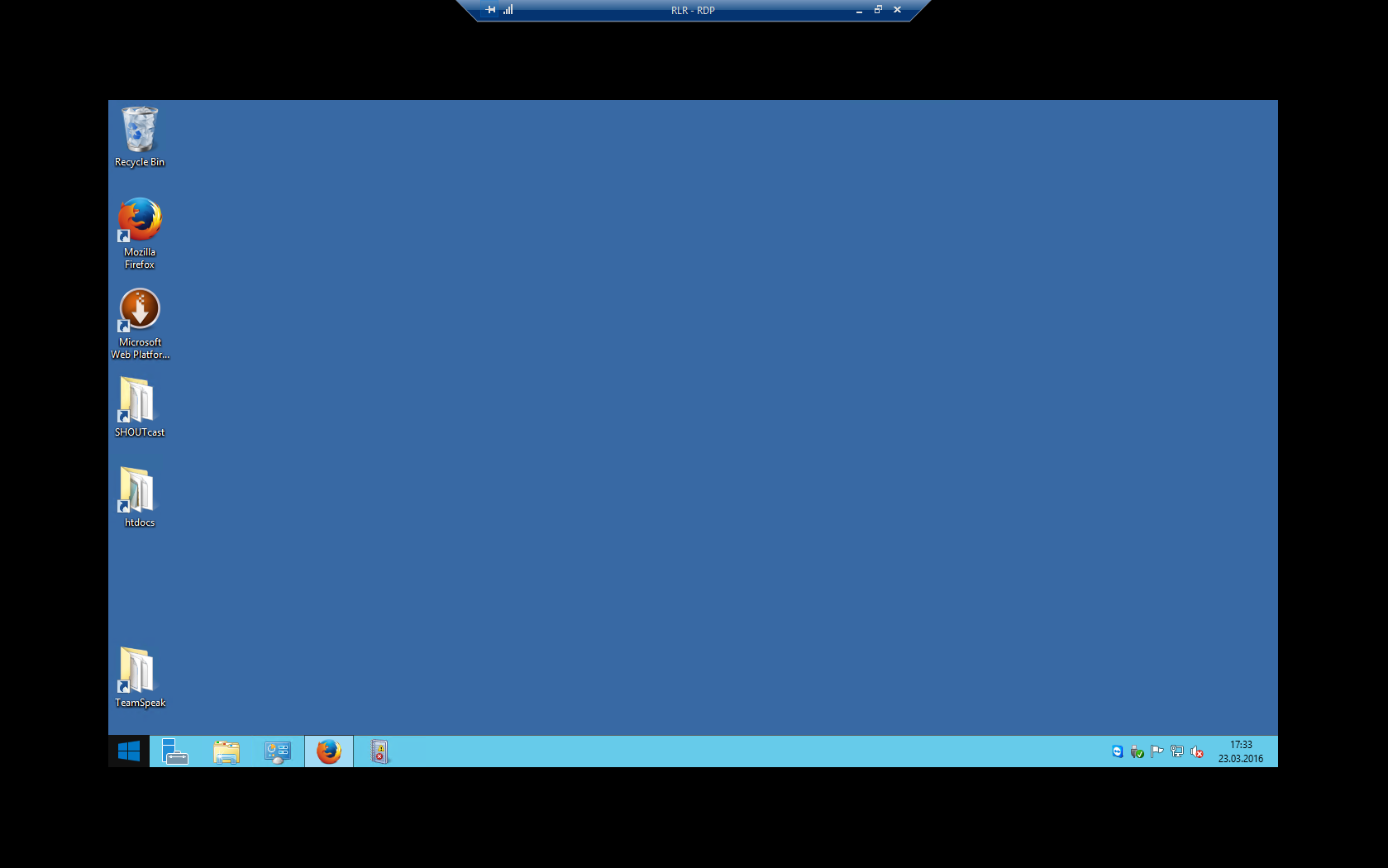
If I do, he won't resize Fullscreen to Fullscreen.
It keeps the same size:
Windows 10: Blurry RDP-Window in non-fullscreen mode
Hello all,
one Month ago I upgraded my Windows 7 to Windows 10 OS. Since Windows 10 we observe a strange bug in Remote Desktop Manager Enterprise 11.1.
When we connect to a Server, the whole connection window is pretty blurry and the resizing hadn't worked:
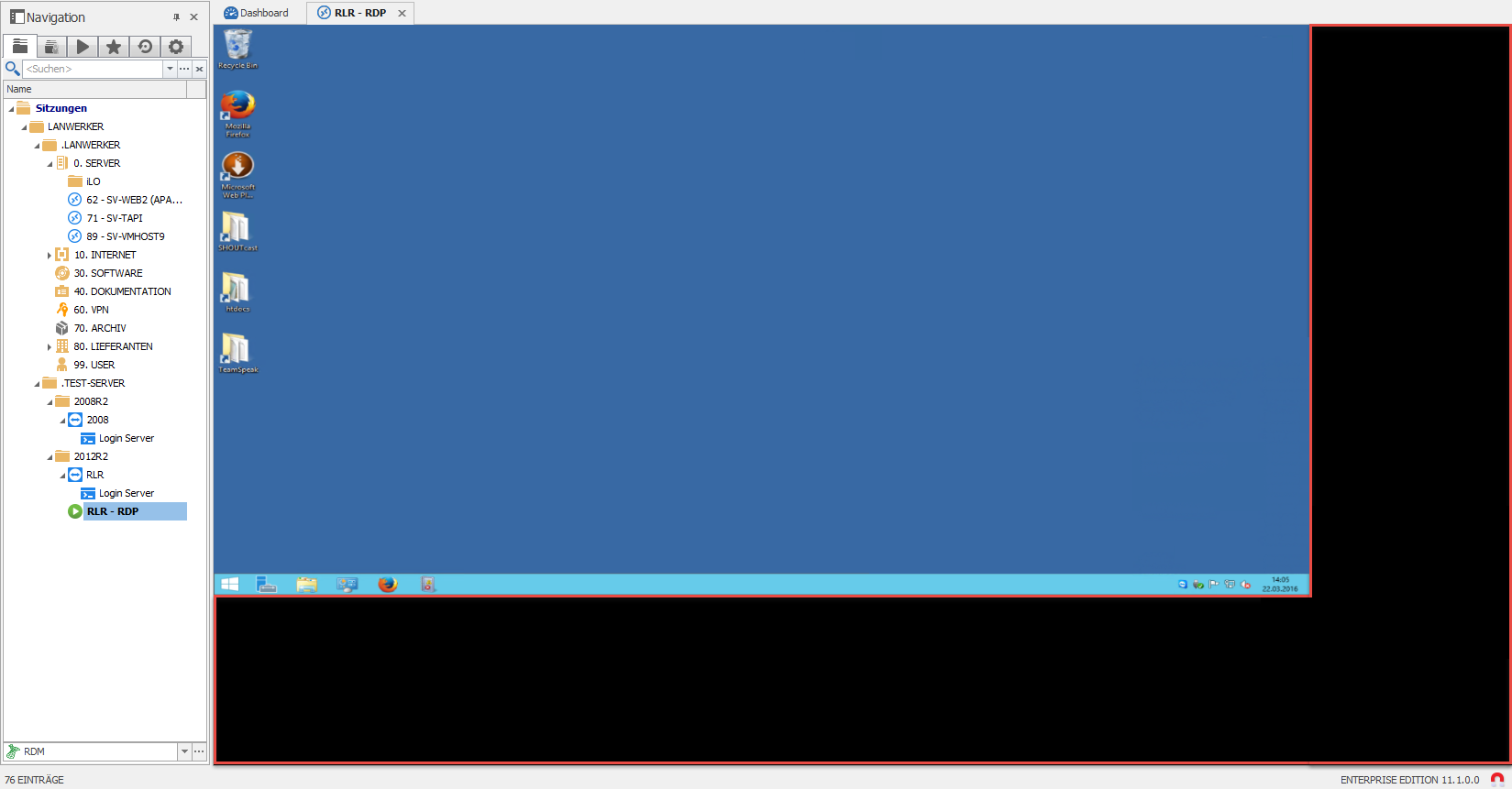
If we go into fullscreen mode after this, everything is "ok":

But as soon as we exit fullscreen mode, the resizing works, but its still a little blurry:
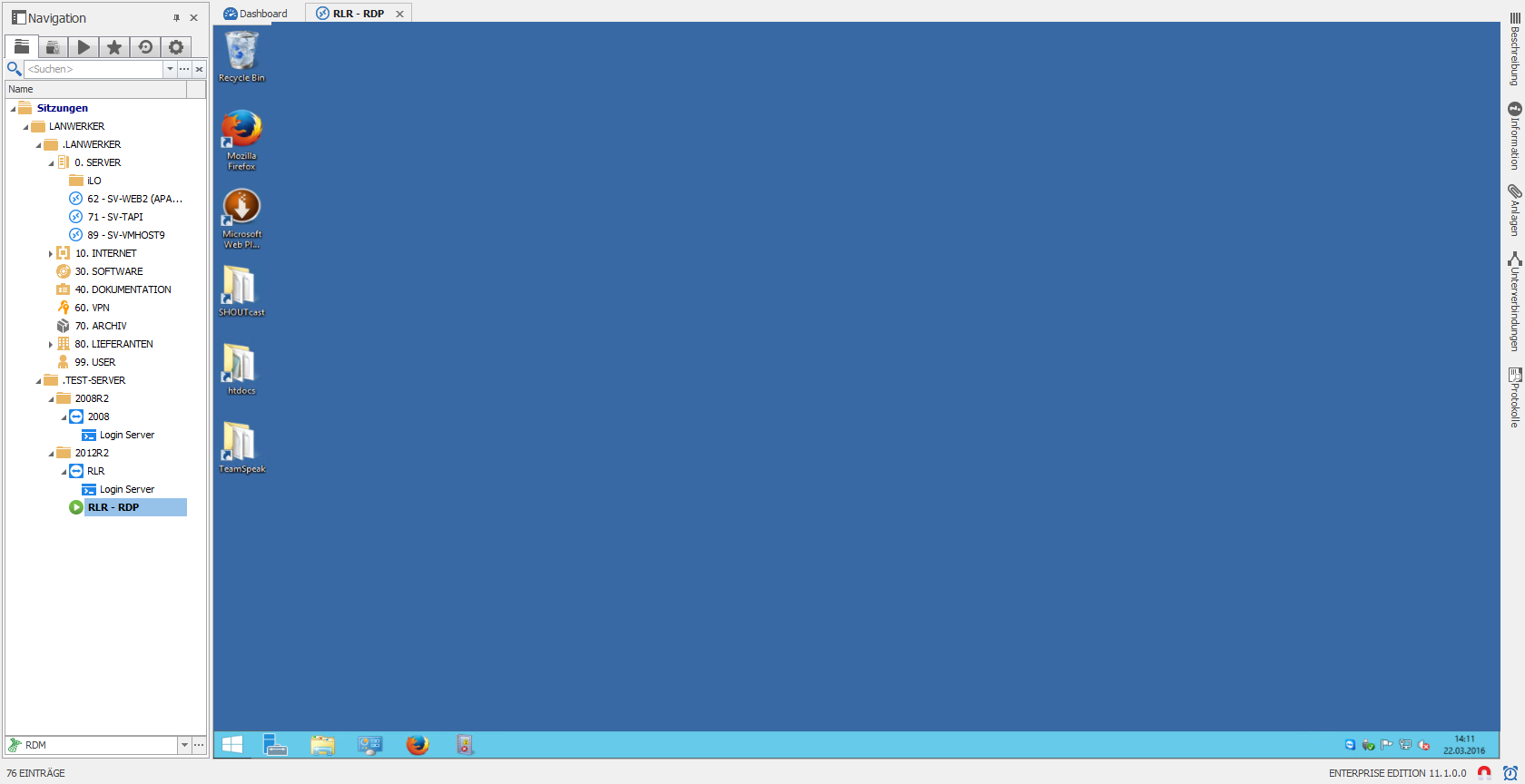
As View-Settings we got "Aktuelle Bildschirmgröße" (current Screensize) and for Screen sizing mode we got "RDP Fenster (intelligente Sortierung)" (RDP Window (intelligent sorting)).
Is there any way to fix this issue? It looks like its OS related, since we don't have this kind of problem on our Windows 7 or Windows 8.1 based systems.
Best wishes
Alex