
jtuttle
3 errors shown on taskbar icon, unable to locate the errors
Yes but not in this public forum.
Do you have a private alternate messaging method?
3 errors shown on taskbar icon, unable to locate the errors
I have no idea what the alerts are indicating as I am unable to find any alerts when I go in to RDM. What is the "3" actually indicating? Please advise.
3 errors shown on taskbar icon, unable to locate the errors
3 errors shown on taskbar icon, unable to locate the errors
Export script not exporting everything
Gaak, apparently we did NOT use the Install-Module command :(
This is our result:
PS C:\Windows\System32> Update-Module -Name Devolutions.PowerShell -RequiredVersion 2023.3.3.0 -Force
Update-Module: Module 'Devolutions.PowerShell' was not installed by using Install-Module, so it cannot be updated.
What is the recommended procedure in our case?
Export script not exporting everything
Devolutions: that's great news! Thank you for the update.
What is the recommended procedure to update the existing installed version of the Devolutions.PowerShell module to version 2023.3.3 of the Devolutions.PowerShell module that includes the new functionality?
Export script not exporting everything
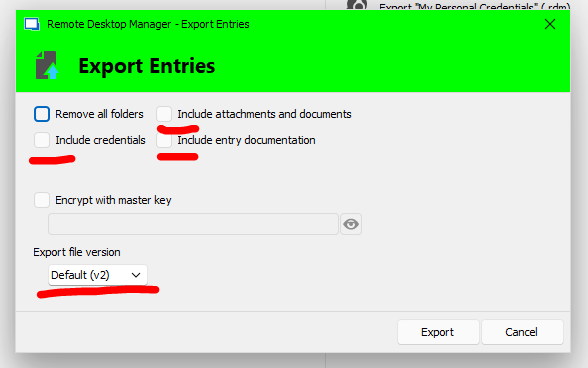
Hello, We've added the '-IncludeAttachements' to the sample export and it runs except we am unable to locate the "Include entry documentation" and "Export file version" switches. When we perform a manual export via the GUI, the .rdm is larger than when we run the script below. I know we're missing something. Thanks to all.
Export-RDMSession -Path "D:\RemoteDesktopManager\Sessions_$reponame.rdm" -Sessions $sessions -IncludeCredentials -IncludeAttachements -XML -Password $passwd
Option to disable the vertical navigation
Option to disable the vertical navigation
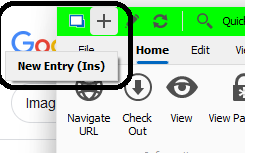
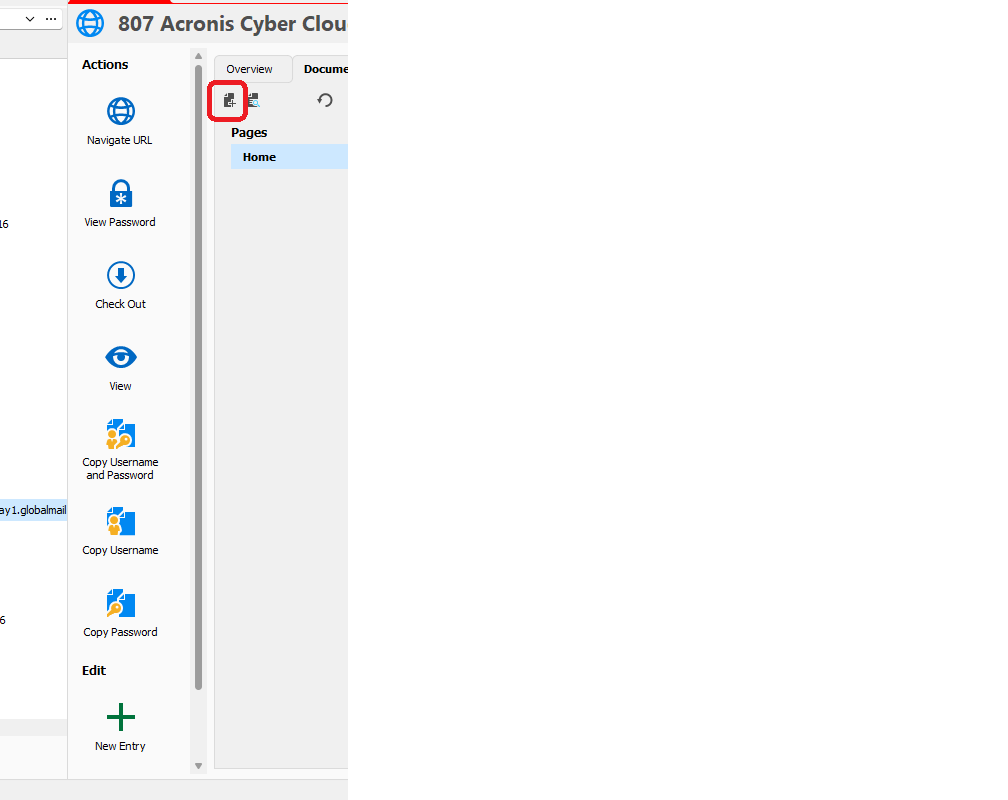
Hello, here is a screen shot.
The vertical icon list is HUGE and consumes a tremendous amount
of vertical space and forces a vertical scroll and we have to :”HUNT” for the
scroll bar which reduces to ONE PIXEL width when not hovering over
(frustrating).
My suggestion is provide options in the settings jungle to:
1)
HIDE the icon text and allow the text to appear as a pop up upon
mouse over hover (like in the black box in the second screen shot) which will
collapse the vertical list to where vertical scrolling is not required.
2)
Reduce the icon size to those in the red outlined box
These two options will allow the user to hide text and or reduce
icon size.
Once a user learns the icon images, the text will no longer be
required.
Need UNC and File path links in DOCUMENTS
Success with one addition. Add target="_blank" inside the <a> tag to force an external Windows Explorer window to open (standard HTML):
e.g. <a href="\\server\share\folder" target="_blank">Config Files Here</a>
Thanks
Need UNC and File path links in DOCUMENTS
Yes,
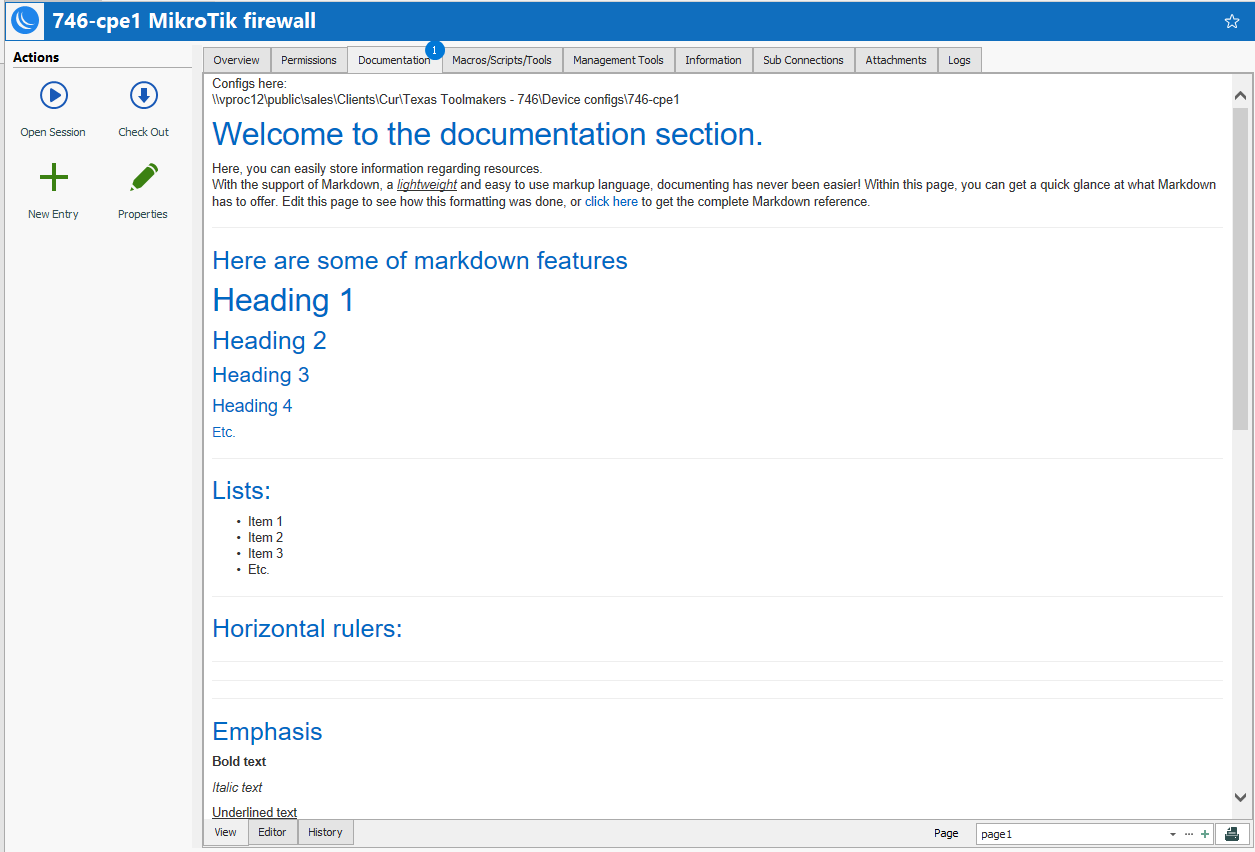
your document solution works for a single document (with a tremendous amount of overhead) but it does not allow for opening of a location. See attached screenshot of what we need and which is much more efficient and quicker to implement and manage.
Need UNC and File path links in DOCUMENTS
Need UNC (\\server\share\some_folder) and File path (P:\some_folder) links in DOCUMENTS so we can quickly access DOCUMENTS tha tneed to be updated. HTTP links are great but do absolutely nothing for managing DOCUMENTS. Else change the name from DOCUMENTS to URL'S.
Dynamic sizing of session tabs
See attached PDF example. Thank you.
Dynamic sizing of session tabs
Provide the option to enable the session tabs to be dynamic in width so they all remain in the same line and not encroach in the session space and have the ability mouse over each tab to reveal it's full contents identical to the tabs in your Internet browser.
This way you don’t have to do the scroll back & forth in the upper right to access your tabs and all you have to do is mouse overreach tab to see it’s full title.
Best, Jeff