
thomas.wehner
Question: Did RDM use his own code for RDP?
Hi there
Reason:
I have a software installed on a terminalserver 2008 R2. It's called "d3".
It's an archiving software for DIN A4 papers, bills an so on.
Since an update of this software i get a problem. If someone works in this software over Microsoft RDP, then minimize the RDP session (focus get lost) and goes to another RDP session (other Server) and comes back to this session some minutes later to work on in the d3, the program freeze. It's only this software. After many testings i think it's the graphic card from the clients (Intel HD graphics 4000) or the buffering image option from the Microsoft Client. Every other software in the RDP session works fine.
So i search now for an alternative software to connect to Server 2008 R2.
The best for testing would be, if the alternative software has it's own code and don't use the Microsoft RDP technology in the background.
Better viewing and handling with UltraVNC Connection / Parameter -autoscaling
I have VNC Connection Entry
Use UltraVNC
Parameter "-autoscaling -shared"
In general settings i choosed "External" and "Primary" monitor.
Now Remote Desktop Manager takes the screen from the remote computer (e.g. 2 monitors) and resize it to maximum in my primary monitor.
So the remote screen is very tiny and i can read nothing.
I think there are 3 possible options to do it better.
1. Option: In general settings there should be an possibility to choose eg. primary+secondary or e.g. primary+secondary+third
2. Option:
- If remote desktop manager know: "Hey the remote are 2 monitors, i resize to 2 monitors else i resize to 1 monitor"
- If remote desktop manager know: "Hey the remote are 3 monitors, i resize to 3 monitors if possible else i resize two 2 monitors an so on."
3. Option: In VNC settings i can choose via a dropdown menue: "Resize to 1 monitor" / "Resize to 2 monitors" / "Resize to 3 monitors"
An last but not least:
There should be an batch mode option to copy the vnc paramter line from one entry to all others vnc entries.
This option is greyed out in batch edit.
After fresh installation - It's not possible to open Options Tab
Well done. Good job. It's working.
Thanks a lot.
After fresh installation - It's not possible to open Options Tab
Problem solved on my computer! (Tree View is now shown)
Problem pc menue Point "options":
4 times same entry after start of the program:
System.ArgumentException: Font 'CG Times' does not support style 'Regular'.
at System.Drawing.Font.CreateNativeFont()
at System.Drawing.Font.Initialize(FontFamily family, Single emSize, FontStyle style, GraphicsUnit unit, Byte gdiCharSet, Boolean gdiVerticalFont)
at System.Drawing.Font.Initialize(String familyName, Single emSize, FontStyle style, GraphicsUnit unit, Byte gdiCharSet, Boolean gdiVerticalFont)
at System.Drawing.Font..ctor(String familyName, Single emSize)
at Devolutions.RemoteDesktopManager.Controls.FontComboBox.ce70311b91013c596c8412eecc62de716()
at Devolutions.RemoteDesktopManager.Controls.FontComboBox.set_SelectedFontName(String value)
at Devolutions.RemoteDesktopManager.Frames.FreSSHTelnetEntryOptionPanel.c49f0ccb73296dc8b9a91a4b256a04664()
at Devolutions.RemoteDesktopManager.Frames.FreSSHTelnetEntryOptionPanel.DoInitializeComponent()
at Devolutions.RemoteDesktopManager.Frames.FreBase..ctor()
at Devolutions.RemoteDesktopManager.Frames.FreBaseOptionPanel..ctor()
at Devolutions.RemoteDesktopManager.Frames.FreSSHTelnetEntryOptionPanel..ctor()
at Devolutions.RemoteDesktopManager.Forms.FrmOptionList.c6d86f5f3d758f61290f5d859b1f42daf()
at Devolutions.RemoteDesktopManager.Forms.FrmOptionList.c2eb691ee03be73f9909b2c4b04011f54()
at Devolutions.RemoteDesktopManager.Forms.FrmOptionList.DoInitializeComponent()
at Devolutions.RemoteDesktopManager.Forms.FrmBase.c2003f33b05659ffe7ea3546ebd6ce300()
at Devolutions.RemoteDesktopManager.Forms.FrmBase..ctor()
at Devolutions.RemoteDesktopManager.Forms.FrmOptionList..ctor(OptionPanel tabIndex)
at Devolutions.RemoteDesktopManager.Managers.UIManager.CreateOptionForm(OptionPanel index)
at Devolutions.RemoteDesktopManager.Managers.ActionManager.ShowOptions(OptionPanel index)
at Devolutions.RemoteDesktopManager.Managers.MainMenuManager.c61718f25d3e20cb15d214dc8d513dd56(Object c19f185fd70cefc696ba148af1c4faf54, EventArgs cf1018bb83ec7debd818319fd3cb4844e)
at System.Windows.Forms.ToolStripItem.RaiseEvent(Object key, EventArgs e)
at System.Windows.Forms.ToolStripMenuItem.OnClick(EventArgs e)
at System.Windows.Forms.ToolStripItem.HandleClick(EventArgs e)
at System.Windows.Forms.ToolStripItem.FireEventInteractive(EventArgs e, ToolStripItemEventType met)
at System.Windows.Forms.ToolStripItem.FireEvent(EventArgs e, ToolStripItemEventType met)
at System.Windows.Forms.ToolStripItem.PerformClick()
at Devolutions.RemoteDesktopManager.Decorators.RibbonControlDecorator.c87c78fe207115667325ed4a98b055706(Object c19f185fd70cefc696ba148af1c4faf54, BackstageViewItemEventArgs cf1018bb83ec7debd818319fd3cb4844e)
at DevExpress.XtraBars.Ribbon.BackstageViewButtonItem.RaiseItemClick()
at DevExpress.XtraBars.Ribbon.Handler.BackstageViewControlHandler.OnMouseUp(DXMouseEventArgs e)
at DevExpress.XtraBars.Ribbon.Handler.Office2013BackstageViewControlHandler.OnMouseUp(DXMouseEventArgs e)
at DevExpress.XtraBars.Ribbon.BackstageViewControl.OnMouseUp(MouseEventArgs e)
at System.Windows.Forms.Control.WmMouseUp(Message& m, MouseButtons button, Int32 clicks)
at System.Windows.Forms.Control.WndProc(Message& m)
at DevExpress.XtraBars.Ribbon.BackstageViewControl.WndProc(Message& msg)
at System.Windows.Forms.Control.ControlNativeWindow.OnMessage(Message& m)
at System.Windows.Forms.Control.ControlNativeWindow.WndProc(Message& m)
at System.Windows.Forms.NativeWindow.Callback(IntPtr hWnd, Int32 msg, IntPtr wparam, IntPtr lparam)
After fresh installation - It's not possible to open Options Tab
This didn't work.
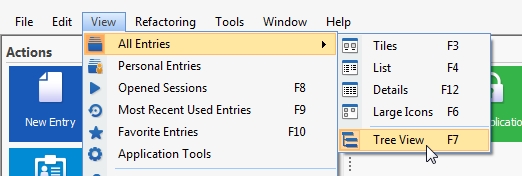
I have this option (F7).
But nothing happend.
After fresh installation - It's not possible to open Options Tab
New infos:
2 databases moved from SQLite to MSSQL Server.
The look & feel is faster. The problem "Options" is still the same on the other admin pc.
Another problem (MY installation at my pc):
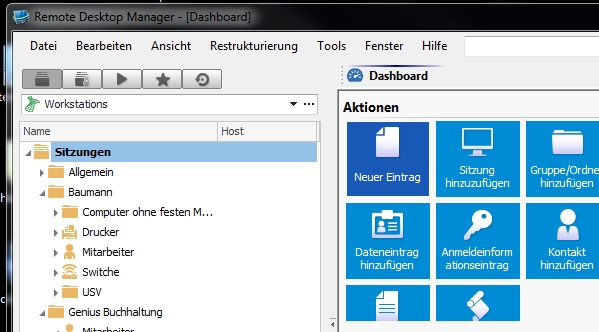
After upgrade to Version 10.5.4.0 my connections tree dissappear.
If i select in my options "classic interface" the connections tree on the left side dissappear. No possibility to get it back with "F7".
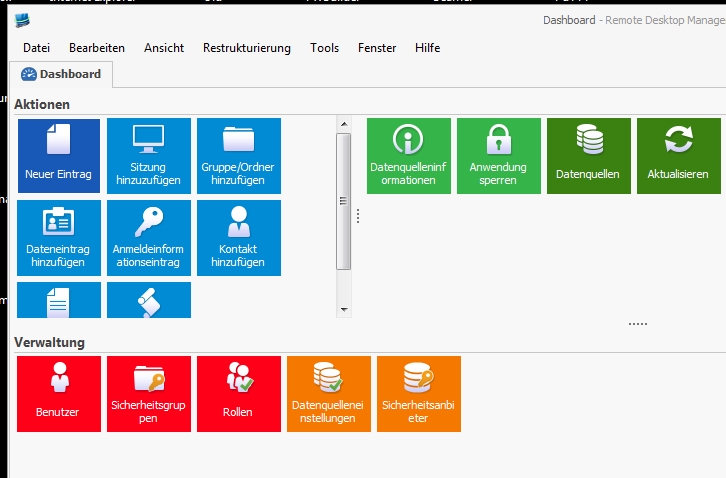
If i select in my options "classic interface V7.x" the connections tree is back.
After fresh installation - It's not possible to open Options Tab
I have send a diagnostic report.
At this moment i install on a server an MS SQL Express 2014.
Tooks some time.
After that i hope i can export/import SQLite <> MSSQL Server.
After fresh installation - It's not possible to open Options Tab
We use 2 SQLite databases.
Workstations
Server (with data source password)
After fresh installation - It's not possible to open Options Tab
No. If i click options. Nothing happens.
Every other menue point ist available and works normal.
It's a laptop. At this moment there is no second screen active.
After fresh installation - It's not possible to open Options Tab
After fresh installation - It's not possible to open Options Tab
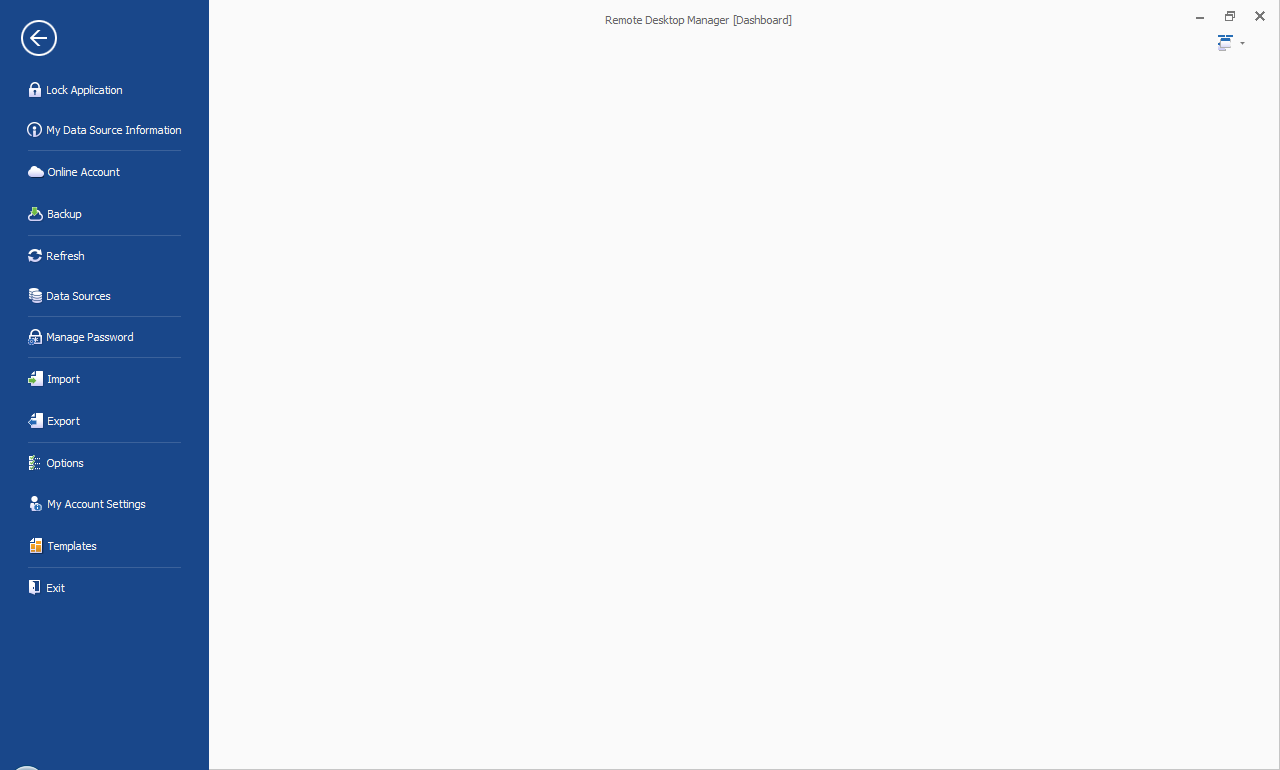
How can i get this "backview file"?
Program protocol?
Protocol of changes?
Diagnose?
Profiler?
edited by thomas.wehner@baumann-automation.com on 4/15/2015
After fresh installation - It's not possible to open Options Tab
I think not.
Fresh install.
I have connected to the db in the network. (Even so as on the 4 other Admin PC's)
That's all.
The user account in which is Desktop Manager Enterprise installed is an admin account.
Start as administrator... didn't help too
edited by thomas.wehner@baumann-automation.com on 4/14/2015
After fresh installation - It's not possible to open Options Tab
I have installed 4 Computers with no problems.
The 5th installation is fresh.
I can open every tab, but not the > File > Options.
Dekstop Manager Free was installed before.
I have deinstalled it an installed the full version normally.
After that, i deinstalled Dekstop Manager Enterprise and clean the programm directories.
After that a new installation of Desktop Manager Enterprise.
But the problem still appears.
Any solutions?
edited by thomas.wehner@baumann-automation.com on 4/14/2015